Last Updated on April 11, 2024
Summary
Discover top Azure AI Services, driving operational efficiency with advanced analytics and personalized experiences. From chatbot development to document processing and face recognition, explore how Microsoft Azure AI Services empowers businesses to innovate and succeed in today’s digital landscape. Learn how to leverage the power of Azure AI for unparalleled growth and transformation.
Table of Contents
Introduction
In today’s digital age dominated by evolving technology and cut-throat competition, businesses want to innovate, disrupt, and achieve growth. The Azure AI services offered by Microsoft exist for the sole purpose of helping you advance by enabling you to integrate advanced AI into operations. From automating processes to predicting trends, Azure AI empowers enterprises to redefine excellence and surpass industry standards. With advanced algorithms and scalable infrastructure, businesses can explore new opportunities and achieve success in a competitive landscape.
Stats reveal Microsoft achieved record-breaking success in Q2 2024, driven by the Azure cloud and the widespread adoption of AI services. Azure revenue soared by 24% to $33 billion, with 6 points attributed to AI integration, driving tangible results for businesses across various sectors.
But why does the need for Azure AI services arise, and how can they help your business succeed? Let’s break it down in simple terms and explore how Azure AI is transforming businesses in the digital world.
Need For Azure AI Services
- Data Demands: Businesses generate massive amounts of data through multiple touchpoints in the modern digital landscape, necessitating innovative management solutions.
- Informed Decision-Making: Azure AI empowers businesses with real-time insights for competitive decision-making.
- Advanced Analytics: It can uncover hidden patterns and optimize operations through predictive modeling.
- Seamless Integration: AI integration streamlines workflows, automates processes, boosts productivity, and cuts costs.
- Personalized Experiences: Azure AI can tailor customer interactions based on behavior and preferences.
- Scalability: Azure AI adapts to changing demands, providing secure and flexible deployment options.
- Competitive Edge: Embracing Azure AI services is crucial for innovation, growth, and maintaining a strategic advantage.
- Enhanced Security: Azure AI services offer robust security measures, safeguarding sensitive data and protecting against threats.
Here are the key reasons organizations require Azure AI Service:
Top Azure AI Services To Redefine Your Business
Here are the top Azure AI services that can transform your business:
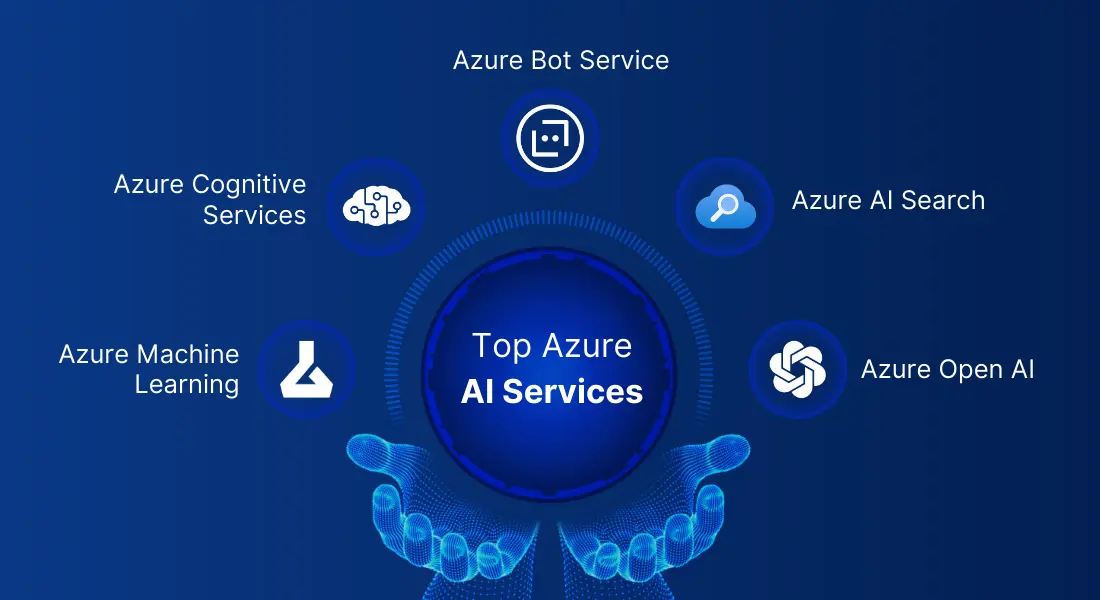
1. Azure Machine Learning Services
Azure Machine learning is like an extensive toolbox in the cloud, shaping the Azure AI platform, helping you build, train, and deploy machine learning models. It offers various tools and services, including Azure AI services, to help you start the end-to-end ML process, including preparing data and model training and implementing them.
- Supports popular ML frameworks such as TensorFlow, PyTorch, and Scikit-learn for model building.
- Collaborate and streamline MLOps processes with quick deployment, management, and sharing of ML models across workspaces.
- Seamless integration with Azure services like Databricks, Data Lake Storage, and SQL Database enhances workflow efficiency.
- Models can be deployed as web services or Docker containers for real-time use, ensuring flexibility and scalability.
- Implement custom RBAC policies to control access to sensitive data and machine learning resources.
- Securely access machine learning services using private endpoints and IP addresses to prevent exposure to the public internet.
- Predictive Maintenance
- Fraud Detection
- Customer Churn Prediction
- Personalized Marketing
- Healthcare Analytics
- Sentiment Analysis
- Image Recognition
- Natural Language Processing (NLP)
- Supply Chain Optimization
- Energy Management
Key Features of Azure Machine Learning
Use Cases
Azure Machine Learning offers various use cases across multiple industries. Some prominent examples include:
Azure Machine Learning Case Study
Fashable: Transforming Fashion with Azure Machine Learning
Fashable, a Portugal-based fashion tech startup, utilized Azure Machine Learning to revolutionize the fashion industry. Facing challenges like unsustainable manufacturing and long production cycles, they leveraged AI algorithms to generate original clothing designs swiftly, reduce waste, and meet customer demands efficiently. Azure’s cost-effective GPU support and MLOps capabilities streamlined their research efforts, enabling faster innovation.
2. Cognitive Services
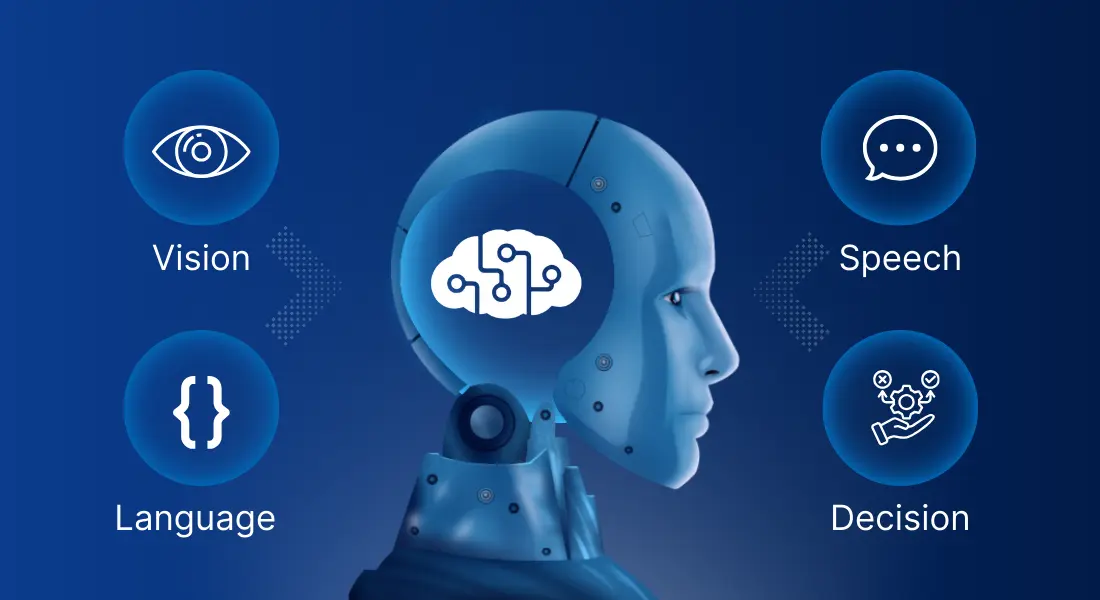
Azure Cognitive Services offers diverse tailored AI models, setting the standard as the first service to achieve human-like performance in computer vision, speech, and language capabilities. These Azure AI services are separated into four primary groups:
1. Vision
Azure AI Vision is a comprehensive service within Azure AI services that offers advanced computer vision capabilities to developers. It enables applications to analyze images and videos, extract text, and recognize faces using prebuilt models and APIs.
- Image Analysis: Identifies, categorizes, and provides insights from images.
- Spatial Analysis: Offers real-time understanding of people’s presence and movements.
- Optical Character Recognition (OCR): Extracts text from images, including printed and handwritten content in multiple languages and styles.
- Facial Recognition: Recognizes and verifies human identity.
- Automated Inspection for defects
- Retail Analytics
- Healthcare Diagnostics
- Security and Surveillance
- Environmental Monitoring
- Artificial Reality and Gaming
Key Features Include
Use Cases
AI Vision Case Study
Riding the Waves of Innovation: USA Surfing’s Partnership with Azure AI Vision
In collaboration with Microsoft, USA Surfing utilized Azure AI services (vision) to enhance athlete performance and reduce injuries. Challenges included capturing surfers’ movements accurately, addressed through advanced analytics and AI models. The solution provides real-time insights into body positions and wave dynamics. This innovative approach revolutionized coaching in surfing, aligning with the sport’s Olympic momentum.
2. Speech
Azure AI Speech is one of the comprehensive Azure AI services enabling machines to comprehend and interact with human speech. It facilitates the following.
- Speech-to-text: It instantly transforms audio streams into textual format or in bulk.
- Text-to-speech: Empowers applications to convert written text into natural-sounding speech.
- Speech translation: Offers real-time translation between spoken languages, supporting speech-to-speech and speech-to-text conversions.
- Speaker Recognition: Verify and identify speakers in meetings or apps.
- Customizable Models: Tailor voices and models to your app’s needs.
- Versatile Deployment Options: Execute Speech capabilities in the cloud or at the edge.
- Security and Compliance: Your data remains private and secure.
- Flexible Pricing: Pay only for what you use, with no upfront costs.
- Customer Service and Support
- Transcription and Captioning
- Virtual Assistants
- Language Translation
- Voice-Controlled Devices
- Medical Dictation and Documentation
- Accessibility Solutions
- Educational Tools
Features of Azure AI Speech
Use Cases
AI Speech Case Study
Microsoft’s Custom Neural Voice: Bringing Characters to Life in AT&T’s AR Experiences
Microsoft leveraged Custom Neural Voice in Azure Cognitive Services( Azure AI services) to animate characters like Bugs Bunny for AT&T’s AR experiences. Challenges included natural conversation flow and responsible AI usage. Solutions involved implementing technical controls, contractual terms, and speaker verification to ensure transparency and prevent misuse.
3. Language
This advanced tool within Azure AI services, is powered by cutting-edge artificial intelligence research that can understand and process human language. It includes
- Text Analytics for sentiment analysis and key phrase extraction.
- QnA Maker for creating question-and-answer systems.
- LUIS is used to build custom language understanding models.
- Advanced AI-driven Natural Language Processing (NLP) capabilities.
- Multilingual model training and usage.
- User-friendly visual interface for annotation, training, evaluation, and deployment.
- Emphasis on data security and privacy.
- Efficient annotation tools.
- Seamless model training and evaluation process.
- Easy deployment of trained models for real-world applications.
- Customer service automation
- Multilingual support
- Natural language understanding
- Content analysis and classification
- Language Translation
- Voice-to-text and text-to-voice
- Conversational AI
- Sentiment analysis
- Language generation
- Domain-specific language understanding
Features of Azure AI language
Use Cases
NLP Case Study
During its digital transformation, Vodafone utilized Microsoft Azure services to create TOBi, a digital assistant. Azure Cognitive Services and Bot Service addressed legacy system integration and multilingual support challenges, improving customer interactions, reducing call center volumes, and enhancing operational efficiency.
4. Decision
Decision cognitive services are part of Azure AI services and are like smart assistants that help you make better decisions by understanding and analyzing language. They use natural language processing (NLP) to give recommendations and insights, making it easier to choose the right path or take action.
Seamlessly connect through Azure Integration Services & embrace innovation while we handle the integration challenges.
3. Azure AI Bot Service
Azure AI Bot Service, a part of Azure AI services, is a Microsoft tool for building and deploying chatbots without dealing with technical backend tasks. These bots can answer questions or perform specific actions based on people’s questions. It’s a way to quickly build and run these helpful chatbots without worrying about the technical details of setting up servers or managing the infrastructure.
- It simplifies chatbot creation with an integrated development environment.
- Incorporates LUIS to understand user intent and QnA Maker for FAQs.
- Seamlessly integrates with Azure services for scalability and reliability.
- Implement chatbots across many channels, including web, mobile, and messaging platforms.
- Provides analytics for monitoring chatbot performance and user interactions.
- Guarantees adherence to industry standards for data privacy and compliance.
- It enables continuous integration and deployment pipelines for bot updates.
- It offers flexibility and extensibility with Bot Framework SDK for custom development.
- It leverages Azure Cognitive Services for sophisticated AI capabilities like sentiment analysis and image recognition.
- It supports enterprise-level features such as single sign-on (SSO) and multi-tenancy.
- Customer service automation
- E-commerce assistance
- Lead generation and qualification
- Internal knowledge management
- Appointment scheduling and reminders
- Healthcare assistance
- Education and training
- Feedback collection and surveys
- Travel assistance
Features of Bot Service
Use Cases
Azure AI Case Study
Transforming Data Retrieval: PwC’s AI-Powered Chatbots
PwC leveraged Azure AI services, including Microsoft Power Virtual Agents and Bot Framework Composer, to develop AI chatbots, tackling the challenges of data overload. These chatbots streamline content retrieval, offering personalized assistance across global repositories and enhancing productivity and user experience. This approach streamlined content access, overcoming the hurdles of data overload and diverse user needs, ultimately improving productivity and facilitating seamless information retrieval.
4. Azure AI Search
Azure AI Search, formerly known as Azure Cognitive Search, is a service within Azure AI services that allows you to search and retrieve any information safely from your own datasets. It’s like having your search engine for your data, allowing you to locate specific content or documents quickly.
- Search text and vectors for relevant information.
- Index content with advanced processing for text and vectors.
- Perform various types of searches, including text, hybrid, fuzzy, and geo-search.
- Seamlessly connect with other Azure services for data ingestion and AI capabilities.
- Customize search results for better relevance and accuracy.
- Ensure secure and scalable search operations with Azure’s infrastructure.
- E-commerce product search
- Content discovery
- Enterprise search
- Job search and recruitment
- Knowledge base and FAQ search
- Legal document discovery
- Healthcare information retrieval
- News and media aggregation
- Real estate property search
- Travel and hospitality booking
Key Features of Azure AI Search
Use Cases
Case Study
Revolutionizing Skin Care Research: Beiersdorf’s AI-Powered Data Transformation with Microsoft AI Service
Beiersdorf, a leading skincare company, enhanced research efficiency with Azure AI. Utilizing Azure Cognitive Search and Cognitive Services, they centralized data for quick access. Challenges of scattered data were addressed, empowering scientists with AI-driven insights. The solution optimized R&D, ensuring innovative skincare products with streamlined research processes.
5. Azure Open AI
Azure OpenAI, part of Azure AI services, allows you to create your AI-powered applications, such as having a digital assistant or a creative co-pilot. It gives you the tools and resources to develop AI solutions to help with various tasks, from answering questions to generating new ideas or content.
- This Azure AI service builds personalized AI applications tailored to your specific needs and tasks.
- Develops virtual assistants to answer inquiries, supply information, or execute tasks.
- Leverages AI models to produce imaginative content, including text, visuals, or music.
- Chatbots for customer support
- Personalized recommendation systems
- Content creation for marketing campaigns
- Virtual assistants for scheduling and reminders
- Automated document summarization
- Language translation services
- Predictive analytics for business insights
Features of Azure Open AI
Use Cases
Open AI Case Study
CarMax’s AI Evolution: Streamlining with Azure OpenAI
CarMax, a top-used car retailer, aimed to streamline text summary creation, boost search rankings, and manage data efficiently. They turned to Microsoft Azure AI services, leveraging AI for content generation, review summarization, and SEO enhancement. These solutions helped CarMax overcome challenges, improving its online platform’s efficiency.
Other Azure API Services
In addition to Azure AI services, Azure provides a diverse range of API models that are ready for seamless integration into your projects.
1. Content Safety
- This Azure AI service filters explicit imagery, offensive language, and sensitive content.
- Provides moderation for text, images, and videos.
- Helps maintain brand reputation and compliance with regulations.
Content Safety, an Azure AI service, filters out potentially harmful or offensive material to ensure that digital content is safe and appropriate for consumption.
Features of Content Safety
2. Document intelligence
- This Azure AI service automates document processing tasks such as text extraction and analysis.
- It facilitates the extraction of data from both structured and unstructured documents.
- Supports tasks like OCR (Optical Character Recognition) for digitizing scanned documents.
Document Intelligence is an Azure AI service that extracts insights and information from documents, making it easier to analyze and utilize large volumes of textual data.
Key Features of Document Intelligence
3. Immersive Reader
- It reads text aloud to aid comprehension.
- Translates text into different languages.
- Customizes text appearance and layout for easier reading.
Immersive Reader, an Azure AI service, enhances reading experiences by providing features like text-to-speech, translation, and readability adjustments.
Key Features of Immersive Reader
4. Translator
- Supports translation of text, documents, and speech.
- Offers real-time translation for conversations.
- Provides multilingual support for various languages.
As an Azure AI service, the translator facilitates communication and comprehension across linguistic barriers by translating text and speech from one language to another.
Key Features of Translator
5. Video Indexer
- This Azure AI Service automatically generates transcripts and captions for videos.
- It Identifies objects, faces, and scenes within videos.
- It also enables content search and indexing for better organization and retrieval.
Video Indexer, an Azure AI service, analyzes video content to extract insights and metadata, making it easier to search, manage, and understand large video collections.
Key Features of Video Indexer
Thus, these were the top Microsoft Azure AI services, carefully curated to empower you with the latest artificial intelligence, transforming your business with innovation and excellence.
Conclusion
Azure AI Services offers a cutting-edge solution for enterprises seeking to boost operational efficiency and foster innovation. From advanced analytics to personalized customer experiences, Azure AI empowers enterprises to leverage artificial intelligence and machine learning effectively. By leveraging Azure consulting services alongside AI capabilities, organizations can streamline processes, gain invaluable insights, and stay ahead in today’s competitive digital landscape. With Azure AI service leading the charge, organizations can unlock unparalleled growth and success in today’s dynamic business landscape. Additionally, with a wide range of Azure AI tools and customizable solutions, Azure AI paves the way for unparalleled growth and success in diverse industries.
Frequently Asked Questions (FAQs)
Yes, AI Services in Azure are designed to cater to businesses of all sizes, from startups to enterprises, offering scalable solutions to meet diverse needs
Using AI services in Azure can benefit many industries, including healthcare, finance, retail, manufacturing, education, and entertainment.
Yes, AI Services in Azure offer seamless integration with existing applications through APIs, SDKs, and custom connectors, allowing businesses to enhance their capabilities without disrupting existing workflows.
AI Services in Azure support multiple languages and dialects, enabling businesses to create AI-powered applications catering to diverse linguistic preferences and global audiences.
AI Services in Azure are built on scalable infrastructure that can dynamically allocate resources based on demand, ensuring high performance and reliability even during peak usage periods.
Related Blogs

Expand Your Digital Horizons With Us
Start a new project or take an existing one to the next level. Get in touch to start small, scale-up, and go Agile.
Your Success Is Guaranteed !
We accelerate the release of digital product and guaranteed their success
We Use Slack, Jira & GitHub for Accurate Deployment and Effective Communication.