Quick Summary
DevOps metrics help teams measure performance, track delivery efficiency, and identify areas for improvement across the software development lifecycle. This blog covers the most important types of DevOps metrics and KPIs, how to measure them, what they mean for your business, and which tools can help you track them effectively.
Table of Contents
What are DevOps Metrics?
DevOps metrics are key performance indicators(KPIs) that measure how efficiently your teams build, deploy, and maintain software. These metrics act as a scorecard, offering clear insights into the performance, speed, and reliability of your DevOps Lifecycle.
Why DevOps Metrics Matter More in 2026
In 2026, software teams face increasing pressure to deliver faster, more reliable applications. The software delivery process has become more complex with cloud technologies, automation, and AI embedded across development environments. Relying on assumptions is no longer enough; teams need precise, actionable data.
That’s where DevOps metrics come in. These key indicators offer visibility into every development and deployment pipeline stage. They help teams detect issues early, accelerate release cycles, and minimize downtime.
According to Google’s DORA research (Accelerate State of DevOps 2024), elite-performing teams achieve: 127× faster lead times from commit to deploy, 182× lower change failure rates, 8× more frequent deployments per year, and 2,293× faster recovery from failed deployments.
Conversely, low-performing teams often struggle with lengthy release cycles and prolonged outages. The core difference? High-performing teams consistently track, analyze, and optimize their DevOps KPIs for continuous improvement.
In the next section, we’ll explore the 15 essential DevOps metrics and KPIs, how to track them, the benchmarks to aim for, and practical ways to improve each.
Top 15 Key DevOps Metrics To Monitor
Here are the top 15 DevOps KPIs and metrics you need to track to measure your DevOps success.
Here’s a list of the key DevOps performance metrics:
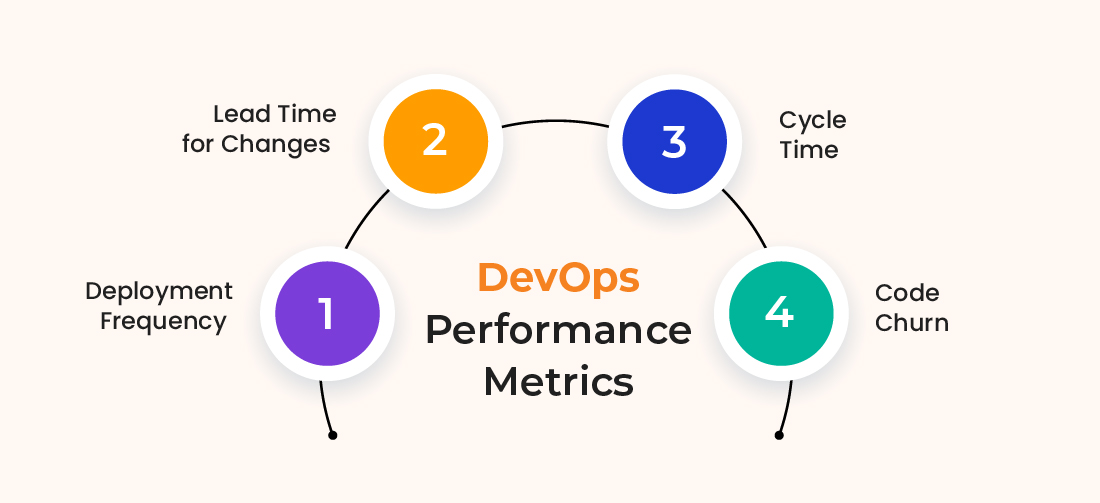
1. Deployment Frequency
Deployment Frequency measures how regularly a team releases new code to production. A higher frequency leads to faster updates and improvements. As one of the core DevOps metrics, it reflects team efficiency and helps streamline the release process for faster time-to-market.
How It Impacts Your Business:
- Delivering code more frequently keeps your product competitive and responsive to change.
- Shipping updates regularly improve customer satisfaction and trust.
- Smaller, frequent deployments reduce the risk of significant issues and simplify rollbacks.
How to Measure This Metric:
- Measure how often code deploys in a given time frame (daily, weekly, or monthly).
- Use CI/CD pipeline logs or deployment dashboards to monitor release frequency.
- Analyze historical trends to assess consistency and improvement over time.
Ideal Target:
- Multiple deployments per day for high-performing teams.
How to Optimize:
- Automate CI/CD pipelines to reduce manual steps and ensure reliable deployments.
- Strengthen test automation to catch bugs early and reduce rollback risk.
- Break releases into more minor, incremental updates for easier testing and deployment.
- Use feature flags to control gradual rollouts without affecting all users at once.
2. Lead Time for Changes
Lead Time for Changes is a DORA metric, which refers to the time it takes for a committed code change to be deployed to production. As one of the key metrics in DevOps, it measures how quickly a change moves from development to being available for end users.
How It Impacts Your Business:
- Moving code changes to production faster speeds up value delivery to users.
- Shorter lead times reduce bottlenecks and improve development flow.
- Faster turnaround supports business agility and helps meet tight deadlines.
How to Measure This Metric:
- Measure the time between a code commit and its successful deployment to production.
- Use CI/CD pipeline logs and version control timestamps to track and analyze lead time trends.
Ideal Target:
- Less than one day for high-performing teams.
How to Optimize:
- Streamline CI/CD pipelines to reduce build and test durations.
- Minimize manual approval steps, where possible, to speed deployments.
- Adopt trunk-based development to simplify integration and accelerate releases.
3. Cycle Time
Cycle Time measures the total time taken from the beginning of a development task to its completion and readiness for deployment. It helps evaluate the efficiency of the entire development workflow.
How It Impacts Your Business:
- Shorter cycle times lead to faster delivery of new features and bug fixes.
- Faster turnaround helps teams quickly adapt to evolving customer needs.
- Better visibility into bottlenecks improves workflow efficiency and team productivity.
How to Measure This Metric:
- Record the start and end times for each development task.
- Calculate the average cycle time for tasks completed over a specific period (daily, weekly, monthly).
- Analyze cycle time trends to detect bottlenecks or delays in the process.
Ideal Target:
- Shorter cycle times indicate more efficient development and faster delivery.
How to Optimize:
- Automate repetitive tasks within the CI/CD pipeline to reduce manual effort.
- Encourage small, incremental code changes that are easier to review and deploy.
- Implement agile practices like Kanban or Scrum to improve workflow visibility and efficiency.
4. Code Churn
Code Churn is one of the key DevOps metrics used to assess code stability. It measures how often developers modify or rewrite the same lines of code shortly after they’ve been committed.
How It Impacts Your Business:
- Reduces wasted development effort, helping control engineering costs.
- Improves delivery timelines by minimizing rework and last-minute changes.
- It helps identify unclear requirements early, enabling better planning and alignment.
- It leads to a more stable product, lowering defect rates, and increasing customer satisfaction.
How to Measure This Metric:
- Measure the percentage of code changes that are quickly revised (e.g., within two weeks).
- Use version control tools (e.g., Git logs) to analyze frequent rewrites.
- Compare churn rates across different teams or projects to spot anomalies.
Ideal Target:
- Less than 10% churn for a stable codebase.
- Some fluctuation is expected in early development phases, but it should decrease over time.
How to Optimize:
- Strengthen requirement gathering and planning to reduce ambiguity.
- Promote code reviews and pair programming to improve initial code quality.
- Use test-driven development (TDD) to catch issues early in the process.
- Maintain consistent coding standards to reduce unnecessary rework.
🟠 DevOps Security Metrics
Here are the DevOps metrics you should monitor for security:
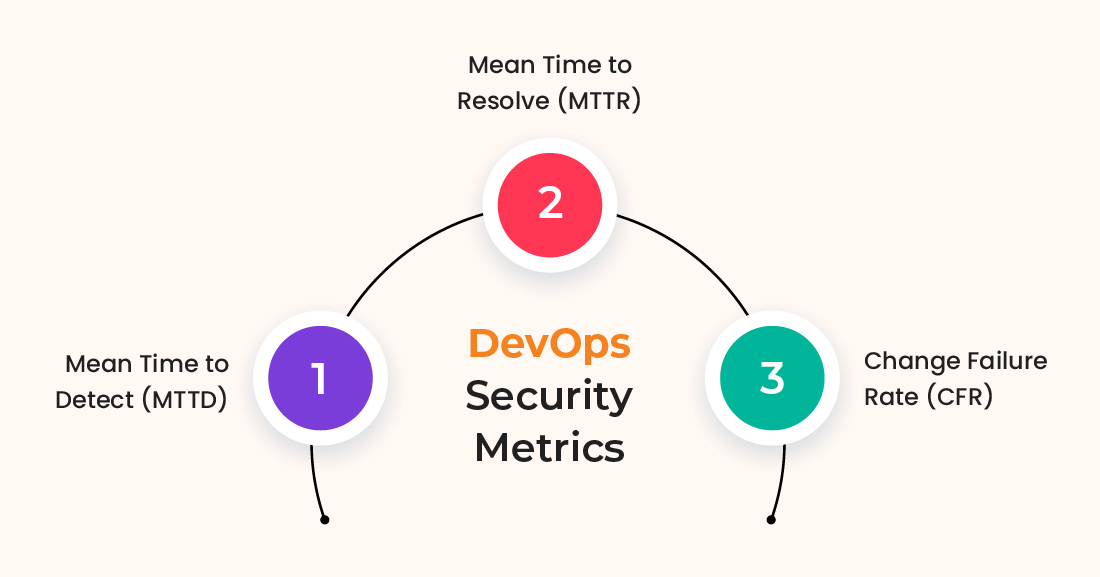
5. Mean Time to Detect (MTTD)
MTTD measures the average time it takes to identify an incident after it occurs. It reflects how quickly your monitoring and alerting systems can detect problems in real time.
How It Impacts Your Business:
- Minimizes business disruption by reducing system downtime through faster incident detection.
- Lowers the risk of cascading failures caused by undetected system issues.
- Improves operational efficiency by enabling quicker response and remediation.
- Enhances system reliability and helps meet high-availability targets.
How to Measure This Metric:
- Track the time from when an incident occurs to when it is first detected.
- Use monitoring and alerting tools (e.g., Prometheus, Splunk, ELK Stack).
- Track historical trends to assess improvement over time.
Ideal Target:
- Mission-critical systems take less than 5 minutes. The lower the MTTD, the more responsive your monitoring system is.
How to Optimize:
- Implement real-time logging, alerting, and anomaly detection.
- Use AI-powered monitoring for predictive analysis.
- Automate alerts to prioritize critical incidents and reduce alert fatigue.
- Regular testing of alert rules and thresholds must be conducted to maintain accuracy.
6. Mean Time to Resolve (MTTR)
MTTR measures the average time it takes to resolve an incident after it has been acknowledged fully. It reflects the efficiency of your incident response and recovery process.
How It Impacts Your Business:
- Minimizes operational costs and customer impact by restoring services quickly.
- Reduces the risk of long outages that can lead to revenue loss.
- Enhances system reliability and strengthens user trust.
- Improves team efficiency by reducing firefighting and incident backlog.
How to Measure This Metric:
- Measure the time between incident acknowledgment and full resolution.
- Use incident management tools (e.g., ServiceNow, Jira, Opsgenie) to track resolution times.
- Categorize incidents by severity to identify trends across response types.
Ideal Target:
- Less than 30 minutes for high-severity incidents. Continuous reduction in MTTR over time indicates a mature DevOps process.
How to Optimize:
- Automate common remediation tasks using runbooks.
- Improve knowledge-sharing through post-incident reviews.
- Use Infrastructure as Code (IaC) for rapid environment recovery.
- Train teams on efficient incident resolution techniques.
7. Change Failure Rate (CFR)
This metric (CFR) measures the percentage of deployments that lead to failures requiring rollbacks, hotfixes, or patches. Bugs, regressions, or system issues typically cause these failures. Also, Change Failure Rate is a key indicator of code quality and the effectiveness of testing and release practices.
How It Impacts Your Business:
- Unstable releases reduce customer trust and damage product reputation.
- Operational costs rise due to frequent rollbacks, patches, and firefighting.
- Developer morale and innovation slow down when confidence in deployments is low.
- Service reliability declines, leading to a poor user experience and potential churn.
How to Measure This Metric:
- To calculate the percentage of failed deployments, use this formula: CFR = (Failed Deployments / Total Deployments) * 100
- Track rollback occurrences and emergency patches.
- Use CI/CD logs and incident reports for failure tracking.
Ideal Target:
- Under 15% for stable DevOps teams.
- Elite teams maintain under 5% failure rates.
How to Optimize:
- Strengthen testing strategies (unit, integration, and end-to-end tests).
- Use canary deployments and blue/green deployments to minimize user impact.
- Improve developer training on secure and stable coding practices.
- Automate rollbacks for faster recovery from failures.
Optimize Reliability & Boost Operational Performance with Data-Driven DevOps Metrics.
Hire DevOps Engineers from us to enhance system resilience, automate monitoring, and drive continuous improvement today!
🟠 DevOps Cost Metrics
Here are the DevOps cost metrics you should monitor to keep a check on your DevOps spending:
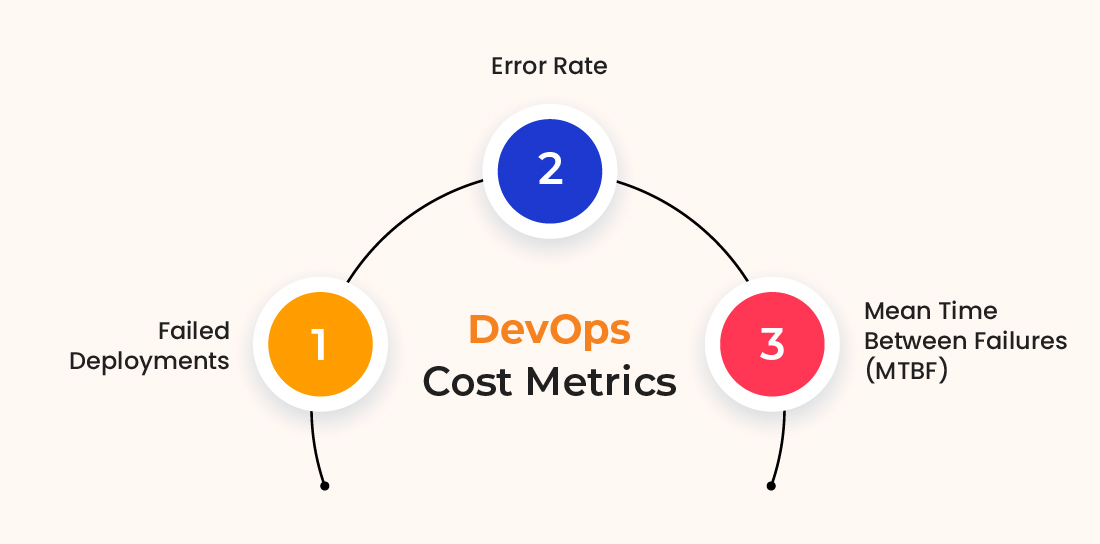
8. Failed Deployments
Failed Deployments track the percentage of releases that fail due to issues in the delivery pipeline, such as misconfigurations, missing dependencies, build errors, or infrastructure problems. This metric reflects the overall reliability and stability of the deployment process.
How It Impacts Your Business:
- Frequent deployment failures disrupt releases, lower team confidence, and delay product delivery.
- Unplanned fixes and emergency rollbacks drive up operational costs.
- Ongoing issues reduce developer confidence in the deployment pipeline.
- A pattern of failed deployments can harm the brand’s reputation and erode customer trust.
How to Measure This Metric:
- Calculate the percentage of failed deployments using: (Failed Deployments / Total Deployments) × 100
- Track rollback occurrences and emergency patches applied post-deployment.
- Use incident management reports to analyze failure trends.
Ideal Target:
- Close to 0% for high-performing DevOps teams.
- A failure rate of less than 5% is considered acceptable for most teams.
How to Optimize:
- Strengthen automated testing and CI/CD validation to catch issues pre-deployment.
- Use canary deployments to test in production with minimal risk.
- Leverage observability tools to detect problems before they escalate.
- Enhance rollback strategies for swift, automated recovery from deployment issues.
9. Error Rate
Error Rate measures the number of application or system errors that occur within a specific time frame or per request. It helps identify performance or stability issues that affect the end-user experience.
How It Impacts Your Business:
- Frequent errors erode user trust, lowering satisfaction and retention.
- High error rates often signal issues in code, infrastructure, or integrations.
- SLA violations can lead to financial penalties and reputational damage.
- Increased errors boost support load, draining resources and slowing progress.
How to Measure This Metric:
- Count the number of application errors per request or transaction.
- Use logging tools (ELK Stack, Splunk) and APM solutions (Datadog, New Relic).
- Track HTTP error codes (e.g., 500, 503) for API and web services.
Ideal Target:
- Less than 1% for mission-critical applications.
How to Optimize:
- Strengthen testing and code review processes to catch issues early.
- Implement proper exception handling and structured logging practices.
- Monitor and optimize database queries and external dependencies.
- Use circuit breakers and retry mechanisms to handle transient failures.
10. Mean Time Between Failures (MTBF)
Mean Time Between Failures (MTBF) measures the average amount of time a system operates without failure. It reflects the stability and reliability of your system over time.
How It Impacts Your Business:
- Longer MTBF indicates better system stability.
- Frequent failures increase operational costs and downtime.
- Impacts service reliability and user experience.
- Spotting recurring issues early helps avoid repeated outages and ensures smoother operations.
How to Measure This Metric:
- Record the total operating time between failures over a given period.
- Divide it by the number of failures to calculate the average: MTBF = Total Uptime / Number of Failures
- Use incident management tools to log failures and downtime.
- Analyze failure trends over weeks or months.
Ideal Target:
- Higher is better – systems should go longer without failures.
How to Optimize:
- Strengthen monitoring and proactive issue resolution.
- Improve software architecture for fault tolerance.
- Regularly update and patch systems to prevent vulnerabilities.
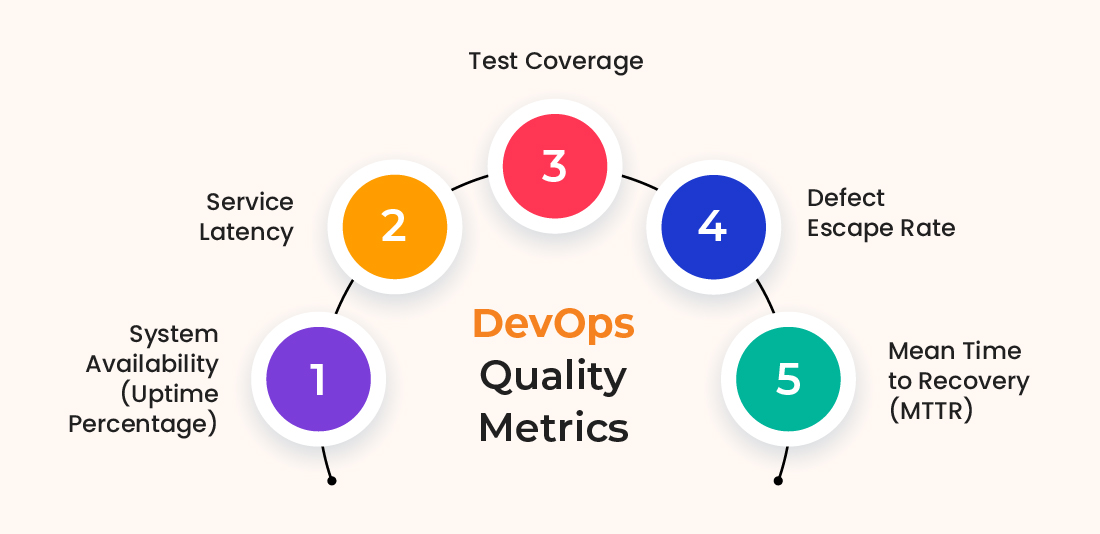
🟠 DevOps Quality Metrics
Here are the DevOps quality metrics you should monitor:
11. System Availability (Uptime Percentage)
System Availability, also known as Uptime Percentage, represents the proportion of time a system remains fully operational and accessible to users without interruption. It’s a critical indicator of service reliability.
What is the Business Impact:
- Higher uptime ensures customer satisfaction and trust.
- Downtime can lead to financial losses and SLA violations.
- Frequent outages damage brand reputation and reduce customer retention.
- Critical for businesses relying on always-on services (e.g., e-commerce, banking, SaaS).
How to Measure This Metric:
- Monitoring tools like Prometheus, Datadog, or New Relic can be used to track uptime.
- Calculate availability using the formula: Availability = (Total Time – Downtime / Total Time) × 100
- Monitor service-level agreements (SLAs) and error budgets.
Ideal Target:
- 99.9% uptime for standard applications (~8.76 hours of downtime per year).
- 99.99% uptime for critical services (~52 minutes of downtime annually).
How to Optimize:
- Set up redundancy and failover systems to handle unexpected outages.
- Use auto-scaling and load balancing to manage traffic spikes.
- Test disaster recovery and failover plans on a regular basis.
- Improve database performance by tuning queries and using caching.
12. Service Latency
Service Latency tracks how long it takes for a system to respond to user requests. High latency can significantly degrade performance and negatively impact user experience.
What is the Business Impact:
- Slow response times frustrate users and lower engagement.
- Lag in real-time features like payments or chat disrupts the user experience.
- Missed performance targets can breach SLAs, leading to penalties and revenue loss.
How to Measure This Metric:
- Monitor response times using application DevOps tools (Datadog, New Relic, Prometheus).
- Measure latency across different percentiles (50th, 95th, 99th) for a more realistic view of user experience.
- Continuously track and analyze response time trends to identify spikes, regressions, or anomalies.
Ideal Target:
- Less than 100ms for real-time applications.
- Under 500ms for web applications and APIs.
How to Optimize:
- Optimize database queries and indexing to reduce fetch times.
- Implement caching (Redis, Memcached) to speed up data retrieval.
- Reduce network latency by using CDNs and edge computing.
- Optimize backend code execution by improving API efficiency.
13. Test Coverage
Test Coverage represents the percentage of your codebase that is exercised by automated tests. It reflects the overall reliability and strength of your test suite.
What is the Business Impact:
- Fewer bugs make it to production, reducing the risk of costly incidents.
- Teams feel more confident pushing updates, speeding up release cycles.
- Regressions are caught early, preventing issues from compounding over time.
- Less manual testing frees up resources and keeps development moving faster.
How to Measure This Metric:
- Test automation tools measure the extent of code covered by unit, integration, and end-to-end tests.
- Measure statement coverage (how many lines of code run during tests).
- Monitor branch/path coverage to ensure all logical conditions are tested.
Ideal Target:
- 80% or higher is recommended for critical applications.
- Lower coverage is acceptable for legacy code, but it should improve over time.
How to Optimize:
- Implement automated testing in CI/CD pipelines.
- Focus on writing tests for essential and high-risk components.
- Use mutation testing to evaluate test effectiveness.
- Maintain a balance between test coverage and maintainability.
14. Defect Escape Rate
Defect Escape Rate measures the percentage of defects found after a software release or defects that reach production. It’s a key indicator of how effective your testing and QA processes are.
What is the Business Impact:
- Missed bugs in production lead to user frustration and lost trust.
- A high escape rate increases rework and post-release maintenance.
- Improving this metric boosts product quality and reduces support costs.
How to Measure This Metric:
- Calculate the percentage of total defects that were discovered after release.
- Defect Escape Rate (%) = (Post-Release Defects / Total Defects) × 100
Ideal Target:
- A lower defect escape rate indicates higher quality and more thorough testing before release.
How to Optimize:
- Enhance testing coverage and focus on end-to-end testing.
- Conduct code reviews and pair programming to identify issues early.
- Leverage automation tools for static code scanning and ongoing testing throughout the development cycle.
15. Mean Time to Recovery (MTTR)
MTTR refers to the average time taken to restore normal operations after a production failure, starting from the moment the issue is detected until it’s fully resolved. It reflects how quickly your team can respond to and fix critical issues, making it a key DevOps reliability metric.
What is the Business Impact:
- Fast recovery from incidents keeps users connected and operations running.
- Lower MTTR minimizes the impact of outages on customers and revenue.
- Effective recovery builds confidence in your system’s resilience.
How to Measure This Metric:
- Record the time from issue detection to full recovery.
- Calculate the average across all incidents over a given period.
Ideal Target:
- Less than one hour for critical systems. The faster your recovery, the more resilient your system.
How to Optimize:
- Set up automated monitoring and alerts to catch issues instantly.
- Use rollback and feature flag strategies to restore service quickly.
- Maintain clear, up-to-date incident response playbooks for faster resolution.
Struggling to track DevOps metrics across tools and environments?
Our DevOps Managed Services help monitor key metrics, maintain visibility across pipelines and infrastructure, and keep delivery performance consistent.
Top 15 Tools to Track DevOps Metrics and KPIs
Tracking DevOps KPIs and metrics requires reliable, real-time visibility into systems, code, and deployments. Below are some of the top DevOps tools that teams use to monitor, analyze, and improve their DevOps performance.
| Tool | Primary Use |
|---|
| Prometheus
| Metrics collection and alerting for cloud-native environments.
|
| Grafana
| Real-time visualization of metrics from various data sources.
|
| Datadog
| Full-stack observability (metrics, traces, logs, APM).
|
| New Relic
| Application performance monitoring and infrastructure metrics.
|
| Jenkins
| CI/CD automation with pipeline monitoring and plugin support.
|
| ELK Stack
| Centralized logging and log-based analytics (Elasticsearch, Logstash, Kibana).
|
| Splunk
| Machine data analysis, log management, and operational insights.
|
| GitLab CI/CD
| Built-in CI/CD with detailed pipeline performance metrics.
|
| AppDynamics
| Application and business transaction performance monitoring.
|
| Zabbix
| Infrastructure and network monitoring with customizable alerts.
|
| Opsgenie
| An alerting and incident management platform for DevOps teams.
|
| AWS CloudWatch
| Native monitoring for AWS infrastructure, services, logs, and alarms.
|
| Azure Monitor
| Monitoring and diagnostics for Azure resources and applications.
|
| Google Cloud Operations
| Metrics, logs, and traces for GCP-based workloads.
|
| Sentry
| Application error tracking and release health monitoring. |
Simplify DevOps Monitoring and Optimization with Bacancy
Measuring DevOps metrics is essential for improving performance, but without the right support, it’s easy to get overwhelmed. Bacancy provides end-to-end DevOps consulting services to help you gain clarity, take control, and drive measurable improvements.
Here’s how we help you:
- Toolchain Setup for Real-Time Visibility: We configure and integrate industry-leading tools like Prometheus, Grafana, and Datadog to give you complete, real-time observability in your systems.
- Custom Thresholds that Drive Action: Our experts analyze your historical data and system behavior to define intelligent, context-aware thresholds, reducing false positives and focusing your attention where it matters.
- AI-driven Alert Filtering: We configure intelligent alerts that reduce irrelevant notifications and surface only critical issues, ensuring faster and focused incident response.
- Centralized Dashboards for Unified Insights: We bring together all your DevOps metrics into one streamlined dashboard, eliminating data silos and enabling quick, informed decisions.
- Strategic Optimization for Continuous Delivery: Our consultants turn raw data into actionable insights, helping you streamline CI/CD pipelines, boost deployment frequency, and significantly reduce MTTR.
Frequently Asked Questions (FAQs)
DevOps metrics measure how effectively teams build, deploy, and operate software. They help track speed, quality, and reliability across the delivery pipeline.
The most important DevOps metrics are Deployment Frequency, Lead Time for Changes, Change Failure Rate, and Mean Time to Restore (MTTR). Together, they show how fast and stable your delivery process is.
Teams should review DevOps key performance indicators and metrics on a regular basis, usually per sprint or weekly. Frequent reviews help spot issues early and guide continuous improvement.
You can use Prometheus and Grafana for metrics, Jenkins or GitLab for CI/CD insights, and tools like Datadog or New Relic for end-to-end observability.