Quick Summary
Workflow automation has become essential for enterprises that want to eliminate manual work, improve efficiency, and create connected processes across every department. This guide outlines the fundamentals of workflow automation, leading tools for 2026, major use cases, AI capabilities, and how to select the right platform.
Table of Contents
Introduction
Does your team often get stuck chasing approvals, managing repetitive tasks, or correcting errors that slow down daily operations? You are not alone. Many enterprises face the same challenges. Studies show that inefficient processes can cost organizations up to $1.3 million a year, with employees spending at least two hours daily on routine tasks.
This is where enterprise workflow automation becomes a game-changer. It uses software and automation tools to streamline tasks from start to finish, helping teams to work faster, smarter, and with fewer errors. With the right automation in place, organizations can:
- Connect departments so work flows effortlessly across teams.
- Automate repetitive tasks like approvals, notifications, and data entry.
- Ensure consistency and predictability so processes operate smoothly every time.
So where does AI fit into enterprise workflow automation?
To your surprise, AI can add another layer of intelligence, making workflows smarter and adaptive. It can:
- Extract and classify information from documents to reduce manual data entry and speed up processing.
- Predict potential delays or bottlenecks so teams can proactively address issues before they escalate.
- Automate routine interactions through chatbots or virtual assistants, keeping work moving without interruptions.
Support decision-making to allow employees to focus on strategic, high-value tasks instead of repetitive coordination.
With business workflow automation and AI working together, organizations gain a unified, intelligent system that drives efficiency, fosters collaboration, and ensures consistent results across departments and functions.
This guide will help you understand how enterprise workflow automation works and how it can create faster, smarter, and more reliable operations in your organization.
Industry Focused Enterprise Workflow Automation Use Cases
Here are the top industry-wise workflow automation use cases where automation delivers the highest impact across departments.
| Industry / Department | High-Impact Use Cases
| Business Value / Benefits
|
|---|
| Human Resources (HR) |
- Automated onboarding and offboarding
- Digital approvals for leave, travel, and reimbursements
- Resume screening & candidate filtering
|
- 50% faster onboarding cycles
- Reduced manual paperwork and HR workload
- Hiring efficiency & improved employee experience
|
| Finance & Accounting |
- Invoice processing & approvals
- Expense management
- Bank reconciliation & financial reporting
|
- Lower error rates and compliance risks
- Faster month-end closing
- More time for financial analysis and forecasting
|
| Information Technology (IT) |
- Service ticket routing & SLA tracking
- Server monitoring & automated alerts
- System provisioning & password resets
|
- Improved SLA compliance
- Reduced IT support load
- Faster incident response and fewer escalations
|
| Operations & Supply Chain |
- Purchase order approvals
- Inventory management & stock monitoring
- Shipment tracking & quality checks
|
- Fewer operational bottlenecks
- Improved delivery accuracy and speed
- Stronger supply chain visibility
|
| Marketing & Sales |
- Lead capture & CRM updates
- Campaign automation & social media posting
- Customer segmentation & engagement tracking
|
- Higher lead-to-revenue conversion
- Consistent campaign execution
- Better targeting and ROI tracking
|
| Customer Support / Service Desk |
- Ticket routing & escalation
- Feedback collection & survey automation
- Chatbot-assisted interactions
|
- Lower response times
- Reduced agent workload
- Higher customer satisfaction and retention
|
| Legal & Compliance |
- Contract approvals & review
- Policy compliance tracking
- Regulatory reporting & audit documentation
|
- Stronger governance and auditability
- Faster contract turnaround
- Reduced compliance risk
|
| Procurement & Vendor Management |
- Vendor onboarding
- Purchase requisitions & approvals
- Contract renewals & supplier evaluation
|
- Reduced procurement cycle time
- Improved vendor relationships
- Better spend control and transparency
|
7 Best Enterprise Workflow Automation Tools For 2026
Choosing the right enterprise workflow automation tool is crucial to boost efficiency, reduce errors, and create easy, intelligent workflows throughout your organization. Here are the top tools to consider:
| Tool
| Best For
| Standout Features | Pricing | Used By / Popular Among |
|---|
| Microsoft Power Automate
| Automating workflows across Microsoft 365 apps and Azure services
| Low-code automation, Microsoft 365 and Dynamics integration, AI Builder, robotic automation
| Starts with a free plan, paid plans per user
| Large enterprises using Microsoft 365, Azure-first organizations, BFSI, healthcare, and government |
| Automation Anywhere
| Large-scale robotic process automation (RPA)
| Cloud-native bots, intelligent document processing, attended and unattended automation
| Custom pricing based on automation volume
| Fortune 500 companies, BPOs, finance, insurance, and manufacturing
|
| Zapier | Fast no-code SaaS automation for business teams
| 6,000+ app integrations, multi-step workflows, simple triggers, and actions
| Free tier, paid monthly plans
| Startups, SMBs, marketing teams, eCommerce, and SaaS companies
|
| Make.com
| Complex workflow automation with visual builder
| Drag-and-drop workflows, strong API integrations, and real-time scenario execution
| Free tier, usage-based paid plans
| Growth teams, marketing ops, product-led companies, digital agencies
|
| n8n
| Open-source automation and workflow orchestration
| Self-hosting option, 400+ integrations, custom logic, event-driven triggers
| Free self-hosted, cloud plans available
| Tech companies, engineering-led teams, privacy-first enterprises, startups
|
| Nintex
| Document-heavy, compliance-focused enterprises
| Workflow designer, document generation, e-signatures, process mapping
| Custom enterprise pricing
| Government, legal firms, healthcare, and enterprises with strict compliance
|
| Kissflow
| All-in-one business process and workflow automation
| Form builder, process management, low-code workflows, unified dashboard
| Per user per month, enterprise plans are available
| Mid-large enterprises, HR & finance teams, procurement-heavy companies
|
1. Microsoft Power Automate
Power Automate is Microsoft’s low-code automation platform built for organizations using the Microsoft ecosystem. It deeply integrates with products, such as Teams, SharePoint, Dynamics 365, Outlook, Power Apps, and Azure services, enabling enterprises to automate end-to-end business operations with solid governance and security controls.
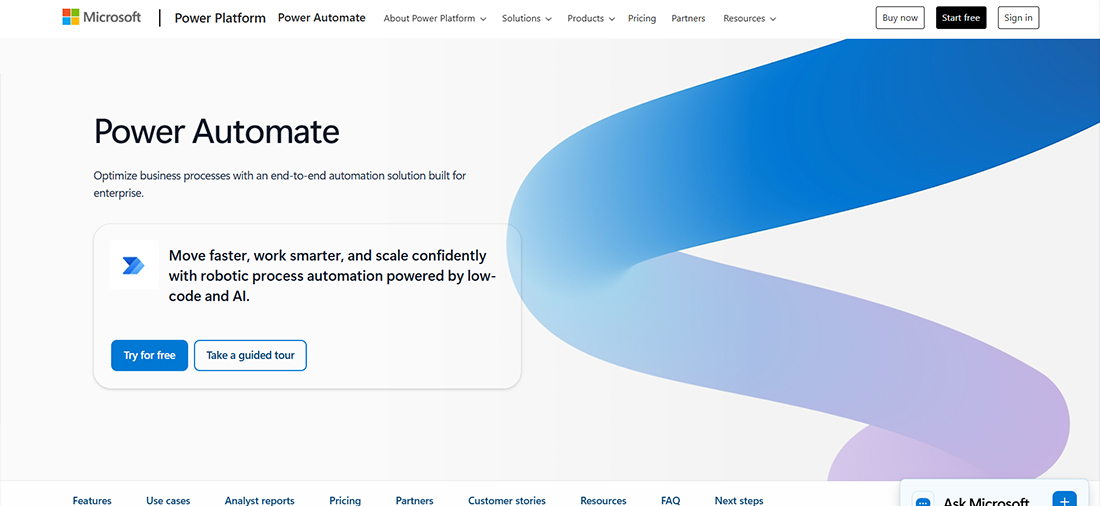
Types of Workflows to Automate With Power Automate:
- Enterprise Document Routing: Streamlines how documents like purchase orders, resumes, and invoices are classified, extracted, and routed using AI Builder and SharePoint that enables Power Automate developers to build intelligent document workflows.
- Employee Lifecycle Flows: Auto-create user accounts, provision Teams channels, and assign licenses in Azure AD for onboarding and offboarding.
- Dynamics 365 Sales Automations: Enhances sales operations by syncing leads, triggering follow-up actions, and scoring prospects based on CRM activity.
- Compliance & Audit Workflows: Maintains continuous compliance by logging access events, capturing policy approvals, and storing control validation records in SharePoint Compliance sites.
2. Automation Anywhere
Automation Anywhere is a full-scale RPA platform focused on automating highly repetitive, rule-based, and enterprise-grade back-office processes. It excels in financial, HR, and operations workflows that require bots to mimic human actions across legacy systems, ERPs, or desktop applications.
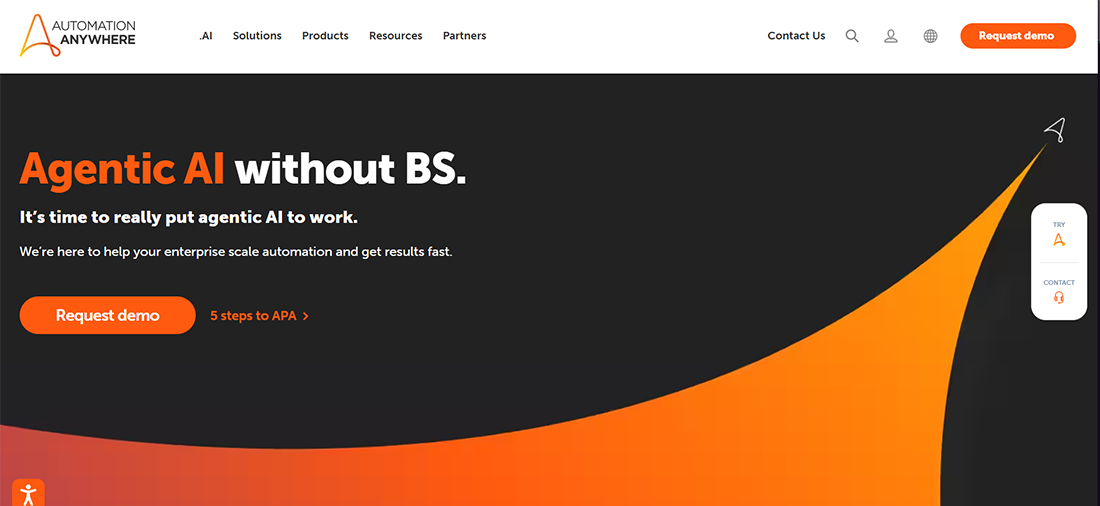
Types of Workflows to Automate With Automation Anywhere:
- Finance Back-Office RPA: Accelerates month-end processing by reconciling accounts across SAP, Oracle, and bank portals through automated data extraction and ledger updates.
- HR Operations Bots: Improves recruitment efficiency by screening resumes, extracting candidate data, and updating ATS platforms without manual input.
- Legacy Mainframe Automation: Executes nightly batch tasks and interacts with green-screen terminals by reading, writing, and processing mainframe data through bots.
- Order Fulfillment RPA: Optimizes order management by extracting details from emails, logging into ERPs, creating order entries, and updating inventory records accurately.
To get the most out of this platform, work with skilled Automation Anywhere developers who can customize bots, manage integrations, and scale automation across your organization.
3. Zapier
Zapier is a no-code workflow automation tool designed primarily for business, marketing, and SaaS-based data synchronization. It connects thousands of cloud apps, CRMs, email tools, marketing platforms, and project management systems, and enables lightweight automations without IT dependency.
Types of Workflows to Automate With Zapier:
- Marketing Attribution Sync: Captures lead data from Facebook and Google Ads and delivers it instantly into CRMs like HubSpot, Zoho, or Pipedrive.
- Content Publishing Flows: Zapier developers coordinate publishing by posting new blogs to LinkedIn, generating email drafts, or pushing content assets into CMS platforms.
- Customer Support Routing: Improves support responsiveness by sending Zendesk updates to Slack, tagging priority tickets, and syncing customer feedback into Notion.
- Ecommerce Data Flows: Keeps systems aligned by syncing Shopify orders into accounting platforms like QuickBooks or marketing tools such as Mailchimp.
4. Make.com
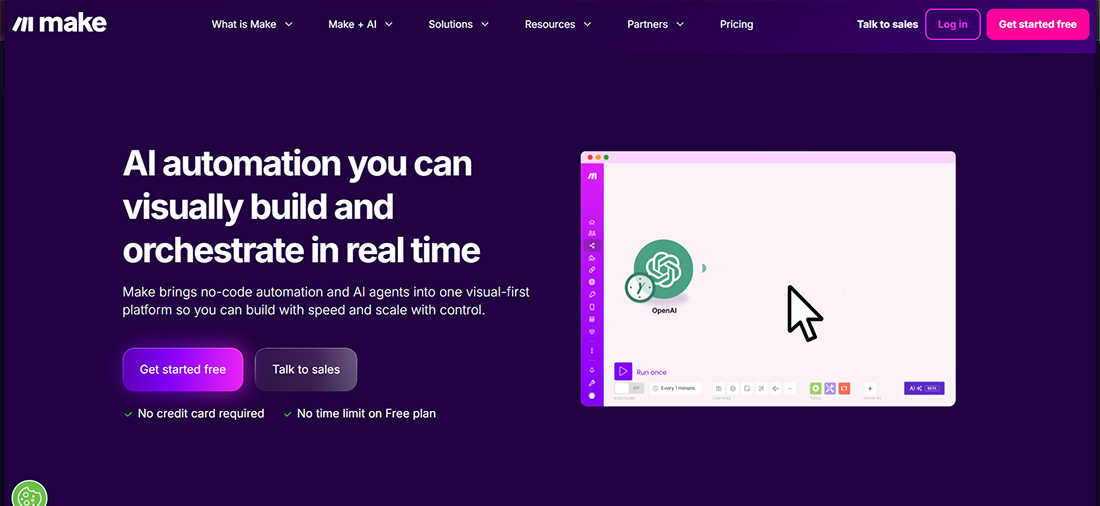
Make.com (formerly Integromat) is a visual workflow builder with advanced logic capabilities, making it suitable for multi-step, complex automations.Unlike Zapier, Make supports branching logic, arrays, error handling, scenario scheduling, and data transformation. It is ideal for operations, product teams, and developers who need deep customization across APIs, and is widely used by Make experts to build scalable and highly tailored automation workflows.
Types of Workflows to Automate With Make.com:
- Multi-Step Inventory Workflows: Consolidates warehouse data by pulling stock from ERPs, transforming datasets, and pushing inventory updates to Shopify or WooCommerce.
- Operational Data Pipelines: Manages data movement by normalizing and syncing records across Airtable, Snowflake, and internal APIs.
- Subscription Management: Handles billing events by detecting Stripe payment failures, updating CRM segments, and notifying customers automatically.
- Complex Approval Workflows: Routes approvals intelligently by branching decisions based on region, order value, risk score, or custom business rules.
Also Read: n8n vs Zapier vs Make – Which Workflow Automation Platform is The Best?
5. n8n
n8n is an open-source workflow automation tool used by technical teams wanting full control over integrations, logic, and infrastructure. It allows self-hosting, custom node creation, advanced scripting, and full API-level access. Ideal for companies needing flexible, developer-oriented automation without vendor lock-in.
Types of Workflows to Automate With n8n:
- Custom API Orchestration: Unifies data processing by merging information from proprietary APIs, applying transformations, and pushing results into internal dashboards.
- Security & DevOps Automations: Strengthens operational workflows by initiating GitHub Actions, rotating keys, monitoring logs, and routing alerts to SIEM platforms.
- Microservice Event Flows: Coordinates distributed systems by listening to Kafka or MQ events and orchestrating downstream microservice processes.
- Internal Tool Integrations: Connects in-house applications with CRMs, billing systems, and reporting tools through custom logic and configurable nodes.
Take A Step Forward To Transform Your Workflow Efficiency
Hire n8n developers who can design and implement custom automation solutions that integrate effortlessly into your business to boost productivity and reduce manual efforts.
6. Nintex
Nintex is a process automation and process intelligence platform with strong capabilities in process mapping, workflow automation, forms, and RPA. It is known for optimizing enterprise processes with visual process diagrams (Nintex Promapp) before automating them. Favored by industries with complex approvals, compliance, and regulated operations.
Types of Workflows to Automate With Nintex:
- Regulated Approval Workflows: Facilitates complex, multi-stage approvals for insurance claims, legal contracts, and financial disclosures with clear routing and auditability.
- Service Request Workflows: Helps teams create structured internal request processes for IT, facilities, and procurement using configurable digital forms and rule-based routing.
- Compliance & Audit Flows: Standardizes compliance procedures by mapping required steps, collecting supporting evidence, and generating complete audit trails for regulatory reviews.
- Document Generation: Produces branded contracts, proposals, and reports automatically by pulling structured data from CRM or ERP systems into predefined document templates.
7. Kissflow
Kissflow is a unified work platform offering workflow automation, project management, case management, and low-code app development. It is ideal for business teams that want to quickly digitize manual or spreadsheet-based processes without relying on IT. It features form builders, rule-based flows, and simple dashboards.
Types of Workflows to Automate With Kissflow:
- Procurement Workflows: Coordinates end-to-end procurement processes by automating PR-to-PO cycles, vendor onboarding, price validations, and approval flows.
- Case Management Processes: Manages non-linear, dynamic workflows such as facility maintenance, customer issue resolution, and field service requests with flexible routing.
- HR Request Flows: Handles routine HR operations including leave applications, travel approvals, training nominations, and reimbursement submissions.
- Operations Workflows: Streamlines operational activities by automating inventory requests, asset tracking updates, and supply chain-related approvals.
How To Select The Right Enterprise Workflow Automation Software?
Choosing the right enterprise workflow automation software is crucial for optimizing your business processes. Here are the key factors to consider before making your decision.
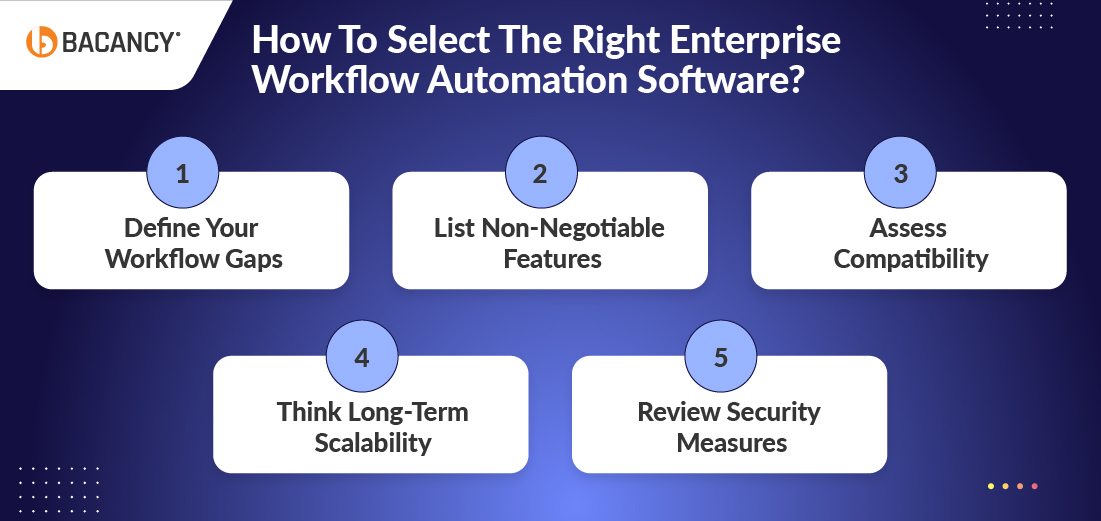
1. Define Your Workflow Gaps
Before jumping into tools, map out where your current workflows break down, rely too heavily on manual effort, or fail entirely. This step is crucial because it identifies what actually needs automation and prevents you from purchasing features you’ll never use.
Answer the following questions:
- Are sales approvals stuck in email chains?
- Is finance chasing missing invoices?
Pinpointing exact friction points helps you avoid buying flashy software that doesn’t solve your real problems. If you skip this step, you risk investing in automation that doesn’t address your pain points, leading to wasted time, money, and effort.
2. List Non-Negotiable Features
Not every workflow tool fits every team. Do you need rule-based routing, document management, or custom role-based access? Make a “must-have” list specific to your business, so you’re not distracted by features that sound good but offer little value.
Answer the following questions:
- Do you need multi-level approvals or complex workflows?
- Does your team require document generation and e-signatures?
Listing non-negotiable features helps you avoid getting distracted by flashy tools that sound good but fail to solve your real problems. If you don’t follow this step, you risk choosing software that doesn’t meet your team’s core needs, resulting in poor adoption and wasted resources.
3. Assess Compatibility
If your software can’t connect with your existing tools (like your CRM, ERP, or HRMS), it’ll create more work, not less. Prioritize platforms that offer native integrations or open APIs to avoid costly workarounds down the line.
Answer the following questions:
- Can this tool integrate natively with the software your teams already use?
- Does it support APIs for custom connections if needed?
Assessing compatibility prevents integration issues later and workflow disruptions. If you do not follow this step, you may end up with tools that require manual bridging, increasing complexity and operational costs.
4. Choose for the People, Not Just the Process
Even the most advanced automation won’t succeed if your team struggles to use it. Select something your team can learn quickly, rather than just what your IT department prefers. Look for a clean UI, low learning curve, and simple dashboards tailored to different users, whether ops managers or finance leads.
Answer the following questions:
- Will your team find the platform intuitive and easy to use?
- Does it provide role-specific dashboards for different departments?
Selecting for user-friendliness improves adoption and workflow efficiency. If you skip this crucial step, your team may resist using the software, which can reduce ROI and cause frustration across departments.
6. Review Security Measures
Ensure the tool encrypts your data, offers access controls, and logs activity. If you handle customer information or financial records, ensure compliance with SOC 2 or ISO 27001 standards. The right software keeps automation secure and not exposed.
Answer the following questions:
- Does the software provide data encryption and strict access controls?
- Is it compliant with industry security standards relevant to your business?
Prioritizing security protects your data and maintains trust. If you don’t follow this step, you risk data leaks, compliance violations, and potential financial or reputational damage.
5. Think Long-Term Scalability
Ensure the tool encrypts your data, offers access controls, and logs activity. If you handle customer information or financial records, ensure compliance with SOC 2 or ISO 27001 standards. The right software keeps automation secure and not exposed.
Answer the following questions:
- Does the software provide data encryption and strict access controls?
- Is it compliant with industry security standards relevant to your business?
Prioritizing security protects your data and maintains trust. If you don’t follow this step, you risk data leaks, compliance violations, and potential financial or reputational damage.
Key Challenges in Enterprise Workflow Implementation With Bacancy’s Solutions
Implementing workflow automation inside a large organization is never as simple as switching on a new tool. You deal with legacy systems, scattered teams, unstructured data, and processes that evolve constantly. These are the real challenges enterprises face and how we help you navigate them smoothly.
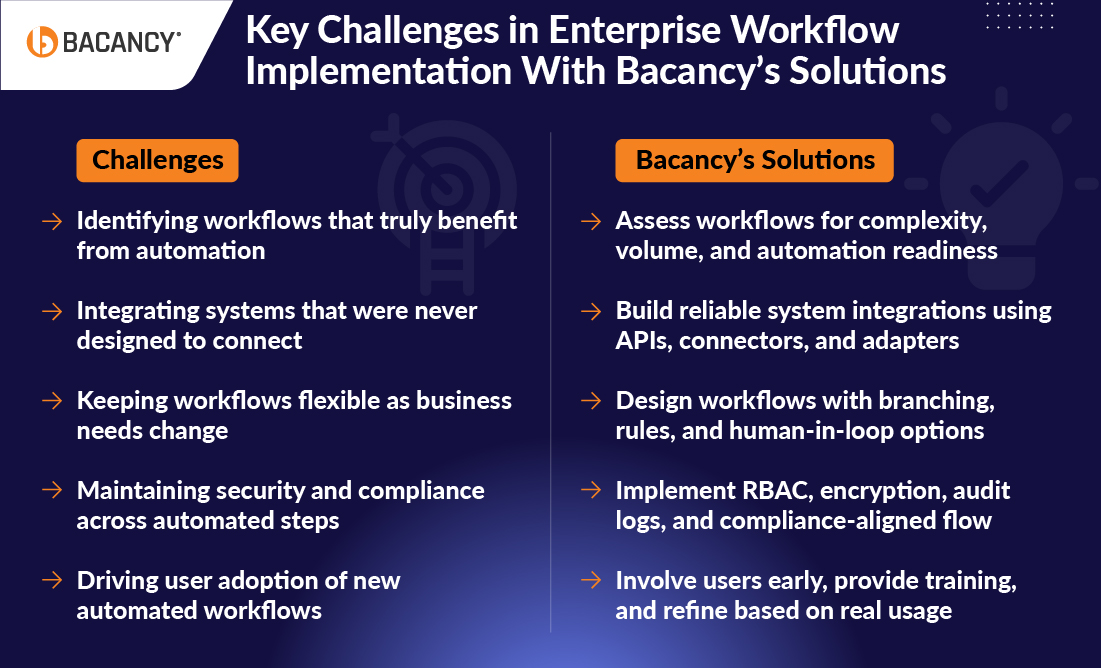
1. Identifying Processes That Truly Improve When Automated
Not every workflow benefits from automation. Some are too unstructured, some require human judgment, and others already function efficiently. Many enterprises end up automating low-value tasks while overlooking processes that can deliver meaningful impact.
Bacancy’s Solution: Assess workflows for complexity, volume, and automation readiness
Our Automation developers evaluate your workflows based on complexity, volume, frequency, dependencies, and measurable value. This helps you identify automation-ready processes that genuinely drive improvement. You make the right investments from day one.
2. Unifying Systems That Were Never Designed to Work Together
Enterprise workflows often span ERP systems, CRM platforms, shared drives, approval tools, and legacy applications. These systems store data differently and follow different rules. Without strong integration, automated workflows become inconsistent and unreliable.
Bacancy’s Solution: Build reliable system integrations using APIs, connectors, and adapters
We build a stable integration foundation using APIs, connectors, and custom adapters. Instead of forcing systems into a single mold, we create controlled pathways that allow data to move accurately. This keeps your workflows consistent across all platforms.
3. Maintaining Workflow Flexibility as Business Needs Change
Real-world operations do not follow one ideal path. Approvals change, thresholds vary, and some requests require additional checks. Many automation tools struggle to handle unexpected conditions and force teams back to manual work.
Bacancy’s Solution: Design workflows with branching, rules, and human-in-loop options
We design workflows that support branching, conditional logic, escalations, and human intervention when required. This allows your workflows to adapt to real business scenarios without breaking the overall process. Your teams stay productive even during exceptions.
4. Ensuring Security and Compliance Across Automated Processes
Once workflows are automated, sensitive data moves through more systems and more touchpoints. Without proper controls, this creates significant risks related to access, sharing, and compliance.
Bacancy’s Solution: Implement RBAC, encryption, audit logs, and compliance-aligned flow
We implement role-based access, encryption, controlled data transfers, audit trails, and compliance-aligned workflows. Every automated step becomes traceable and secure. This protects your data and meets the standards required by your industry.
5. Getting Teams to Adopt the New Automated Workflows
Automation succeeds only when teams use it the right way. Many enterprise projects fail because users do not understand the workflow logic or feel that the system makes their job harder.
Bacancy’s Solution: Involve users early, provide training, and refine based on real usage
We involve end users from the design stage and refine the workflow based on how they actually work. We provide training, walkthroughs, and clear documentation. The result is smooth adoption, fewer errors, and confident usage across departments.
How Enterprises Should Approach Workflow Automation in 2026
The future of enterprise workflow automation is about making work smarter and more consistent. The future of enterprise workflow automation is about making work smarter and more consistent. With the right workflow automation services, teams spend less time on repetitive tasks, approvals happen smoothly, and leaders gain the visibility to make better decisions. With AI in enterprise workflow automation, processes can predict bottlenecks, handle exceptions, and support decision-making.
Focusing on high-value workflows and selecting tools that align with your ecosystem enables teams to work efficiently and effectively. When done right, enterprise workflow automation drives collaboration and growth, allowing employees to focus on what truly matters.
Next Steps for Enterprises To Follow in 2026:
- Identify high-value workflows: Focus on processes that will deliver the most impact when automated.
- Choose the right tools: Pick platforms that integrate with your existing systems and support scalability.
- Start small, scale fast: Pilot automation in key areas, refine workflows, and expand gradually.
- Involve your teams: Train and engage employees to ensure smooth adoption and maximize benefits.
- Adopt AI intelligently: Use AI to predict delays, handle exceptions, and support more intelligent decisions.
- Monitor and optimize: Continuously track workflow performance and make improvements to maintain efficiency.
Frequently Asked Questions (FAQs)
RPA (Robotic Process Automation) uses bots to mimic human actions and perform repetitive tasks like data entry or clicking through systems, without changing existing software.
Workflow automation, however, structures and manages the flow of tasks between people, systems, and data, ensuring each step follows a defined process.
Select a solution based on your organization’s size, integration requirements, scalability, ease of use, compliance needs, and support for low-code or no-code environments.
Yes, modern workflow automation platforms offer API integrations and connectors to easily work with ERPs, CRMs, HRMS, and other enterprise software systems.