Quick Summary
The choice of the right automation platform between n8n, Zapier, and Make depends on your specific needs. Each automation tool serves a unique purpose, with different features, pros, and cons. This blog post compares n8n vs Zapier vs Make to help you make the best decision for your processes.
Table of Contents
Introduction
As businesses scale, so do the number of repetitive tasks, disconnected tools, and fragile manual processes. Due to the proven impact, most modern enterprises consider automation as an essential aspect for enhancing workflows, improving efficiency, and making informed decisions.
As per research by McKinsey, businesses that effectively implement process automation can reduce operational costs by up to 30% and improve process efficiency by over 25%. This is what has been inspiring many businesses to actively invest in workflow automation.
However, with a multitude of automation platforms available nowadays, n8n, Zapier, and Make are among the top contenders. So, it becomes difficult for operations managers to select the right automation tool to automate processes, eliminate manual errors, and streamline operations.
Don’t worry; This blog post is all about n8n vs Zapier vs Make, comparing these automation platforms to help you understand how they differ and decide which one aligns best with your team’s capabilities and automation needs.
TL;DR
n8n:
- Offers full control and scalability for complex workflows.
- Self-hosting options for enhanced security.
- Best suited for technical teams needing advanced customizations and integrations.
Zapier:
- Quick, no-code automation setup.
- User-friendly interface for beginners.
- Ideal for small teams or businesses with straightforward tasks.
Make:
- Visual workflow builder with greater flexibility.
- Supports more complex automations and customization.
- Great for teams that need control over logic and process flow.
n8n vs Zapier vs Make - A Quick Comparison
Compare N8N, Zapier, and Make side-by-side to find the right automation tool based on flexibility, pricing, integrations, and ease of use.
| Feature | n8n | Zapier | Make
|
|---|
| User Interface
| Technical, node-based
| Simple, user-friendly interface
| Visual, drag-and-drop for flexible workflows
|
| Customization
| Very High, provides full control with custom nodes
| Medium, limited by pre-built Zap templates
| High, supports multi-step workflows and custom logic
|
| Support
| Community-driven: forums, self-help, professional support for paid plans
| Extensive: Help center, email support, forums
| Comprehensive: documentation, forums, premium support
|
| Pricing | Charges per workflow or self-hosted
| Charge for each task that your workflow includes
| Flexible, tiered pricing based on usage
|
| Integrations
| 1100+ integrations, extensive custom API support for enterprise use
| 6,000+ integrations, most popular apps covered
| 1,500+ integrations, highly customizable with API access
|
| Ease of Use
| Requires technical know-how, suitable for tech-savvy teams
| Best for beginners, minimal setup
| Good for users with minimal technical skills
|
| Workflow Complexity
| Highly complex workflows that require full customization and control
| Simple, straightforward automation
| Mid-to-complex workflows
|
| Learning Curve
| Steep, requires technical expertise for maximum potential
| Low, intuitive UI for quick automation setup
| Moderate, with a visual workflow builder that gets more powerful as you scale
|
| Scalability | Highly scalable
| Limited scalability for complex workflows
| Moderate scalability, great for growing teams
|
| Data Control
| Full control over data if self-hosted
| Cloud-based, limited control over data
| Greater control, support self-hosting
|
| Security | Enterprise-grade security
| strong enterprise-grade encrypted infrastructure
| Good data security features
|
| Best For
| Enterprises and tech-savvy teams that need custom, secure, and highly scalable automation solutions
| Small to medium businesses or non-technical users automating simple tasks
| Teams needing flexibility with visual workflows and complex automations
|
A Deep Dive Into Workflow Automation Platforms - N8N, Zapier, and Make
When it comes to choosing the right automation platform, one should define their specific workflow and integration needs. Whether you need to streamline operations, reduce manual work, or scale your team’s efficiency, based on that, you can select the right tool. Here’s a quick overview of n8n, Zapier, and Make to help you get a better idea of how each platform works or fits best to your needs.
n8n
n8n is one of the trending, powerful, open-source automation platforms that can help automate repetitive, mundane tasks. It is a perfect tool for teams that need deep customization, data privacy, and infrastructure control. With both cloud and self-hosted options along with a user-friendly interface, n8n allows users to create custom workflows easily and gives technical teams full ownership over them.
Features
- Open-source, node-based automation platform.
- Provides support with over 1100+ integrations.
- Supports complex workflows with logic-based branching, conditional flows, and custom code using JavaScript and Python.
- Offers both cloud-hosted and self-hosted deployment options.
- Offers native AI workflow integrations using frameworks like LangChain.
- Native versioning, data transformation tools, error handling, and access control features.
Best For
- Mid-to-enterprise teams that prioritize data security, custom logic, and IT governance.
- Tech-savvy teams that need fine-tuned automation across systems.
- Enterprises that prioritize data sovereignty and self-hosting.
| Pros | Cons
|
|---|
| Full control with the self-hosted option.
| Steeper learning curve than Zapier or Make.
|
| No-code/low-code interface with code flexibility.
| Requires infrastructure if self-hosted.
|
| Transparent pricing and open-source flexibility.
| Fewer out-of-the-box integrations compared to Zapier.
|
| Strong security posture with audit logging and RBAC.
| |
Real-World Example
One of the popular real-world examples you can consider is Delivery Hero, a global food delivery giant that used n8n to automate IT incident response. They used n8n to connect diverse monitoring tools, ticketing systems, and diagnostics. This enterprise workflow automation saved over 200+ hours monthly, allowing their IT teams to focus on high-value tasks and boosting operational efficiency.
Zapier
Zapier, launched in 2011, is the go-to platform when it comes to no-code automation workflows. The platform was designed to offer accessibility and allow users with minimal technical skills to create automation workflows within minutes. Known for its simplicity, vast app ecosystem, and beginner-friendly UI, Zapier provides support for over 6000 different apps and services that forms a strong ecosystem that Zapier developers use to build seamless integrations.
Features
- 6,000+ pre-built integrations including Google Workspace, Salesforce, Slack, etc.
- Easy drag-and-drop editor for building automations (“Zaps”) in minutes.
- Built-in filters, paths (conditional logic), and task history.
- Comprehensive documentation and responsive customer support.
Best For
- Non-tech business owners or users need fast and simple automation.
- Teams looking to automate common SaaS tools with minimal setup.
- Businesses that need wide integration coverage over custom logic depth.
| Pros | Cons
|
|---|
| Easiest to use, perfect for beginners
| Less suited for complex or data-sensitive automations
|
| Beginner-friendly interface
| It can get expensive at scale with task-based pricing
|
| Largest integration library in the industry
| Less suited for complex or data-sensitive automations
|
| Reliable and well-documented
| |
Real-World Example
Toyota of Orlando chose Zapier to automate lead intake and sales workflows, processing over 5,000 leads/month and managing 30,000+ records, even during a full CRM outage. By automating 38-step workflows with Zaps, they saved 20+ hours weekly, maintained sales momentum, and built a resilient, scalable infrastructure with zero downtime.
Make
Formerly known as Integromat, Make is an automation platform that can strike the right balance between Zapier’s simplicity and n8n’s technical depth. It offers a European-based automation solution that brilliantly balances accessibility and technical capability as well. Its intuitive visual interface enables the creation of sophisticated automation workflows while remaining approachable. Known for its flexibility and strong integration capabilities, the platform supports 1,500+ apps and services that Make experts use to build advanced automation workflows.
Features
- Workflow builder with real-time visualization features.
- Powerful tools for data parsing, transformation, and multi-step flows.
- 1,500+ apps and custom HTTP/API integrations.
- Real-time execution monitoring, error handling, and auto-retries.
- Advanced features: routers, iterators, scheduling, confidential data mode.
Best For
- Teams with technical knowledge that need complex automations and data transformations.
- Enterprises requiring SOC 2 compliance, ISO 27001, or complex integrations.
- Companies that want to automate multi-step operations across CRMs, ERPs, and custom APIs.
| Pros | Cons
|
|---|
| Excellent visual interface for complex workflows
| Slightly steeper learning curve for new users
|
| Affordable compared to Zapier at scale
| Complex UI for simpler workflows
|
| Strong data handling capabilities
| Advanced features are gated behind higher plans
|
| Visual scenario builder fits both developers and operations teams
| |
Real-World Example
Bolt, a mobility company with 10,000+ employees, is a great example of companies using Make. The organization eliminated 800+ manual HR follow-ups by integrating Workday, Slack, and Google Sheets with the help of Make. The automation streamlined approvals, reminders, and scheduling, which saved 2+ workdays/month per People Partner and significantly improved HR coordination across departments.
n8n vs Zapier vs Make - Key Differences To Make The Right Choice
After understanding each automation tool, here’s a side-by-side comparison of Zapier vs n8n vs Make to help you pick the best platform that aligns with your business needs and goals.
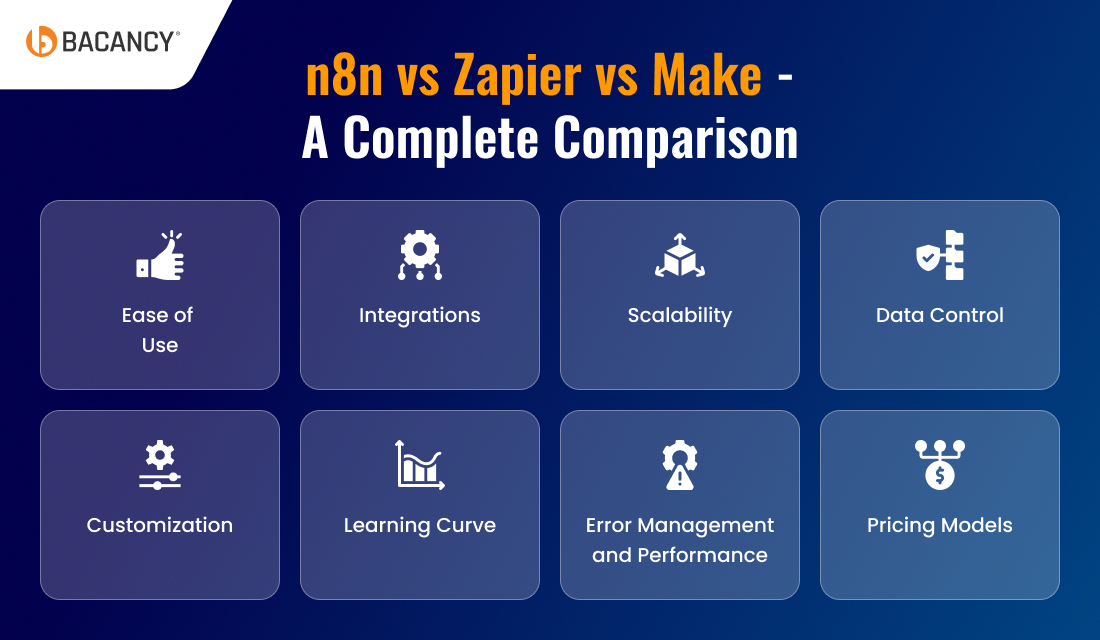
Ease of Use
When it comes to ease of use, Zapier stands out with its intuitive drag-and-drop interface. Its intuitive interface makes it easy, even for non-technical users to create and manage workflows with minimal guidance.
In comparison, Make offers a visual canvas that’s more advanced but still accessible. Some technical knowledge is required to set up workflows with basic logic and data flows.
While N8n is designed with technical flexibility in mind. Although it is user-friendly, the node-based structure resembles developer tools and may appear overwhelming for beginners. However, it is proven to be incredibly powerful for those with technical prowess.
Integrations
By supporting 6,000+ integrations, Zapier leads the game across primary and niche SaaS tools. It’s a plug-and-play automation platform, and the extensive coverage is the reason for its wide popularity and applications.
On the other hand, Make offers over 1,500 integrations. But with Make automation platform, users would get deeper integration capabilities, giving them more control over connected services.
n8n offers 1100+ native integrations but is highly extensible. The limited integrations can be easily offset by the technical flexibility it provides. It can connect virtually to any service with an API with its HTTP node or custom code capabilities.
Scalability
Zapier’s cloud-based setup scales easily. However, one should know that it becomes quite expensive when dealing with high task volumes.
Make can also be scaled effortlessly, and it offers high-volume workflows at a lower cost per operation.
n8n wins over them both by offering true enterprise-grade scalability through self-hosting or cloud-hosting options. With workflow-based pricing, n8n can be the best automation platform for handling high-volume automations on your own infrastructure.
Data Control
While comparing n8n vs Zapier vs Make, n8n certainly comes out on top. Due to its self-hosting feature, n8n provides unmatched, complete control over data, infrastructure, and compliance. This automation tool is perfect for enterprises with strict privacy needs.
Make provides strong EU-based security standards and a confidential mode. It also complies with major standards like SOC 2 and ISO 27001, making it a solid choice for businesses operating under European data protection laws.
Zapier, while being secure and reliable, is a cloud-only platform, with no support for self-hosting or HIPAA compliance. This is the reason for limited usage of Zapier in businesses handling sensitive or regulated data.
Build Automation Workflows With Complete Control
Hire n8n developers who can design and implement custom automation workflows and solutions that will help streamline your processes and improve your business efficiency.
Customization
n8n leads the way as it is specifically designed for advanced customizations. It offers complete flexibility with full JavaScript/Python support, custom node creation, and external packages in self-hosted environments.
On the other hand, Make supports powerful data manipulation and basic scripting with limited JavaScript support. This allows for advanced automations without full coding.
Zapier has a “Code by Zapier” module, but it’s limited in terms of size, flexibility, runtime constraints, and has no access to external packages.
Learning Curve
In terms of how quickly you can master the art of creating automation workflows, Zapier is certainly the one. Zapier can be easily mastered in hours, even by an individual with no technical background. Due to its sequential structure, anybody can quickly create functional automations.
In comparison to Zapier, Make requires a few days of familiarization and get a better understanding of data flows and conditions, but it offers visual clarity that accelerates the learning process.
N8N has the steepest curve, and that’s why it often requires weeks, even for individuals with technical skills, to fully utilize its advanced capabilities, especially for custom integrations or on-prem setups.
n8n provides detailed error paths, retry logic, rollbacks, and advanced debugging tools, which are essential for mission-critical workflows.
When comparing n8n vs Make, the latter provides powerful error handling with configurable behavior and detailed execution logs. So, it would be better to use Make for teams that need strong control without deep coding.
Zapier, on the other hand, covers basic alerts and retries, but error messages can be vague, and troubleshooting can become tedious in complex automation and workflows.
Pricing Models
Talking about n8n first, the charges are per workflow. Whether your workflow processes 10 or 10,000 records, it counts as a single execution. While it offers a completely free self-hosted version with unlimited usage, the price for the cloud version starts at $22/month for 2,500 workflow executions.
Zapier, in comparison, charges per task. Even a simple 2-step workflow processing 100 records would certainly consume 100 tasks, which can quickly drive up costs. While the free version is limited to 100 monthly tasks and 5 Zaps, paid plans start at $19.99/month for 750 tasks.
Make follows an operation-based model (e.g., each step is one operation). It offers a better cost-to-functionality ratio than Zapier. While the free version includes 1,000 monthly operations, the paid plans start at $9/month for 10,000 operations.
Which Automation Platform To Choose For Your Business?
The right automation platform depends on various factors such as technical expertise, data control needs, budget, and the complexity of workflows. Here’s a guide to help businesses decide which automation platform to select and when:
Choose n8n if:
- Complete control over data is required, with the option for self-hosting to ensure security and compliance.
- Complex workflows with custom logic and advanced automation are part of your automation strategy.
- Cost-effective scalability is needed with workflow-based pricing to avoid high costs associated with task-based models.
- Your business has an in-house development team to manage setup and infrastructure.
- Integrating internal systems and backend processes with a high degree of customization is a priority.
Choose Zapier if:
- Fast workflow setup is needed with a no-code solution that is accessible to everyone, regardless of their technical skill or expertise.
- Your automation strategy focuses on simple tasks, such as syncing contacts or triggering emails across commonly used apps.
- A broad library of integrations is required, especially for businesses relying on widely used SaaS applications.
- Ease of use and effortlessly managing workflows is the top priority, and the ability to scale isn’t as critical.
- Your budget constraints allow for task-based pricing and a more straightforward implementation.
Choose Make if:
- There’s a need for a balance between flexibility and ease of use, with powerful tools for data transformation and complex workflows.
- A visual workflow builder is needed to get intuitive flow diagrams without requiring deep coding knowledge.
- Mid-level scalability is sufficient, with pricing that offers flexibility for a growing business while keeping costs manageable.
- Automating cross-platform processes in areas like marketing, finance, or HR is crucial.
- Your integration needs range from basic to highly complex.
Lead A Successful Automation Journey - Key Recommendations From Bacancy Experts
Starting your automation journey can indeed feel a little overwhelming. However, the right approach can lead to significant business improvements. At Bacancy, we have automation experts who help businesses set up and implement effective automation workflows by focusing on practical steps. Here are our key recommendations to set your automation up for success:
- Define Clear Objectives:
Understand the specific processes you want to automate and the outcomes you expect. Whether it’s saving time, reducing errors, or improving scalability, clear goals help guide the entire automation process.
- Select the Right Tools: Choose the right automation platform that fits your needs. If you need simplicity, Zapier is perfect. For complex workflows, Make offers flexibility, while n8n provides complete control for highly customized solutions.
- Start Small, Scale Gradually: You will just have to begin with automating simpler tasks to understand the platform’s capabilities. As you gain confidence, you can scale up to more complex workflows and integrations.
- Ensure Seamless Integration: Automation is only effective when your tools work well together. We recommend efficiently integrating systems to ensure data flows smoothly and meets your evolving needs.
- Monitor and Optimize: Track the performance of your automation workflows and improvise as needed. Get continuous support from experienced automation developers throughout the setup and after completion to optimize your workflows effectively.
Conclusion
Well, after comparing n8n vs Zapier vs Make, you must understand that the right automation platform of your choice certainly depends on your specific business requirements, automation needs, and technical capabilities.
For instance, n8n provides the highest level of customization and control for complex workflows, Make is the ideal option for high flexibility and ease of use, and Zapier is perfect for quick, simple automation tasks with minimal technical skills.
Still unsure whether to choose n8n, Make, or Zapier? Consider opting for expert workflow automation services to make sure you select the right automation platform that aligns with your business goals and long-term vision.
Frequently Asked Questions (FAQs)
In terms of ease of usage, Zapier is the easiest automation platform to use as it is designed for non-technical users. Its simple drag-and-drop interface allows anyone to create automations quickly without any coding knowledge.
For simple workflows with little data, all three platforms offer viable free plans. For medium to high volumes, Make generally offers the best cost and functionality balance. For massive data processing, n8n in self-hosted mode or with its per-execution billing becomes a significantly more economical choice. Zapier, although more expensive, can remain cost-effective if the time saved on implementation is valued.
Zapier is better for users looking for simplicity and ease of use, especially those without technical expertise. It’s perfect for setting up quick, simple workflows with a large number of app integrations. Make is better suited for users who need more flexibility, advanced logic, and customizations in their workflows.
N8N is indeed the better option for data-heavy workflows. With its per-execution pricing model and ability to self-host, it handles large datasets efficiently and cost-effectively, especially for teams with advanced technical needs. Choosing Make can help you manage data but it may become expensive as data volume increases, especially in the operation-based pricing model.
Talking about Zapier, it is the most user-friendly platform that requires no coding skills, which makes it perfect for non-technical users. Make is also accessible to non-technical users but offers more advanced functionality for those with basic technical skills. n8n offers maximum customization, but needs technical knowledge to build and manage complex workflows.
Zapier can be set up in just several hours, while Make setup may take a day or two to configure. However, for n8n, it requires more days of time due to complex automation workflows or advanced customizations. However, with the help of automation engineers, the setup process can be streamlined, ensuring efficient and error-free implementation across all platforms.