Quick Summary
AWS data transfer pricing in 2026 remains one of the most overlooked cloud cost drivers. While inbound traffic to AWS is free, outbound internet transfer starts at $0.09/GB after the free tier and scales down to $0.05/GB at higher volumes. Additional charges apply for cross-Availability Zone transfers ($0.01/GB per direction), cross-region transfers ($0.01–$0.02/GB), and NAT Gateway processing ($0.045/GB), along with hourly gateway fees.
In distributed, multi-AZ, and multi-region architectures, these per-GB AWS costs for data transfer compound quickly, which makes networking one of the top AWS expenses. In this blog, we will break down pricing tiers, hidden cost drivers, and practical strategies to reduce data transfer costs by 40–70%.
Table of Contents
Introduction
Data transfer costs in AWS are one of the most misunderstood parts of their billing structure. Most teams focus on compute and storage, and completely miss what’s quietly accumulating in the networking line items.
The numbers tell the story. A busy API server pushing just 5 TB of data out per month pays roughly $382.50 in egress alone. Run three NAT Gateways across availability zones for high availability? That’s $97.20 every month in hourly charges, before a single byte of data is processed. Replicate 1 TB daily from US East to EU West for disaster recovery? Add $600/month to your bill.
It adds up fast. And for most mid-sized businesses, data transfer is the third-largest AWS cost driver, right behind compute and storage.
According to a report provided by Harness, an estimated 21% of enterprise cloud infrastructure spend is equivalent to $44.5 billion in 2025, wasted on underutilized resources. Not just this, beyond that, several companies report that data transfer costs alone have ballooned into one of their top three cloud expenses, often unnoticed until the bill arrives.
This guide breaks down AWS data transfer pricing models for 2026, exposes the hidden costs most teams never see coming, and gives you a clear guide to reduce your data transfer bill by 40–70%.
A Basic Overview of AWS Data Transfer Costs
AWS data transfer pricing refers to the cost for moving data information, out of, and within the AWS cloud network. Outbound traffic and internal transfers incur fees based on service types, volume, and destination.
If you want a quick reference for the types of AWS Data Transfer costs, here is a quick snapshot:
| Transfer Type | Cost |
|---|
| Inbound (internet to AWS)
| Free
|
| Outbound to the internet (first 100 GB/month)
| Free
|
| Outbound to the internet (next 10 TB)
| $0.09/GB
|
| Outbound to the internet (next 40 TB)
| $0.085/GB
|
| Outbound to the internet (next 100 TB)
| $0.07/GB
|
| Outbound to the internet (beyond 150 TB)
| $0.05/GB
|
| Cross-AZ (same region, each direction)
| $0.01/GB
|
| Cross-region (e.g., us-east-1 to eu-west-1)
| $0.02–$0.09/GB
|
| NAT Gateway data processing
| $0.045/GB
|
How Does the AWS Data Transfer Pricing Model Work in 2026?
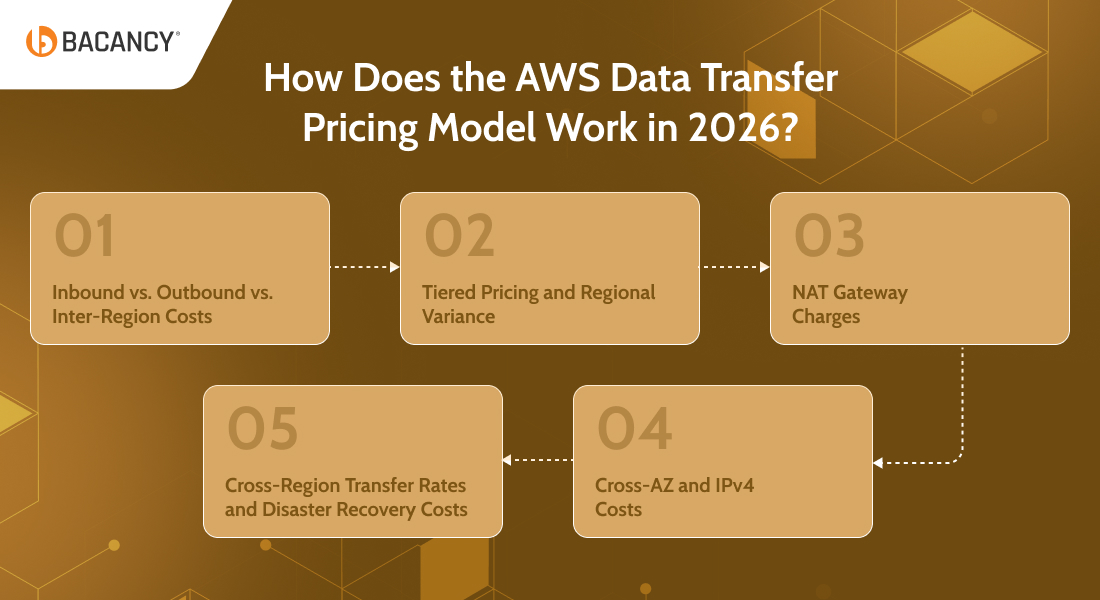
To manage your cloud budget, we must first understand that AWS views data movement like a toll road. The direction, the destination, and the service used all determine the price. Data entering AWS is generally free, but charges apply when data leaves the network, crosses Availability Zones, or moves between Regions. The following breakdown explains how inbound, outbound, inter-region, and internal data transfers are priced.
Inbound vs. Outbound vs. Inter-Region Costs
The general rule of thumb in the AWS ecosystem is that Inbound Data (Ingress) is Free. Whether you are uploading a 100GB database to S3 or sending millions of API requests to an EC2 instance, AWS does not charge for the data coming into its network from the internet.
However, the moment data leaves the AWS network, or even moves between different parts of it, the meter starts running.
| Transfer Direction
| Pricing Logic
|
|---|
| Internet to AWS
| $0.00 (Always Free)
|
| AWS to Internet
| Tiered: $0.09 to $0.05 per GB
|
| AWS to Another Region
| $0.02 per GB (typically)
|
| AWS to Another AZ
| $0.01 per GB (inbound & outbound)
|
Tiered Pricing and Regional Variance
AWS uses a tiered volume strategy. The more you send, the less you pay per gigabyte. For example, in the US East (N. Virginia) region, the first 10 TB of egress after the free tier costs $0.09/GB. If your application scales to the point of transferring over 150 TB monthly, that rate drops to $0.05/GB.
It is also important to note that AWS data transfer rates vary by region. Transferring data out of South America (São Paulo) or Africa (Cape Town) is significantly more expensive than transferring from US or European regions due to local infrastructure costs. To stay optimized, we recommend you plan for data transfer during the initial architecture phase.
Costs Due to NAT Gateways and ALBs
If your EC2 instances are in a private subnet and need to talk to the internet (for updates or API calls), you likely use a NAT Gateway. This is a notorious “hidden” cost.
1. Hourly Charge: ~$0.045 per hour per gateway ($32.40/month).
2. Data Processing Fee: $0.045 per GB processed.
If you have a multi-AZ setup with three NAT Gateways for redundancy, you are paying nearly $100 a month just for them to exist. If those gateways process 1 TB of data, you add another $45. This is on top of the standard $0.09/GB egress fee if that data is going to the internet. To see how these appear on your bill, you can refer to data transfer charges.
Cross-AZ and IPv4 Costs
In 2026, the charge for data moving between Availability Zones (AZs) remains a steady $0.01 per GB in each direction. While $0.01 sounds small, it accumulates rapidly in microservices architectures where services in AZ-A are constantly querying databases in AZ-B.
Furthermore, as of early 2024 and continuing through 2026, AWS charges $0.005 per hour for every public IPv4 address, whether it is attached to a running instance or sitting idle. If your architecture relies on public IPs for inter-service communication, you are essentially paying for “internet” routing for traffic that could be free if kept on private IPs.
Cross-Region Transfer Rates and Disaster Recovery Costs
Replicating data for Disaster Recovery (DR) is a major cost driver. Moving data from us-east-1 to eu-west-1 costs roughly $0.02 per GB. For a company replicating a 10 TB dataset daily to maintain a hot standby in Europe, the data transfer bill alone would be $200 per day, or $6,000 per month. “Data Gravity” is real. The further you move your data from its source, the more AWS will charge you.
Moving to AWS But Stuck With These Data Transfer Costs?
Leverage Bacancy’s cloud migration services to optimize your architecture for AWS, streamline data flow, and reduce data transfer costs in AWS.
How Can You Reduce AWS Data Transfer Costs?
Now that we have understood the hidden costs, let’s explore the practical strategies that can save you a fortune on your data transfer costs in AWS.
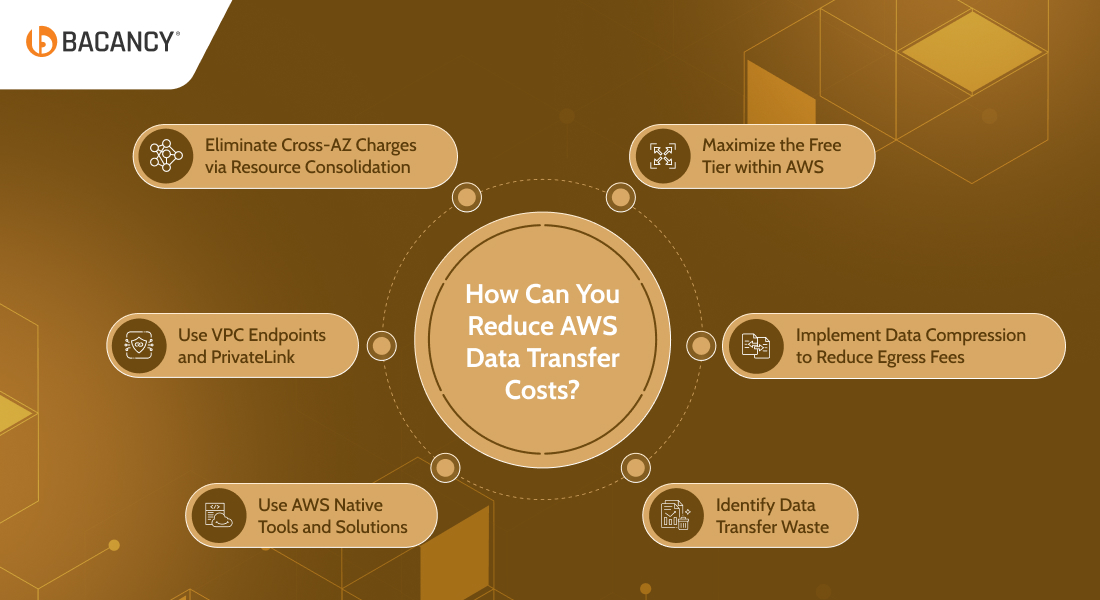
1. Maximize the Free Tier within AWS
Many startups and small businesses can operate almost entirely within the AWS Free Tier. In 2026, AWS continues to provide a generous 100GB of free data transfer out to the internet per month, aggregated across all services.
Beyond the basic 100GB, you can leverage:
- Amazon CloudFront: Up to 1TB of data transfer out and 10 million HTTP/S requests per month.
- Amazon SES: If you are sending emails from EC2, the first 62,000 emails per month are free.
- S3 to CloudFront: Transfers from S3 buckets to CloudFront edge locations are $0.00.
2. Implement Data Compression to Reduce Egress Fees
If your egress is high, it’s time to consider data compression. Using Gzip or Brotli for web assets can reduce your data volume by 60–80%, directly translating to lower egress fees. Additionally, protocol optimization, such as moving from HTTP/1.1 to HTTP/3 can improve efficiency.
Caching is crucial for AWS data transfer pricing. By implementing caching at the application level (using ElastiCache) or the edge (using CloudFront), you ensure that data is served from a “free” or cheaper location rather than fetching it from an EC2 instance every time, which triggers the $0.09/GB charge.
3. Identify Data Transfer Waste
The AWS Cost Explorer is the first place to look. However, the default view is often too broad. To find data transfer waste, you must filter by:
1. Usage Type: Look for strings like DataTransfer-Out-Bytes or Regional-Bytes.
2. Service: Identify if the cost is coming from EC2, S3, or NAT Gateway.
Hourly visibility is key. A daily view might show a consistent $50/day spend, but an hourly view might reveal a massive spike every day at 2:00 AM, which is likely a misconfigured backup job or log export that could be optimized.
4. Eliminate Cross-AZ Charges via Resource Consolidation
The most aggressive way to cut costs is to keep your resources in the same Availability Zone. While multi-AZ is essential for production high availability, many dev/test environments don’t need it. By consolidating a microservice and its database into a single AZ, you eliminate the $0.01/GB cross-AZ fee entirely.
For production, we recommend using Placement Groups. Specifically, “cluster” placement groups keep instances physically close together which reduces latency and ensures that, if you must transfer large volumes, you do so in the most efficient way possible.
Need Expert Help with Managing Resource Consolidation in AWS?
Hire AWS Developers from us to reduce cross-AZ costs and optimize resource placement.
5. Use VPC Endpoints and PrivateLink
This is the pro-level move for AWS cost optimization. Normally, when an EC2 instance talks to S3 or DynamoDB, the traffic often routes through a NAT Gateway or the public internet. By creating a VPC Gateway Endpoint (which is free for S3 and DynamoDB), the traffic stays within the AWS private network.
This simple change can eliminate NAT Gateway processing fees ($0.045/GB) and internet egress fees ($0.09/GB) for those services. For other services, AWS PrivateLink provides a similar private path, though it does carry a small hourly and per-GB processing fee that is still usually much cheaper than the alternatives.
If your primary cost is serving content to users, CloudFront is your best financial tool. Here’s how it can help:
- Free Origin Fetch: Data moving from S3 to CloudFront is $0.00.
- Lower Egress Rates: CloudFront’s outbound rates are generally lower than standard EC2-to-internet rates.
- Edge Caching: By serving content from the edge, you stop the request from ever reaching your expensive compute resources.
By placing CloudFront in front of your web application, you can often see an immediate 20–30% reduction in data transfer costs, with the potential for more if your cache hit ratio is high.
Other AWS monitoring tools and solutions you can use are:
- Cost Allocation Tags: Tag every resource by project, environment, and owner. This allows you to see exactly which department is responsible for that $2,000 data transfer spike.
- CloudWatch Alarms: Set an alarm on the NetworkOut metric for your busiest instances. If an instance suddenly starts pushing 10x its normal volume, you want to know in minutes, not at the end of the month.
- VPC Traffic Mirroring: For deep dives, use traffic mirroring to analyze packets. This can help identify “chatty” protocols or services that are communicating more than necessary.
Conclusion
Optimizing AWS Data Transfer pricing in 2026 and reducing its costs requires careful architecture and constant monitoring. Every byte of data moving across the cloud carries a cost, and understanding these charges allows your businesses to build high-performing, cost-efficient systems.
As an AWS consulting service provider, Bacancy helps organizations uncover hidden cloud costs, restructure VPCs, and implement solutions that turn cloud spend into strategic value. Our team works closely with clients to develop strategies that balance performance, reliability, and cost, ensuring every cloud investment delivers measurable impact.
By leveraging our expertise, businesses gain control over their AWS environment. Cloud infrastructure becomes predictable, scalable, and cost-effective, which lets your organizations focus on growth while avoiding unnecessary bills.
Frequently Asked Questions (FAQs)
Pricing Fundamentals
AWS charges $0.01/GB for data moving between Availability Zones because the traffic travels over private high-speed links between physically separate data centers. Charges apply in both directions.
Transfer between regions (e.g., US East to EU West) ranges from $0.02 to $0.09/GB, depending on the regions involved. High-volume replication for disaster recovery can significantly impact costs.
Yes, AWS does not charge for inbound data (ingress) from the internet to AWS services, regardless of the region.
NAT Gateways incur hourly charges ($0.045/hour) plus $0.045/GB for processed data. Using multiple gateways or high data volume can quickly increase costs.
Public IPv4 addresses cost $0.005/hour and force traffic out to the internet even for internal communication, triggering egress fees. Using private IPs or IPv6 avoids these charges.
Architecture & Optimization
You can use VPC Endpoints or PrivateLink to avoid internet routing fees, consolidate resources within a single AZ, implement CloudFront for caching, and use private IPs for intra-region traffic.
VPC Peering is cost-effective for high-volume traffic with full network connectivity. PrivateLink is better for secure, service-specific access or overlapping IP ranges, though it has small processing fees.
Consolidate microservices and databases into a single AZ where possible. For production workloads, use cluster placement groups to reduce latency and minimize cross-AZ transfer.
Yes, you can do it by using Gzip or Brotli can reduce web asset sizes by 60-80%, directly lowering egress fees.
Yes, CloudFront caches content at edge locations, lowering outbound egress from EC2 or S3. Combining caching with compression and optimized protocols reduces transfer volume and bills.
Monitoring & Cost Visibility
You can monitor these AWS costs for data transfer by using the AWS Cost Explorer with hourly granularity, filter by DataTransfer-Out-Bytes or Regional-Bytes, and set CloudWatch alarms on network usage to catch spikes early.
Yes, through Audit NAT Gateway usage, cross-AZ traffic, and inter-region replication. VPC Traffic Mirroring allows you can reveal high-volume or unnecessary communications.