Last Updated on March 18, 2026
Last Updated on March 18, 2026
Quick Summary
In 2026, Artificial Intelligence (AI) and Machine learning (ML) are becoming core to digital operations. Every business wants to integrate AI and ML into its infrastructure. And, a big part of enterprises across the world use .NET for application development. In this blog, you will learn how to integrate AI and ML with .NET applications, and explore key tools, frameworks and use cases for a better reference.
Table of Contents
It’s been 24 years since the launch of .NET Framework 1.0. Over these many years, .NET has been the backbone of millions of enterprise applications. Businesses depend on .NET for its performance, scalability, and security features. Backed by Microsoft, .NET keeps getting updates to stay relevant and lead the modern technology environment.
Now the focus of enterprise software is shifting toward artificial intelligence and machine learning. Organizations want their applications to do more than just execute workflows. They expect their systems to analyze data, generate predictions, and support smarter decision-making.
.NET does offer the flexibility to integrate in-house IT infrastructure with external software, systems, and data sources. This makes it easier to integrate AI and ML capabilities into existing enterprise .NET systems without having to rebuild the entire application stack.
In the following sections, we will look at how AI and ML can be integrated into .NET applications, tools to use, and relevant use cases from other companies, to help with better implementation.
Organizations do not need to rebuild their applications from scratch to introduce artificial intelligence or machine learning capabilities. In most of the scenarios, AI models can be integrated into existing .NET applications through APIs, embedded models, .NET native AI/ML tools, or third-party solutions.
Below are some of the most common ways teams can integrate AI with .NET applications.
One of the easiest ways to introduce machine learning into a .NET application is through ML.NET. This is one of the key .NET native frameworks that allow developers to build, train, and run machine learning models directly within the .NET ecosystem.
Developers can use ML.NET for scenarios such as:
Since ML.NET integrates directly with C# and .NET applications, teams can add ML capabilities without having to learn a different technology stack.
Other native .NET ML frameworks you can use are: TorchSharp, TensorFlow.NET, ONNX Runtime (.NET API), Infer.NET, and Accord.NET.
Another common integration method is to call AI services through APIs. Instead of running models inside the application, the .NET system sends data to an external AI service and receives predictions or analysis in return.
The most commonly used external AI services in .NET environments are:
This method makes the most sense for teams that want to ship AI-powered features without building or maintaining models themselves.
Many machine learning models are trained using Python frameworks such as PyTorch or TensorFlow. These models can then be exported to the ONNX format and executed inside .NET applications using ONNX Runtime.
This method allows teams to train models in Python, deploy them inside .NET applications, and run predictions locally without external API calls. It is often used in scenarios that require low latency or offline inference.
For large-scale enterprise applications, many organizations deploy AI capabilities as dedicated, independent services rather than integrating them directly into the core application. In this architecture, machine learning models, often written in Python, run inside their own services and communicate with the .NET application through APIs. This keeps the AI layer independent from the main codebase, which makes both sides easier to maintain and scale.
This architecture works well for workloads that are compute-heavy or need to scale on their own terms. Some of the key use cases for this approach are:
When traffic spikes on the AI side, teams can scale only that service without touching the rest of the application.
Enterprise applications often work with large volumes of data that need to flow into machine learning models on a regular basis. Rather than managing this internally, many teams use cloud platforms to store this data and use it to train, update, and deploy models. This way, teams avoid the cost of building and maintaining their own infrastructure.
Cloud platforms like AWS, Azure, and GCP provide native tools to manage the full model lifecycle. For example, Azure Machine Learning, AWS SageMaker, and Google Vertex AI allow teams to train, version, and deploy AI/ML models without building any of that infrastructure from scratch. The .NET application then connects to the deployed model through an API and uses it like any other service.
Note: It is not mandatory to choose just one method to integrate AI and ML in .NET applications. In fact, many enterprises prefer to use a combination of these approaches. But the right mix depends on the complexity of your models, your existing infrastructure, and how often your AI layer needs to update. You can opt for dot net consulting for expert help in selecting the best approach to integrate AI and ML in your .NET apps.
There are several AI and ML libraries and frameworks compatible with .NET, but which one to choose depends on your project requirements, like the ML model you want to create or the AI feature you want to integrate into your .NET app.
Here are some of the leading libraries and frameworks you can use to integrate AI in .NET Development.
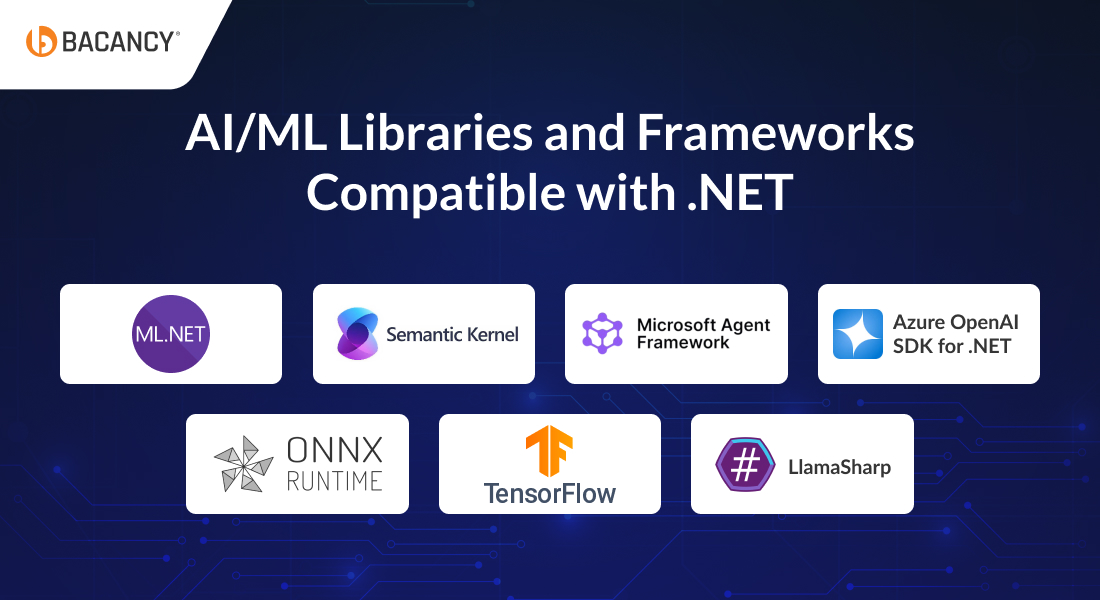
ML.NET is Microsoft’s native machine learning library for .NET. It allows teams to build, train, and deploy custom ML models in C# or F#, without the need for Python or any external runtime. It also supports ONNX and TensorFlow models, so teams are not just limited to what ML.NET can train on its own.
When your team wants to add ML capabilities to a .NET application without introducing Python or managing a separate model serving infrastructure.
Read the detailed comparison between ML.NET and PyTorch, two of the most used AI frameworks, that work with .NET applications too.
Semantic Kernel is Microsoft’s open-source SDK to integrate large language models (LLMs) into .NET applications. It acts as an orchestration layer between your application logic and the LLM, handling prompt management, memory, plugins, and multi-step AI workflows. It supports LLMs like GPT-4 and GPT-4o via Azure OpenAI or the OpenAI API directly, as well as locally hosted open-source models like LLaMA and Mistral through LlamaSharp.
When you want to integrate AI features in .NET, such as copilots, intelligent search, or document summarization, and need a single layer to manage the prompts, memory, and business logic together.
Introduced with .NET 10, Microsoft Agent Framework is built on Semantic Kernel and adds support for multi-agent workflows. It allows multiple AI agents to work together within a single application, where each agent handles a specific part of a larger task. It also comes with built-in monitoring and security controls.
When your application needs multiple AI agents working together on a task, and a single model responding to a single prompt is not enough.
The Azure OpenAI SDK gives .NET developers direct access to OpenAI models hosted on Azure infrastructure. This includes GPT-4, embeddings, DALL·E, and Whisper. Unlike the OpenAI API, this SDK gives organizations control over where their data is stored, who can access it, and how usage is governed.
When your team needs access to OpenAI models but cannot use the OpenAI API directly due to compliance or data policies.
ONNX Runtime is an inference engine for running pre-trained machine learning models inside .NET applications. It accepts models exported from PyTorch, TensorFlow, scikit-learn, and other frameworks, so teams do not get locked into a single training environment. It is designed for fast, local inference without any external dependency.
When you need to deploy a model trained in Python inside a .NET application, and it needs to work fast under load or without an internet connection.
TensorFlow provides C# bindings for Google’s TensorFlow framework. It covers the full TensorFlow API and includes TensorFlow.Keras for high-level model building. This allows .NET developers to work with deep learning models without switching to Python.
When your team already has TensorFlow expertise and wants to use that knowledge inside a .NET application without maintaining a separate Python codebase.
LlamaSharp is a .NET binding for llama.cpp that lets developers run open-source LLMs like LLaMA, Mistral, and Phi-3 directly on local hardware. There is no API call, no cloud dependency, and no usage cost. It also has a built-in connector for Semantic Kernel, so teams can replace a cloud-hosted LLM with a local one without rewriting their original setup.
When your team cannot send data to a cloud-based LLM due to privacy requirements, or when API costs need to be kept low.
Hire .NET developers from Bacancy with experience in ML.NET, Semantic Kernel, Azure OpenAI SDK, and the rest of the Microsoft AI stack.
Businesses must view AI and ML as modern capabilities for enhanced performance and productivity.
According to McKinsey’s State of AI 2025 report, 88% of organizations are now regularly using AI in at least one business function, which is up from 78% just a year before. This rapid increase shows how quickly AI adoption is expanding across industries.
By implementing AI with .NET apps, enterprises can automate and optimize workflows, personalize experiences, and gain new and more accurate insights into their data, all of which can help increase productivity, performance, and efficiency.
Here are the five key AI use cases in .NET applications:
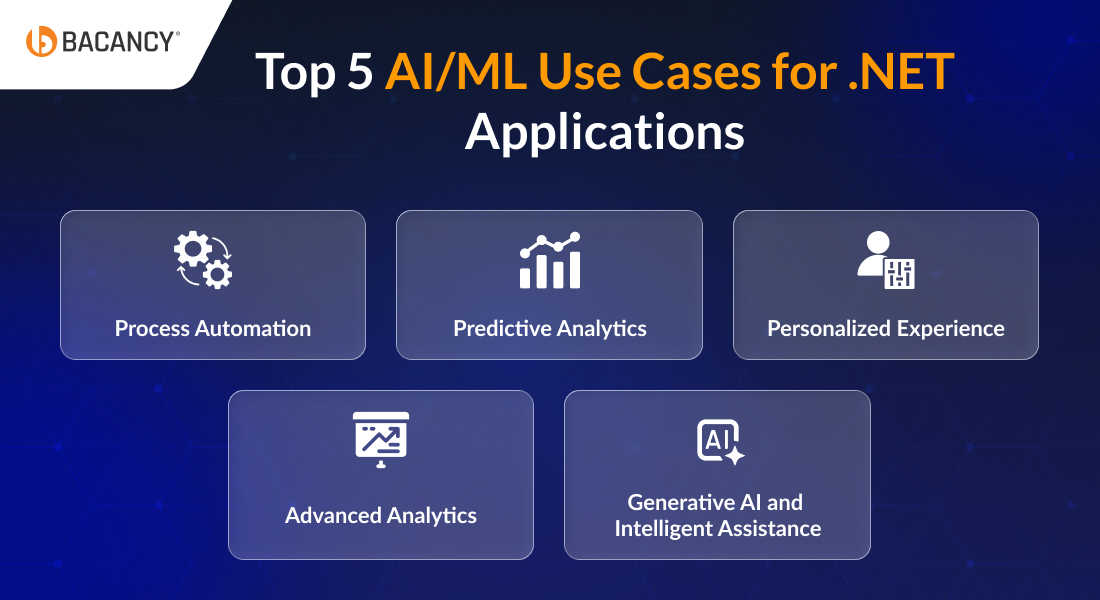
By integrating AI and ML in .NET apps, you get an opportunity to automate digital and physical tasks that are often repetitive, error-prone, and time-consuming. It allows your employees to focus on other critical tasks and increase productivity.
Example: With AI/ML integrations, you can automate the process of extracting, validating, and routing data from invoices or customer forms into backend .NET systems, eliminating manual data entry.
Using AI algorithms and ML models, .NET applications can detect delicate patterns in a large chunk of data and interpret their meaning. Integrating AI and ML with .NET apps helps businesses predict the likely action a customer or user will take. Predictive insights allow companies to make informed decisions and be prepared for the good or bad well in advance to avoid any tangible impact.
Example: For a retail app based on .NET, AI/ML models can help analyse customer intent by tracking their activity in the application and predict if the purchase decision will be made or not.
Combining AI and ML with .NET apps allows companies to personalize a user journey. It enables .NET web applications to track the information about a user and your business needs. It can include demographics, interests, tastes, previous history, personal details, and more.
Example: With the help of AI/ML integrations, a .NET app can be configured to deliver personalized content and experience to a returning user, shaped uniquely by their previous interactions.
AI and ML in .NET applications enable real-time processing of complex, high-volume datasets to generate precise insights and recommendations. Advanced analytics enable businesses to make data-driven decisions by offering specific insights and recommendations.
Example: AI/ML capabilities can help perform sentiment analysis in .NET apps across support tickets, reviews, and social feedback to get a continuous, real-time read on customer satisfaction rather than waiting for quarterly surveys.
With the rise of LLMs and tools like Semantic Kernel and Azure OpenAI SDK, .NET applications can now integrate conversational AI, code generation, document summarization, and natural language interfaces directly into business workflows. This is the fastest-growing area of AI adoption in enterprise .NET development today.
Example: A .NET enterprise application can include an AI assistant that allows employees to ask questions in natural language and receive answers generated from internal documents, reports, and databases. This reduces the time spent manually searching across different sources and helps teams find information faster.
The world of software development is constantly evolving, and with it, the tools and technologies used to create applications are also getting updated. One of the latest trends in software development is the integration of AI and ML with .NET applications. Organizations can effectively leverage the expertise of AI consulting services to navigate and implement these advanced technologies seamlessly. This strategic collaboration unlocks the benefits of increased performance, task automation, workflow optimization, and predictive insights. It ensures efficiency through personalized experiences and real-time data analysis for businesses and users.
Lastly, AI and ML can help to increase productivity by freeing up resources to focus on other tasks and eliminating the need for manual data entry. Overall, implementing AI and ML with .NET can help to create a more efficient and productive application that will drive business growth. If you need professional assistance creating an efficient and productive .NET app powered by AI and ML, you can partner with a leading .NET development company. They will provide you with a strategic roadmap and appropriate guidance to deliver top-quality .NET apps that drive business growth.
Yes, Microsoft has built a comprehensive AI stack specifically for .NET applications, including ML.NET, Semantic Kernel, and first-party Azure OpenAI SDKs. This means you can add AI capabilities to a .NET application without leaving the .NET ecosystem or learning Python.
ML.NET lets you build and train custom ML models using your own data for fraud detection, demand forecasting, and churn prediction, entirely in C# or F#. Whereas, the Semantic Kernel is for integrating large language models (LLMs) like GPT-5 into .NET apps for use cases like copilots, document summarization, and intelligent search.
No. Microsoft has specifically developed its AI stack for .NET developers, providing ML.NET, Semantic Kernel, Azure OpenAI SDK, and Azure AI Services, all of which work natively in C# and F#. You can build, train, and deploy AI features entirely within the .NET ecosystem without writing a single line of Python.
Yes. Microsoft’s Azure OpenAI SDK for .NET gives you direct access to GPT’s latest version, embeddings, and other OpenAI models from within your .NET application. Semantic Kernel simplifies this further by acting as an orchestration layer, handling prompt management, memory, and function calling so you can integrate LLM capabilities into existing .NET apps without any chaos.
It depends on the complexity. Adding pre-built AI features via Azure AI Services can take days. Building a custom ML model with ML.NET typically takes a few weeks, depending on data availability and model complexity. Integrating a full LLM-powered feature like a copilot or RAG pipeline using Semantic Kernel generally takes 4–8 weeks.
Any industry can benefit from integrating AI/ML into .NET apps. Finance and banking can use it for fraud detection and risk assessment. Healthcare can use it for medical image analysis and predictive diagnostics. Retail can use it for personalization and demand forecasting. Manufacturing can use it for predictive maintenance and quality control.

Technical Lead at Bacancy
Veteran .NET developer delivering innovative, high-performance, and client-focused solutions.
MORE POSTS BY THE AUTHOR
Your Success Is Guaranteed !
We accelerate the release of digital product and guaranteed their success
We Use Slack, Jira & GitHub for Accurate Deployment and Effective Communication.