With so many AI workflow automation tools available, it’s easy to feel overwhelmed. Choosing the right one for your business can be a confusing and time-consuming process. That’s why we’ve rounded up the 7 best AI workflow automation tools for 2026. These solutions can help you streamline daily tasks, save valuable time, and increase overall productivity. By letting AI handle repetitive work, your team can focus on strategy, creativity, and growth.
Table of Contents
Introduction
Have you ever thought about how much more your business could achieve if all your lead tracking, email follow-ups, and project updates were handled automatically? What if customer questions were answered instantly, reports were generated effortlessly, and your core workflows ran smoothly without constant supervision? Don’t worry, most of us are in the same boat.
Most of this is possible by integrating AI with workflow automation tools. And what AI can do is truly impressive; It can handle repetitive tasks, organize data, track projects, and keep your operations running efficiently, allowing your team to focus on strategy, growth, and creative problem-solving.
Well, AI is no longer just a futuristic idea anymore. According to Gartner, by 2026, 30% of enterprises will automate half of their network activities. Early adopters see clear benefits as teams spend less time on routine tasks and focus more on innovation and growth.
Well, in this blog, we’ve reviewed the 7 best AI workflow automation tools for 2026, explored how they can simplify your core business processes, and provided practical guidance to help you choose the most effective solution to boost efficiency, productivity, and growth.
7 Top AI Workflow Automation Tools: A Quick Overview Table
AI Workflow Tool
Key Use Cases
Choose If You Want
Pricing
Lindy.ai
Automate emails, CRM updates, scheduling, and customer responses with AI agents.
To create AI-powered virtual employees that handle repetitive tasks without coding.
Subscription-based (Free plan available; paid plans from ~$25/month).
VectorShift
Build intelligent workflows using drag-and-drop AI components.
To automate marketing, sales, and support workflows with no-code AI agents.
Custom pricing (based on usage and integrations).
Relay.app
Automate tasks like data extraction, content generation, and email responses.
To design multi-step, event-driven workflows with human-in-the-loop controls.
Free for basic usage; paid plans from ~$29/month.
Bardeen.ai
Browser-based automation for data entry, lead outreach, and CRM updates.
To automate repetitive web and SaaS app tasks directly from your browser.
Free plan available; Pro plan starts at $10/month.
HubSpot AI
Smart automation across marketing, sales, and customer support.
To enhance HubSpot workflows with AI assistants and predictive insights.
Included in the HubSpot suite (Professional plan and above).
Notion AI
Generate, summarize, and organize project documentation automatically.
To boost productivity and automate content creation within Notion.
Add-on to Notion plans ($10/month per user).
Moveworks
AI-driven automation for IT service management, ticket resolution, and employee support.
To automate IT helpdesk tasks, resolve tickets faster, and enhance employee experience.
Custom pricing (based on organization size and integrations).
Top AI Workflow Automation Tools To Consider in 2026 - Detailed Explanation
Let’s have a look at the AI tools for business automation, understanding their features, use cases, and how it is the right choice for:
1. Lindy.ai: Build Your Team Of AI Employees
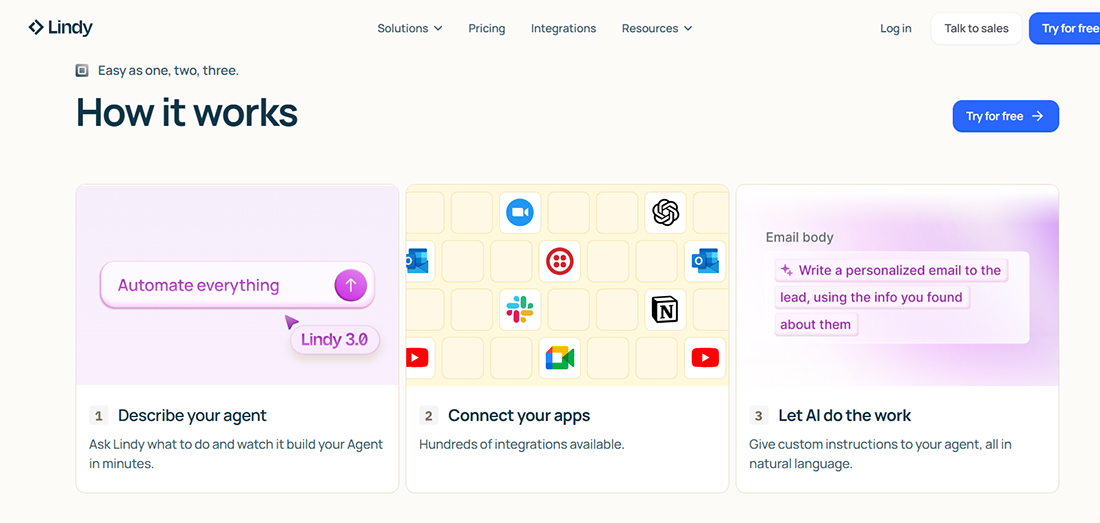
Lindy.ai is an AI workflow automation tool that lets you create AI agents known as Lindies, which perform real tasks across apps and platforms. Unlike tools that only generate content like text or images, Lindies can take actions, automate tasks, and manage repetitive work without any coding skills.
With the latest version, Lindy 3.0, you can create an AI agent in as little as 30 seconds. How cool is that? Simply describe what you want in plain English and connect your Lindy to the necessary apps, such as email, CRM, or spreadsheets.
You can track competitors, update data, schedule meetings, and automate a variety of tasks. Templates are also available to help you set up common workflows quickly.
The best part about Lindy.ai is the ability to build teams, where multiple AI agents work together like a real team. One AI agent can watch competitors, another can research APIs, while others write code or check for errors. They share information, learn from feedback, and continuously improve, so even complex workflows run smoothly without constant supervision.
Core Features of Lindy.ai
Agent Builder lets you create AI agents by describing tasks in simple language, no coding required.
Autopilot enables AI agents to operate independently, performing tasks across apps and websites.
Team Accounts allow you to share and manage AI agents across your team for easy collaboration.
Integration Ready connects your Lindies with over 1,500 applications to automate workflows.
No-code Automation streamlines the management of processes and tasks, eliminating the need for technical expertise.
Ideal Use Cases of Lindy.ai
Automate lead qualification, outreach, and follow-ups for sales teams.
Resolve tickets and answer common customer support questions.
Manage calendars, emails, and meetings for administrative professionals.
Automate content creation, social media posting, and campaigns for marketing teams.
Source candidates, screen resumes, and handle initial outreach for recruiting teams.
Who Should Use Lindy.ai
Small and medium-sized businesses that want to streamline operations and scale efficiently.
Sales and marketing teams that reduce manual work and boost productivity.
Customer support teams that respond faster and more accurately.
Administrative professionals who manage tasks more efficiently.
Also, take a quick look at the top 30 AI agents you can build in less than 5 minutes.
2. VectorShift: The Fastest Way to Build AI Apps and Workflows
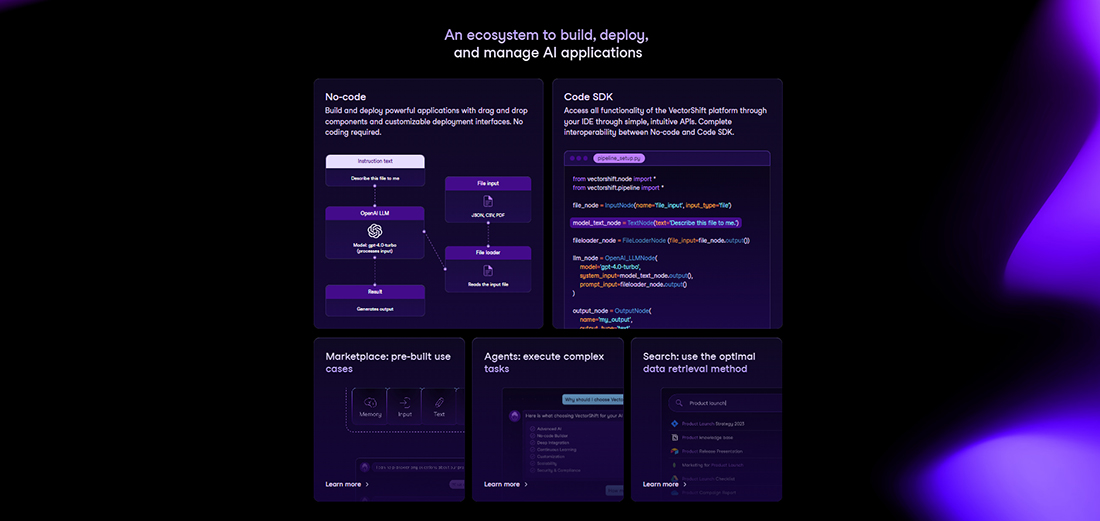
VectorShift is an AI workflow automation platform that helps you create AI applications and automate business processes without any coding. It lets your AI apps process data, execute tasks, and connect with your existing tools, all from a single platform.
With VectorShift, you can quickly start using pre-built templates for chatbots, research reports, resume screening, or marketing campaigns. It’s just that simple: connect your data from CSVs, PDFs, websites, or databases, and let AI summarize, analyze, and produce actionable results in minutes.
This AI tool also allows you to create AI assistants that answer questions, manage repetitive tasks, create documents, or send emails automatically.
You simply have to deploy them as chatbots, API endpoints, or internal tools, making workflows faster and more efficient. Drag-and-drop building and Python SDK support make customization simple for both non-technical and technical users.
Core Features of VectorShift
No-Code Builder lets you design AI applications with simple drag-and-drop components.
Data integration connects your AI apps to tools and databases, enabling seamless data processing in any format.
Pre-built templates provide ready-made workflows for chatbots, emails, reports, and more, helping you get started immediately.
Python SDK Access allows developers to extend AI applications, giving full control over advanced workflows.
Live automation sets triggers and automates tasks across platforms, including sending messages, updating systems, and notifying teams.
Ideal Use Cases of VectorShift:
Create AI-powered chatbots for customer support, onboarding, or lead management.
Automate email campaigns, social media posts, and marketing workflows.
Summarize, analyze, and compare documents, spreadsheets, and other data files.
Generate reports, proposals, and analytics at scale with minimal effort.
Search and retrieve information from connected tools and databases efficiently.
Who Should Use VectorShift:
Businesses looking to scale operations without adding extra staff.
Sales and marketing teams aiming to streamline campaigns and outreach.
Customer support teams who want faster and more consistent responses.
Developers and tech teams seeking flexible AI integration for internal tools or client solutions.
Learn more about VectorShift in detail.
3. Relay.app: Deploy AI Agents That Work Across Your Favorite Tools
Sarah, a project coordinator at a mid-sized marketing agency, sets up her first AI agent on Relay.app in just a few minutes. Within moments, it starts drafting follow-up emails, tracking campaigns, and summarizing competitor activities automatically. She can review the results, refine the instructions, and allow her team to collaborate on improvements. But how?
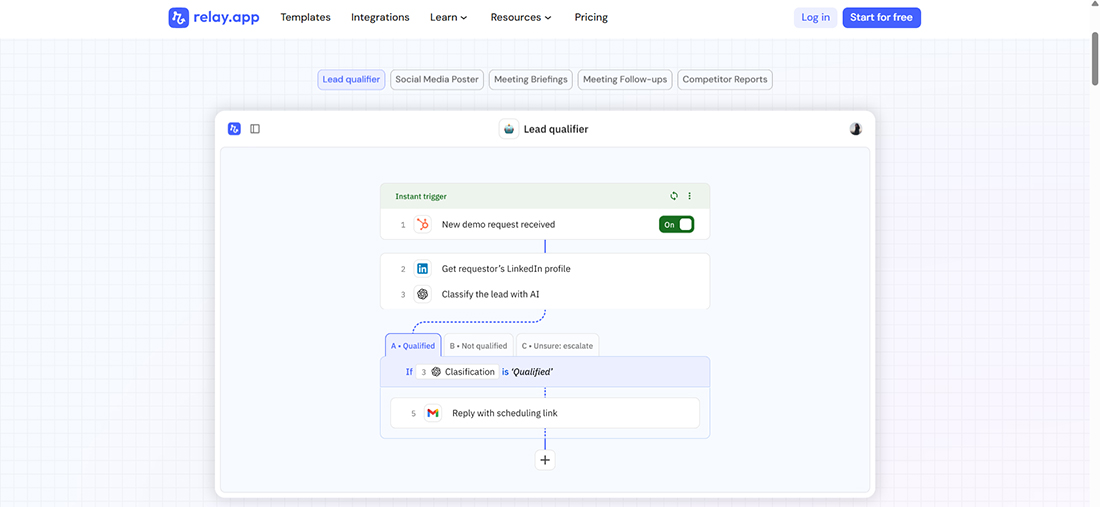
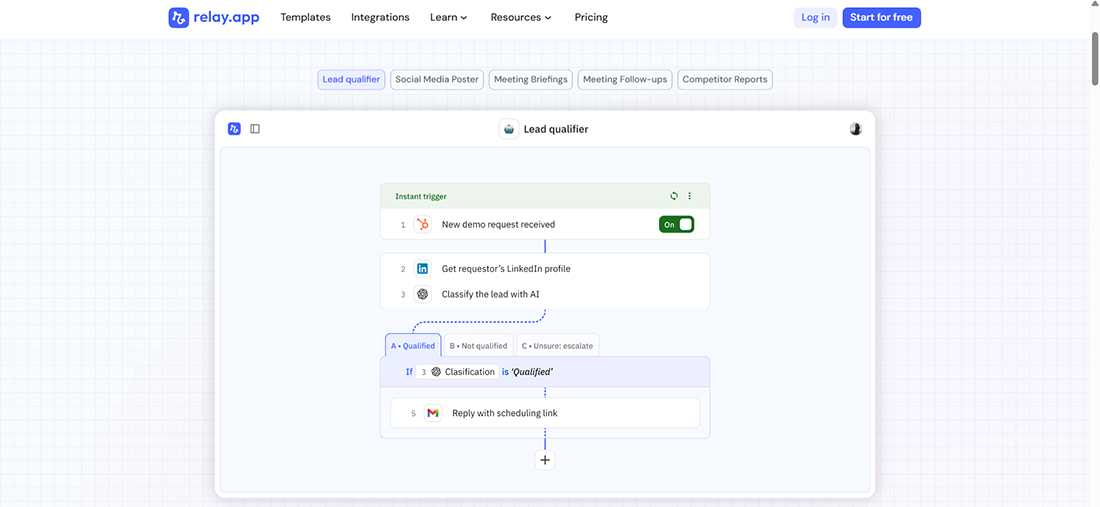
Well, Relay.app makes it simple for teams to create AI agents that can work across multiple apps without any coding. It seamlessly integrates with Gmail, Slack, Notion, HubSpot, and over 100 additional tools.
The AI automatically pulls in the latest data, analyzes it, and takes action wherever it’s needed. Event-triggered workflows and real-time syncing mean nothing gets missed, and everything happens just as Sarah set it up.
You can add manual checkpoints whenever needed, ensuring the AI supports your team, not replacing anyone. Also, pre-built agent templates let you start automating common tasks right away, and the drag-and-drop editor makes adjusting workflows quick and simple.
Core Features of Relay.app
AI Agent Creation lets you set up agents for tasks like research, content drafting, or automated notifications.
Manual control adds checkpoints to ensure accuracy and maintain human oversight where needed.
Event triggers enable agents to respond promptly to new emails, calendar updates, or data changes.
Real-time sync keeps all workflows current by constantly updating data and actions.
App integrations connect agents with your essential tools for seamless cross-platform automation.
Ideal Use Cases of Relay.app:
Automate daily outreach, lead categorization, and follow-up messages.
Create instant meeting summaries, action items, and post-meeting emails.
Track social media activity, competitor updates, and content performance automatically.
Receive regular summaries of support tickets, news, or team updates without manual effort.
Who Should Use Relay.app:
Small and medium teams that want to reduce repetitive work and increase efficiency.
Marketing and sales departments looking for fast, reliable automation for outreach and campaigns.
Project coordinators and managers who need real-time summaries and task tracking.
Teams seeking adaptable AI agents capable of collaborating and evolving with workflow changes.
4. Bardeen.ai: Automate Your Browser Tasks With AI Copilot
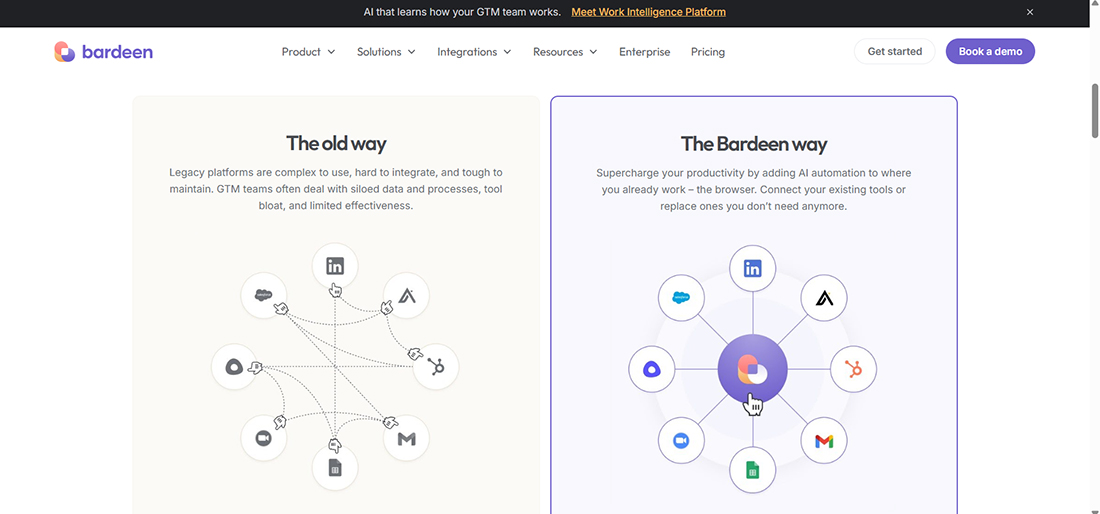
Bardeen.ai is a browser-based AI workflow automation platform designed to help teams and professionals streamline their work by eliminating repetitive tasks and increasing efficiency. It integrates directly with tools like Gmail, LinkedIn, Google Sheets, and HubSpot, so your automations occur right where you work, without requiring you to switch between apps.
You can create workflows that update CRM records, follow up with leads, collect data from websites, or even trigger actions based on emails or spreadsheet changes.
The best thing that stands out about Bardeen.ai is its Magic Box, a no-code workspace where you can build automation workflows just by typing simple instructions in natural language.
For example, you could type “Update all new leads in HubSpot from this spreadsheet and send a follow-up email,” and Magic Box will create the workflow for you automatically.
These workflows run continuously with always-on triggers, automatically enrich your data, and ensure consistent formatting across platforms.
Bardeen.ai also connects with tools like Lemlist, Zoom, Salesloft, Smartlead, and Fireflies, making it a hands-on AI copilot that streamlines tasks and keeps your browser work organized and efficient.
Core Features of Bardeen.ai:
Browser-based automation runs directly in your tools without extra software.
Pre-built workflow templates simplify lead management, reporting, and outreach.
Multi-step automation combines data from multiple sources before taking action.
Event triggers start actions automatically when emails arrive or changes occur.
Collaboration features let you share workflows with your team for collective efficiency.
Ideal Use Cases of Bardeen.ai
Automates lead scraping and CRM updates for sales teams.
Streamlines email follow-ups and outreach campaigns.
Pulls research or competitor insights into a central dashboard.
Handles repetitive administrative tasks like copying data across apps.
Who Should Use Bardeen.ai:
Sales and marketing teams looking to save time and reduce manual work.
Small businesses that rely heavily on browser-based tools
Anyone who wants to create smart workflows without writing code
Professionals juggling multiple apps and repetitive tasks daily
5. HubSpot AI: Create AI Teammates That Know Your Business Inside Out
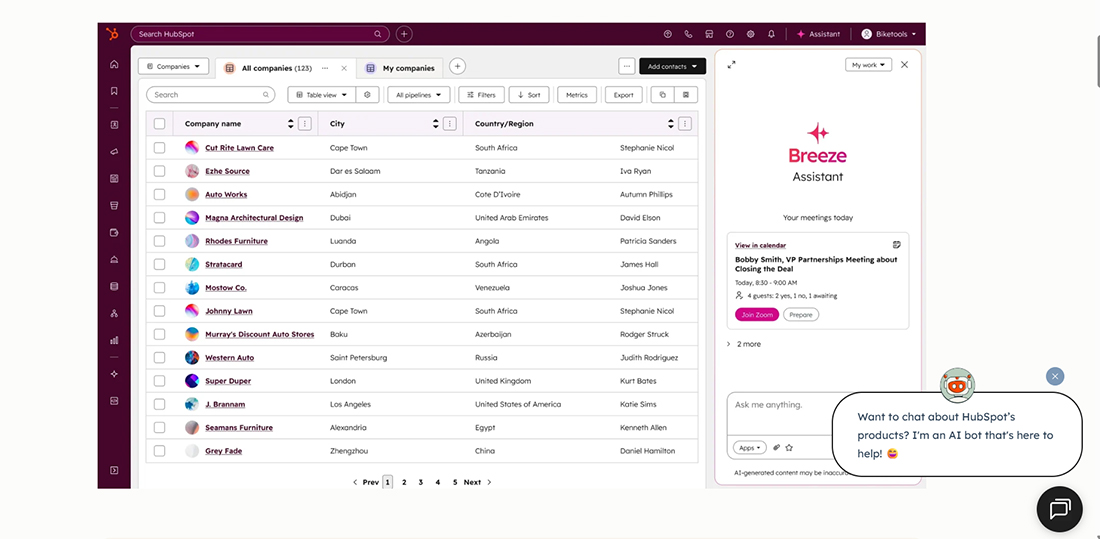
HubSpot AI, powered by Breeze, is an AI workflow automation platform that seamlessly integrates into your HubSpot ecosystem. It goes beyond simple task automation; it understands your business context, learns from your data, and acts as a proactive assistant across marketing, sales, and customer service.
What sets HubSpot AI tool apart for 2026 is its latest advancements with Breeze Agents, Breeze Studio, and Breeze Marketplace. (source)
Breeze Agents are specialized AI teammates that can handle full workflows from start to finish.
For example, the Prospecting Agent identifies leads and drafts outreach emails, while the Customer Agent handles support tickets and responds directly to customers.
The Data Agent can even pull insights from CRM records, emails, documents, and external web sources to keep your CRM up to date automatically.
These agents utilize structured and unstructured data to enhance business operations such as customer response, sales lead generation, and marketing content creation. (Lifewire)
Breeze Studio lets you build and customize your own AI agents without any coding, tailored to your business processes, brand guidelines, or specialized tasks.
Breeze Marketplace makes it easy to discover and deploy pre-trained agents across marketing, sales, and service teams, providing businesses with ready-to-use AI teammates that understand how the company operates.
Core Features of HubSpot AI:
Predictive lead insights automatically highlight the most promising leads, saving teams time.
The content personalization engine generates tailored emails, chat replies, and landing page suggestions to engage prospects effectively.
Cross-channel campaign automation ensures consistent messaging across email, social, and CRM workflows with minimal manual effort.
AI-powered customer journey mapping identifies key touchpoints and suggests the next-best actions for a smoother sales experience.
Real-time opportunity scoring updates lead continuously based on engagement and intent, helping teams focus on high-value prospects.
Ideal Use Cases of HubSpot AI:
Create marketing content and manage campaigns faster without switching tools.
Score leads and prioritize follow-ups to help sales teams focus on the most promising prospects.
Provide timely and personalized customer support to resolve queries efficiently.
Generate reports and dashboards that give managers clear insights across teams.
Streamline repetitive tasks and workflows to free up time for strategic work.
Who Should Use HubSpot AI:
Marketing, sales, and customer service teams that rely on HubSpot for daily operations.
Organizations aiming to boost efficiency, improve personalization, and make smarter data-driven decisions across departments.
6. Notion: Turn Your Workspace Into a Creative AI Partner
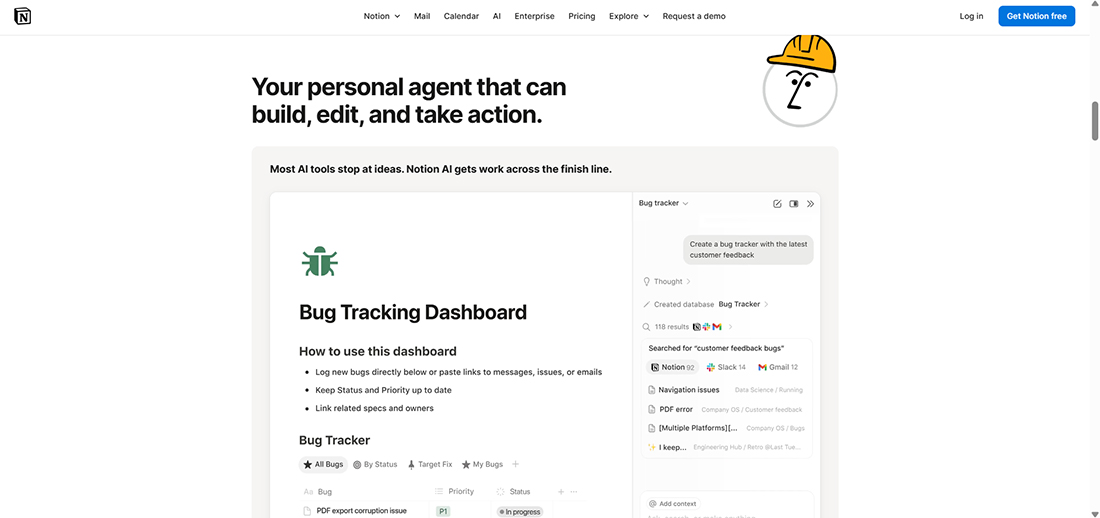
Notion is an AI-powered workflow automation tool that helps teams plan, write, and manage projects all within their workspace. It goes beyond just drafting text; it connects tasks, documents, and data, so work moves automatically from one stage to the next. It’s like having a creative and operational partner built right into Notion.
The best part that sets Notion AI apart in 2026 is the combination of Research Mode and the Notion Agent. Research Mode can extract insights from your workspace and the web to create reports, summaries, or briefs automatically.
The Notion Agent can take it a step further by automating tasks for you, updating pages, organizing tasks, and even creating documents based on your instructions. This means teams can complete work more efficiently and effectively.
These features are part of their latest version, Notion 3.0, which makes the AI more powerful and integrated than ever. It can act across your workspace, connect with tools like Slack, Google Drive, and Microsoft apps, and help automate multi-step tasks. The AI learns how your team works, making workflows smoother and saving hours of manual effort.
Core Features of Notion:
Smart task linking automatically connects related tasks, notes, and documents across projects, reducing manual cross-referencing.
Predictive workflow suggestions identify bottlenecks and suggest the next best actions for tasks and projects.
Automated database updates convert unstructured notes, tables, or research into structured databases without manual input.
Context-aware summaries can summarize lengthy threads, meeting notes, or project updates while preserving key insights.
Cross-tool intelligence lets the AI pull and synchronize relevant data from connected apps like Slack, Google Drive, and Microsoft Teams to keep workflows up-to-date.
Ideal Use Cases of Notion:
Draft reports, meeting summaries, and content pieces faster without switching tools.
Organize and automate project updates, timelines, and documentation.
Brainstorm ideas, create outlines, and refine strategies collaboratively.
Generate templates for proposals, sprint reviews, or internal communications.
Summarize and structure research or reference materials for quicker insights.
Who Should Use Notion:
Teams and professionals who rely on Notion for everyday work, including project managers, content creators, and strategists.
Organizations looking to boost productivity by automating writing, reporting, and planning within a single, connected workspace.
7. Moveworks: One Agentic AI Assistant to Empower Your Entire Workforce
Moveworks is an AI workflow automation platform built to make enterprise operations smarter and more efficient. Unlike standard automation tools, Moveworks’ AI assistants do more than follow instructions. Its AI assistants actually understand what’s happening, think through tasks, and can work across departments.
The tool offers over 100 ready-to-use agents that can be set up in minutes. It can manage thousands of IT tickets automatically and connects seamlessly with tools like Slack, Salesforce, Workday, and ServiceNow. This means businesses see results quickly without any complicated coding or setup.
Moveworks has also recently added Microsoft 365 Copilot integration, so employees can manage IT requests, HR tasks, and sales updates directly within Microsoft apps. This keeps work flowing without switching between tools. (source)
What really sets Moveworks apart is that its AI doesn’t stay static. It learns from how teams work, spots bottlenecks, and finds smarter ways to get tasks done. When processes change, the AI adapts, so it keeps improving while employees remain in control of important decisions.
By combining cross-department intelligence, predictive insights, and AI Copilot integration, Moveworks helps organizations save time, reduce errors, and focus employees on high-value work.
Features of Moveworks:
AI agents can detect workflow inefficiencies and suggest process improvements.
It provides real-time analytics on task completion and employee interactions.
Supports multi-language requests for global teams without extra configuration.
Enables automated escalation when tasks require managerial attention.
Ideal Use Cases of Moveworks:
Automatically resolve IT tickets and reduce workload on live agents.
Manage HR tasks, such as onboarding, PTO requests, and benefits queries, without delays.
Streamline financial processes, including invoices, purchase approvals, and expense requests.
Connect insights across departments to enable proactive decision-making.
Spot bottlenecks and optimize workflows to increase overall efficiency.
Who Should Use Moveworks:
Medium and large organizations looking for enterprise-wide AI automation.
Teams that want to reduce repetitive work and free employees for strategic tasks.
Companies aiming to improve employee experience while keeping full control and oversight.
Organizations seeking AI that adapts, learns, and scales across multiple departments.
Real-World Impact: Bacancy’s Workflow Automation in Action
At Bacancy, we recognize that every business faces distinct challenges when it comes to streamlining operations. Our approach is to tailor automation solutions that not only address these challenges but also enhance overall efficiency. Let’s explore two of our case studies that showcase how we’ve helped organizations transform their workflows.
How Bacancy Helped MedCoree Streamline Healthcare Operations?
Challenge:
MedCoree, a leading healthcare provider with over 30 urgent care centers, faced significant inefficiencies due to outdated manual processes. Key functions, such as patient scheduling, insurance verification, and billing, were disrupting operations and negatively impacting patient satisfaction.
Solution:
Bacancy’s automation developers implemented an end-to-end workflow automation system to address these challenges.
Challenges:
Centralized Data Integration: We created a middleware layer that seamlessly connected MedCoree’s Electronic Health Records (EHR), billing, and patient communication systems. This integration enabled real-time data exchange between departments, reducing manual entry and improving collaboration.
Self-Service Scheduling: To combat high no-show rates and scheduling conflicts, we developed a native self-service scheduling platform integrated directly into MedCoree’s EHR system. Patients could now schedule, modify, and confirm appointments themselves, with automated SMS and email reminders reducing no-show rates by 40%.
Automated Insurance Verification: Using Robotic Process Automation (RPA) technology, our RPA developers integrated an automation solution that conducted instant insurance eligibility checks. This reduced verification time from 15 minutes to under a minute, streamlining patient onboarding and improving business efficiency.
Outcome:
The automation solutions implemented by Bacancy have significantly improved operational efficiency, reduced manual workloads, and enhanced patient engagement, resulting in a more streamlined healthcare delivery process.
How Bacancy Helped Digital Infoways Automate and Boost CRM Efficiency
Challenge:
Digital Infoways, a service-based business in London, sought to streamline and automate its customer journey from inquiry to conversion. They aimed to reduce manual work, improve internal coordination, and enhance lead engagement.
Solution:
Bacancy leveraged GoHighLevel CRM to implement a robust automation system tailored to Digital Infoways’ workflows:
Lead Tracking and Communication: We automated lead tracking and communication processes, ensuring timely follow-ups and consistent engagement with potential clients.
Advanced Workflows and Notifications: Our workflow automation developer set up advanced workflows and notifications within the CRM, enabling seamless communication between team members and clients, and ensuring no lead was left unattended.
Comprehensive Reporting: We implemented automated reporting features that provided real-time insights into lead status, conversion rates, and team performance, aiding in data-driven decision-making.
Outcome:
The automation system streamlined Digital Infoways’ sales processes, improved lead engagement, and enhanced overall operational efficiency, allowing the team to focus more on strategic initiatives.
How to Pick the Right AI Workflow Automation Tool?
Choosing the right AI workflow automation tool can be overwhelming due to the numerous options available. Being a trusted Workflow automation company, we help teams make this process simple and effective. Here are some key points to consider:
Identify Time-Consuming Tasks
Identify the tasks that consume the most time or are repetitive. This could include sending follow-up emails, creating reports, or tracking campaigns. By understanding these tasks, you can focus on automating what will have the most impact.
Match the Tool to Your Team
Some tools are beginner-friendly, allowing non-technical users to start quickly. Others are more technical and suited for teams that want custom workflows. Select a tool that aligns with the skills and needs of your team.
Check App Integrations
Ensure the tool connects with the apps your team uses, such as Gmail, Slack, Notion, or HubSpot.Tools that integrate well allow your workflows to operate smoothly without manual workarounds.
Consider Collaboration Options
AI is powerful, but humans still need to stay in control. Look for tools that let your team review, approve, and tweak workflows. Features like human-in-the-loop or approval stages are lifesavers, as they ensure AI doesn’t go rogue.
Start Small and Scale
Don’t try to automate everything at once. Select one high-value workflow, observe its performance, and then expand from there. We often tell clients, “Pick the workflow that will free your team the most and watch the momentum grow.
Weigh Cost vs. Impact
Price matters, sure, but the real question is: How much time and effort will this save? The right tool will quickly pay for itself by letting your team focus on higher-value work instead of repetitive tasks.
How are you using AI to automate workflows?
AI workflow automation is changing the way businesses operate by handling repetitive and time-consuming tasks. These tools can improve efficiency, accuracy, and productivity across different teams. Choosing the right automation tool or partnering with an AI automation agency ensures smoother processes and better results. Starting with small workflows and scaling gradually helps maximize benefits. Overall, AI automation empowers organizations to focus on strategic work and achieve more with less effort.
Frequently Asked Questions (FAQs)
Yes. Most tools like Bardeen.ai, Relay.app, and HubSpot AI integrate with apps such as Gmail, Slack, HubSpot, Notion, and Google Sheets to enable seamless automation across platforms.
No. Many platforms, including Lindy.ai and Bardeen.ai, offer no-code interfaces or natural language prompts, making it easy for non-technical users to build workflows and AI agents.
AI agents can automate lead qualification, follow-ups, email campaigns, and CRM updates. They can also prioritize high-value prospects and ensure timely communication with minimal human intervention.
Absolutely. These tools help small and medium businesses save time, reduce manual work, and scale efficiently without hiring extra staff. They can be customized to fit specific team needs.
AI assistants, like Breeze Assistant or Bardeen’s Magic Box, guide users and automate tasks interactively. AI agents, such as Lindy.ai’s Lindies or Relay.app agents perform specific tasks autonomously across apps and workflows.
Reynal Dsouza
Tech Geek at Bacancy
Tech-focused writer specializing in innovation, AI, and cloud frameworks.