Quick Summary
This blog examines does Flutter perform as good as a native app by comparing key performance aspects such as speed, responsiveness, and UI smoothness. It highlights where Flutter matches native performance and where native still holds an edge.
Table of Contents
Introduction
“Flutter is great for speed and cost, but does it really perform well like native applications?” You must have come across this thought often. In fact, does Flutter app perform the as good as native applications? is one of the most common questions businesses ask before choosing a development approach.
Moreover, if you are working on your mobile applications, this question matters more than anything. Because performance is not limited only to speed. It signifies smooth animations, faster loading times, low memory use, and what user interfaces and experiences will be.
With Google backing Flutter and multiple renowned brands using it in their productions, the debate is stronger. Can a cross-platform framework truly match native development?
Let’s clear the confusion through this blog, where we will break down how Flutter performs compared to native apps. You will understand where it benefits, falls short, and what you should expect before making any decisions.
Understanding Flutter Architecture and Native Development
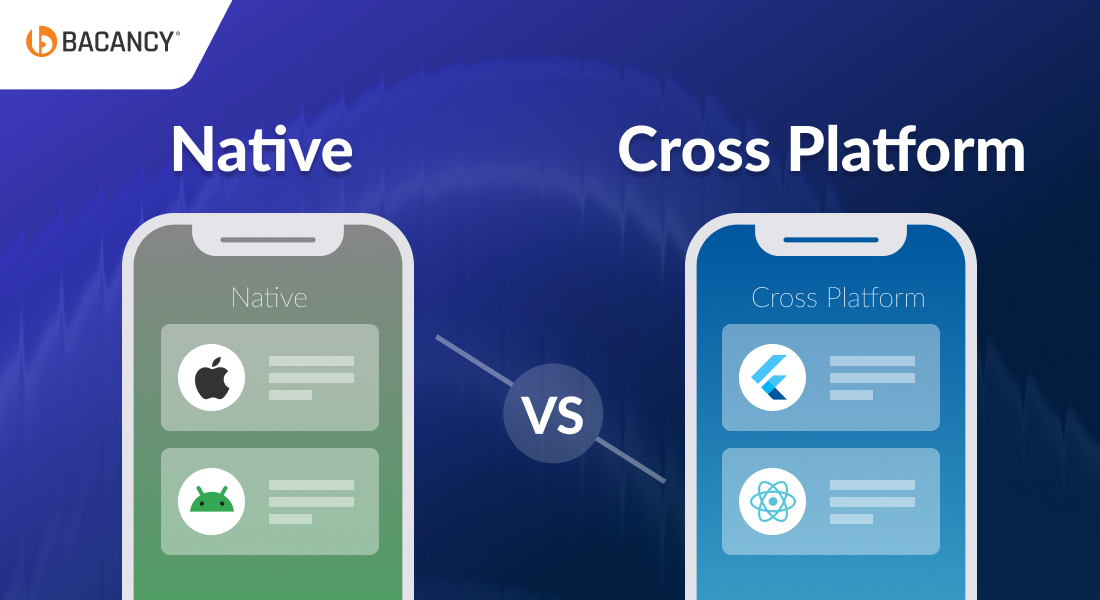
We need to evaluate whether, in terms of performance, Flutter vs Native, which performs well. First, let’s understand how each approach manages rendering and system interactions.
Native applications are written specifically for operating systems with the use of Swift, Objective-C for iOS, and Kotlin or Java for Android. More importantly, it is operated directly within the platform’s user interface toolkit and system architecture.
Native applications perform so well because they:
- Use the UI’s components, buttons, animations, and transitions that are rendered by the system.
- Fully leveraged hardware acceleration, so make the most of CPU, GPU, and other device optimization.
- Memory management is optimized and allows apps to work seamlessly with the operating system and reduce crashes or lag.
- No extra abstraction layers, and it communicates directly with the system APIs and minimizes overhead.
Because native development relies on platform-managed rendering and resources, it ensures they are:
- Smooth animations and stable frame rates
- Fast startup times
- Efficient memory usage
- Reliable access to all device features
Flutter Architecture: A Self-Contained Rendering Engine
Regarding performance, Flutter has a different approach compared to native development. The engine doesn’t rely on built-in UI components, but it draws everything on its own using the Impeller engine. It also gives Flutter full control over every pixel, transition, and animation on the screen.
How Flutter benefits the system with:
- Render UI elements that directly impact instead of using native components, and give full control over the entire interface.
- Dart code, which is compiled into native machine code and reduces runtime delays and enhances efficiency.
- The app needs device features, such as sensors, a camera, storage, or Bluetooth. Flutter communicates with the operating system via platform channels.
- Single Flutter codebase that runs across Android, iOS, web, and desktop platforms, that simplify development and maintenance.
What does this mean when it comes to performance?
- Flutter controls the entire UI layer, which enables you to have a consistent design and smooth animations across platforms.
- Accessing system APIs adds a small overhead, but for most apps, it is barely noticeable.
- Your startup time can be slightly higher than native applications, especially for larger apps with several dependencies.
- Memory usage and rendering behavior are largely determined by how efficiently the Flutter app is written.
Don’t just launch an app, launch one that performs flawlessly under pressure.
Hire Flutter developers to craft fast, stable, and performance-optimized applications.
Flutter vs Native: Performance Comparison
This section compares Flutter and native apps across key performance metrics to help you understand which approach delivers the best user experience. Let’s break it down with scenarios that matter for your decision-making.
For instance, consider an e-commerce or finance app with dynamic animations, fast startup, and frequent access to device sensors. Native applications handle this effortlessly because they rely on platform-native UI components and direct system access.
Flutter can deliver a very similar experience, but since it manages its own rendering pipeline, extremely complex screens may require optimization to maintain peak performance.
| Performance Metrics | Flutter | Native |
|---|
| CPU Utilization Efficiency | Efficient due to AOT compilation, but engine overhead exists
| Optimized by platform compilers and OS scheduling
|
| Frame Stability
| Requires an optimized widget tree to prevent frame drops
| OS-level frame scheduling reduces drops under load
|
| I/O Processing Throughput
| Routed through the Flutter framework and plugins
| Direct file system and network stack access
|
| Battery Consumption Under Load
| Slightly higher in CPU-intensive scenarios
| Highly optimized through OS power management
|
| Garbage Collection Pause Time
| GC pauses can occur if memory usage spikes
| Platform-specific memory optimization minimizes pauses
|
1. Rendering & UI Smoothness
Comparing Native vs Flutter, rendering and user interface play a crucial role. In Native apps, platform-built-in UI components have been used and are integrated with the operating system. It ensures smooth animations, responsive touch gestures, and consistent frame rates, even in graphics-heavy apps like AR experiences or fintech dashboards.
Flutter, on the other hand, renders every element through its Impeller engine. This gives you full control over the interface and consistent visuals across platforms. Flutter can easily hit 60-120 FPS, which feels native for numerous applications.
However, it may not be ideal for complex screens with multiple simultaneous animations, as it requires optimization. Additionally, techniques like deferred loading, Flutter widget tree simplification, and frame budgeting help to maintain seamless performance without hampering your user experience.
2. Startup Times
Native apps generally have faster cold start times because they are compiled specifically for their platform and rely on OS-managed initialization. Every component and library is optimized at the system level.
Flutter development includes the Dart runtime and the Impeller engine, so the app needs a brief initialization phase before it becomes fully interactive. For small to medium apps, this usually adds only a fraction of a second and is often imperceptible to the user.
For larger apps with heavy dependencies, startup optimization techniques, such as code splitting, deferred component loading, and minimizing unnecessary background initialization, can help reduce delays to near-native levels.
3. App Size
Native apps are typically smaller because they leverage the OS’s pre-installed libraries. The app size mainly depends on your app’s assets and third-party libraries.
Flutter apps include the engine and runtime in the bundle, so even a simple app starts with a larger footprint. A minimal Flutter app can be 5 – 10 MB larger than a native app. However, Flutter provides optimization techniques, such as tree shaking (removing unused code), asset compression, and deferred component loading, which can significantly reduce app size while maintaining performance.
For Flutter enterprise-level or cross-platform apps, this trade-off is often acceptable considering the development efficiency gains.
Native apps have direct access to all system APIs, which makes tasks such as real-time camera processing, biometric authentication, and GPU-intensive computations extremely efficient. There is virtually no overhead because the app interacts directly with the OS and hardware.
Flutter communicates with the OS using platform channels, which act as a bridge to native APIs. The overhead is minimal and often unnoticeable for standard apps.
The only time it matters is when an app needs high-frequency, real-time access to hardware, for instance, augmented reality apps, advanced gaming, or continuous sensor monitoring. For most business, productivity, or consumer apps, Flutter performs almost identically to native.
5. Development Trade-Off
Native development requires separate codebases for iOS and Android, which doubles development effort and increases long-term maintenance costs. Any platform-specific UI or API change needs to be implemented twice.
Flutter’s single codebase approach allows developers to write once and deploy across multiple platforms, including iOS, Android, web, and desktop. It reduces both development time and cost and makes feature rollouts faster. If your team currently manages separate iOS and Android codebases, Bacancy’s flutter migration services handle the full transition, from codebase audit to post-launch support, without disrupting your live app.
Some platform-specific adjustments, like subtle UI differences or OS-specific integrations, may still be required. But overall, Flutter offers a much faster path to market without significantly compromising performance.
6. Hardware & API Access
Native apps have immediate access to device sensors, storage, Bluetooth, camera, and other hardware features. It makes them ideal for apps with high-performance or real-time requirements.
Flutter apps access these same features via platform channels. While this adds a slight communication overhead, it is usually negligible for most applications. For instance, a Flutter e-commerce app using the camera for barcode scanning or payment verification will perform almost as well as a native app.
Only in apps that require millisecond-level sensor data processing, like AR or high-performance games, would native access be noticeably faster
Comparing Flutter and Native Apps for Different Use Cases
Not all apps have the same performance needs, and Flutter and native apps handle performance very differently. Understanding these differences is crucial when deciding which approach will provide the smoothest, most reliable experience for your users.
Choose native if your app:
- Requires ultra-low latency execution
- Handles intensive graphics, 3D rendering, or AR
- Depends on constant high-frequency sensor data
- Runs continuous background processing
- Needs precise control over memory and threading
Native applications communicate directly with the operating system, which eliminates intermediary layers. It makes them ideal for applications where even small performance overhead can affect functionality or user experience. If your top priority is performance and you cannot tolerate compromise, then native is the safest choice.
Choose Flutter if your app:
- Is UI-focused rather than hardware-intensive
- Relies on API calls, data rendering, and user interactions
- Requires smooth animations and responsive screens
- Does not continuously push CPU or GPU limits
- Needs consistent performance across platforms
Flutter compiles to native code, and it provides you with near-native speed for most workloads. For the various businesses and applications, users will not perceive a performance difference compared to native. If your app needs excellent performance but does not operate at system limits, Flutter is fully capable.
Bacancy’s Take on Flutter vs Native Performance Comparison
Performance is not limited to being a feature, but it is also about the user experience and speed. At Bacancy, we have seen Flutter achieve near-native performance while giving businesses the advantage of a single codebase for iOS, Android, web, and desktop.
Flutter’s custom rendering engine and Dart compiled to native code allow apps to manage animations, dynamic content, and API-heavy interactions smoothly. Unlike traditional native apps, Flutter ensures UI consistency across devices without sacrificing responsiveness, which makes it ideal for businesses that want both speed and efficiency.
As a leading Flutter app development company, we recommend Flutter when you want:
- Smooth, reliable performance across all platforms
- Faster development without compromising speed
- Consistent user experience with less maintenance overhead
While native remains the choice for extreme hardware-intensive applications, Flutter delivers high performance for the vast majority of real-world apps and makes it the smarter choice for modern businesses.
Frequently Asked Questions (FAQs)
When to Use Flutter vs Native
Yes, Flutter can efficiently run real-time dashboards, live feeds, finance apps, and data-driven platforms. The key is proper state management and architecture design.
Optimization & Expert Help
Keep widgets light, manage state smartly, lazy-load lists, cache images, and move heavy calculations off the main thread. Tools like Flutter DevTools help you identify and fix bottlenecks quickly.
Our team at Bacancy develops Flutter applications that feel fast and responsive. We focus on smooth interactions, consistent UI across platforms, and reliable performance as your app scales.
Absolutely. Our Flutter upgrade services seamlessly integrate Flutter into existing native apps. It enables phased migration, improved performance, and long-term scalability without a complete rebuild.
It does so by simplifying long-term maintenance. With Flutter app maintenance, you can manage a single codebase instead of separate iOS and Android apps, making updates more cost-effective and faster.