Quick Summary
Databricks allows you to easily manage complex data pipelines, train AI/ML models, and process real-time data very easily. On the other hand, Snowflake focuses on fast, reliable analytics for structured data and makes business reporting simple to grow as demand increases.
However, which of these platforms provides the functionality that your business may actually require? How much does it actually cost? Will it scale with your business? It can be very confusing to make the right choice. Our comparison guide on Databricks vs Snowflake will help you understand the differences, real-time capabilities, AI/ML capabilities, and pricing, so you can make an informed decision.
Table of Contents
Introduction
Organizations today obtain data from application systems, customer information, equipment sensors, and digital platform operations. To keep up with this, businesses require a platform that can store, process, analyze, and learn from data. However, instead of using multiple systems, you can choose a single solution to manage data, live streams, and business insights.
Two major players in this market are Databricks and Snowflake. Both of these solutions have the same goal to turn data into actionable knowledge, but take different approaches to achieve this. Databricks is designed for data engineering, machine learning, and real-time analytics, while Snowflake is designed for fast and scalable analytics and business intelligence for structured data.
As more businesses adopt AI, both platforms are evolving quickly. Databricks is preparing for its IPO and recently raised $1.8 billion in debt to invest in new products and platform growth. (source)
It’s also advancing enterprise AI with Instructed Retriever, which delivers up to 70% better performance than traditional RAG for complex, instruction-based questions by using metadata more effectively.
On the other hand, Snowflake is expanding its ecosystem too. It partnered with TVS Next to help manufacturers drive AI-based digital transformation. It has also announced plans to acquire Observe to add AI-powered monitoring for data pipelines, applications, and system performance at enterprise scale. (source)
Now that you know both platforms are powerful and popular, they serve different needs, so how do you decide which one is right for your business? Let’s walk through our detailed Databricks vs Snowflake guide to understand their strengths, differences, and use cases, so you can choose the platform that truly fits your goals.
Databricks vs Snowflake: Quick Comparison Table
Here’s a clean comparison table for quick understanding before you dive into the in-depth differences:
| Feature | Databricks | Snowflake |
|---|
| Best For
| AI/ML, real-time data, complex pipelines
| Fast analytics, BI, structured reporting
|
| Platform Focus
| Data engineering & ML pipelines
| Analytics & BI workloads
|
| Data Types
| Raw, unstructured, semi-structured
| Structured & semi-structured
|
| Primary Users
| Data engineers & scientists
| Analysts & business teams
|
| Processing Style
| Compute-heavy, batch & streaming
| Query-heavy, high concurrency
|
| Scalability
| Flexible, workload-driven
| Automatic, multi-query scaling
|
| Deployment Model
| Customer-managed cloud resources
| Fully managed vendor cloud
|
| Real-Time Support
| Yes
| Limited |
| Machine Learning
| Full ML support (train & run models)
| Helps get data ready for ML or use existing models inside Snowflake
|
| Cost Range
| $1,500-$5,000/month
| $3,000-$6,000/month
|
| Quick Bacancy Take
| Ideal if your focus is machine learning, streaming, and data experimentation
| Ideal if your focus is business analytics, reporting, and fast insights
|
Databricks vs Snowflake: In-depth Differences To Make The Right Choice
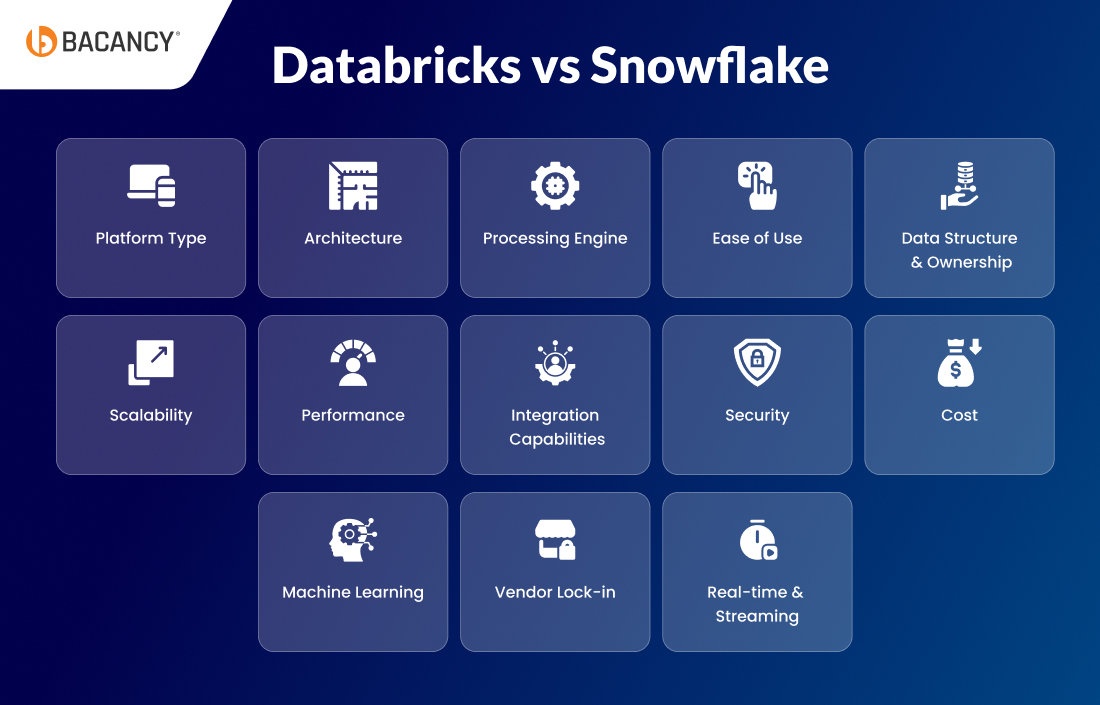
After exploring the capabilities of both platforms, here’s a quick side-by-side comparison of Databricks vs Snowflake to help you choose the right platform for your business needs and growth.
Databricks is a data and AI platform built for engineers and data scientists who need to work with raw data to build Machine learning models and run complex analyses efficiently. Its flexible environment allows you to write code, test different approaches, and handle both batch processing and real-time data, which is why it is considered an AI engineering-focused platform.
On the other hand, Snowflake is a cloud data warehouse. The system is designed for analysts and business teams who need ready-to-use, structured data that can be used immediately. The platform operates as a complete management system, which allows you to obtain insights without the need to manage the backend operations.
Architecture
Databricks uses the Lake architecture, which combines the flexibility of a data lake with the reliability and structure of a warehouse. You can store all of your raw or semi-structured data in one place and still run queries and analytics on it. On top of this, Delta Lake adds a smart layer that allows you to monitor all changes across its systems and restore previous states of its experiments, ensuring complete reproducibility.
However, Snowflake uses a cloud data warehouse architecture in which storage and compute are separated, but it’s fully managed, so it scales automatically and handles many users running queries simultaneously. Also, it provides automatic clustering, caching, & micro-partitioning features that improve both query performance and operational expenses.
Processing Engine
Databricks uses Apache Spark as its core processing engine, which is specially built for large-scale data processing. Its engine supports custom transformations, parallel computing, and distributed processing, so engineers can optimize performance for massive datasets while experimenting freely.
While Snowflake uses an SQL-based MPP (massively parallel processing) engine optimized for structured data, this means multiple teams can run concurrent analytics, dashboards, and reports at the same time without slowing down. Also, it can handle semi-structured data formats such as JSON and Parquet, but it cannot run complex AI/ML operations or handle real-time streaming data.
Ease of Use
While engineers and data scientists can easily customize workflows, integrate multiple tools, and run complex experiments, new users may need time to become comfortable with the interface and coding environment. Thus, it lacks user-friendly functionality for users without technical expertise.
On the other hand, Snowflake allows analysts and business teams to access data for dashboard creation and insight sharing at the beginning of their work process. Most operations are automated behind the scenes, so users don’t need to worry about clusters, scaling, or performance tuning, which makes its learning curve easier than Databricks.
Data Structure & Ownership
Databricks follows a schema-on-read approach, which means data does not need a fixed structure when it is being stored. Your teams can modify table structures through format changes, add new fields, or even evolve schemas without the need to start from scratch. This makes it easier to experiment and modify data as it supports changes to both pipelines and models.
In contrast to Databricks, Snowflake follows a schema-on-write approach, which requires data to match predefined structures before storage and query processing. This maintains uniformity across its datasets through controlled management, allowing different teams to use identical tables for their reporting and analytical work without unexpected modifications.
Struggling with complex data pipelines or real-time analytics?
Hire Databricks developers from Bacancy to build AI/ML-driven solutions tailored to your business.
Scalability
When comparing Databricks vs Snowflake on scalability, Databricks scales based on workload requirements, expanding its compute resources. When data volumes increase or jobs become heavier, teams control how clusters expand, how long they run, and how resources are allocated. The system provides flexibility, yet organizations need to develop strategic plans that they must execute to achieve both performance targets and cost effectiveness.
On the other hand, Snowflake scales automatically and independently. It allows each query or team to scale independently, which maintains separate workloads, so multiple workloads operate simultaneously without affecting each other. Also, the system automatically manages cluster administration behind the scenes, so users do not need to manage resource conflicts.
Databricks lets you perform data transformations, train AI/ML models, and run streaming tasks within a single environment, without moving data between systems. It delivers a significant performance boost through its Delta caching feature, which speeds up repeated query executions, and adaptive query planning, which automatically optimizes large-scale operations.
Snowflake, on the other hand, handles all database queries submitted by multiple users simultaneously for continuous performance. This means it achieves query performance optimization through three methods that include partition pruning and clustering, and metadata caching to provide quick results during team collaboration.
Integration Capabilities
Through Databricks, engineers can connect their data to various sources, which include AWS S3, Azure Data Lake, Google Cloud Storage, Kafka, and REST APIs. It also provides complete integration with ML and AI frameworks like TensorFlow, PyTorch, scikit-learn, and MLflow, along with orchestration tools such as Apache Airflow, Luigi, and Prefect.
Snowflake, on the other hand, allows users to deploy pre-built integrations, which they can start using right away. It allows you to integrate with BI tools such as Tableau and Power BI, Looker, and Qlik, as well as cloud storage platforms such as AWS S3, Azure Blob, and Google Cloud Storage.
Security
Databricks provides engineers with full control over access through its role-based system, which includes permissions for workspaces, clusters, notebooks, and tables. The system also includes Delta Lake audit logs and integrates with Azure Entra ID, Okta, and LDAP.
Also, it provides encryption for data at rest and in transit while meeting HIPAA, SOC 2 & GDPR requirements, but requires hands-on user configuration.
However, Snowflake operates as an automated enterprise-grade security system that protects data through end-to-end encryption, multi-factor authentication, row-level security, dynamic data masking, and network policies, enabling analysts to work securely without having to handle complex configurations.
Cost
The approximate cost for Databricks usage ranges from $1,500 to $5,000 per month, depending on cluster sizes, DBU usage, and the chosen cloud infrastructure.
But comparing Snowflake vs Databricks from the cost point of view, Snowflake is a bit higher, around $3,000–$6,000 per month for a medium warehouse with storage. These are rough numbers, so check the detailed cost table below to see how each part plays a big role in addition and what could affect your final bill.
| Cost Component
| Databricks | Snowflake |
|---|
| Compute Cost
| Billed in DBUs (Databricks Units) per second.
Common benchmark ranges for DBU rates are ~$0.07‑$0.65+/DBU depending on workload (ETL, SQL, ML) and cloud provider.
| Billed in credits per second for virtual warehouses:
Standard edition credits typically list price ~$2-$3/credit
Enterprise ~$3-$4/credit
Business Critical ~$4-$6/credit.
|
| Storage Cost
| Cloud storage (~$0.02-$0.05/GB/month) + Delta Lake overhead (~10-20%).
| Storage billed per compressed TB/month; typical on‑demand rate ~$23-$40 per TB/month (varies by cloud region).
|
| Infrastructure Billing
| Pay separately for cloud VMs, networking, and storage, in addition to DBUs.
| Compute + storage + cloud services (e.g., query parsing) are included under Snowflake pricing; no direct VM billing for the user.
|
| Scaling & Auto Termination
| Clusters can be auto‑terminated, but cloud VM costs may still accrue if not fully stopped.
| Warehouses auto‑suspend and auto‑resume, so credits are consumed only when active.
|
| Discounts/ Commitment
| Databricks Commit Units can offer discounts (e.g., ~30‑37%) when you commit to usage levels.
| Capacity credits can be purchased at a 30‑70% discount with 1-3 year commitments.
|
| Total Cost
| Moderate ETL/ML workloads: ~$1,500-$5,000+, depending on cloud usage.
| Medium warehouse with storage: ~$3,000-$6,000/month.
|
Machine Learning
Databricks is mainly built for AI and ML workloads, where engineers can train models, experiment with large datasets, and run pipelines all within the same platform using frameworks like TensorFlow, PyTorch, or MLflow.
Snowflake, on the other hand, is primarily a data warehouse that can store and query structured data efficiently but lacks the built-in capability to train or deploy complex ML models.
Vendor Lockin
Databricks is more flexible because it runs on AWS, Azure, and GCP, and is built on open-source Apache Spark. Organizations can move their operations across different cloud platforms and software tools by combining data pipelines with AI/ML workflows and integration systems.
However, Snowflake operates as a fully managed platform that provides simple onboarding but depends completely on its native infrastructure for data storage, processing, and workflow management. Migrating to another platform becomes difficult when your data and pipelines are in Snowflake due to its complex architecture.
Real-time & streaming
When comparing Databricks vs Snowflake from the point of real-time streaming, Databricks can process data as it comes in, which means it can easily handle real-time streams using tools like Kafka and Delta Live Tables. It also allows users to obtain immediate analytical results, which proves beneficial for fraud detection, monitoring applications, and real-time dashboard operations.
Snowflake supports near-real-time data ingestion using Snowpipe, Snowpipe Streaming, and Dynamic Tables. However, it is mainly built for analytics and reporting, not for complex, event-driven Machine Learning pipelines like Databricks.
Snowflake vs Databricks: Business Use Cases
When comparing Databricks vs Snowflake, both are powerful data platforms, but they are built for different business needs. Let’s have a look at the scenarios where each platform delivers the most value.
When Databricks Wins:
Databricks excels when you need to work with complex data and Machine learning problems that require instant speed, scalability, and flexibility. Here are the primary use cases when Databricks is a clear winner:
- ML-first products and AI platforms:
It allow fast development, model re-training, and quick deployment of Machine Learning models.
- Streaming analytics (IoT, fintech, ad-tech): Efficiently handles real-time data from sensors, financial systems, or advertising platforms.
- Data science-heavy organizations: Offers collaborative environments and scalable computing infrastructure for data science-intensive organizations.
- Unstructured or raw data pipelines: Processes raw and unstructured data such as logs, images, audio, or JSON data efficiently.
- Feature engineering at scale: Supports the computation of large numbers of features quickly for complex Machine learning models.
- ML-first products and AI platforms: It allow fast development, model re-training, and quick deployment of Machine Learning models.
- Streaming analytics (IoT, fintech, ad-tech): Efficiently handles real-time data from sensors, financial systems, or advertising platforms.
- Data science-heavy organizations: Offers collaborative environments and scalable computing infrastructure for data science-intensive organizations.
- Unstructured or raw data pipelines: Processes raw and unstructured data such as logs, images, audio, or JSON data efficiently.
- Feature engineering at scale: Supports the computation of large numbers of features quickly for complex Machine learning models.
When Snowflake Wins
Snowflake excels when organizations need fast, scalable, and easy-to-manage data analytics. These are the primary use cases when Snowflake clearly wins:
- Business Intelligence teams: Helps business intelligence teams analyze data, investigate it, and extract insights quickly and efficiently.
- Finance, sales, and operations reporting: Makes it super easy to create accurate and timely reports across finance, sales, and operations functions.
- Business-driven analytics: Provides easy-to-use tools for business users to explore and analyze data without heavy IT support.
- Fast rollout with minimal operational overhead: Let’s teams get up and running quickly with little setup or maintenance.
- High-concurrency SQL processing: Handles large numbers of simultaneous SQL queries without sacrificing performance.
Need fast, scalable, and hassle-free data analytics for your business?
Hire Snowflake developers from Bacancy to build high-performance, easy-to-manage data solutions.
Databricks and Snowflake: When Using Both Makes Sense?
In some scenarios, using both Snowflake and Databricks together provides the best balance of performance and flexibility. Using them together makes the most sense when you need:
- Heavy Data Processing Without Affecting BI Performance
Databricks handles large-scale or complex data transformations, while Snowflake keeps dashboards and reports fast for business users.
Example: Retailers can process millions of daily transactions in Databricks, while managers see up-to-date sales dashboards in Snowflake without delay.
- ML Outputs Need to Feed Reporting
Machine learning models are built and trained in Databricks, and the results are stored in Snowflake for executive and business reporting.
Example: Banks predict which customers might want to leave in Databricks, then load the predictions into Snowflake for marketing teams to act on immediately.
- Raw or Streaming Data Needs to Be Structured for Analytics
Databricks processes raw or real-time data, and Snowflake organizes it into governed, query-ready analytics.
Example: An IoT company cleans and aggregates device data in Databricks, then stores it in Snowflake for analytics dashboards.
- Engineering and Analytics Teams Need Clear Separation
Data engineers and scientists work in Databricks, while analysts and business users access data in Snowflake independently.
Example: Engineers test new pipelines in Databricks, while finance teams run monthly reports in Snowflake without waiting for engineering tasks.
- Scalability, Cost Control, and Governance Are Required
Databricks handles heavy computation at scale, and Snowflake ensures secure, cost-efficient storage and analytics.
Example: Media companies run large AI models in Databricks, while Snowflake scales automatically to support hundreds of analysts querying data simultaneously.
Snowflake vs Databricks: Real-Life Case Studies
Let’s take a quick look at real-life case studies showing how Databricks vs Snowflake perform in real-world business environments.
Databricks
Let’s have a look at tech giants that use Databricks for everyday operations:
Netflix
Netflix is a streaming platform with over 250 million subscribers. It uses Databricks to process viewing habits, search behavior, and streaming logs. This allows Netflix to build personalized recommendation algorithms and optimize content delivery for each user.
Airbnb
Airbnb is an online marketplace for short-term rentals and experiences. It uses Databricks to analyze booking patterns, host reviews, and price trends. This helps Airbnb improve dynamic pricing models and detect fraudulent bookings.
Walmart
Walmart is a global retailer with millions of daily transactions. It uses Databricks to process point-of-sale data, inventory updates, and supply chain metrics. This helps Walmart forecast demand, manage stock efficiently, and optimize store operations.
Shell
Shell is an energy company operating oil rigs and refineries worldwide. It uses Databricks to process IoT sensor data and equipment logs from drilling operations. This enables predictive maintenance and improves operational efficiency.
Snowflake
Let’s have a look at tech giants that use Snowflake for everyday operations:
Capital One
Capital One is a major U.S. bank offering credit cards, loans, and savings accounts. It uses Snowflake to store and analyze financial transactions, customer profiles, and credit risk data. This enables fast fraud detection, regulatory compliance reporting, and insights for customer behavior analytics.
Adobe
Adobe is a global software company providing creative and marketing tools for businesses. It uses Snowflake to consolidate marketing campaign data, product usage statistics, and customer engagement metrics. This helps Adobe build dashboards for product teams, optimize marketing strategies, and make data-driven business decisions.
Siemens
Siemens is a multinational industrial and manufacturing company. It uses Snowflake to combine IoT machine data, project details, and supply chain information from multiple plants and projects worldwide. This allows Siemens to run real-time operational analytics and improve manufacturing efficiency and project management.
Salesforce
Salesforce is a global provider of customer relationship management (CRM) software. It uses Snowflake to store and query customer interactions, sales activities, and marketing campaign data. This allows Salesforce teams to create analytics dashboards, track customer success metrics, and improve sales and marketing performance.
Key Recommendations From Bacancy Experts
At Bacancy, our advice isn’t generic when it comes to choosing between Databricks vs Snowflake. It comes from hands-on experience delivering large-scale, enterprise-grade data platforms. Our developers don’t just list features; they study real workloads, design dual-platform solutions, and solve the operational challenges our clients face every day.
Here’s what sets Bacancy’s recommendations apart:
– Workload-first focus: We start by understanding whether machine learning, data engineering, or Business Intelligence drives your business value. Then we align the platform choice to deliver maximum value.
– Dual-platform architecture expertise: Our experts design architectures in a way that Databricks handles unstructured, raw, and streaming data using Apache Spark, while Snowflake takes care of BI and SQL analytics with high-concurrency workloads.
– Ownership and governance discipline: You do not need to worry about discipline, as we provide a clear set of responsibilities for engineers, data scientists, and analysts. By using Collibra or Alation for data cataloging, we ensure lineage, compliance, and governance.
– Cost & performance optimization: Our team monitors workloads through Datadog, CloudWatch, and Snowflake’s Resource Monitors. This allows us to verify that queries execute without problems while clusters expand correctly and cloud expenses remain within acceptable limits.
– Enterprise-grade integrations: Every recommendation aligns the right tools with the right workloads, from ML frameworks to BI and reverse ETL pipelines.
– Proven operational practices: We focus on day-to-day reliability, not theory. Our teams set up monitoring to catch data issues early, create safe environments for testing changes, protect sensitive data, and keep clear audit records.
Frequently Asked Questions (FAQs)
AI & Machine Learning (ML) Capabilities
If your goal is to build AI driven products and train large scale machine learning models, Databricks can be the perfect choice. It is built around AI engineering, allowing data scientists to work directly with raw, unstructured data and to train or deploy complex models using frameworks such as TensorFlow and PyTorch on a single platform.
On the other hand, Snowflake is an excellent choice for structured data and business intelligence. But it is not naturally designed for building complex, event driven ML pipelines from scratch.
Databricks uses a schema-on-read approach, which means you can store data without fixing its structure first. The structure is applied later when the data is used. This gives teams more flexibility to work with raw or changing data.
Snowflake uses a schema-on-write approach, meaning the data must follow a defined structure before it is stored. This keeps data consistent and organized, which is helpful for accurate reporting and business intelligence.
Cost & Financial Planning
Databricks charges based on Databricks Units (DBUs). But you also have to pay separately for the cloud, virtual machines, storage, and networking through a provider. Because of this, teams need active cost monitoring to control cluster size, usage, time, and auto-shutdown settings.
While Snowflake uses a simple credit based pricing model. Compute, storage, and services are bundled together into credits, which makes billing easier to understand. However, if you want to run complex machine learning workloads instead of simple SQL queries, the costs can increase
quickly.
If your business requires multiple teams to run dashboards and SQL queries at the same time, Snowflake is built to handle high concurrency without reducing performance. It helps you to automatically scale in the background to support many queries at once.
Databricks is generally better for heavy data engineering tasks through large batch processing workloads, rather than handling a high number of simultaneous BI queries.
Security & Compliance Capabilities
Both Snowflake and Databricks meet key compliance standards such as HIPAA, SOC 2, and GDPR, so both can be used in the regulated industries such as BFSI and healthcare. Snowflake provides built-in, enterprise-grade security with automated encryption and dynamic data masking that requires minimal setup.
On the other hand, Databricks offers detailed, role-based access control across workspaces and clusters, but it requires more hands-on configuration to meet the strict security and compliance needs.
Performance and Scalability Benchmarks