Quick Summary
This blog covers everything you need to know about React Native 0.80, from key updates like React 19.1.0 integration, Strict TypeScript API, and smaller Android APKs to the freeze on Legacy Architecture. You will also learn how to upgrade safely, what’s deprecated, and how these changes impact performance and developer experience.
Table of Contents
Introduction
React Native 0.80, released on June 12, 2025, is a significant update for mobile app developers. This latest React Native version integrates React 19.1.0 and an opt‑in Strict TypeScript API.
Performance is significantly boosted with faster iOS builds and smaller Android APKs. The update also shifts away from the Legacy Architecture, focusing on a more stable, future-ready system for building high-quality cross-platform apps.
Whether you are upgrading an existing project or evaluating your app for a new one, React Native 0.80 is a milestone that’s less about “what’s new” and more about “what’s better under the hood.” Let’s dive into the key details.
What’s Inside React Native 0.80: Key Updates You Should Know
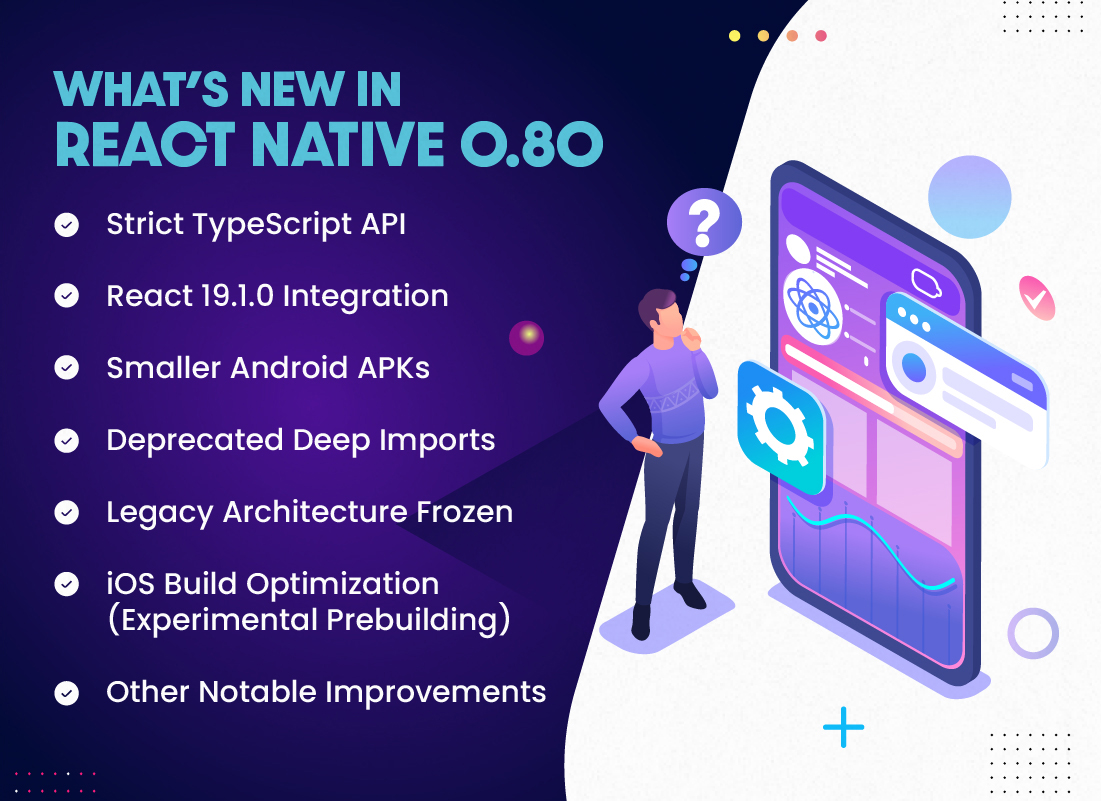
React Native 0.80 is a landmark release, packed with changes that modernize the framework and set the stage for a more stable, future-ready ecosystem. Here’s an in-depth look at the most crucial updates every developer should know.
Ready to Upgrade to React Native 0.83?
React Native 0.83 builds on the foundation laid by 0.80 with further enhancements in the New Architecture, bug fixes, and runtime optimizations.
Strict TypeScript API
One of the headline features in React Native 0.80 is the introduction of the opt-in Strict TypeScript API. Unlike previous type definitions, these new types are generated directly from React Native’s source code, ensuring greater coverage, accuracy, and future compatibility.
It addresses long-standing issues caused by manually maintained types and closes existing gaps in correctness.
You can gain the following benefits from opting for the Strict TypeScript API:
- Stronger type safety and compatibility guarantees
- A more tightly defined public API that reduces the risk of accidental breaking changes from internal updates
- A future-proof foundation, as this API will become the default in upcoming releases
Opting in is straightforward; simply update your tsconfig.json to use the new types. However, be aware that this is a one-time breaking change, as some type names and structures have been updated.
Note: Early adopters and new projects are encouraged to migrate now for the most robust developer experience.
React 19.1.0 Integration
React Native 0.80 includes React 19.1.0, ensuring that your mobile apps can utilize the latest features and improvements from the React core ecosystem. This integration also brings advanced debugging capabilities like owner stacks.
However, developers should be aware of a known issue related to a Babel plugin conflict, for which a fix is already in progress.
Smaller Android APKs
Performance and efficiency are the central themes of this update. Android APKs built with React Native 0.80 are now approximately 1MB smaller, which makes your apps lighter and quicker to download and install.
This is a significant advantage for developers targeting markets where app size and download speed are critical.
Deprecated Deep Imports
React Native 0.80 formally deprecates deep imports, directly importing modules from internal paths like react-native/Libraries/Alert/Alert. Instead, developers should import only from the root package.
If you continue to use deep imports, you’ll now see ESLint and console warnings. This is a transitional phase; deep import support will be removed in a future release, so updating your codebase now is strongly recommended.
Legacy Architecture Frozen
The Legacy Architecture in React Native is now officially frozen. No new features, fixes, or tests will be added to this old system. While you can still opt out of the New Architecture, DevTools will flag any usage of APIs incompatible with the modern approach. This freeze paves the way for:
- Faster runtime performance
- Smaller app bundle sizes
- Cleaner, more predictable migration paths for future upgrades
iOS Build Optimization (Experimental Prebuilding)
React Native 0.80 introduces experimental prebuilding for iOS, which results in build times that are up to 12% faster. This optimization accelerates development and deployment, especially for large projects or teams with frequent build cycles.
Other Notable Improvements
- Hermes as Default Engine
Hermes is now the default JavaScript engine, and official support for JSC has dropped, leading to better performance and consistency.
- Visual Enhancements
Native support for radial gradients and modern CSS color formats improves UI capabilities.
- General Stability
Numerous under-the-hood improvements contribute to a more stable and reliable development experience.
Is your app built to match the speed of React Native 0.80?
Hire React Native developers to help you stay ahead, boost your app performance, reduce load times, and deliver a seamless user experience.
Steps to Safely Move to 0.80: How to Prepare for an Upgrade?
Upgrading to React Native 0.80 requires careful planning to avoid runtime issues or build failures, especially if you use the Legacy Architecture or rely on deep imports. Follow these primary steps to ensure a smooth transition:
1. Review the Changelog and Breaking Changes
Start by reading the official changelog and note all deprecations, breaking changes, and migration recommendations. Pay close attention to:
- Deprecated deep imports
- Strict TypeScript API (if opting in)
- Legacy Architecture freeze
2. Update Dependencies Gradually
Before jumping into 0.80, ensure all your existing libraries and native modules support it. Update major packages, such as:
- React-native to 0.80
- React to 19.1.0
- Metro, Flipper, and any core tooling
Check for updated versions of third-party packages, such as navigation, gesture handlers, and camera modules.
3. Switch to the Public API Only
If you have used deep imports like react-native/Libraries/…, replace them with official top-level imports. ESLint will now flag these paths, and future versions will remove support entirely.
4. Prepare for TypeScript Changes
If you use TypeScript, consider opting into the new Strict TypeScript API. Update your tsconfig.json to use the latest types, and prepare for one-time fixes due to renamed or restructured type definitions.
5. Test New Architecture Compatibility
Even if you are still in Legacy Architecture, now is the time to evaluate support for the New Architecture. Tools like Fabric and TurboModules may offer significant performance benefits.
6. Clean and Rebuild Your Project
After updating to the latest React Native version, make sure to clean your project and rebuild it from scratch. This ensures all dependencies, caches, and configuration files are properly aligned with the new version, preventing build-time errors and unexpected runtime issues.
- Clean your project (clear caches using npx react-native-clean-project or manually remove node_modules, ios/Pods, and .gradle)
- Reinstall your dependencies
- Run a fresh build to detect any issues early and eliminate errors.
Once upgraded, compare APK or IPA sizes and build times. The React Native latest version introduces iOS prebuilding and Android optimizations, so you should see measurable improvements.
Breaking Changes and Deprecations to Watch For
React Native 0.80 introduces several changes that improve long-term stability but may break existing projects if not addressed. Let’s understand these breaking changes and deprecated features, which will help you avoid surprises during the React Native latest version update.
1. Deep Imports Deprecated
Accessing internal modules through paths like react-native/Libraries/… is no longer supported. This update restricts developers to the public API only. Projects using deep imports will now receive ESLint and console warnings. These imports will be removed entirely in a future release.
2. Legacy Architecture Frozen
The Legacy Architecture remains usable, but it is now frozen. No new features or fixes will be introduced. This change encourages developers to begin transitioning toward the New Architecture, which supports TurboModules and Fabric.
In other words, to maintain efficiency, avoid relying on deprecated APIs and start planning your migration to the New Architecture.
3. TypeScript Type Restructure (If Opting into Strict API)
The new Strict TypeScript API introduces updated types generated directly from the source. While this API is opt-in, it includes changes in type names, structures, and stricter rules.
Update your tsconfig.json only if you’re ready to adopt the new types. This is a one-time breaking change, but it offers better type safety and future support.
4. JSC Support Removed
React Native 0.80 drops official support for the JavaScriptCore (JSC) engine, since Hermes is the default JS engine. Any custom configurations using JSC will need to be removed or updated. Ensure your app is configured to use Hermes and test for compatibility.
5. Babel Plugin Compatibility Issue
There is a known issue related to a Babel plugin that may conflict with React 19.1.0’s owner stack debugging feature. While a fix is already in progress, this could affect some projects during the upgrade.
Check the React Native GitHub issues or upgrade guide for a workaround or patch as it becomes available.
Should You Adopt React Native 0.80 Now?
React Native 0.80 sets the stage for rapid performance and future-ready mobil apps. However, adoption depends on your current setup.
If you are already on a recent version and using Hermes or TypeScript, the upgrade path is comparatively smooth. However, if your app still relies on the Legacy Architecture or deep imports, you will need a more strategic approach with careful planning and adjustments.
That said, adopting this latest React Native version isn’t just about updating code; it’s about making smart, forward-looking choices.
As a top React Native development company, Bacancy helps you get the most out of React Native 0.80. From smooth migration and performance tuning to adopting the New Architecture, our experts ens
Frequently Asked Questions (FAQs)
React Native 0.80 introduces React 19.1.0 integration, a new opt-in Strict TypeScript API, deprecation of deep imports, freezing of the Legacy Architecture, smaller Android APKs, and faster iOS builds. Hermes is now the default JavaScript engine, and JSC support has been dropped.
Upgrading to React Native 0.80 gives you faster builds, smaller app sizes, stronger TypeScript support, and better long-term stability. It also positions your app to adopt the New Architecture, enabling modern features like Fabric and TurboModules.
The Legacy Architecture is now frozen to shift focus fully to the New Architecture, which offers better runtime performance and a cleaner development experience. This means no new features or fixes will be added to the legacy system.
- Review the changelog
- Update dependencies
- Replace deep imports
- Clean your project
- Test in a separate branch before rollout