React Native 0.85 is the latest React Native version in 2026, and the first stable release built entirely on the new architecture, with no bridge fallback and no legacy interop layer. The shared animation backend is built with Software Mansion that unifies both animated and reanimated engines, adding native driver support for layout props. DevTools now supports multiple simultaneous CDP connections for the first time.
Table of Contents
Introduction
The React Native team has launched New Architecture React Native 0.85 on April 7, 2026. It came with the long-term promise that one day the framework would run without any bridge support, and they made that possible. For years, the legacy Bridge was serialised every JavaScript-to-native call over JSON. As a result, latency can increase by up to 200ms in UI responses, and gesture-heavy interfaces can feel laggy in React Native, even though they work fine with Flutter or fully native applications.
This raises an important question: how stable is React Native 0.85?
React Native 0.85 operates without the legacy Bridge and is backed by 604 commits from 58 contributors across Meta, Expo, and Software Mansion. As React Native 0.82.x is now officially unsupported. Teams running it should treat this release as their migration signal, not a future consideration, but an active one.
What’s New in React Native 0.85? Feature Updates and Improvements
React Native 0.85 is the latest React Native version and a direct successor to 0.84. Where 0.84 completed the JavaScript engine upgrade, 0.85 closes out the animation engine gap, extends DevTools to support multi-client workflows, and adds transport layer security (TLS) to the local dev server. 0.85 brought three improvements, each targeting specific developer pain points that the previous one left open.
Performance Improvement in React Native 0.85
The ‘Post Bridge’ era reached its peak in 0.85. The extraction of legacy bottlenecks means the communication between JavaScript and Native code is more direct and synchronized.
Direct JS to Native Calls via JSI
The legacy Bridge serialized every JavaScript to native interaction over JSON and introduced a latency of 200ms or more across gesture-heavy screens. But JSI replaces that with seamless, yet direct references without any queue and serialisation.
Synchronous Rendering with Fabric
Fabric handles UI tree updates, which enables React 19 concurrent features like transitions to work efficiently, and high-priority interactions stay responsive with background data loads.
On Demand Module Loading with TurboModules
Instead of loading each declared native module at startup, TurboModules load only when needed. For an app with many React Native dependencies, it cuts down the startup time and reduces the memory footprint at launch.
The New Shared Animation Backend
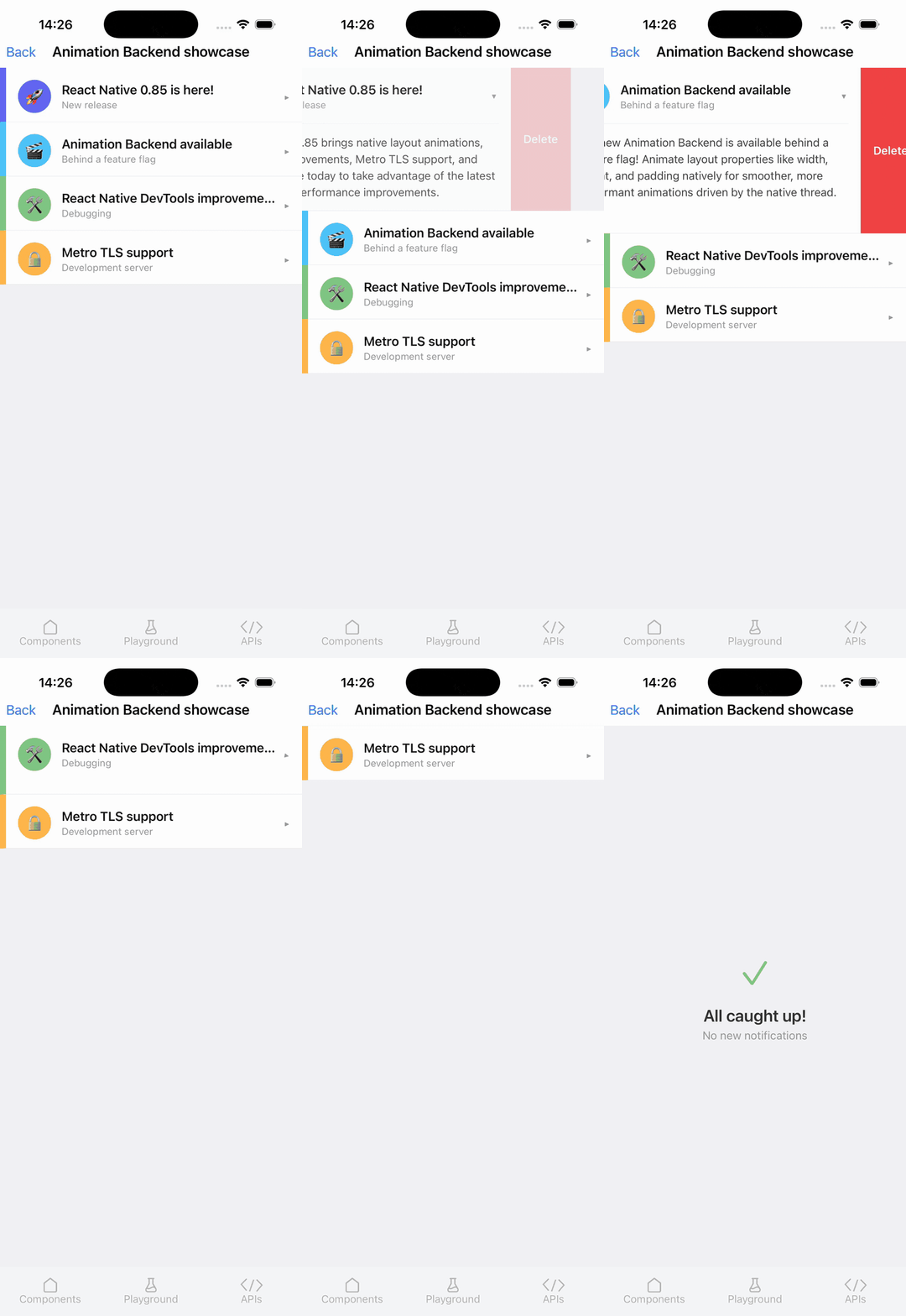
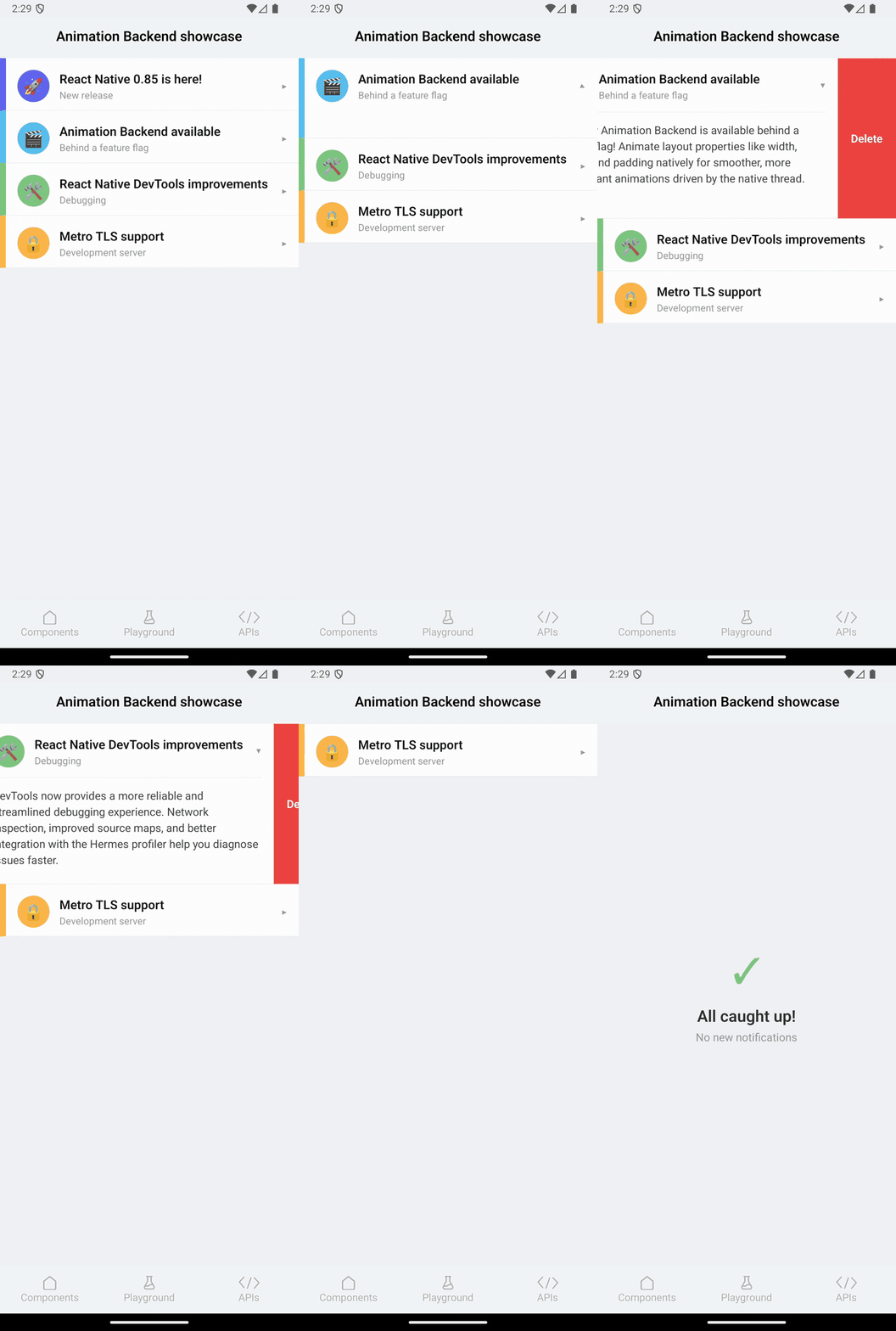
The most significant technical advancement with the current version of React Native is its collaboration with Software Mansion. It comes with ‘Shared Animation Backend,” which unifies two animation ecosystems that have operated separately for the framework’s entire lifecycle.
Earlier, the animated APIs and reanimated libraries were operating under different internal logics. But with React Native 0.85, it shares a single unified engine inside the React Native core.
Earlier, the animated (built in) and Reanimated (Community library) each maintained separate reconciliation loops. That split capped what either could do; performance optimization in one couldn’t work with the other. The shared animation backend moves the core update logic and gives both libraries a single, well-tested engine.
The longstanding limitation has gone. So you can now animate Flexbox and position props (width, height, flex, padding) all using useNativeDriver: true. This will move layout calculations from the JS thread to the native thread for 60fps smoothness.
Note: The complete availability of the animation backend arrives with React Native 0.85.1, which follows shortly after this release.
React Native DevTools Improvements
React Native DevTools received several improvements in this release, such as enhancing debugging workflows, multi-to integration, and DevTools.
Multiple CDP connections
React Native 0.85 supports multiple simultaneous Chrome DevTools Protocol connections, enabling clients, such as React Native DevTools, VS Code, and AI agents, to connect simultaneously. It enables seamless, multi-tool workflows without unexpectedly terminating sessions.
Native tabs on macOS
The DevTools desktop app complies with macOS 26 and enables system-level tab handling for power users. When multiple DevTools windows are open, they can be merged into a single tabbed interface via Window > Merge All Windows.
Request payload previews
After being disabled due to regression, the request for body previews for Android has been restored in the Network Panel.
Metro TLS Support
The Metro dev server now supports the TLS configuration object, enabling HTTPS (and WSS for Fast Refresh) during development. This is useful for testing the APIs that enforce secure connections. Configure it in metro.config.js:
Planning to migrate your existing app or build a new one using React Native 0.85?
Hire React Native developers from Bacancy to ensure faster delivery, optimized performance, and a seamless transition to the new architecture.
What is the Post-Bridge Era in React Native 0.85?
The term “post-bridge” is widely used in discussions around React Native 0.85, but it reflects the real architectural shift. The previous versions of React Native relied on the Bridge, an asynchronous message queue that serialized communication between JavaScript and native code using JSON.
It brought latency, especially in gesture-heavy interfaces and real-time UI updates. With the new architecture, the Bridge is replaced by three core components:
JSI (JavaScript Interface): It enables direct interaction between JavaScript and native code, eliminating the overhead and reducing latency to near native levels.
TurboModules: They load native modules on demand instead of at startup, which improves startup time and memory usage.
Fabric: A new rendering system that supports synchronous UI updates and modern React features to ensure smooth communication under load.
React Native 0.85 is the first stable release where this architecture is fully enforced without any Bridge Fallback. It marks the framework’s true transition into the post-bridge era.
Breaking Changes & Upgrading of React Native 0.85
The latest React Native version includes breaking changes that remove legacy APIs, enforce modern runtime requirements, and simplify the core architecture. Although the majority of updates are straightforward, the team still needs to review them carefully before upgrading.
Jest Preset Moved to New Package
The built-in Jest preset has been extracted from react-native into a separate package: @react-native/jest-preset. The change reduces the core package size and gives projects more flexibility in configuring their testing setup.
npm install --save-dev @react-native/jest-preset
# or
yarn add --dev @react-native/jest-preset
Dropped Support for EOL Node.js Versions
React Native 0.85 drops support for end-of-life (EOL) Node.js versions and releases before v20.19.4. You need to ensure that you are running a supported version of Node.js before upgrading.
Node.js v20 (>=20.19.4) — Supported (Active LTS)
Node.js v21 — Not supported (EOL)
Node.js v22 — Supported (Active LTS)
Node.js v23 — Not supported (EOL)
Node.js v24+ — Supported
StyleSheet.absoluteFillObject Removed
The deprecated StyleSheet.absoluteFillObject API has been removed.
Use StyleSheet.absoluteFill or define your own absolute positioning styles instead.
// Before
const styles = StyleSheet.absoluteFillObject;


// After
const styles = StyleSheet.absoluteFill;
Run a project-wide search before upgrading: grep -r “absoluteFillObject” ./src
Other Breaking Changes
General
Pressable no longer unmounts event listeners in the hidden Activity.
Removed deprecated C++ type aliases for ShadowNode::Shared, ShadowNode::Weak, ShadowNode::Unshared, ShadowNode::ListOfWeak, ShadowNode::ListOfShared, SharedImageManager, and ContextContainer::Shared
Android
React Native 0.85 re-added receiveTouches to RCTEventEmitter with a default no-op. This is a fix to reduce breaking changes for libraries that haven’t migrated away from this method yet.
ReactTextUpdate is now internal and should not be accessed publicly directly.
Multiple classes deprecated or removed as legacy architecture cleanup:
ReactZIndexedViewGroup is now deprecated.
UIManagerHelper is now deprecated.
CatalystInstanceImpl has been removed (it was deprecated).
NativeViewHierarchyManager has been fully stubbed out
iOS
The RCTHostRuntimeDelegate is now deprecated and merged into RCTHostDelegate
Fixed duplicate symbol error when using React.XCFramework (via fmt bump to 12.1.0).
How to Upgrade to React Native 0.85 (Step-by-Step)
The current React Native version (0.85) is straightforward to upgrade if you follow the correct sequence. The major issues happen when steps, especially the environment check and different reviews, are skipped.
Step 1: Verify Node.js Version
Ensure your environment meets the minimum requirement:
node –version
The React Native new version requires Node.js ≥ 20.19.4.
If you’re on an older version, upgrade to Node 22 LTS before proceeding.
Step 2: Review Changes with Upgrade Helper
Visit the Upgrade Helper and compare your React Native current version with 0.85.
Select your React Native current version
Set the target version to 0.85
Review each file diff carefully
Step 3: Upgrade React Native
Run the official upgrade command:
npx @react-native-community/cli@latest upgrade
Step 4: Install and Configure Jest Preset
React Native 0.85 moves the Jest preset to a separate package.
Install it:
npm install –save-dev @react-native/jest-preset
Then update your Jest configuration:
// jest.config.js
preset: ‘@react-native/jest-preset’
Step 5: Replace absoluteFillObject
Search your codebase for deprecated usage:
grep -r “absoluteFillObject” ./src
Replace all instances:
StyleSheet.absoluteFillObject → StyleSheet.absoluteFill
Step 6: Manage Pressable Event Listeners in Hidden Views
Check for Pressable components inside conditionally rendered or hidden views. In React Native 0.85, event listeners inside hidden activity components no longer unmount automatically. Ensure you manually remove event listeners during cleanup or component unmount to avoid issues.
Step 7: Update Custom Native Modules
If your project includes custom native modules:
Remove usage of deprecated C++ type aliases
Update any Android/iOS APIs affected by the new architecture
Step 8: Update CI Environment
Align your CI/CD setup with the new Node.js requirement:
.nvmrc / .node-version
GitHub Actions / CI pipelines
Set Node.js to v22 LTS for consistency across environments.
Step 9: Run Tests & Validate
Run your full test suite using the updated Jest preset. Then manually verify:
Animations (especially useNativeDriver: true with layout props)
Gesture interactions
Platform-specific behavior (Android & iOS)
For a New Project: Starting Fresh?
If you want to create a new project with the latest React Native version:
If you’re using Expo, React Native 0.85 will be available starting with SDK 56.
React Native 0.85 vs 0.84: Why Choose the Latest React Native Version?
React Native 0.85 builds over the foundation laid by 0.84 but shifts the framework from the transitional phase to a fully post-bridge architecture. Where React 0.84 introduced the new architecture with partial backward compatibility, React Native 0.85 removes the Bridge entirely, unifies core systems such as animations, and improves DevTools.
Area
React Native 0.85
React Native 0.84
Architecture
Post-bridge, no Bridge fallback on any path
New Architecture default, Hermes V1
Animation engine
Shared Animation Backend, single unified engine
Animated and Reanimated use separate reconciliation loops
Layout prop animation (native driver)
Fully supported: width, height, flex, padding, position
Not supported for Flexbox/position props
DevTools CDP connections
Multiple simultaneous connections
Single connection only, new client drops existing
Android Network Panel
Restored and working correctly
Request body previews broken (regression)
DevTools macOS
Native tab handling via macOS 26
Standard window management
Metro
HTTP + TLS (HTTPS + WSS for Fast Refresh)
HTTP only
Jest preset
Separate @react-native/jest-preset package
Bundled inside react-native
Node.js support
Minimum v20.19.4 v21 and v23 dropped
Broader version range
StyleSheet.absoluteFillObject
Fully removed
Deprecated
Expo SDK
SDK 56
SDK 55
Supported predecessor
0.83.x and 0.84.x
0.83.x
Unsupported from this release
0.82.x moves to unsupported
-
Bacancy’s Take on React Native 0.85
At Bacancy, we see React Native 0.85 as the release where the framework actually delivers on its long-standing architecture promise. It is not just another incremental update; it marks React Native’s complete transition into a post-bridge production-ready ecosystem.
From our experience working on large-scale applications across fintech, healthcare, and content platforms, the removal of Bridge would bring a meaningful shift. It directly addresses the performance bottlenecks that previously limited real-time connectivity and gesture-heavy interfaces.
Our take on Shared Animation Backend is quite different. For years, the team was experiencing limitations around animation layout properties. But now it gets sorted. Native driver support makes it easy to extend layout props like width, height, and flex. We expect a significant improvement in UI smoothness and consistency, especially across complex and high-interaction applications.
We also look for DevTools improvements as a practical win. As it now supports multiple CDP connections, it might feel like a small change, but in real-world workflows, it removes a lot of friction. From a migration standpoint, this release sends a clear signal.
Teams that are already on 0.84 can upgrade with relatively low risk, provided they validate dependencies and follow a structured upgrade process.
We believe React Native 0.85 brings a stable foundation for the next phase of development. It simplifies the architecture, reduces the legacy overhead, and aligns the framework more closely with modern React capabilities.
Conclusion
React Native 0.85 delivers on what the new Architecture was always building towards, such as a new architecture, a stable and high-performance foundation without legacy constraints. The Shared Animation Backend closes a performance gap that’s been open since Animated launched. Multi Client DevTools removes the daily friction for teams running multiple debugging tools. Metro TLS handles a local development use case that requires workarounds.
For teams on 0.84, the upgrade is low-risk. For teams still on 0.82 or earlier, the React Native latest version draws a clear line, as 0.82. x is now unsupported. The latest React Native version in 2026 is ideal for both new projects and planned upgrades.
Whether you are building or launching a new project in 2026 or planning to migrate, only trusted experts can assist you seamlessly. Make a smart move by working beside a client’s best-picked React Native App Development Company to participate smartly in a major shift of React Native 0.85 towards faster, more scalable architecture.
Frequently Asked Questions (FAQs)
In comparison to the previously launched version, React Native 0.85 operates thoroughly without Bridge, unifies animation systems, improves DevTools, and introduces modern runtime requirements. It marks a comprehensive shift to deliver more efficient and scalable architecture.
Yes, React Native 0.85 is ideal for new projects, and it provides a modern, high-performance foundation with improved animations and devTools. It offers a fully optimized architecture for building scalable mobile applications.
React Native 0.85 removes legacy APIs, dropping support for older Node.js versions, and moves the Jest preset to a separate package. Developers need to have knowledge about such changes before upgrading.
The “Post Bridge” architecture in React Native 0.85 eliminates traditional bridges and replaces them with JSI, TurboModules, and Fabric. It enables direct communication between JavaScript and Native code. Also, it reduces latency and improves the app’s overall performance.
Vaidehee Vala
Director of Engineering at Bacancy
Flutter expert and engineering leader crafting high-quality, scalable mobile experiences.