Quick Summary:
This article explains why using Kubernetes for AI has become essential in 2026. It covers how teams can manage GPU workloads, stabilize deployments, automate ML pipelines, support experimentation, and stay secure with K8s. We have also shared our real-world insights from internal projects and client engagements, along with guidance for decision makers on how to approach the tool for the best results.
Table of Contents
Introduction
When teams first move AI models into production, training often feels like the hardest part. But the real challenge starts after deployment. GPUs sit idle while other jobs crash. Inference pipelines fail under load. Retraining workflows break without warning. Instead of improving models, engineering teams end up spending most of their time managing infrastructure.
We at Bacancy have seen the same challenges across our internal AI projects and client engagements. After experimenting with different approaches, standardizing AI model development and ML workload management on Kubernetes brought clarity. Scheduling followed defined rules, resource usage became predictable, and scaling stopped relying on assumptions. The AI infrastructure finally felt under control.
This experience reflects a broader industry shift. As AI systems move beyond proof of concept into production, teams need a platform that can handle unstable workloads, expensive GPUs, and constant change. In the 2025 State of Production Kubernetes report, 90 % of respondents said they expect their AI and machine learning workloads on Kubernetes to grow over the next 12 months, highlighting strong demand for running AI on the platform.
Based on our hands-on experience, the sections below explain why Kubernetes has become the foundation for production AI workloads and where teams can see the most impact when they adopt it.
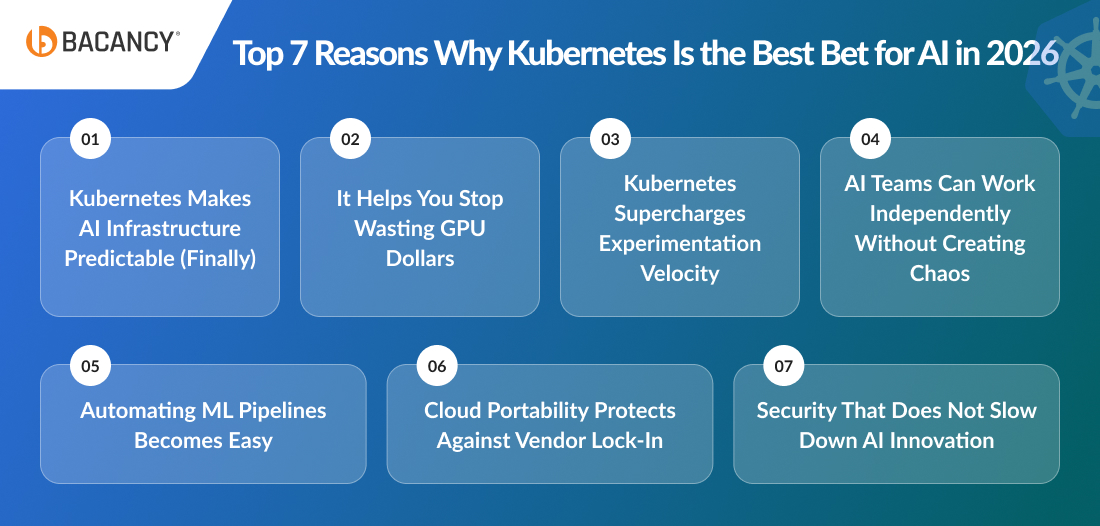
Top 7 Reasons Why Kubernetes Is the Best Bet for AI in 2026
Below are the seven key reasons Kubernetes has become the preferred platform for running AI workloads in 2026. We have also shared insights from our experience using Kubernetes for AI projects for our clients and in-house teams.
1. Kubernetes Makes AI Infrastructure Predictable (Finally)
AI workloads often fail due to small environment differences. Variations in CUDA versions, drivers, or Python libraries are enough to break deployments, even when the model code itself is correct. This leads to repeated debugging cycles and delayed releases.
Kubernetes brings predictability by standardizing how AI workloads run across environments. By packaging models and their dependencies into containers and enforcing consistent deployment rules, the same setup is used in development, staging, and production. So, when the same setup runs across different environments, the issue of hidden dependencies and unexpected behaviour gets resolved too.
The result is a predictable AI infrastructure instead of trial-and-error deployments.
Bacancy Insight:
Having worked on multiple AI modernization projects, we have observed that once AI and ML workloads move to Kubernetes, teams gain a far more predictable runtime environment. Also, the environment-related failures drop significantly, often by more than 60 percent, and deployment behavior becomes consistent across stages.
2. It Helps You Stop Wasting GPU Dollars
AI workloads are resource-heavy. Training a single deep learning model can occupy a GPU for hours, while inference workloads may require multiple GPUs at once. Also, allocating GPUs manually often leads to conflicts, failed jobs, and underutilized hardware.
With Kubernetes, teams can easily define GPU requests and limits at the pod level. The in-built scheduler handles placement automatically, and node labels help dedicate specific hardware to demanding workloads. Also, the autoscaling feature of Kubernetes helps adjust capacity based on real usage, which prevents overprovisioning.
So, instead of paying for idle resources, teams only have to pay for the GPUs they consume, so they can save money and increase utilization with time.
Bacancy Insight:
One of our existing clients came to us for AI consulting, as he was facing low GPU utilization across his AI-heavy environment. We increased GPU utilization from roughly 40 percent to 75–85 percent simply by moving workloads to Kubernetes, without adding new GPU hardware.
3. Kubernetes Supercharges Experimentation Velocity
AI is not a legacy technology; it is evolving. So, to explore its capabilities, you need to experiment.
But testing your experiments on different model versions can easily turn into a mess. You have to create separate environments for each experiment, and they might clash with one another. Moreover, this also results in resource allocation conflicts, which can slow down the entire process.
Kubernetes lets you work with isolated pods for every experiment. Each pod has its own resources, logs, and configuration, which prevents experiments from interfering with each other. Also, with this feature, teams can run multiple experiments in parallel without impacting production workloads.
Bacancy Insight:
In AI delivery projects, we have seen experimentation cycles shorten noticeably once teams move experiments onto Kubernetes. Engineers stop waiting for shared environments to free up and can test ideas in parallel, which directly improves model iteration speed and decision-making.
4. AI Teams Can Work Independently Without Creating Chaos
This point extends our discussion from the previous point on easy experimentation.
As the AI adoption grows, multiple teams get to work on different models and pipelines at the same time. Without any clear boundaries, shared infrastructure can easily become a source of friction.
Kubernetes provides isolation through namespaces, role-based access control, and resource quotas. Teams operate independently within defined limits while sharing the same cluster. This structure supports collaboration without causing any trouble to the workflow or output.
Bacancy Insight:
In AI projects involving multiple teams working together, we often see infrastructure conflicts slowing teams down more than model complexity. After introducing Kubernetes namespaces, access controls, and resource quotas, these teams were able to work independently without interfering with each other’s workloads.
5. Automating ML Pipelines Becomes Easy
If you try to retrain your workflows manually, it can get difficult to manage. Each new dataset introduces preprocessing steps, training jobs, metric tracking, and deployment tasks. AND, if you miss a single step, it can break the entire pipeline.
You will need the help of tools to do the work for you, and Kubernetes easily integrates with MLOps tools like Kubeflow, MLflow, Argo, and Ray.
But why the smooth integration with Kubernetes? These platforms use Kubernetes primitives to automate pipelines, track experiments, and deploy updated models consistently. As a result, the workflows become reliable, repeatable, and easier to maintain.
Bacancy Insight:
We had a client come to us for Kubernetes consulting services, as he wanted to implement an MLOps platform, but he had been using different tools for work, and the whole setup was a mess. The client knew using Kubernetes for AI workloads would help with fragmented tooling; he just needed our help with the implementation.
6. Cloud Portability Protects Against Vendor Lock-In
AI workloads that are dependent on a single cloud provider can pose long-term risks. Why? Because GPU availability can fluctuate, pricing models change, and service limits need upgrading. And, when your infrastructure is closely integrated with the cloud provider’s services and ecosystem, migrating it can be both risky and expensive.
Kubernetes reduces this dependency by offering dedicated support across AWS, Azure, GCP, and on-prem environments.
So, AI workloads follow the same deployment patterns, resource definitions, and operational behavior regardless of where the cluster runs. This consistency allows teams to shift workloads based on cost, performance, regulatory requirements, or GPU availability without redesigning their systems.
Bacancy Insight:
We have worked with clients who faced GPU shortages or sudden cost increases on a single cloud platform. Running AI workloads on Kubernetes allowed them to move workloads across clouds or on-premise setups and saved them from vendor lock-in.
7. Security That Does Not Slow Down AI Innovation
AI systems often work with sensitive data, proprietary models, and internal business logic. So, you need strict security controls, but getting overly restrictive can actually slow down your experimentation and frustrate teams.
Loaded with so many qualities, Kubernetes aces in the security discussion too.
It has built-in features like policy enforcement, secrets management, and network isolation, so you can keep your security posture consistent and strict, without disrupting the development workflows. As a result, teams can meet security and compliance requirements while continuing to experiment and deploy at speed.
Bacancy Insight:
We have seen clients delay AI deployments due to security concerns around data access and model protection. By using Kubernetes policies and secret management, our DevOps engineers have helped these clients secure AI workloads early without adding any chaos to their development process.
How Decision Makers Should Approach Kubernetes for AI
For CTOs and technical decision makers, adopting Kubernetes for AI is not just about addressing it as a tool but also about knowing when to adopt it and how to roll it out. Here are a few points to consider before making the decision.
Are We Ready?
Organizations should first look at how their AI workloads behave today. Frequent deployment failures, poor GPU utilization, and manual scaling efforts usually indicate that the current setup is no longer suitable for production AI. These signals indicate it is time to take the help of Kubernetes.
What to Modernize First (And What to Avoid Early)
Start with model training and inference workloads that struggle with stability or scaling issues. These pipelines consume the most resources and expose infrastructure weaknesses quickly. Large platform rewrites, or legacy system changes, can wait until the core AI workflows stabilize.
Cost Expectations
Kubernetes may seem expensive to set up initially, but it actually helps lower long-term infrastructure costs. Better GPU utilization, controlled scaling, and reduced operational overhead offset the high upfront investment over time, making it a more cost-effective solution.
In-House vs Outsource
Teams can either train their internal developers (which may eat up their time and money) or take the help of Kubernetes managed services. Outsourcing the Kubernetes work to a team of experts who can handle cluster setup, updates, scaling, and security is always a better choice.
Conclusion
Using Kubernetes for AI development will not make the process easy, to be exact, but it will remove many of the problems that could slow it down. After moving the AI workloads to Kubernetes, resource usage becomes manageable, deployments stop breaking randomly, and scaling will no longer feel like guesswork.
To get the most out of Kubernetes and avoid any manual errors, you can take the help of a DevOps consulting service provider, as their team of experts can evaluate your existing infrastructure and help set up the tool and manage clusters efficiently, allowing your in-house team to focus on building AI rather than maintaining infrastructure.
Frequently Asked Questions (FAQs)
Kubernetes provides a stable foundation for AI workloads in production. It helps teams manage GPU resources efficiently, stabilize deployments, automate ML pipelines, and scale AI workloads reliably, reducing operational chaos and improving productivity.
Kubernetes allows teams to define GPU requests and limits per workload, automatically schedules tasks, and supports autoscaling. This prevents idle GPUs, avoids overprovisioning, and ensures resources are used efficiently, helping teams save on compute costs.
Kubernetes enables isolated environments for experiments, so multiple model versions can run in parallel without interfering with production workloads. It also integrates with MLOps tools like Kubeflow and MLflow to automate pipelines, track experiments, and deploy updated models consistently.
Decision makers should evaluate readiness by checking deployment stability, GPU utilization, and scaling challenges. They should start modernizing critical AI pipelines first, plan for long-term cost efficiency, and decide whether to train internal teams or leverage third-party Kubernetes managed services for cluster setup, updates, and maintenance.