In today’s cloud-first world, many organizations believe automation alone can solve their operational challenges. While automation is powerful for handling repetitive tasks, without orchestration, these tasks often remain disconnected, causing delays, resource conflicts, and hidden inefficiencies.
To solve this, our developers automated routine operations and orchestrated the workflows, ensuring that each task ran in the correct sequence and dependencies were managed seamlessly. This approach not only improved efficiency but also enhanced reliability and reduced errors across their cloud environment.
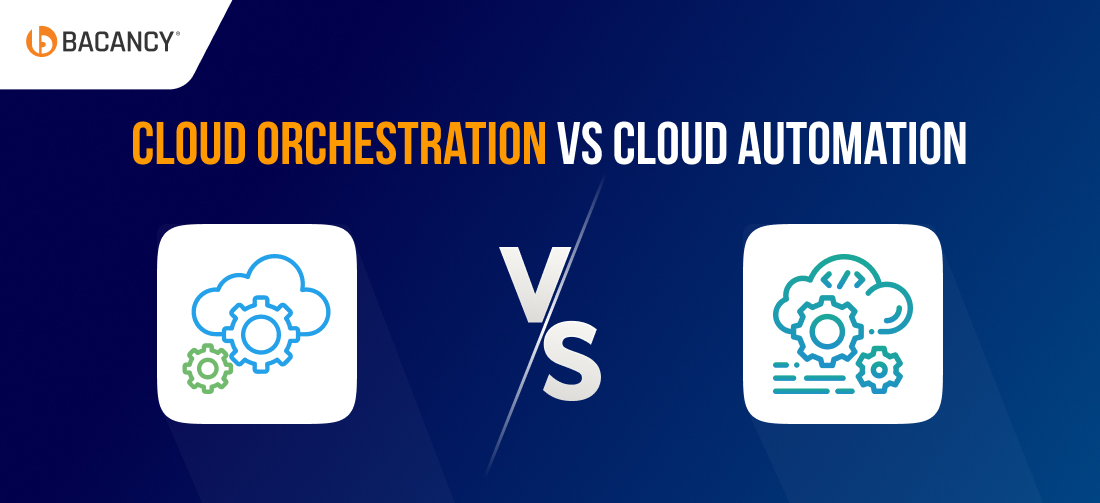
This table highlights the key differences when comparing cloud orchestration vs automation, helping you choose the right approach for your operations.
Cloud orchestration is the process of coordinating multiple automated cloud tasks to work together in a seamless, structured workflow. It helps businesses manage complex operations, ensure tasks run in the correct sequence, and optimize resource usage.
For example, imagine you’re deploying a new application. Orchestration ensures servers are provisioned first, databases are configured next, and security policies are applied. As the final step, the app is deployed, all in the right order, without you manually managing each step.
Cloud orchestration is powered by several key components that coordinate tasks, manage dependencies, and ensure smooth end-to-end workflows. The most important ones include:
- Workflow Management: Defines and manages the sequence of automated tasks for smooth execution.
- Dependency Management: Ensures tasks run in the correct order and handle inter-service dependencies.
- Monitoring and Alerts: Tracks the overall workflow, detects bottlenecks, and notifies teams if any step fails.
- Integration with Tools and Services: Connects automation tools, cloud services, and APIs to coordinate end-to-end operations.
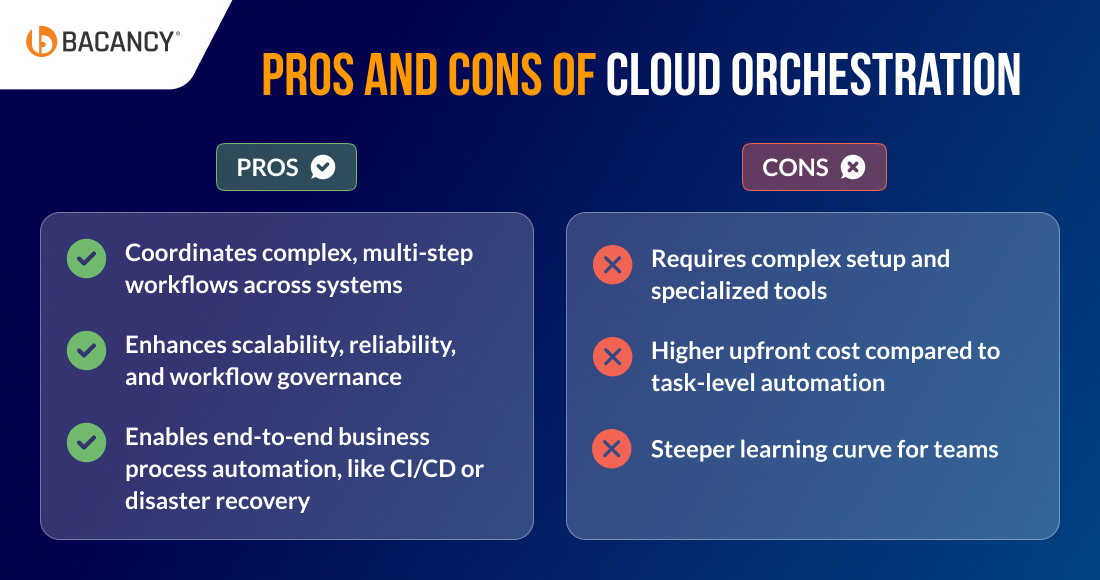
Pros and Cons of Cloud Orchestration
Cloud Orchestration Real-World Use Cases
1. Spotify: Streaming Media Company
Spotify uses orchestration to connect automated tasks like content deployment, recommendation updates, and analytics workflows. This coordination ensures songs are delivered instantly, playlists stay personalized in real time, and millions of users enjoy a seamless listening experience.
2. Amazon: E-Commerce and Cloud Services
Amazon orchestrates complex workflows across inventory management, order processing, and shipping. By connecting automation with orchestration, the company ensures faster order fulfillment, accurate tracking, and optimized resource use across its massive global operations.
3. Boeing: Aerospace and Manufacturing
Boeing relies on orchestration to bring together design, production, and testing workflows across multiple teams and cloud systems. This helps streamline collaboration, minimize delays, and maintain high product quality and reliability standards.
4. Uber: Transportation / Ride-Hailing Company
Uber orchestrates tasks like ride matching, driver allocation, and fare calculations across distributed cloud services. This ensures real-time availability, shorter wait times, and optimized driver-rider experiences worldwide.
What is Cloud Automation?
Cloud automation is the process of using technology (software) to perform repetitive cloud tasks without human intervention. It helps businesses save time, reduce human errors, and maintain consistency in their operations.
Let’s understand this with an example: Instead of manually provisioning servers or applying security updates every week, a cloud automation tool can do it automatically, ensuring everything runs smoothly without anyone having to click a button.
Key Components of Cloud Automation
Cloud automation relies on core components that simplify routine tasks and maintain smooth system operations. The most important ones include:
- Task Scheduling: Automates when and how tasks run, such as nightly backups or weekly patch updates.
- Configuration Management: Ensures systems are set up consistently, using tools like Ansible, Chef, or Puppet.
- Monitoring and Alerts: Tracks execution of automated tasks and notifies teams if a script fails.
- Scripted Workflows: Defines step-by-step actions for repetitive tasks like provisioning a server or rotating logs.
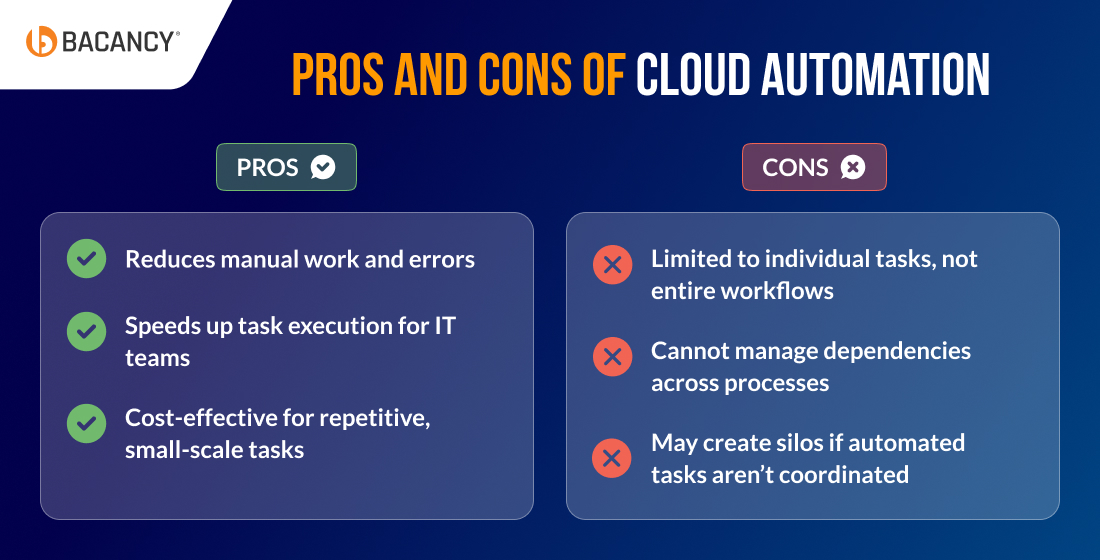
Pros and Cons of Cloud Automation
Cloud Automation Real World Use Cases
Cloud automation is no longer just a tech buzzword; it’s driving measurable outcomes across industries by improving efficiency, reliability, and scalability. Here are some standout examples:
1. General Electric (GE): Aviation and Industrial IoT
GE orchestrates workflows that collect sensor data from jet engines and turbines, automate monitoring, and trigger predictive maintenance alerts. This coordination prevents costly failures, reduces downtime, and improves operational efficiency across aviation and energy operations.
2. Netflix: Streaming Media Company
Netflix uses orchestration to automate server provisioning, scale cloud infrastructure across global regions, and balance traffic loads. The result is smooth streaming experiences, minimal buffering, and reliable service for millions of users worldwide.
3. Shell: Oil and Gas Company
Shell leverages orchestration to process real-time sensor data from rigs, automate equipment monitoring, and run predictive maintenance workflows. This helps enhance worker safety, reduce unplanned downtime, and optimize drilling operations for greater efficiency.
4. Tata Motors: Automotive and Fleet Management Company
Tata Motors orchestrates IoT-driven workflows to gather vehicle data, automate analytics, and trigger maintenance alerts. This orchestration streamlines fleet operations, reduces breakdowns, and maximizes resource utilization across their automotive ecosystem.
Cloud Automation vs Orchestration: In-Depth Differences
When comparing cloud orchestration vs automation, it’s clear that both play vital roles but serve different purposes. Understanding these differences helps teams choose the right approach for efficiency and scalability.

1. Scope: Task-level vs Workflow-level
The difference in scope between cloud orchestration vs automation lies in how much each can achieve.
Cloud automation is limited to specific tasks, such as provisioning servers, applying patches, or running backups. It focuses on reducing manual work for individual resources and improving operational efficiency at the task level.
On the other hand, cloud orchestration expands the scope to linking multiple automated tasks into one complete workflow. It coordinates infrastructure, applications, and monitoring together, delivering outcomes that go beyond isolated tasks.
2. Complexity: Simple Configurations vs Multi-layered Processes
The level of complexity in cloud orchestration vs automation sets them apart.
Cloud automation is straightforward and best suited for simple, repetitive actions. Tasks can usually be executed independently with minimal dependencies, which makes it easier to set up and manage.
Cloud orchestration is more complex because it manages dependencies, conditions, and multi-step processes across systems. This makes it powerful for handling enterprise-scale workflows that require integration across services.
3. Ease of Use: Quick Setup vs Structured Learning Curve
The ease of use in cloud orchestration vs automation depends on your personalized business goals.
Cloud automation is easier to adopt, with teams relying on scripts, templates, or infrastructure-as-code tools. It requires some technical expertise but delivers quick wins and measurable ROI in days or weeks.
Cloud orchestration, on the other hand, demands broader architectural knowledge to design workflows that span multiple systems. Although the learning curve is higher, orchestration enables resilient, compliant, and enterprise-ready operations.
4. Flexibility: Limited Adjustments vs Highly Customizable Flows
When it comes to flexibility in cloud orchestration vs automation, the difference lies in how broadly each approach can adapt.
In automation, flexibility is high when it comes to resource-level tasks such as configuring servers, containers, or applications. However, it remains limited to individual components.
Orchestration provides greater flexibility by connecting systems, environments, and services into a unified process. This makes it easier for IT leaders to align automation with business objectives and support cross-team collaboration.
5. Error Handling and Resilience: Manual Fixes vs Automated Recovery
Error handling in cloud orchestration vs automation shows how each approach responds when things go wrong.
Automation manages errors at the script or task level. If something fails, teams often need to manually intervene, rerun scripts, or troubleshoot to restore operations.
Orchestration includes built-in error management features, such as retries, rollbacks, and compensating steps. These safeguards ensure workflows continue smoothly, reducing outages, protecting SLAs, and maintaining compliance.
6. Control & Governance: Minimal Oversight vs Centralized Compliance
In cloud orchestration vs automation, the difference in control is whether you manage single tasks or the full workflow.
Automation provides control over individual resources, ensuring consistency and standardization for routine IT tasks. It is best for managing configurations in isolated environments.
Orchestration, however, gives IT leaders end-to-end visibility and centralized governance of workflows. This higher level of control supports compliance, audit readiness, and better alignment with enterprise policies.
Scalability in cloud orchestration vs automation depends on whether you’re growing independent tasks or complex workflows.
Cloud automation scales effectively by running more jobs or scripts in parallel, which works well for independent, repetitive tasks. However, it struggles when tasks are interdependent across environments.
Orchestration is designed for scalability at the enterprise level. It coordinates distributed, stateful workflows across regions and even multiple clouds, providing agility without introducing operational bottlenecks.
Transform the way you manage automation and orchestration for long-term success.
Leverage expert-driven cloud services and solutions to optimize performance and reduce complexity.
Automation, Orchestration, or Both: Making the Right Choice
Have a look at when to choose cloud automation, orchestration, or a combination of both to optimize your operations.
Choose Cloud Automation When:
- Routine, repetitive tasks like provisioning servers, applying patches, or scheduling backups need to be executed quickly and consistently.
- Simpler environments without complex interdependencies are in play, making task-level automation sufficient.
- Faster turnaround and fewer human errors in day-to-day IT operations are top priorities.
- Cost efficiency in handling small-scale, predictable workloads is a key business requirement.
Choose Cloud Orchestration When:
- Complex, multi-step workflows such as CI/CD pipelines, disaster recovery, or application rollouts must run seamlessly end-to-end.
- Large-scale, hybrid, or multi-cloud environments require coordinated process execution across platforms.
- Dependencies between services, infrastructure, and applications must be strictly managed in the right order.
- Alignment of IT processes with business workflows, compliance rules, and SLAs is a strategic priority.
Choose Both Together When:
- Task-level efficiency from automation needs to combine with orchestration for full workflow visibility and control.
- Individual actions like VM creation, code testing, or patching must connect to an end-to-end pipeline.
- Enterprise-scale agility and scalability depend on uniting automation speed with orchestration governance.
- Long-term reliability, cost optimization, and business alignment require a dual-layer approach.
How Successful Companies Scale from Automation to Orchestration?
Many organizations start with automation to remove repetitive manual work. However, as systems grow, they soon discover that real efficiency comes from orchestration, where automation is elevated into fully connected workflows that drive scale and reliability.
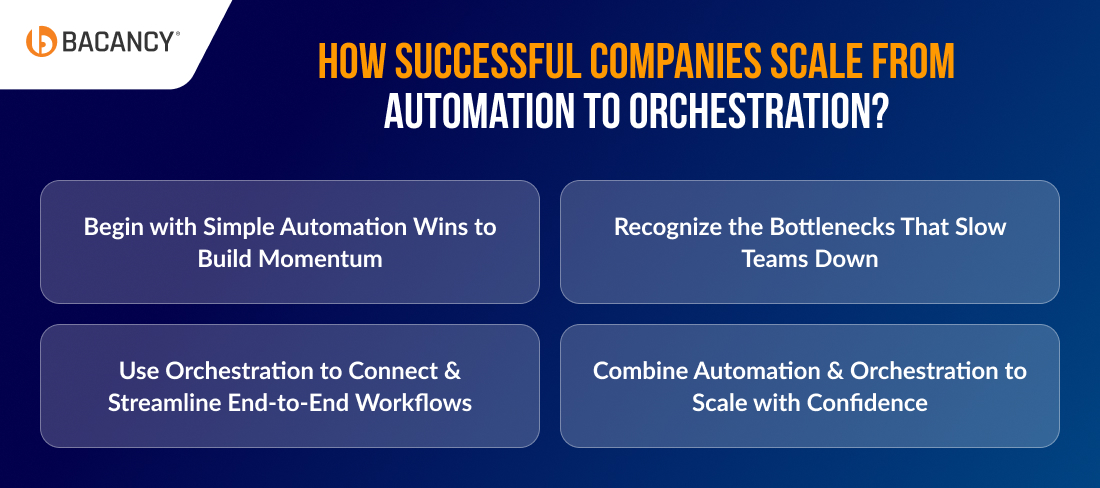
1. Begin with Simple Automation Wins to Build Momentum
Most companies begin by automating routine tasks, such as backups, server provisioning, or patch updates. This not only reduces human error but also saves hours of manual work and ensures tasks are executed consistently. For instance, Netflix started its journey by automating deployment tasks before scaling to more advanced cloud operations.
2. Recognize the Bottlenecks That Slow Teams Down
As operations expand, automated tasks often span multiple teams and services. Without a structured approach, this can create delays, inefficiencies, and silos. At this point, businesses realize that automation alone cannot manage the growing complexity of cloud environments.
3. Use Orchestration to Connect & Streamline End-to-End Workflows
Orchestration takes automation a step further by linking individual tasks into complete workflows. It manages dependencies, ensures the correct order of execution, and makes complex operations flow seamlessly. This might include provisioning servers, deploying applications, and updating databases in a single coordinated process.
4. Combine Automation & Orchestration to Scale with Confidence
The real payoff comes when automation and orchestration work together; companies can scale operations with far greater reliability. Spotify, for instance, uses orchestration to coordinate deployments across regions, ensuring consistent performance for users worldwide. The outcome is fewer errors, optimized resources, and full visibility into cloud operations.
How to Select the Best Tools for Cloud Automation and Orchestration
Selecting the right automation or orchestration tool isn’t just about features; it starts with aligning technology to your business needs, environment, and growth goals. The wrong choice can create inefficiencies, while the right one sets the foundation for scalability and reliability.
Step 1: Define Your Context
Before picking a tool, take these steps:
- Assess your environment: Are you working in a single cloud, hybrid, or multi-cloud setup?
- Determine your focus: Do you need task-level automation (provisioning, patching) or workflow-level orchestration (CI/CD, disaster recovery)?
- Evaluate operational priorities: How critical are integration, compliance, and monitoring to your operations?
- Plan for growth: Are you aiming for rapid scale-up or maintaining operational stability?
Step 2: Follow Our Proven Checklist
When evaluating tools, focus on these key criteria to ensure they meet your needs:
Integration: Verify that the solution integrates seamlessly with your existing ecosystem to prevent fragmented workflows and reduce operational friction.
- Scalability: Assess whether the tool can handle future workloads and grow with your operations without requiring rework.
- Security and compliance: Ensure the solution provides robust security measures and meets regulatory requirements to protect enterprise data.
- Monitoring and visibility: Check that the tool offers comprehensive monitoring and visibility to enable proactive issue resolution and optimize performance.
- Support and community: Confirm the availability of reliable vendor support and an active user community to guarantee long-term stability and faster problem-solving.
Also, with our cloud managed services, we help you reduce complexity, maximize ROI from your chosen tools, and keep your operations future-ready.
Step 3: Here’s What We Recommend
For Automation (task-level):
- Ansible: Great for configuration management and multi-cloud automation.
- Chef/Puppet: Ideal for infrastructure-as-code in larger enterprise setups.
- AWS Systems Manager / Azure Automation: Best for native single-cloud operations.
For Orchestration (workflow-level):
- Kubernetes: Orchestrates containerized applications at scale.
- Terraform: Manages infrastructure-as-code across clouds efficiently.
- Jenkins Pipelines: Automates CI/CD workflows and reduces manual intervention.
- AWS Step Functions / Azure Logic Apps: Coordinates multiple services and manages dependencies for seamless workflows.