Quick Summary
Our team at Bacancy has curated a list of the top 10 non-negotiable AI tools for software development, essential for businesses from startups to large enterprises. These tools are carefully selected to enhance productivity, streamline workflows, and support high-quality software delivery. This blog post highlights each tool, its key features, and why it is important for modern development teams.
Table of Contents
Introduction
Software development in 2026 is about more than just writing code. The real challenge is deciding what to build, how fast to deliver it, and how to scale safely. Are your teams spending too much time on repetitive tasks? Are deadlines slipping? Are you getting the most out of your technology?
At Bacancy, with over 14 years of experience in software development, we have seen many trends over the years, especially how AI has changed the way software is built.
What started as a simple code suggestion has now grown into AI tools that help with planning, coding, testing, and deployment.
While we stick to facts, today, AI tools for software development have reached mainstream adoption, with 85% of developers regularly using AI for coding, debugging, and documentation as of 2025-2026. (Source)
Thus, this guide is for developers, tech leads, founders, and CTOs who want to understand which AI tools really help. Which tools save time and improve code quality? How can AI make testing and debugging easier? And how do you use AI across your team without creating confusion?
In this blog, you’ll learn about the top AI tools for software development in 2026 and how you can use them in everyday coding. But first, let’s understand why AI in software development is rising!
Best AI Software Development Tools: A Quick Overview Table
| Must-have AI Tools
| Key Use Cases
| Choose if you want
| Pricing
|
|---|
| GitHub Copilot
| Smart coding suggestions
Context-aware code generation
Debugging assistance
| Accelerated full-stack development and reduced manual coding
| Subscription-based (starting from $10 per month or 100$ annually)
|
| Claude Code
| Code generation & debugging
Context-aware suggestions
Automated tests & docs
| Quickly write modules, debug, and automate tests
| Subscription-based (starting from $20/month for individuals; enterprise pricing on request)
|
| Tabnine | AI code completion and prediction
AI-powered chat assistant
| Speed up coding with privacy-focused suggestions
| Subscription-based (30 days free and $39 per user for enterprise)
|
| Snyk | Security scanning and testing
Detecting and auto-remediating vulnerabilities
| Secure development with context-aware suggestions for code errors | Free for individual developers
(For team plan - $57 per month or $52 per month annually)
|
| Cursor AI
| AI-first code editor
Smart code auto-completion
Real-time debugging
| Fully AI-assisted development inside one editor
| Subscription-based
($20/month for Pro and $40/month for Business plan)
|
| Visual Studio Code (VSCode)
| Code completion & syntax
Built-in debugging
AI assistant integration
| Efficient coding, real-time debugging, and customizable workflow | Free (Open-source)
|
| Replit | AI-generated code snippets
In-editor debugging
Advanced in-line suggestions
| Fast prototype development and deployment without setup hassle
| Subscription-based ($20 per month, $220) |
| Qodo.ai
| Automated Testing
Code understanding
Document generation
| Simplified testing and faster debugging
| Subscription-based ($30 per month for teams and $45 per month for enterprise) |
| Amazon Q Developer
| Cloud code generation
AWS-optimized templates
Context-aware suggestions & tests
| Generate AWS code, boilerplate, and speed up development
| Subscription-based (Contact for enterprise pricing)
|
| Windsurf
| AI code suggestions
Error detection & fixes
Tool integrations (GitHub, Slack, Figma)
| Write and refactor code faster, debug, and boost productivity
| Free for individual use; subscription $29/month per user for teams
|
Top 10 AI Tools for Software Development You Cannot Miss
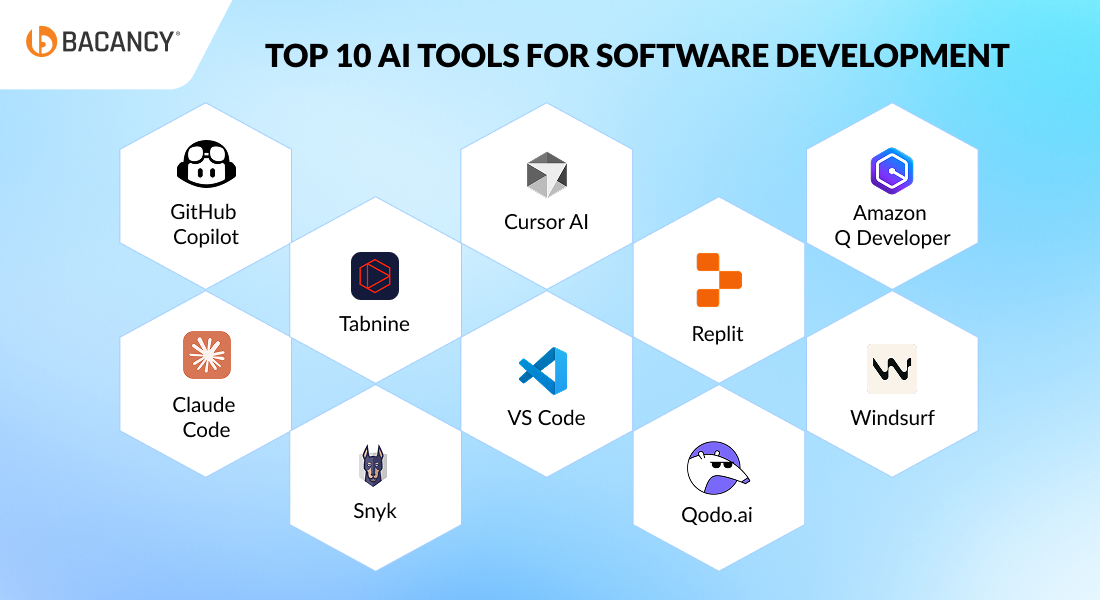
Using AI tools in software development can truly improve the workflows across the entire software development lifecycle. Let us go through the list of top AI tools for software development that businesses can use to boost productivity, reduce time-to-market, and ensure high-quality software delivery.
1. Github Copilot
GitHub Copilot is one of the top AI tools for software development, serving as a powerful AI coding assistant that has been transforming how developers perform their coding tasks every day. It suggests real-time code snippets based on natural language prompts and existing code context. This AI coding tool can help businesses significantly reduce development time and improve code quality with its automation capabilities.
Key features:
- It creates pull request descriptions and unit tests automatically.
- Offers smart coding suggestions and assistance to developers
- Fully integrated with the VS Code ecosystem
- It provides context-aware code generation and debugging assistance
- Provides customized suggestions for your coding style
- The tool can help autocomplete repetitive code and functions
Best to use for:
- Code snippet and blocks generation
- Speeding up coding with automated code completions and suggestions
- Debugging and error explanation
- Documentation and comment generation
- Automating repetitive coding tasks
- Unit and integration test creation
- Understanding and refactoring legacy code
- Pull request change summaries
- Secure coding practice recommendations
2.Tabnine
Tabnine is a comprehensive AI tool for developers that provides code completion and code prediction. Designed to integrate seamlessly with popular Integrated Development Environments (IDEs), Tabnine is available in various programming languages, such as JavaScript and Python. It helps accelerate and simplify the software development process while ensuring privacy, security, and compliance.
Key features:
- Code completion and prediction feature to help developers write faster, reduce errors, and complete code
- Provides accurate, context-aware code completions for snippets, lines, and full functions
- Offers an AI-powered chat assistant within your IDE for natural language queries and code explanations
- Supports over 80 programming languages and frameworks, including JavaScript, Python, Java, C#, Go, Rust, and more
- It is built on permissive sources with enterprise-grade security and ensures the safe and compliant use of AI
- Personalized coding assistance for your projects and adapts to your codebase, requirements, and workflow
Best to use for:
- Code snippet, block, and full function generation based on context or prompts
- Accelerating development with smart, automated code completions and suggestions
- Explaining, refactoring, and maintaining legacy or unfamiliar code
- Creation and improvement of unit and integration tests from existing code or requirements
- Automatic documentation, inline comments, and API guide creation
- Debugging code, fixing errors, and receiving recommendations for code improvements
- Secure, compliant, and private AI-assisted coding in enterprise environments
- Collaborative workflow support with team-specific model customization and shared learning
3. Snyk
Snyk is a cloud-based code analysis platform designed to help developers identify security vulnerabilities and open-source license compliance issues in their code. It employs a combination of machine learning (ML), static analysis, and dynamic analysis techniques to thoroughly examine code for potential risks. Due to its extensive training on a vast dataset and continuous updates, Snyk is among reliable AI software development tools to use.
Key features:
- Real-time code scanning and vulnerability detection directly in your IDE and pull requests, with instant, in-line results and auto-fix capabilities
- AI-powered security engine leveraging machine learning and a vast knowledge base, offering high accuracy and context-aware recommendations
- Automated remediation with Snyk Agent Fix, which generates and validates fixes to minimize the risk of breaking code or introducing new vulnerabilities
- Snyk Assist, an AI-powered assistant, provides real-time answers, secure coding guidance, and vulnerability remediation advice within your workflow
- Seamless integration with popular languages, IDEs, CI/CD tools, and source libraries
- Developer-friendly interface designed to eliminate workflow disruptions
Best to use for:
- Detecting and auto-remediating security vulnerabilities and license compliance issues in source code dependencies
- Secure development by providing instant, context-aware fix suggestions and automated code corrections
- Educating developers on secure coding practices and policy requirements through in-workflow AI assistance
- Efficient resource allocation through prioritizing and managing vulnerabilities based on business risk and reachability
- Continuously monitoring the codebase for security issues
4. Qodo.ai
Codium AI is now known as Qodo.ai. This is an intelligent AI development assistant designed to help software teams ship high-quality code faster. It acts like a virtual teammate that understands your entire codebase, offering tailored suggestions and guiding developers through automating code-level testing and generating relevant test suites. Qodo.ai reduces onboarding time and helps improve productivity with contextual, code-aware support.
Key features:
- Generates automated and comprehensive test suites by analyzing your code and covering edge cases
- Supports multiple languages, including Python, JavaScript, and TypeScript, with plans to expand to Java and beyond
- Performs intelligent code analysis to detect bugs, duplicates, and refactoring opportunities, providing developers with actionable suggestions.
- A key feature is that it can provide intelligent suggestions across multiple repositories
- Enables test and documentation generation through natural language commands
- Automatically creates smart, readable documentation and comments to help teams better understand and maintain code
- Context-aware code explanations for faster understanding and execution
Best to use for:
- Creating documentation directly from the code
- Codebase exploration and understanding
- Assists with debugging and locating errors faster
- Supporting team collaboration with a shared understanding of code
- Writing inline documentation and explanations
- Reducing code review overhead
5. Cursor AI
Cursor AI, a popular AI software development tool, is the best code editor built around AI assistance. Designed for developers who want flawless AI integration throughout their workflow, Cursor offers deep context understanding. This helps the development team experience faster coding, debugging, and codebase comprehension.
Key features:
- Easy implementation of AI code suggestions with just a single click
- Real-time assistance through a chat interface
- Offers detailed code explanations and suggestions
- Smart code auto-completion and real-time optimization
- Supports automated code generation and debugging
- Easily adaptable due to its interface similar to VS Code
- ⌘ K feature for generating completely new code
Best to use for:
- Developers who need to make coding easier
- Full AI-assisted coding sessions
- Translating instructions in plain English into functional code
- Exploring and understanding large codebases
- Real-time debugging and troubleshooting
- Writing new modules and refactoring existing ones
- Personalized code completion and pair programming
6. Replit
Another one on the list of powerful AI tools for software development is Replit, a powerful online IDE enhanced with Ghostwriter, its AI assistant. It allows developers to write, test, and deploy code directly from the browser. With AI features built in, Replit empowers developers to generate code, troubleshoot errors, and even complete projects in real time, all without switching environments.
Key features:
- AI-generated code snippets and functions across multiple languages
- In-editor debugging and real-time error explanations
- Instant project setup with AI-assisted templates
- Collaborative coding with advanced in-line suggestions
- Identifies coding errors and provides guidance for fixes and improving code accuracy
- Offers an environment where you can learn while coding, which is convenient for newbies as well
Best to use for:
- Quick prototyping and experimentation
- Code explanation and comments
- Both experienced and new developers for learning code
- Collaborative coding and team projects
- AI-assisted code generation and debugging
- Running and testing code from anywhere
- Building full-stack apps without complex configuration
Get the Right Experts For AI-Driven Development
To accelerate development and maximize efficiency, hire software developers who are skilled in utilizing and integrating AI tools for faster coding, smarter testing, and seamless deployment.
7. Claude Code
Claude Code is an AI assistant designed to help developers generate, debug, and understand code easily. It uses natural language prompts to provide context-aware suggestions and explanations, making it faster and simpler.
Key features:
- Converts plain instructions into functional code
- Provides context-aware code suggestions
- Detects problems and offers debugging assistance
- Supports multiple programming languages
- Generates comments and simple documentation
- Helps with automated test suggestions
Best to use for:
- Quickly writing new modules, functions, or scripts
- Grasping unfamiliar or legacy codebases with ease
- Debugging efficiently using contextual suggestions
- Automating test creation and documentation
- Learning coding best practices as you go
- Collaborating seamlessly with team members on shared projects
8. Windsurf
Windsurf is a smart AI coding assistant that helps developers write, organize, and debug code more efficiently. It keeps you in flow by offering real-time suggestions, handling all of the repetitive tasks, and allowing you to integrate with popular tools and services.
Key features:
- AI-powered code suggestions and auto-completion
- Detects errors and provides instant fixes
- Context-aware assistance by remembering your workflow
- Integration with GitHub, Slack, Figma, and other tools
- Automates common terminal commands
- Provides code review and improvement recommendations
Best to use for:
- Writing new code faster and reducing manual errors
- Refactoring and maintaining existing code
- Debugging and error detection
- Managing multiple projects efficiently
- Improving collaboration across teams
- Boosting overall productivity in development workflows
9. Visual Studio Code (VSCode)
Visual Studio Code is a lightweight, versatile code editor that supports multiple programming languages and integrates easily with AI-assisted tools and extensions. It helps developers write, debug, and deploy code faster with powerful features and a customizable environment.
Key features:
- Intelligent code completion and syntax highlighting for multiple languages
- Built-in debugging and terminal support for faster troubleshooting
- Easy integration with AI coding assistants and extensions
- Git and version control built in for collaborative development
- Highly customizable interface with themes, layouts, and extensions
- Cross-platform support for Windows, macOS, and Linux
Best to use for:
- Writing and editing code efficiently across languages
- Debugging and testing code in real time
- Managing projects with Git and version control
- Extending capabilities using AI and third-party extensions
- Collaborating with teams through shared projects and integrations
- Customizing the editor to match your workflow and preferences
10. Amazon Q Developer
Amazon Q Developer is an AI-assisted code-generation tool that helps you accelerate development, especially for cloud applications. It suggests code snippets, templates, and patterns based on your project context and AWS best practices.
Key features:
- AI-assisted code generation from natural prompts
- Provides AWS-optimized patterns and examples
- Context-aware code suggestions
- Multi-language support (e.g., Python, JavaScript, Java)
- Integrates with popular IDEs and cloud toolchains
- Auto-generates test stubs and documentation
Best to use for:
- Generating code faster with natural instructions
- Building AWS-centric features and architecture
- Writing boilerplate and repetitive segments
- Getting suggestions that align with cloud best practices
- Creating tests and sample usage code
- Speeding up onboarding for new developers
7 Proven Tips To Choose The Right AI Software Development Tool
Choosing the right AI tools for development teams is indeed a crucial decision for any business. With limited resources and tight timelines, you must select an AI tool that contributes to speed, quality, and scalability. Here’s how you can make the right choice:
Define Your Objectives
Start by identifying your core needs and challenges. Whether you need AI coding tools to speed up development, improve code quality, or automate code generation and testing. Select a tool that helps you achieve your business goals.
Check Integration Capabilities
Be sure the AI coding assistant tools you select should be easily integrated with your existing tech stack, IDEs, version control systems, CI/CD pipelines, and project management tools.
You can only get confidence if you select AI software development tools that provide intuitive, easy-to-use interfaces with minimal learning curves. Your team should be able to adopt the tool quickly without investing much time in learning to use it.
Focus on Scalability and Customization
A business is bound to grow over time, and so will the software development needs. Select AI tools for developers that can be easily scaled up and customized as your requirements evolve.
Evaluate Security and Compliance
Since AI tools may access your codebase or data, select AI programming assistants that offer enterprise-grade security and adhere to compliance standards.
Trial Before Commitment
Most AI tools that are available in the market offer free trials with no credit card required. You can use them to test how well the AI coding tools fit your workflow before making a long-term investment.
Future-proof With AI Coding Assistants For Smarter Development
All in all, AI tools are not something to consider in the future, they are empowering today’s modern startups as well as large-scale enterprises to code faster, scale smarter, and innovate better. If your business is also looking for a way to save development time, increase productivity, and automate workflows, using AI tools for software development can give you the edge to compete and grow.
To get the maximum benefit of AI-powered development, consider partnering with an AI development company that provide experts who are well-versed in using AI tools and coding assistants. These professionals can help your team accelerate development, deliver products faster, and work smarter by using the capabilities of AI in software development.
Frequently Asked Questions (FAQs)
AI Code Generation & Autocomplete
Tools like GitHub Copilot, Tabnine, and Claude Code excel at context-aware code generation. They analyze your current code, project structure, and natural language prompts to suggest complete functions, classes, or modules, reducing repetitive coding and accelerating development cycles. Startups benefit by saving time and minimizing human errors.
Yes. Modern AI assistants like Tabnine, Qodo.ai, and Replit Ghostwriter support multiple languages, including Python, JavaScript, Java, C#, Go, and Rust. They can automatically switch context and offer suggestions, making it easier for polyglot development teams or startups building multi-language projects.
Debugging & Error Resolution
Tools like Cursor AI, GitHub Copilot, and Windsurf excel at identifying runtime errors. They analyze stack traces, highlight the problematic lines in real-time, and suggest fixes, often with explanations, reducing the time developers spend manually tracing bugs.
Yes. Both Cursor AI and Qodo.ai can process large legacy codebases, detect redundancies, propose refactoring, and recommend performance improvements. This reduces onboarding time for new developers and ensures older code aligns with modern best practices.
Testing & Quality Assurance
Absolutely. AI-assisted tools like Claude Code, Qodo.ai, and GitHub Copilot can integrate with Jenkins, GitHub Actions, GitLab CI/CD, and other pipelines, automatically running tests and alerting teams to failures or security issues before deployment.
Yes. AI analyzes test coverage and execution results to flag redundant, overlapping, or unnecessary tests, allowing teams to focus on meaningful coverage and reducing test maintenance overhead.
Security & Compliance
Snyk and Windsurf scan your codebase in real-time, detecting vulnerabilities in dependencies, libraries, and APIs. They offer contextual recommendations to fix issues before deployment, ensuring secure software.
Most AI security tools follow industry compliance standards such as OWASP, ISO, and SOC2. They maintain audit trails, provide compliance reporting, and enforce secure coding policies suitable for enterprise environments.
Cloud & DevOps Integration
Yes. It provides AWS-optimized code snippets, templates, and best-practice suggestions for cloud deployments, allowing you to build scalable cloud applications faster.
Amazon Q Developer, Tabnine, and VSCode with AI extensions support multi-cloud workflows, integrating seamlessly with cloud SDKs, APIs, and DevOps pipelines for faster cloud-native development.