Quick Summary
This guide breaks down AWS cost optimization with a strong emphasis on tools that help control and optimize cloud spending. It explains AWS pricing models, cost calculation methods, and the AWS Cost Calculator, while covering native AWS cost optimization tools, third-party platforms, and proven best practices to keep cloud spending under control.
Table of Contents
Introduction
Navigating AWS cloud costs can be a challenge for businesses of all sizes. As more organizations depend on AWS for their infrastructure, managing costs effectively becomes crucial to using resources efficiently and keeping budgets well-managed.
AWS offers a wide range of services and pricing models to support different business needs. While this flexibility can feel helpful, it also increases the risk of overspending when resources are not properly sized, monitored, or governed. This makes AWS cost optimization a necessary practice rather than just a one-time cost reduction exercise.
This blog explores the common reasons behind rising AWS costs, along with proven best practices and third-party + native AWS tools that help businesses manage their spending more effectively. Join us as we uncover actionable insights to help your business thrive in the AWS ecosystem.
What is AWS Cost Optimization?
AWS cost optimization involves strategies, tactics, plans, ideas, and every aspect that can be implemented to manage and minimize your AWS cloud expenses efficiently and effectively. It includes strategies like rightsizing resources, eliminating idle ones, choosing the most effective pricing models, and using automation to maximize your cloud investment and reduce your AWS bill.
Why Do You Need AWS Cloud Cost Optimization?
You need AWS cost optimization to reduce your cloud costs, eliminate unnecessary resource spend, and ensure every dollar delivers a measurable business outcome.
Why Is AWS So Expensive?
AWS seems expensive because its pay-as-you-go model charges separately for compute, storage, data transfer, and add-on services, which scale quickly as your usage increases. Without cost governance, even a small inefficiency can multiply across services, accounts, and teams.
Eventually, continuing to monitor and optimize unused or over-provisioned resources running can drive costs higher for all sizes of businesses. Now, let’s understand how much it costs.
How Much Does AWS Cost?
For a startup or small business, AWS costs approximately $150–$200 monthly for basic needs.
For mid-size businesses, AWS costs usually range from $2,000 to $20,000 per month, depending on workload scale, data usage, and optimization practices.
For large enterprises, AWS spending often exceeds $100,000 per month and can run into millions annually due to complex architectures, high data transfer, compliance needs, and always-on workloads.
However, figuring out the exact AWS service cost can be tricky since AWS offers a broad range of more than 200 services and pricing options.
Primary Causes of Unexpected AWS Expenditures
Unused AWS instances lead to unnecessary costs without regular monitoring or decommissioning.
- Incorrectly sized instances waste resources and may cause performance issues.
- Not using multi-cloud providers limits cost optimization in AWS and flexibility.
- Neglecting orphaned snapshots results in ongoing charges for unused resources.
- Manual processes increase errors and operational costs.
Understanding AWS Pricing Models
Let us quickly look at the different AWS pricing models you can use according to your business’s preference.
1. On-demand Pricing
On-demand pricing allows you to pay only for the resources you utilize hourly or per second. Costs vary by location, server type, and software. It is ideal for operating expenses (OpEx) with no upfront fees or long-term commitments and is perfect for applications needing high uptime and flexible scaling.
For example, Amazon EC2 (Elastic Compute Cloud) On-Demand instance prices vary depending on the instance type and location. In the US East (N. Virginia) region, a t2.micro instance costs $0.0116 per hour.
Reserved instances can yield significant savings. Investing in one for three years in the same region could total around $527.
2. Savings Plans
This pricing model offers plans to enhance AWS cloud cost optimization with Compute Savings Plans (more flexible) with up to 66% discount and Instance Savings Plans (less flexible) with up to 72% discount. It is adaptable for AWS Lambda, Fargate, and EC2 instances, providing discounts regardless of instance size, location, or type.
You can opt for a one-year plan with no upfront costs. Once selected, AWS automatically applies reduced rates to your usage. It is ideal for businesses seeking operational flexibility without upfront costs and applications with varied needs over an extended period.
For example, the first 1 million monthly requests in Amazon Lambda are free. After that, it costs $0.20 per 1 million requests, priced at $0.00001667 for every GB-second used.
3. Reserved Instances
Amazon Reserved Instances offer up to 75% savings by locking in computing power for one to three years. However, you must commit fully; unused capacity cannot be returned, and extra needs are charged at standard rates. Types include Standard, Convertible, and Scheduled, each with varying flexibility.
They are ideal for businesses running older or predictable applications with steady growth.
For example, for Amazon RDS (Relational Database Service), On-Demand pricing for a db.t3.micro instance in the US East (N. Virginia) region is $0.0207 per hour.
Up to 60% savings are possible by opting for Reserved Instances with a three-year commitment.
4. Spot Instances
AWS Spot Instances let you pay the current market price for computing capacity, based on supply and demand, and offer up to 90% cost savings. They are ideal for flexible workloads that can handle interruptions and for tasks that can pause and resume without much impact.
For example, Amazon S3 Standard Storage is priced at $0.023 per GB for up to 50 TB per month. Opting for Infrequent Access Storage at $0.0125 per GB can reduce accessed data costs.
5. Dedicated Hosts
AWS Dedicated Hosts provide an entire physical server exclusively for your use and are charged hourly for the host, regardless of instance count. They are ideal for workloads requiring strict compliance, specific hardware, or high isolation, offering dedicated resources and control over instance placement.
For example, an m5.large Dedicated Host in the US East (N. Virginia) region costs approximately $1.25 per hour, regardless of how many instances you run on it. It allows full control over instance placement and licensing.
Facing Unpredictable or Increasing AWS Costs?
Our AWS consulting services help you assess your cloud environment, identify cost leakages, and implement a tailored AWS cost optimization strategy.
Top 13 AWS Cost Optimization Tools for Businesses in 2026
Managing AWS costs efficiently requires both native AWS tools and third-party solutions to analyze, monitor, and optimize cloud spending. These top 13 AWS cloud cost optimization tools help your business to reduce waste, improve efficiency, and maximize ROI.
Let us first look at the six popular third party AWS cloud cost optimization tools:
1. Economize
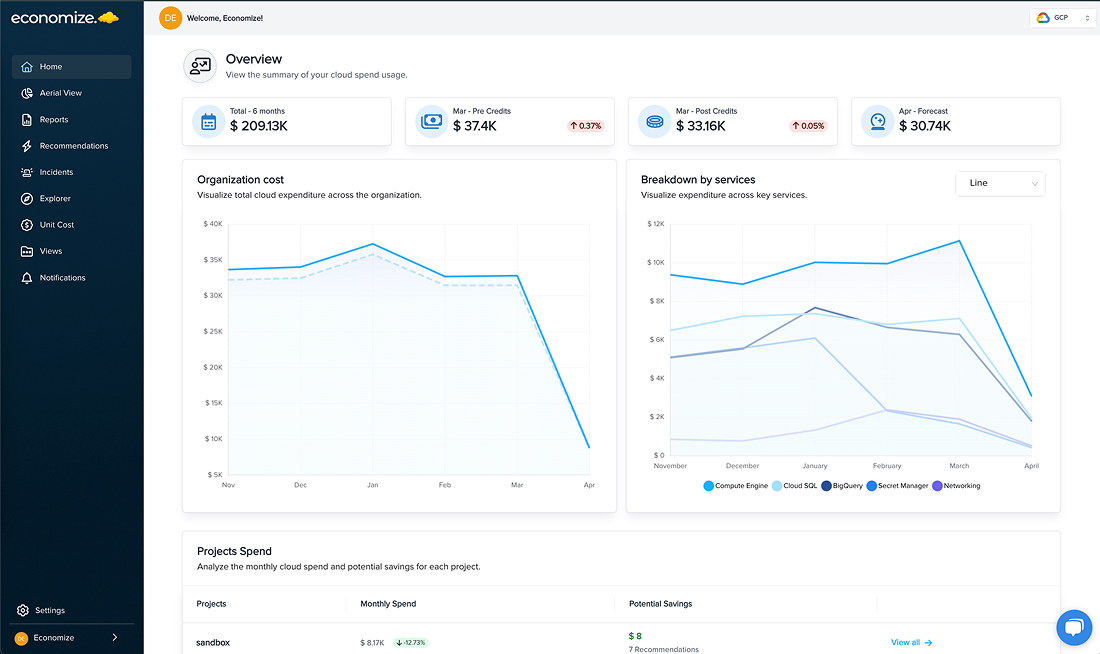
Economize is an AWS cost optimization tool that helps optimize AWS cloud costs by providing insights into monthly spending, unit costs, and budgeting strategies through a comprehensive billing console.
Key Features of Economize:
- It offers a thorough perspective on costs, resource usage, and per-unit expenses.
- It facilitates connectivity with platforms such as BigQuery, Datadog, and Slack to augment functionality.
- Automatically tags unidentified instances for better cost tracking.
- Offers suggestions for optimizing underutilized resources.
Pricing:
- Free Tier: This free tier is designed for organizations with cloud expenditures up to $10,000 per month.
- Plus Tier: Priced at $99 per month, tailored for businesses spending $50,000 monthly on cloud services.
- Premium Tier: This plan costs $499 monthly and is ideal for companies with monthly cloud spending ranging from $50,000 to $100,000.
- Professional Tier: This tier is available at $999 monthly and is suitable for businesses spending over $100,000 monthly on cloud resources.
2. Tanzu CloudHealth by VMware
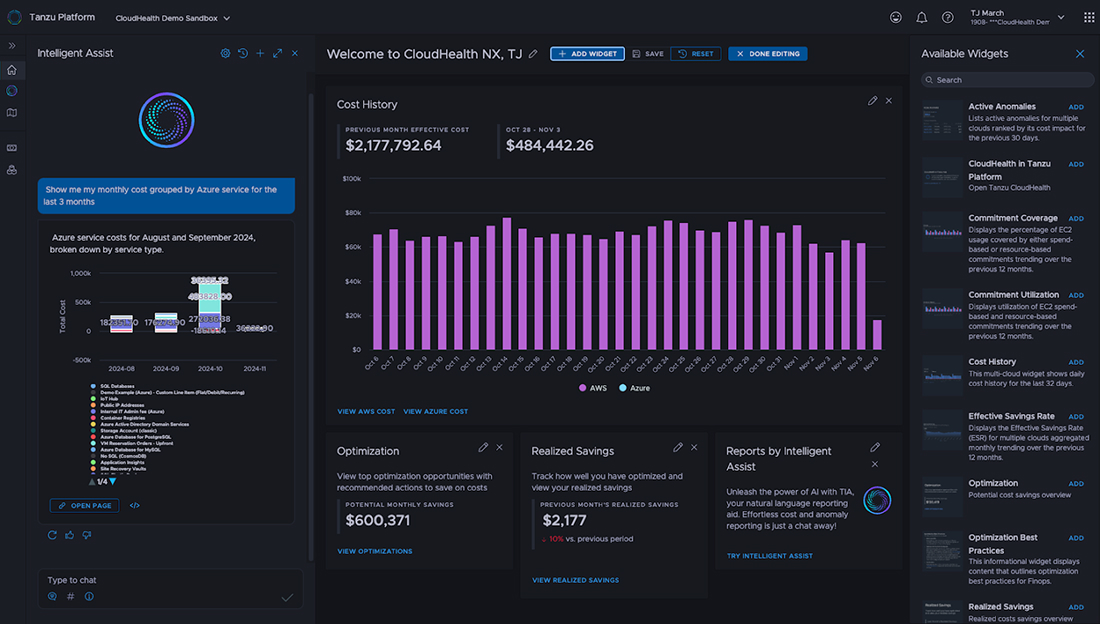
Tanzu CloudHealth by VMware is another tool on the list of AWS cloud cost optimization tools focusing on cloud cost governance. It provides visibility into AWS spending to enforce compliance and financial management policies.
Key Features of CloudHealth:
- It guarantees oversight and management of expenses to meet compliance and financial requirements.
- It offers clear cost insights across various cloud environments, including hybrid setups.
- It incorporates features for planning budgets and predicting future expenditures using past data.
- It aids in implementing policies to govern and optimize cloud expenditures efficiently.
Pricing:
- There is a flat fee for AWS spending up to $100,000, then 3% of monthly expenditure (minimum fee of $1,000).
- For AWS spending over $100,000: Annual pricing options ranging from $41,904 to $125,712.
3. CloudCheckr
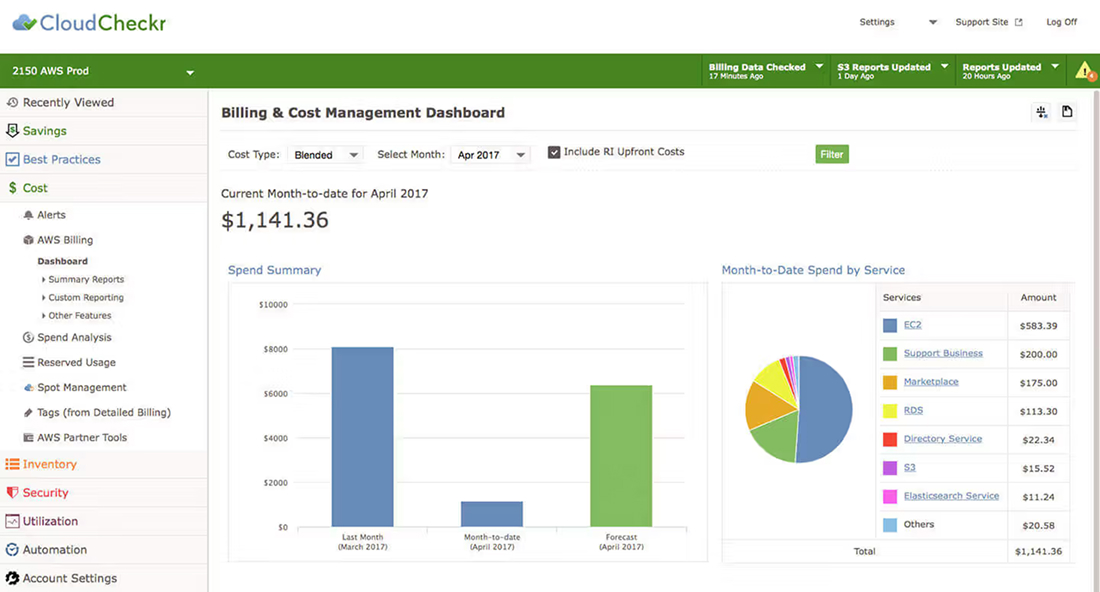
CloudCheckr is a popular AWS cost optimization tool that combines cloud cost optimization with robust security features, particularly for high-risk industries.
Key features of CloudCheckr:
- It focuses on optimizing cloud costs while ensuring compliance and security.
- Manages reservation portfolios efficiently to maximize cost savings.
- It offers robust support for regulatory compliance in industries with high-risk profiles.
- Includes features for managing Amazon EBS snapshots and other cloud resources.
Pricing:
- The SaaS solution is priced at 3.5% of cloud spending and costs a minimum of $500 monthly.
- Additional unit-based fees apply for extra usage.
4. Densify
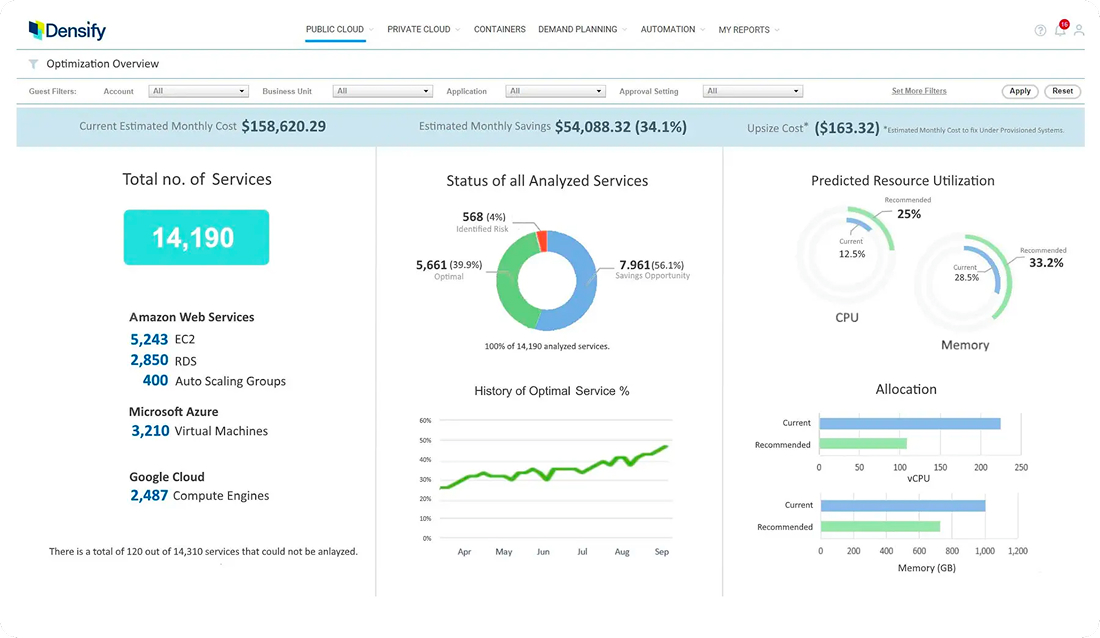
Next on this list is Densify, another popular AWS cost optimization tool that provides hybrid and multi-cloud management with machine-learning-driven cost and performance management.
Key Features of Densify:
- It employs machine learning to offer suggestions for enhancing cloud infrastructure efficiency.
- It identifies unusual cost trends and inefficiencies in resource usage.
- It functions smoothly in single-cloud, hybrid-cloud, and multi-cloud settings.
- It forecasts future spending based on historical data and usage patterns.
Pricing:
- The pricing is $48.3 per instance per year and fluctuates depending on the cases handled.
5. Kubecost
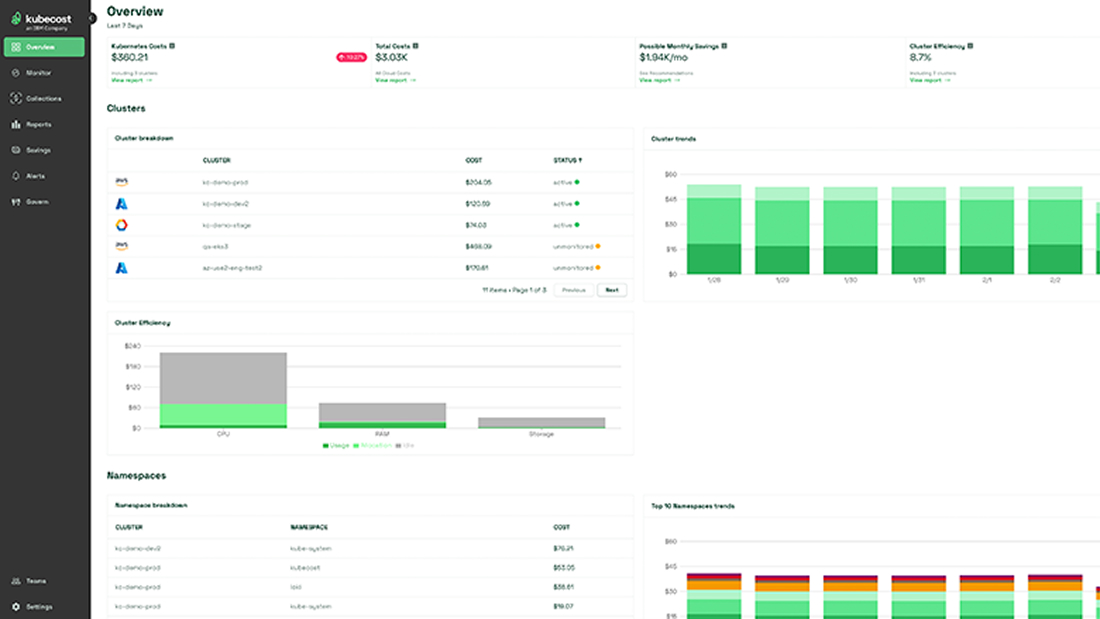
Kubecost is a popular AWS cloud cost optimization tool designed specifically for Kubernetes environments. It provides real-time visibility into cloud spend, which helps teams allocate resources efficiently and reduce unnecessary costs.
Key Features of Kubecost:
- Monitors Kubernetes clusters to track resource usage and associated costs.
- Offers real-time cost allocation for namespaces, teams, and projects.
- Provides alerts for overspending or budget breaches.
- Helps optimize workloads by recommending right-sizing and idle resource removal.
Pricing:
- Free tier available for small clusters upto 250 cores (self-hosted) or 50 nodes (cloud-hosted).
- Paid plans feature custom enterprise pricing based on cluster needs and scale; AWS Marketplace offers $3.42 per container hour.
6. nOps
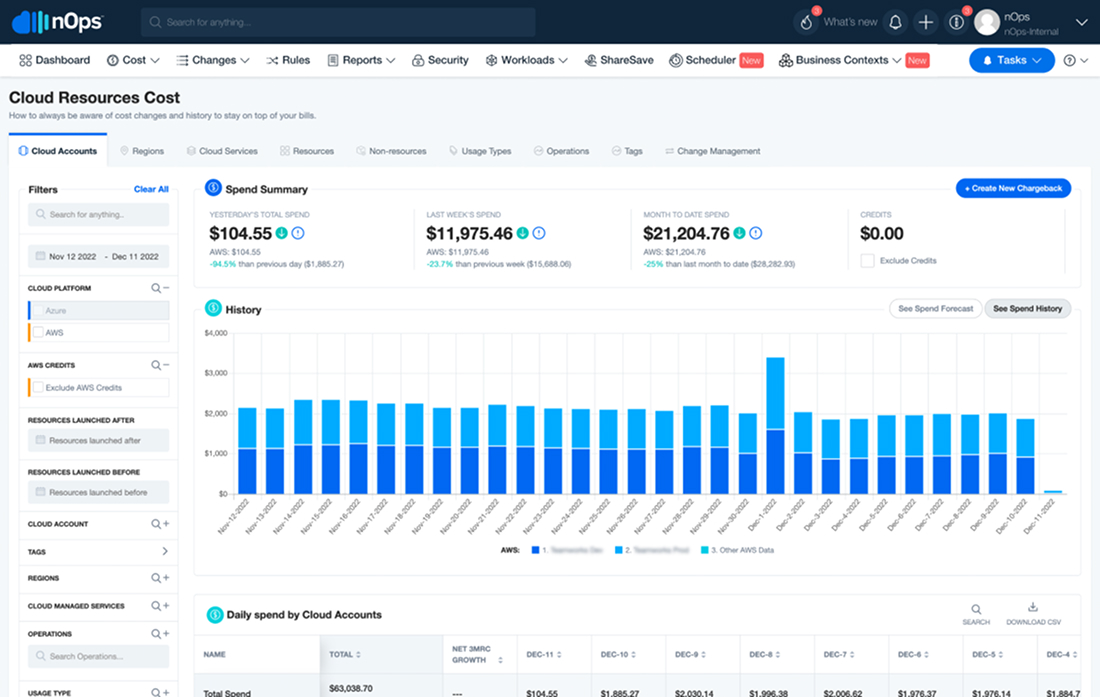
nOps is a multi-cloud cost optimization platform (primarily AWS-focused, with support for GCP and Azure) that delivers continuous cost management, automation, and up to 50%+ savings through AI/ML-driven intelligence.
Key Features of nOps:
- Provides real-time visibility into AWS resource usage and spending.
- Automates optimization actions, such as rightsizing, shutdowns, and reserved instance purchases.
- Offers predictive insights to forecast future cloud costs based on trends.
- Helps enforce cloud governance and compliance across multi-account AWS environments.
Pricing:
- Custom pricing based on AWS account size and usage.
- It starts with 20-30% of verified savings with no upfront costs; not a fixed percentage of the monthly AWS spend.
Now, let us look at the seven key AWS cloud cost optimization tools that are provided by AWS.
1. AWS Billing Dashboard
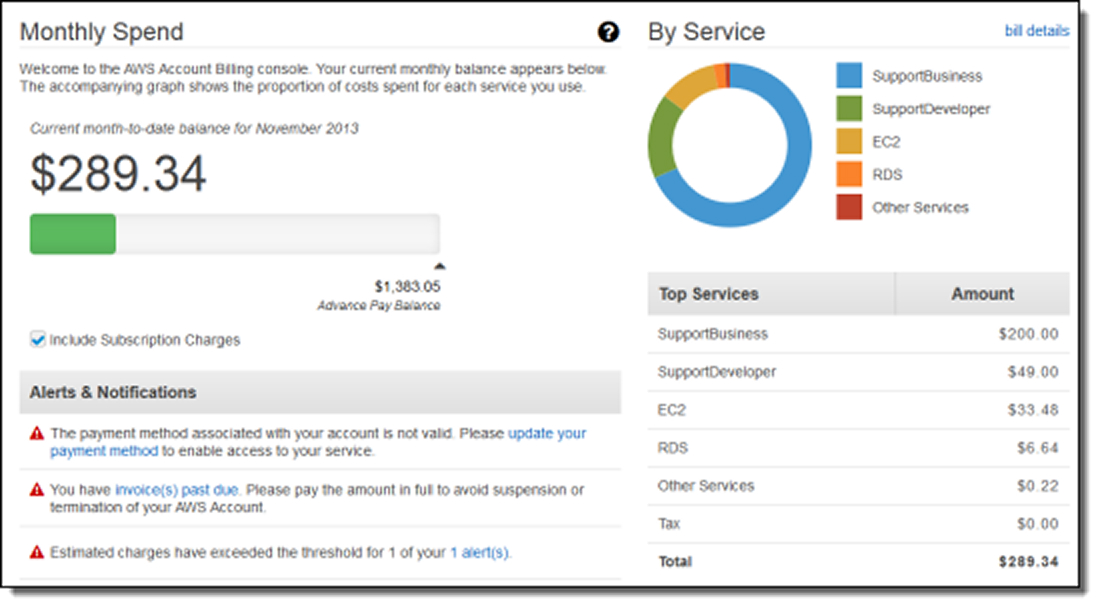
The AWS Billing Dashboard is basically a part of the AWS Billing and Cost Management Console and provides a visual overview of AWS costs and spending trends. It helps you understand where the cloud budget goes and how it changes over time. This AWS native cost optimization tool offers a foundation for financial control.
Key Features of AWS Billing Dashboard:
- Graphical charts show monthly spending by service.
- Budget alerts notify when costs approach thresholds.
- Detailed billing reports provide data for cost analysis and optimization.
Pricing:
- Free for all AWS accounts.
- Costs may occur if detailed reports are exported to Amazon S3 or if other AWS services are used with the dashboard.
2. AWS Cost Explorer
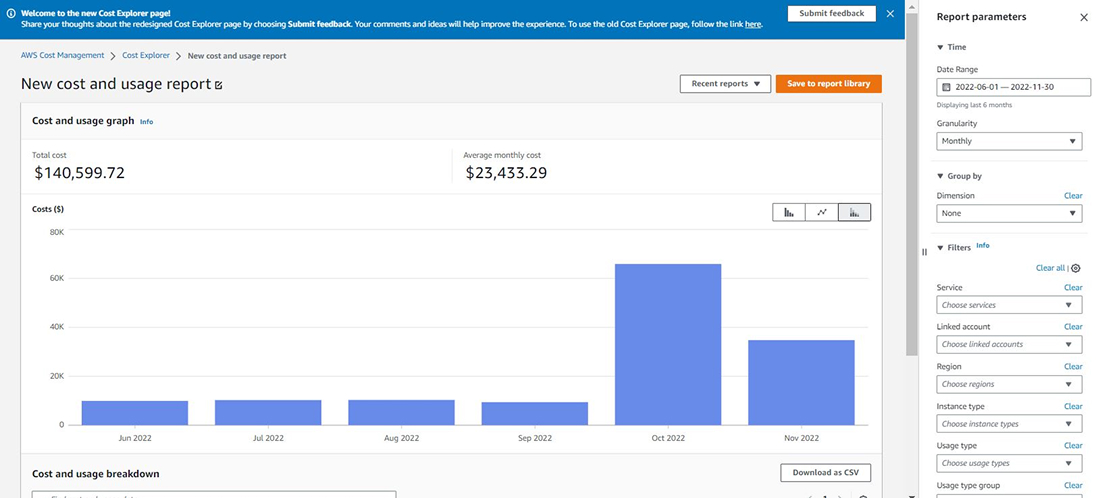
AWS Cost Explorer analyzes past AWS expenses, forecasts future costs, and recommends instance types based on usage patterns. This AWS cost optimization tool provides visualizations to help understand spending and take action to optimize costs.
Key Features of AWS Cost Explorer:
- View cost and usage data for the past 12 months and forecast the next three months.
- Receive instance type recommendations, including On-Demand and Reserved Instances.
- Customize charts and graphs to track service usage and trends.
Pricing:
- Using the Cost Explorer API incurs a small fee of around $0.01 per 1,000 requests.
3. AWS Trusted Advisor
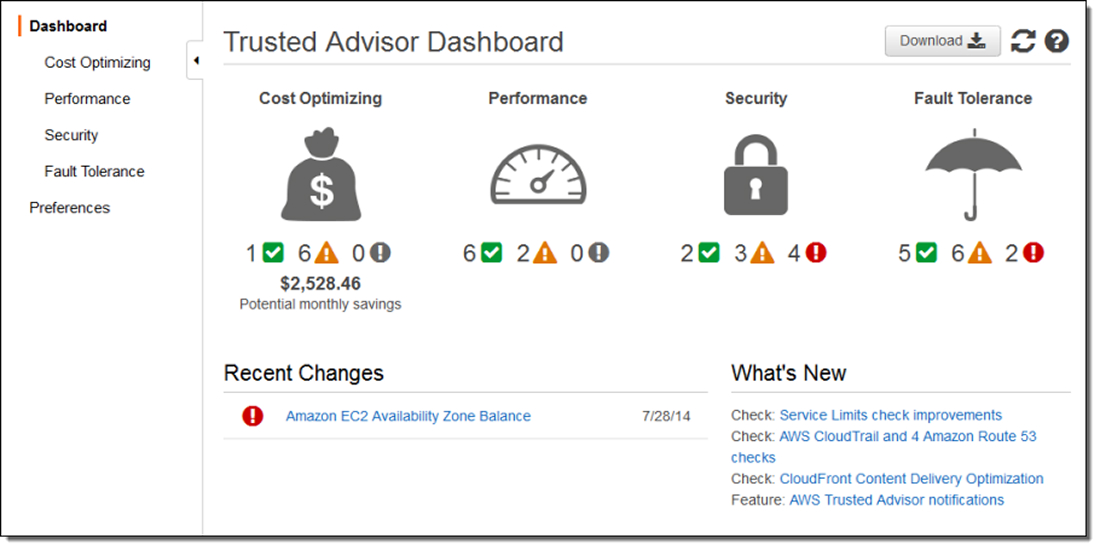
AWS Trusted Advisor scans AWS accounts and provides recommendations to optimize costs, improve performance, and maintain security. It identifies unused resources and suggests changes to reduce spending and improve efficiency.
Key Features of AWS Trusted Advisor:
- Suggests instance type optimization, including moving from On-Demand to Reserved Instances.
- Identifies idle resources, such as Elastic Block Store volumes, Redshift clusters, and RDS instances.
- Provides checks across cost, performance, security, and service limits.
- Full access requires Business or Enterprise Support plan enrollment.
Pricing:
- All AWS account plans get access to 56 AWS checks.
- Business or Enterprise Support prices include 426 checks, or bring the total of 482 AWS Trusted Advisor checks.
4. Billing And Cost Management Console
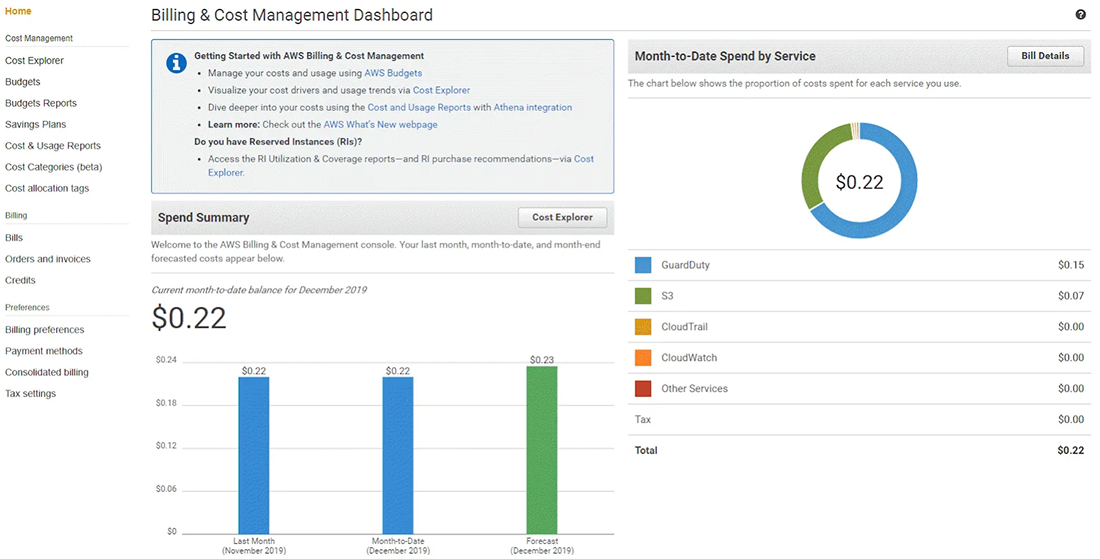
The Billing and Cost Management Console is the central dashboard where you can view, manage, and analyze your AWS charges and usage data. It provides the foundation for financial governance that helps you understand billing breakdowns, export detailed cost reports, and organize spending across teams or projects.
Key Features of Billing And Cost Management Console:
- Centralized billing dashboard to view invoices, monthly charges, and payment history.
- Cost and usage reports that help analyze spending trends over time.
- Integration with AWS Organizations for consolidated billing across multiple accounts.
- Support for cost allocation tags and categories to attribute costs to teams or environments.
Pricing:
- Free to use for all AWS customers with no additional charge for accessing billing data or using the console.
- Some associated services (e.g., exporting detailed reports that incur S3 storage costs) may incur separate charges.
5. AWS Cost Anomaly Detection
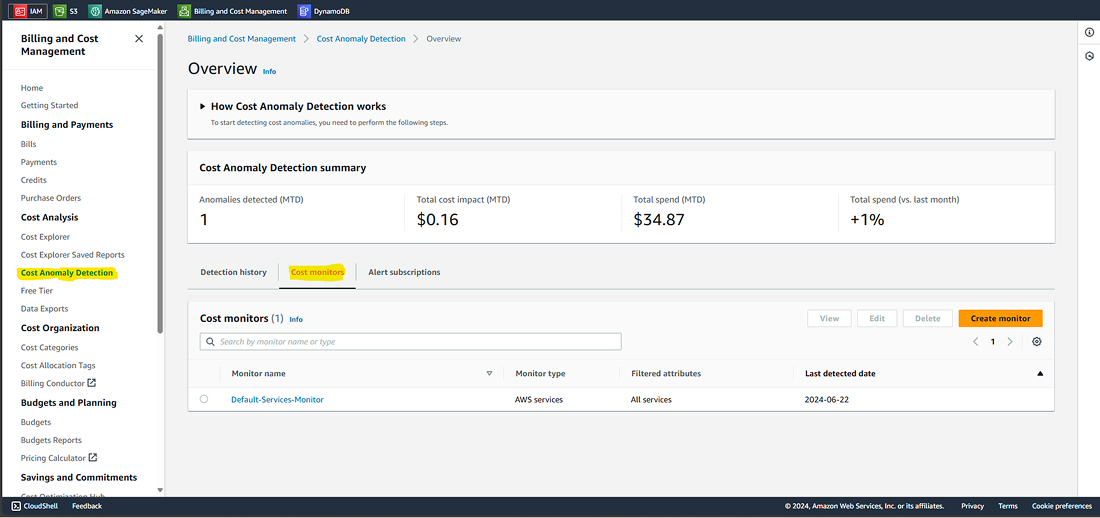
AWS Cost Anomaly Detection is a native AWS tool that utilizes machine learning to spot unusual spending patterns in your cloud bill and alert you before costs get out of control. It also reduces surprise charges by automatically learning your normal spending behavior and highlighting outliers.
Key Features of AWS Cost Anomaly Detection:
- Machine‑learning‑driven detection of unusual spend trends across services, tags, or accounts.
- Customizable anomaly thresholds with alerts delivered via email or Amazon SNS.
- Visualizations of daily cost trends in the AWS Cost Explorer dashboard.
- Root cause insights to help identify which service, region, or usage type caused the anomaly.
Pricing:
- Included within AWS Cost Explorer once enabled, with no extra charge for enabling anomaly detection.
- Alerts may use other AWS services (e.g., SNS), which can incur small operational charges.
6. AWS Budgets
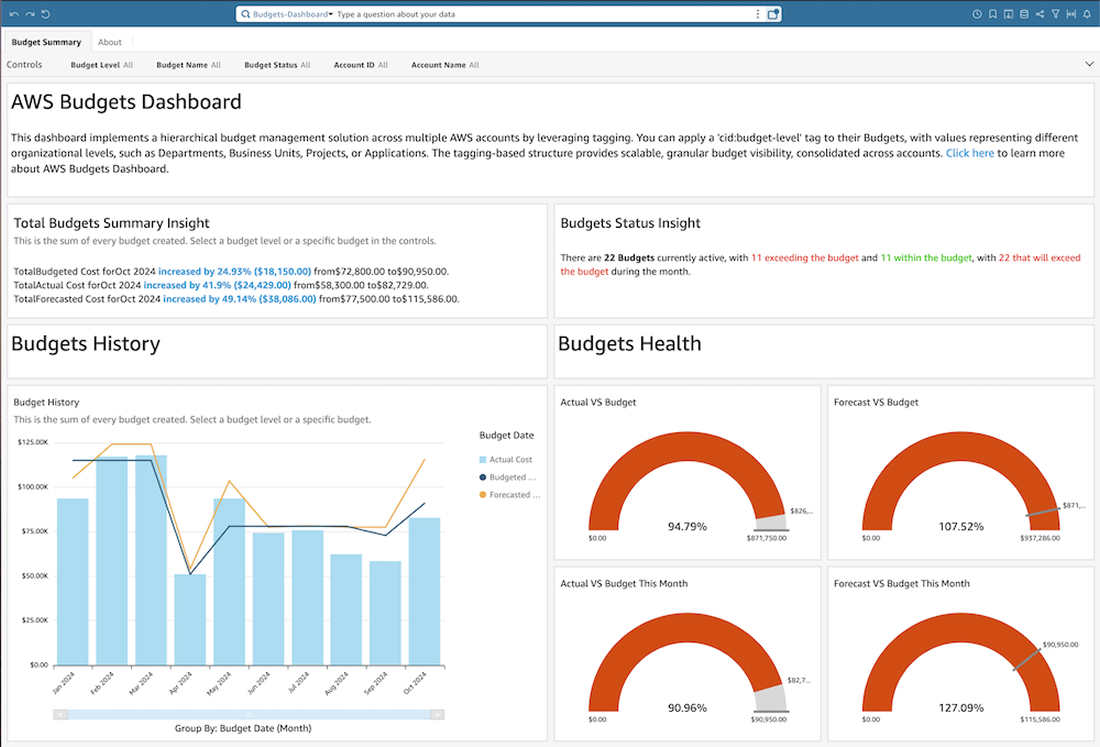
AWS Budgets helps you plan and enforce cloud spending limits by letting you set custom cost or usage budgets and get alerts when you exceed or are forecasted to exceed them. It ensures proactive financial control across your AWS accounts.
Key Features of AWS Budgets:
- Create budgets for cost, usage, or Reserved Instance and Savings Plans utilization.
- Receive alerts when actual or forecasted costs approach or exceed your defined limits.
- Integrate with Amazon SNS to send notifications via email, chat tools, or custom endpoints.
- Forecast future spend based on historical billing and usage data.
Pricing:
- Free plan and budget reports delivered via email may incur $0.0.1 per‑report cost.
- The first two action‑enabled budgets per month are free; additional budgets with automated actions incur a small daily fee.
7. AWS CloudWatch
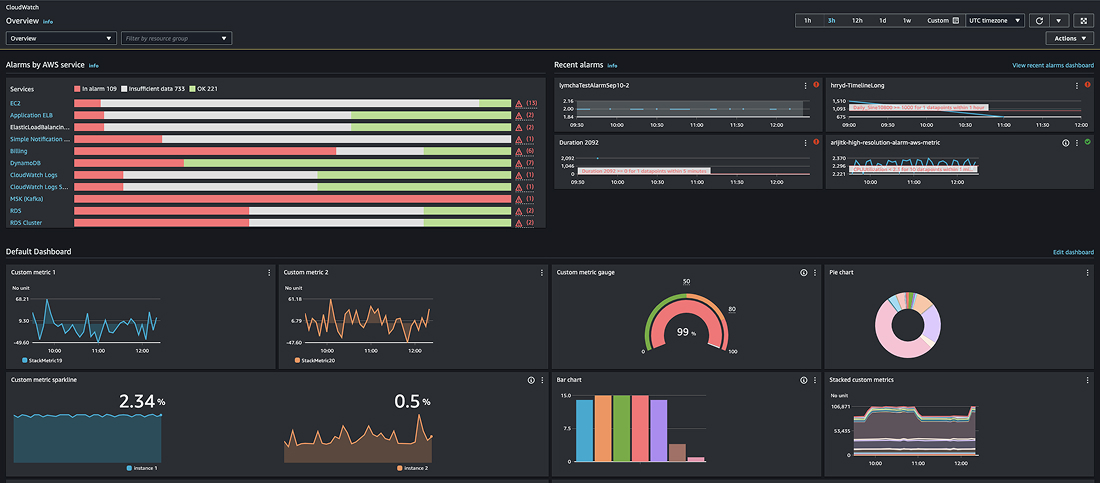
AWS CloudWatch is a native monitoring and observability tool that tracks metrics, logs, and alarms for your AWS resources. While not a dedicated cost tool, it plays a vital role in cost optimization by highlighting resource usage patterns and triggering alerts on unusual or inefficient usage.
Key Features of AWS CloudWatch:
- Real‑time monitoring of key performance and utilization metrics (CPU, memory, network, etc.) across AWS services.
- Custom dashboards and alarms that notify you when usage patterns may lead to higher costs.
- Logs collection and analysis for deep debugging and optimization insights.
- Integration with CloudWatch billing alarms to notify when estimated charges rise above thresholds.
Pricing:
- Pay‑as‑you‑go pricing based on the number of metrics, logs, dashboards, and alarms configured.
- It will cost $0.30 per metric/month for the first 10,000, around $0.50 per GB for log ingestion, and $0.03 per GB for data storage.
Need Help Implementing These AWS Cost Optimization Tools?
Hire AWS developers from us to set up, configure, and integrate AWS cost optimization tools into your existing infrastructure.
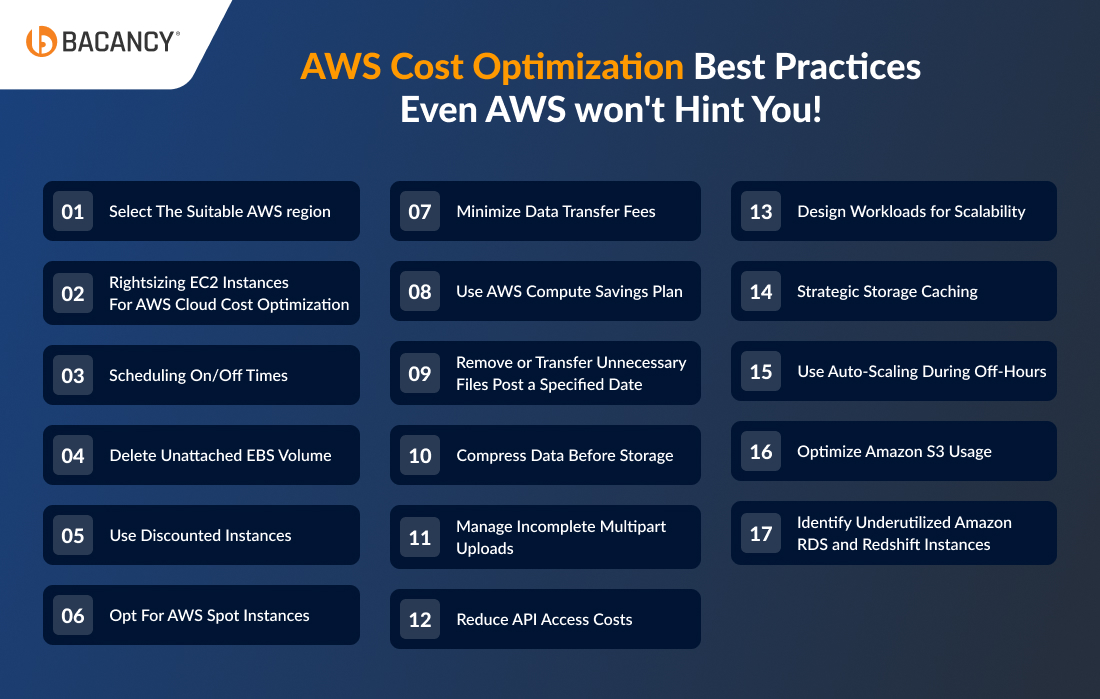
AWS Cost Optimization Best Practices Even AWS won't Hint You!
Here are tested and efficient strategies for optimizing AWS costs to help you make the most of your budget:
1. Select The Suitable AWS region
- Costs: AWS regions vary in price. Use the AWS cost calculator to estimate costs for each region & optimize AWS Costs.
- Latency: Select regions with lower latency for better application accessibility.
- Service Availability: Verify that the desired AWS services are accessible in your selected region.
- Availability: Use multiple regions to enhance availability and create a disaster recovery site.
- Data Sovereignty: Comply with legal requirements for data storage in specific regions.
2. Rightsizing EC2 Instances For AWS Cloud Cost Optimization
If your m4.large instance isn’t fully used (e.g., below 50% utilization) and costs $4.1/day, consider downsizing to a cheaper t2.small during low demand. This switch can save over 60% in instance costs by paying only for necessary capacity.
3. Scheduling On/Off Times
Turn off unused instances during low-demand periods, auto-scale production instances based on demand to save costs. Terminate development, test, training, and demo instances after finishing projects to avoid ongoing expenses that effectively contribute to AWS cloud cost optimization.
4. Delete Unattached EBS Volume
To save costs, monitor and delete unused EBS volumes in AWS. Even after terminating EC2 instances, EBS volumes may remain unless set to “Delete on Termination.” Use AWS Trusted Advisor to find underused EBS volumes. Detach volumes from instances and check their status in the console before deleting: “In-use” means attached, and “available” means detached and ready for deletion. This approach ensures you only pay for necessary resources, enhancing your AWS cloud cost optimization efforts.
5. Use Discounted Instances
To save money on AWS, consider Reserved Instances (RIs). They provide significant discounts of up to 75% for one- or three-year commitments, with more significant discounts for longer terms. Discount rates depend on the instance type and deployment region, making this strategy essential for optimizing AWS cloud costs.
6. Opt For AWS Spot Instances
AWS spot instances are like a marketplace for Amazon EC2 capacity. You bid on instances at a maximum price you’re willing to pay per hour, with potential savings of 15-60%, sometimes up to 90%. If the spot price surpasses your bid, instances are immediately terminated. Managing your spot requests and instances is essential to avoid unexpected costs. Using different instance types across various availability zones or regions can reduce expenses by taking advantage of varying spot prices.
7. Minimize Data Transfer Fees
To reduce AWS data transfer expenses, ensure that Object Storage and Compute Services are located in the same region to avoid additional charges. For inter-region transfers, replicate Object Storage to the target region instead of transferring data each time. For example, moving 1GB 20 times between US West and US East costs $0.20, but setting up a mirrored S3 bucket in US East beforehand cuts this to $0.02 for transfer and $0.03 for storage monthly, saving 75%. S3’s cross-region replication boosts performance too.
For frequent S3 downloads, use AWS CloudFront for efficient delivery. CDNs like CloudFlare offer flat-rate pricing and can be more cost-effective than direct S3 access, especially for serving static assets like website images, where only a tiny fraction of requests directly go to your S3 bucket. This method is essential for optimizing AWS cloud costs.
8. Use AWS Compute Savings Plan
AWS Compute Savings Plans provide automatic discounts for EC2 and Lambda usage, applicable regardless of instance type or region. Choosing a one-year term without upfront payment can save up to 54% compared to paying on-demand prices. Use AWS Cost Explorer to manage monthly or daily costs effectively. Compute usage is billed at discounted rates specified in the Savings Plans, with any excess usage charged at regular on-demand rates.
9. Remove or Transfer Unnecessary Files Post a Specified Date
Automated rules can delete or move data between storage types based on usage patterns, reducing long-term storage costs. Cloud providers offer Lifecycle Management for this purpose, allowing you to automate these processes and optimize AWS cloud cost optimization strategies.
10. Compress Data Before Storage
Reduce storage costs by compressing data. Faster algorithms like LZ4 offer high performance, significantly lowering storage requirements.
11. Manage Incomplete Multipart Uploads
Regularly clean up partial objects left from interrupted uploads in Object Storage to prevent wasted space.
12. Reduce API Access Costs
Batching objects to reduce the number of API calls charged per object regardless of size minimizes costs. This strategy is cost-effective for large files and essential to AWS cloud cost optimization efforts.
13. Design Workloads for Scalability
Optimize cloud resources using scalable services like AWS Lambda or Google Container Engine, scaling computing power dynamically based on workload demands.
14. Strategic Storage Caching
Utilize memory-based caching such as Amazon ElastiCache to enhance data access speed and reduce the need for expensive storage tiers. This method improves performance and contributes to efficient AWS cloud cost optimization strategies.
15. Use Auto-Scaling During Off-Hours
Implement auto-scaling for applications to adjust resources based on workload fluctuations, saving costs during low-activity periods.
16. Optimize Amazon S3 Usage
Analyze S3 usage patterns using analytics tools to identify cost-saving opportunities, such as moving data to lower-cost storage classes like Amazon S3 Glacier for archiving.
17. Identify Underutilized Amazon RDS and Redshift Instances
Monitor and identify idle or underutilized Amazon RDS and Redshift instances using AWS Trusted Advisor. To reduce costs, stop or pause these instances when they are not actively used.
AWS Cost Optimization Checklist
You can optimize AWS costs effectively with the following checklist:
☐ Establish detailed budgets for accounts, services, and resources to monitor and manage expenditures.
☐ Utilize Cost Explorer to analyze past cost analysis to identify patterns and areas for optimization.
☐ Employ AWS Cost Anomaly Detection to identify unusual spending patterns proactively.
☐ Implement chargeback or showback to allocate costs accurately across teams or projects.
☐ You need to right-size instances based on workload to optimize performance and costs.
☐ Consider Savings Plans for long-term compute cost savings with commitments over 1-3 years.
☐ Utilize Spot Instances for lower-cost, interruptible workloads.
☐ Implement instance scheduling to start and stop times based on usage patterns automatically.
☐ Implement serverless technologies such as AWS Lambda and Fargate to reduce expenses associated with idle resources.
☐ Enable S3 Intelligent Tiering to optimize AWS costs based on data access patterns.
☐ Use S3 Glacier Instant Retrieval for cost-effective data archiving and quick access.
☐ Regularly delete unused EBS snapshots and volumes to avoid unnecessary storage charges.
☐ Optimize database usage with appropriate services and instance types.
☐ Review and optimize data transfer costs using efficient options like VPC endpoints.
☐ Tag resources for effective cost tracking and allocation.
☐ Monitor and terminate idle resources to optimize unnecessary AWS costs.
☐ Maximize Reserved Instance utilization for significant compute cost savings.
☐ Explore managed services like Amazon RDS, Elasticsearch, or Redshift for operational efficiency.
☐ Consider third-party AWS cost optimization tools for advanced analytics and automation in cost management.
Conclusion
Managing AWS costs doesn’t have to be overwhelming. It is crucial to understand its usage, right-sizing resources, and choosing the right pricing models. You can keep spending in check without slowing down your operations by optimizing AWS costs.
Partnering with an AWS managed services provider could be a smarter decision because they make your process easier. Moreover, with continuous governance, monitoring, and expert guidance, you can gain clear visibility into costs, enhance efficiency, and scale better. This approach let your cloud environement stays reliable and cost-effective.
Frequently Asked Questions (FAQs)
Enterprises should focus on rightsizing workloads, using Savings Plans or Reserved Instances, enforcing tagging and budgets, and continuously reviewing costs using AWS-native and third-party tools.
AWS-native tools such as AWS Billing Dashboard, Cost Explorer, and Trusted Advisor help track usage and identify savings. For advanced governance and optimization, third-party tools like Economize, CloudHealth, Spot by NetApp, CloudCheckr, and Densify provide deeper visibility and automation.
AWS costs can be calculated using AWS Billing Dashboard, AWS pricing calculator, and AWS Cost Explorer, with deeper insights from tools like Economize and CloudHealth for breakdowns, forecasting, and trend analysis.