- vue.config.js is an optional config file used only in Vue CLI projects.
- It allows you to customize how the Vue CLI builds your app (e.g., public path, dev server, webpack config, etc.)
- If your project does not already have a vue.config.js, you can create one manually at the root level of your Vue project directory.
Project structure:
my-vue-app/
├── node_modules/
├── public/
├── src/
├── package.json
├── vue.config.js ← Here!
Example of a basic vue.config.js
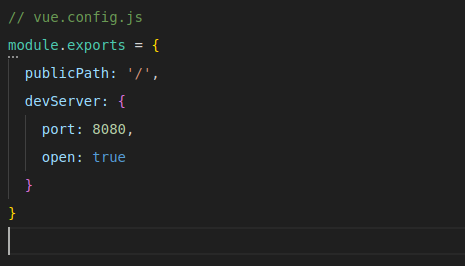
You can add many other config options here like:
- configureWebpack
- chainWebpack
- css
- pluginOptions
Use only in Vue CLI projects
This file is only used when you’re using the Vue CLI (vue create my-app).
If you’re using Vite, Nuxt, or a manual setup (Webpack, etc.), vue.config.js will be ignored or unused.
Note: vue.config.js in Vue projects
- vue.config.js is an optional config file used in Vue CLI projects.
- It should be placed at the root of your project (same level as package.json).
- It lets you customize build settings like publicPath, devServer, and Webpack config.
- Not auto-generated but you can create it manually if needed.
- Only works with Vue CLI (vue create my-app).
- Not used in Vite, Nuxt, or other setups.

Need Help With Vue Development?
Work with our skilled Vue developers to accelerate your project and boost its performance.
Hire Vuejs Developers