If your image fills the width of the screen but not the height, the issue lies in how the Image.asset() is placed inside the widget tree.
Column(
  mainAxisAlignment: MainAxisAlignment.start,
  children: [
    Image.asset("assets/images/bulb.jpg")
  ]
)
This shows the image only as much as it naturally fits, and doesn’t scale to the screen height.
Correct Way to Set Full-Screen Background Image
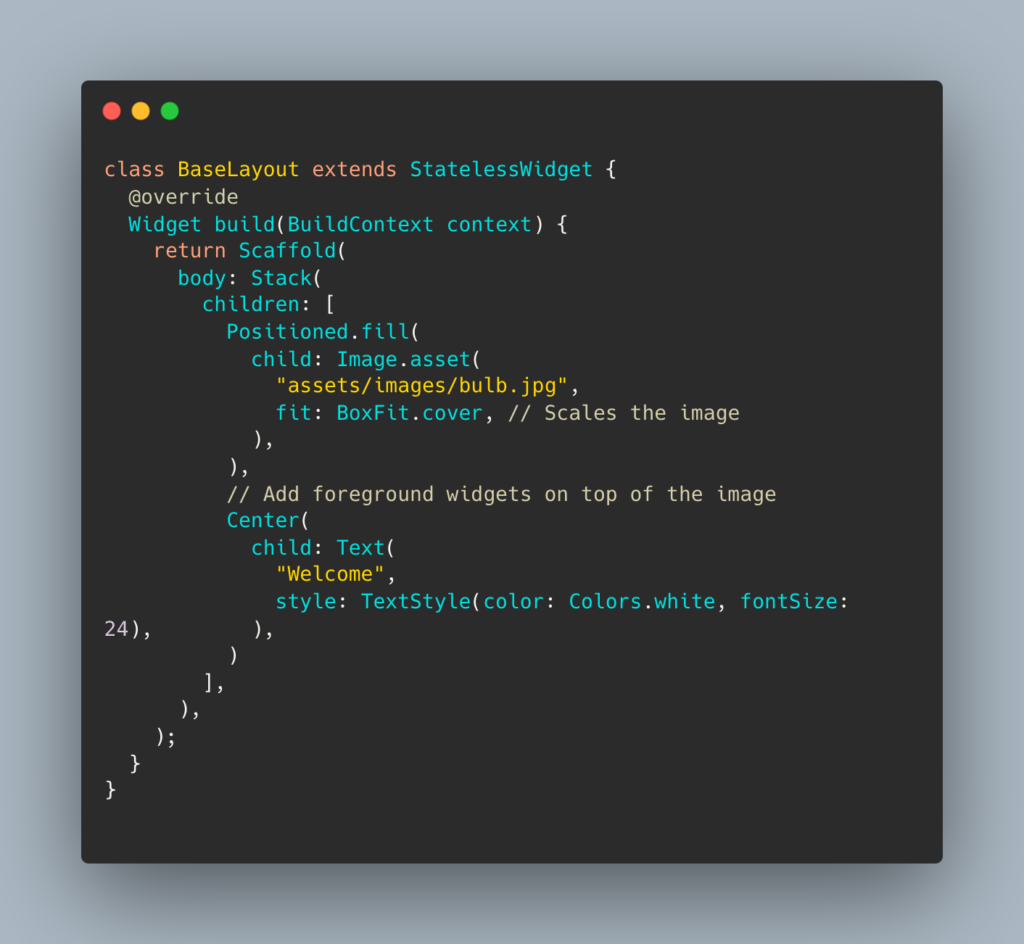
Use a Stack with Positioned.fill or make the Image.asset take full width and height using BoxFit.cover.
Example 1: Using Stack
Example 2: Using Container with decoration
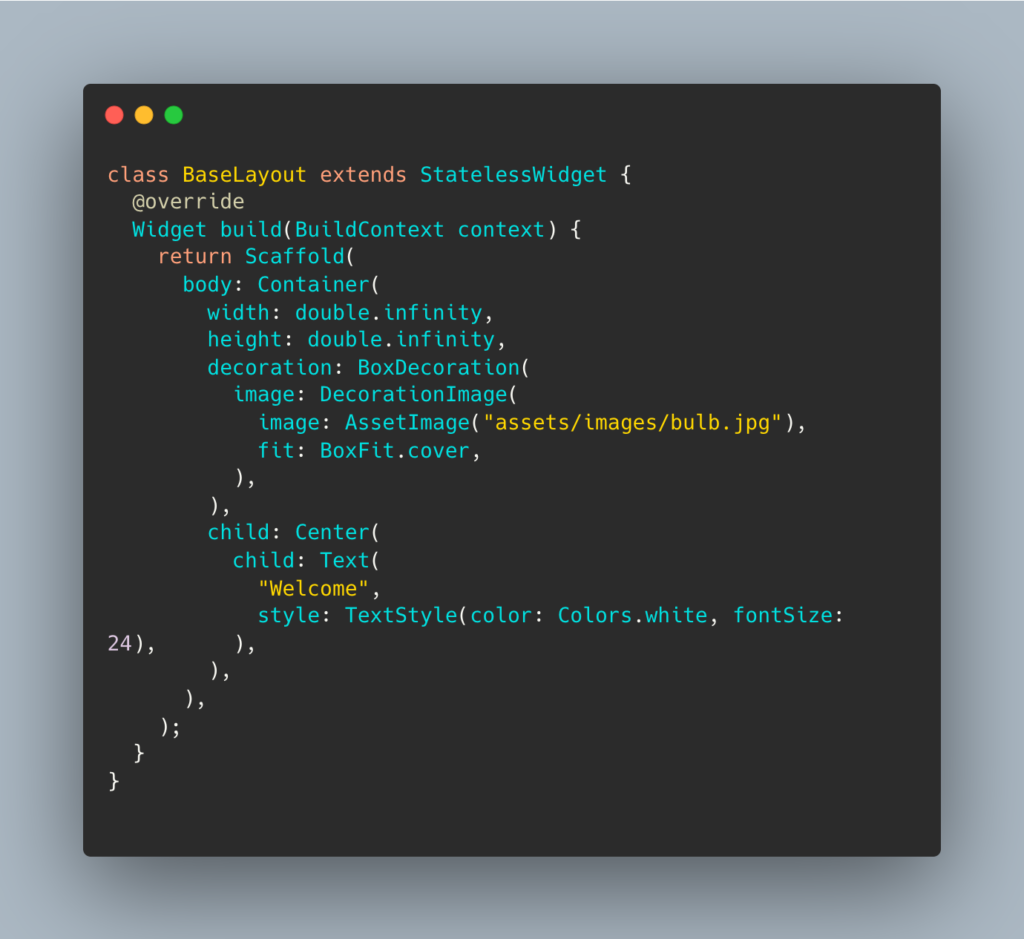
Image Standards in Flutter
- Flutter supports raster images (PNG, JPG, etc.) from the assets/ directory.
- Images scale based on BoxFit and device resolution.
- Use 2x, 3x image assets in folders like assets/images/2.0x/ for better scaling on high-density screens.
Final Tips:
- Always use fit: BoxFit.cover or fit: BoxFit.fill to scale.
- Wrap images in a SizedBox, Positioned.fill, or Container with height/width if needed.
- Use MediaQuery.of(context).size if you want precise control.

Need Help With Flutter Development?
Work with our skilled Flutter developers to accelerate your project and boost its performance.
Hire Flutter Developers