In Angular terms, “inject” means providing a dependency to a class via Angular’s Dependency Injection (DI) system, instead of directly accessing it yourself.
Here, the dependency is the browser’s windows object which contains things like window.localStorage, window.location, window.alert() etc.
If you inject it you don’t have to write window.something directly into your code and your service becomes more modular and easier to maintain.
Why is it Useful?
- In unit tests, you might run in a Node.js environment where the window doesn’t exist. By injecting it, you can pass in a fake/mock version.
- In Angular Universal (server-side rendering), the window is not available, injecting lets you avoid runtime errors.
- Keeps all dependencies visible and explicit.
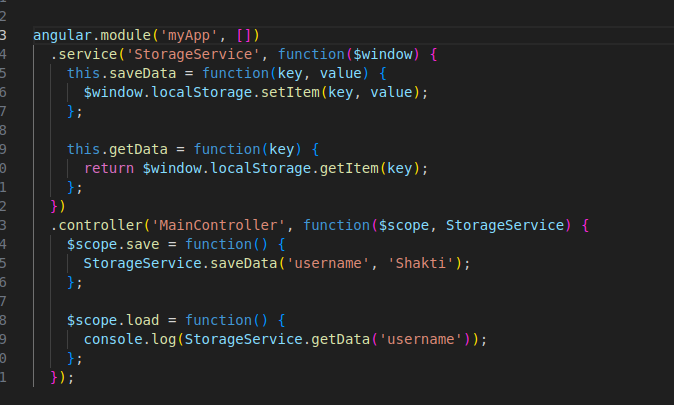
How to do it in AngularJS 1.x
$window is just AngularJS’s wrapper for the browser window.
Inject it into your service the same way you inject $scope or $http.
No custom setup needed.
How to do it in Angular(2+)
Angular no longer exposes global objects like window directly (no $window).
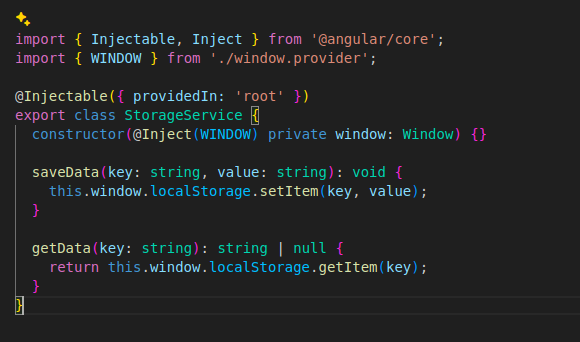
Create a WindowRef token using an InjectionToken.
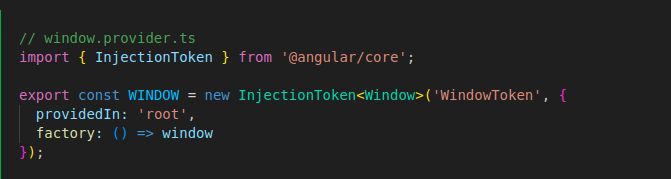
Then in your service:
Angular Universal (SSR) Consideration
If you’re using Angular Universal (server-side rendering), accessing the window will throw an error because it doesn’t exist on the server. Use platform detection before accessing the window.
Angular 5+ officially supports SSR, but all versions face the window/document issue because on the server there is no browser environment. This becomes even more critical in Angular 16+ since SSR + Hydration is enabled by default, meaning all window usages must be SSR-safe. Best Practice: Always use platform checks or Injection Tokens for browser globals in Angular when SSR might be used.

This breaks during server rendering because Node.js has no DOM.
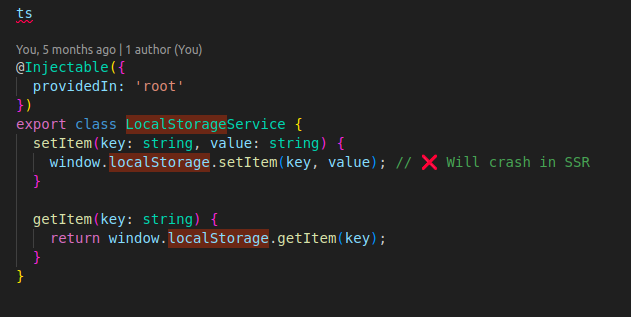
Example of a Breaking Service (CSR Works, SSR Fails)
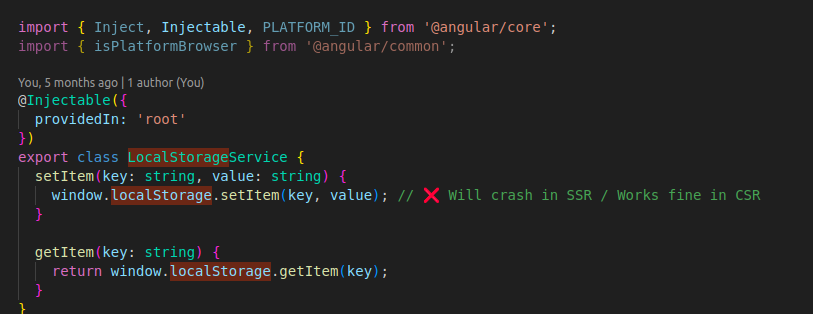
Works fine in the browser. Crashes during server render because the window is undefined.
Fix for SSR: Use Platform Checks or Injection Tokens
Option 1: Check if Running in Browser
Option 2: Create an Injectable WINDOW Token
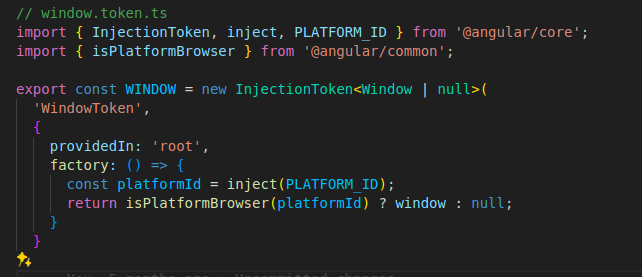
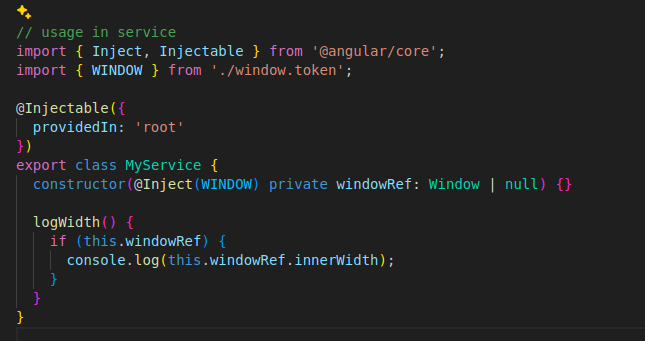
This allows:
Guard browser APIs, Use isPlatformBrowser() before accessing window, document, or localStorage.
Use InjectionTokens , Provide global objects through DI for safety and testability.
Lazy-load browser-only code, Import heavy client-only modules conditionally.

Need Help With Angular Development?
Work with our skilled Angular developers to accelerate your project and boost its performance.
Hire Angular Developers