Quick Summary
Laravel Cloud vs Forge vs Vapor are three distinct deployment and server management platforms for Laravel applications, each built for a different workflow. Cloud offers a fully managed deployment experience, Forge gives teams direct server provisioning and control, and Vapor brings serverless deployment on AWS infrastructure. Choosing between the three comes down to your team’s objective, project complexity, and scalability requirements.
Table of Contents
Introduction
Your Laravel application does not fail because of bad code. It fails when traffic suddenly spikes, and the server crashes unexpectedly at midnight. It fails when deployment becomes so fragile that teams fear pushing updates later.
It becomes more concerning when it puts your cloud bills at risk, scale bottlenecks, and DevOps complexity that slowly drains engineering speed. That’s the reason the developers are debating Laravel Cloud, Laravel Forge, and Laravel Vapor so aggressively right now.
At first, all three platforms look similar because they promise easier Laravel hosting and deployment. But underneath, they are built for completely different realities. Forge gives you infrastructure control, Vapor removes servers entirely with AWS Lambda, and Laravel Cloud attempts to eliminate operational headaches through a fully managed Laravel-native experience.
In this blog, we will break down Laravel Cloud vs Forge vs Vapor beyond surface-level features, helping you understand which platform saves your team from future scaling chaos instead of creating it.
Laravel Cloud vs Forge vs Vapor: A Quick Table
Here is the 30-second version before we go deeper. This table covers the dimensions that help you decide the platform for your teams.
| Dimension | Laravel Cloud | Laravel Forge | Laravel Vapor
|
|---|
| Infrastructure model
| Fully managed containers on EC2
| You own the VPS; Forge manages it
| Severeless on AWS Lambda
|
| Scaling | Automatic, replica-based
| Manual (resize or add servers)
| Automatic request-based
|
| AWS account required
| No, it runs on Laravel’s AWS
| No, any provision works
| Yes, your own AWS account
|
| Ideal team
| Product teams shipping fast
| Agencies and teams wanting full control
| AWS-Native teams with high-traffic
|
| Pricing Model
| Plan fee + usage
| Flat fee + your VPS bill
| Subscription + AWS usage
|
What are Laravel Cloud, Forge, and Vapor?
All three are official Laravel products built by their team to solve different problems. Understanding each actually is crucial to help you make decisions for price or features.
What is Laravel Forge? Server Management for Teams that Want Control
Laravel Forge is a server provisioning and management platform. You need to bring your own VPS from DigitalOcean, Hetzner, AWS, Vultr, Linode, or use Laravel VPS (Forge’s own one-click VPS option).
It handles the configuration like Nginx, PHP, MySQL or Postgres, Redis, SSL certificates, queue workers, cron jobs, and deployment scripts. You keep root SSH access to the server and can install anything you need on top of what Forge sets up.
Forge has been the default Laravel hosting tool since 2013 and is the most mature platform. It works well for agencies running many client sites, teams with mixed stacks (Laravel + Node + WordPress on one box), and any project where predictable monthly cost and full control matter more than auto-scaling.
What Forge Does Not Do: it does not auto-scale, it does not patch your OS, and it does not own your uptime. Those are still your responsibilities. If you need elastic infrastructure or have no DevOps capacity on the team, Forge is the wrong fit.
What is Laravel Vapor? Serverless Laravel Hosting on AWS Lambda
Laravel Vapor is a serverless deployment platform that runs Laravel on AWS Lambda and wires up the surrounding AWS services automatically: RDS or Aurora for databases, ElastiCache for Redis, SQS for queues, S3 for object storage, CloudFront for CDN, and API Gateway for HTTP routing.
You connect your own AWS account, and Vapor handles the Lambda packaging, IAM roles, VPC configuration, and dozens of other AWS details that would take weeks to wire up by hand.
The model fits apps with spiky or unpredictable traffic because Lambda scales to thousands of concurrent invocations without any manual intervention. You pay only for the requests you actually serve, which makes Vapor attractive for event-driven workloads, marketing sites that spike on launches, and any app where idle traffic dominates.
What Vapor Does Not Do: Lambda has a hard execution limit, the filesystem is ephemeral (anything you write to disk disappears when the container is recycled and WebSocket-heavy features like Laravel Reverb need to run elsewhere.
What is Laravel Cloud? Fully Managed Laravel Hosting from the Laravel Team
Newly announced, Laravel Cloud is Laravel’s own fully managed platform-as-a-service. It operates your application in containers on dedicated AWS EC2 infrastructure, auto-scales replicas based on CPU usage, and provides first-party managed services for everything an app requires.
The Cloud needs MySQL, Serverless Postgres, queue clusters, object storage, and preview environments that run automatically on every pull request. Because it uses containers rather than Lambda.
Your app functions in the way it always has been, just without you owning the server. Cloud is SOC 2 Type 2 compliant by default, includes free SSL certificates, edge content caching, and DDoS mitigation, and offers VPC support on enterprise plans.
What Cloud Does Not Do: You cannot SSH into a Cloud server or install arbitrary system packages. If your app needs that level of OS access, Cloud is the wrong fit. For startups, SaaS teams, and any product engineer who wants to add features instead of configure Nginx, it is the lowest-friction option among the three. We previously covered Laravel Cloud in detail for teams evaluating the platform on its own.
Laravel Cloud vs Forge vs Vapor: Feature-by-Feature Comparison Table
The table covers the decision-relevant dimensions across all three platforms. It is based on the design, their scope, work function, and important features.
| Features | Laravel Cloud
| Laravel Forge
| Laravel Vapor
|
|---|
| Managed Databases
| Built-in managed databases (provisioned by the platform)
| Databases are self-provisioned on a chosen provider (managed by the user)
| Managed databases via AWS RDS (integrated)
|
| Storage (Object/files)
| Built-in object storage integration (platform-managed)
| Use provider or external object storage (user-configured)
| Uses AWS S3 for object storage (integrated)
|
| Regions | Multi-region support (platform-managed regions)
| Regions depend on the chosen provider (user selects)
| Multi-region support via AWS regions (configurable)
|
| Queues & Workers
| Managed queue and worker handling (platform-managed)
| Queue workers are configured and run on user servers (supervisor/process management)
| Serverless queues and on-demand workers via Lambda and SQS (integrated)
|
| SSL / HTTPS
| Automated SSL certificate provisioning and management
| Automated SSL certificate provisioning and management
| Automated SSL provisioning via integrated AWS services (managed)
|
| CI/CD integrations
| Git-based deploys and CI/CD integrations
| Git-based deploys, hooks, and CI/CD integrations
| Git-based deploys and CI/CD integration workflows
|
| Backups | Managed backups for databases and services (platform-handled)
| Configurable backups under user/server control (Forge dashboard)
| Automatic backups when using managed RDS (AWS-integrated)
|
| Monitoring & metrics
| Built-in monitoring and health metrics (platform UI)
| Real-time server metrics (CPU/memory/bandwidth) and monitoring
| Monitoring and metrics integrated with AWS monitoring tools (supported)
|
| Logging | Platform-managed centralized logs (built-in)
| Server-hosted logs accessible via server (user-managed)
| Centralized logging via AWS logging services (CloudWatch integration)
|
| Large file handling
| The platform provides managed handling for uploads (platform-managed)
| Large files handled on servers or provider storage (user approach)
| Large uploads may be limited or require special handling due to Lambda limits
|
| Support for non-Laravel apps
| Laravel-first platform (optimized for Laravel apps)
| Supports PHP/Laravel and general server-hosted apps (multi-framework)
| Laravel-focused serverless deployments (Laravel-specific conventions) |
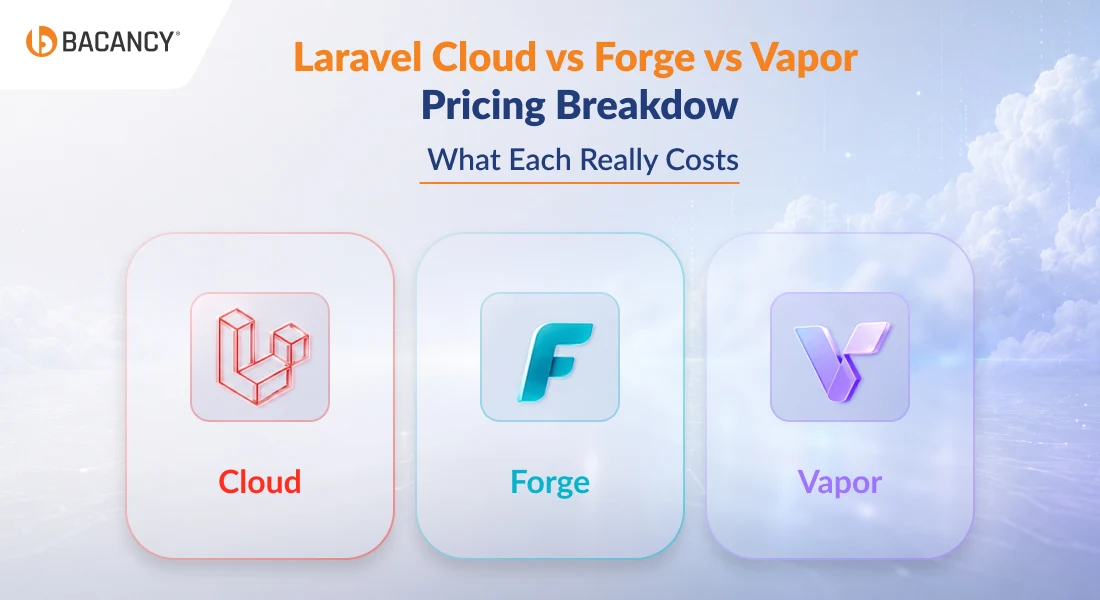
Laravel Cloud vs Forge vs Vapor Pricing Breakdown: What Each Really Costs
Pricing is a critical factor in the Laravel Vapor vs Cloud vs Forge decision, as each follows a different billing model.
Laravel Forge Pricing
Laravel Forge charges a flat monthly subscription, separate from your VPS cost. Forge’s current plans are:
- Hobby: $12/month, one external server plus unlimited Laravel VPS servers
- Growth: $19/month, unlimited servers and sites
- Business: $39/month, unlimited servers plus automated database backups, server monitoring, and team collaboration
Annual billing saves roughly 17%. The catch is that Forge is only the management layer. You still pay your VPS provider directly. A Hetzner CX22 (2 vCPU, 4GB RAM) starts around $6/month and handles multiple Laravel sites comfortably; a DigitalOcean droplet at the equivalent spec is closer to $18/month; AWS EC2 instances run higher.
For an agency on Growth managing 10 client sites across 5 Hetzner servers, the all-in cost is around $19 + $30, or roughly $49/month total. Forge’s hidden cost is engineering time: someone has to monitor servers, apply OS patches, and respond to scaling needs manually.
For a team without that capacity, Forge ends up costing more in hours than it saves in subscription fees. Teams evaluating where Forge fits in their broader infrastructure spend should talk to our IT consulting team.
Laravel Vapor Pricing
Laravel Vapor’s Sandbox is free for a single project, charges $39/month for unlimited projects, and $399 for annually unlimited project. Vapor’s pricing depends entirely on usage, such as Lambda invocations, RDS or Aurora compute time, ElastiCache, SQS, S3, CloudFront data transfer, and NAT gateway traffic.
For a low-traffic app, Vapor plus AWS usage often lands in the $60 to $120/month range. For high-traffic production apps, Vapor can run $200 to $1,000+/month, primarily because Lambda invocations at sustained high traffic add up faster than a provisioned EC2 instance running 24/7.
Pre-warmed containers (configured via the warm setting in vapor.yml) mitigate cold starts but increase cost, because you pay for Lambda capacity whether it serves a request or not. Vapor’s pricing strength is genuine traffic spikes: if your traffic varies 20x between idle and peak, you pay for that peak only when it happens. For steady-state workloads, you pay a premium for elasticity you do not actually use.
Laravel Cloud Pricing
Laravel Cloud restructured pricing on August 13, 2025. The current plans are:
- Starter: Free + usage. Hibernation is enabled by default, custom domains included, and automatic deployments. Best for prototypes, hobby projects, and small production apps where the app can pause when idle.
- Growth: $20/month + usage. Autoscaling (up to 10x), pro compute sizes, dedicated worker clusters, preview environments, and access to Web Application Firewall configuration.
- Business: $200/month + usage. Unlimited autoscaling, dedicated compute, advanced networking including VPC support, edge security, and team user/role management.
- Enterprise: Custom pricing for organizations needing dedicated infrastructure, private cloud, or AWS RDS integration.
Every new Cloud organization gets $5 in free usage credit for 14 days. Beyond the base fee, usage charges apply for compute time, data transfer, database compute, and storage. Bandwidth allowances scale with compute usage, so a larger instance earns more included data transfer per second.
Avoid Overspending on Laravel Hosting Decisions
From Laravel Cloud to Vapor and Forge, hire Laravel developer from Bacancy to develop a custom solution that matches your performance needs without unnecessary cloud costs.
Scaling and Performance: Laravel Forge vs Cloud vs Vapor
Scaling is where the architectural differences between the 3 platforms become an operational reality. Each one handles traffic in a fundamentally different way, and the wrong fit costs you either money or downtime.
- Laravel Forge scales manually. When your VPS runs out of CPU or memory, you log in and resize the instance, or you add a second server behind a load balancer. There is no automatic horizontal scaling unless you build it yourself with auto-scaling groups on AWS or DigitalOcean.
For predictable traffic, this is fine and cheap. For genuinely elastic workloads, it is a real constraint.
- Laravel Vapor scales automatically on a per-request basis. AWS Lambda spins up containers as requests arrive, up to your concurrency limit (default 1,000, configurable higher).
A traffic spike from 10 requests per second to 10,000 happens without any intervention from you, and you only pay for what actually runs. Its penalty applies to the first request served by each new container, which is why pre-warming matters for latency-sensitive apps.
- Laravel Cloud scales replicas based on CPU usage. You set a maximum number of replicas in the dashboard, and Cloud adds or removes container instances within those bounds automatically.
On Business and Enterprise plans, you can also configure schedule-based autoscaling: tell Cloud to add capacity at 9 AM and remove it at 6 PM, so the platform scales ahead of known traffic patterns rather than reacting to them.
Database, Cache, and Queue Options Compared
The database and queue layer affects performance as much as the compute layer. Forge gives you full control: install any version of MySQL, Postgres, MariaDB, Redis, or Memcached, tune it yourself, and replicate or share however you want. Vapor relies on AWS-native services (RDS, Aurora, ElastiCache, SQS), which are battle-tested but expose you to AWS service quirks and pricing.
Cloud offers first-party managed services: Laravel MySQL with flex and pro compute classes, Serverless Postgres powered by Neon with autoscaling and point-in-time recovery, Valkey for cache, and dedicated queue clusters that autoscale workers based on backlog and latency.
The queue cluster feature on Cloud is worth calling out: it tracks job throughput and backlog in real time and adjusts worker count automatically, which is something you build yourself on Forge or wire up through SQS and Lambda on Vapor.
Security, Compliance, and Developer Experience: Laravel Cloud, Forge, and Vapor
Operational risk is the part of the platform decision that CTOs care most about and competitor articles cover least. Here is how the platforms compare on the things that show up in security reviews and procurement questionnaires.
Security and Compliance Compared
Laravel Cloud is SOC 2 Type 2 compliant out of the box, includes a Web Application Firewall on the Business plan and above, automatic DDoS mitigation at the edge, free SSL certificates managed for every domain, and VPC support for enterprise customers who need network isolation. For teams operating under GDPR or pursuing HIPAA compliance, Cloud’s built-in guardrails reduce the surface area you have to configure yourself.
Laravel Forge sets up firewall defaults (UFW with only necessary ports open), SSH key authentication, and automated SSL through Let’s Encrypt. Beyond that, security is on you. Patching the OS, monitoring CVEs in your PHP and database versions, configuring fail2ban or custom WAFs, and hardening SSH, all of it is your team’s responsibility. This is fine for teams with DevOps capacity and a liability for teams without it.
Laravel Vapor inherits the AWS security posture, which is excellent but requires AWS expertise to configure correctly. IAM policies, VPC peering, security groups, secrets management, and CloudWatch logging are all under your control through AWS. You get AWS’s compliance certifications (HIPAA-eligible services, SOC 2, FedRAMP for relevant regions), but the configuration responsibility sits with your team.
When it comes to region availability, Laravel Cloud is currently available in 9 regions (US East Ohio, US East Virginia, Canada Central, Frankfurt, Ireland, London, Singapore, Sydney, and UAE). Vapor is available in every AWS region. Forge runs wherever your VPS provider has datacenters, which usually means more options than Cloud and similar to Vapor.
Developer Experience and Laravel Ecosystem Integration
All 3 platforms support push-to-deploy from GitHub, GitLab, and Bitbucket, zero-downtime deployments, and environment-based configuration. The differences show up in the workflow details.
Preview environments are Cloud’s clearest differentiator. Every pull request automatically spins up a fully isolated, production-like environment with its own database and queue, which closes after the PR merges. Forge and Vapor are both Laravel ecosystems that require manual setup or third-party tooling to replicate this.
Horizon, Pulse, Octane, and the rest of the Laravel observability stack work on all 3 platforms, but integration depth varies. Cloud configures them natively from the dashboard with zero setup.
Forge supports them with standard Laravel configuration once you set up Supervisor or Octane manually. Vapor supports Octane natively and supports Horizon and Pulse with configuration adjustments for the Lambda environment.
CI/CD integration is similar across platforms. All three support webhook-triggered deployments, API-driven deployments, and integration with GitHub Actions or similar pipelines. The team experience differs: Cloud’s UI is the most polished, Forge’s is the most flexible, and Vapor’s exposes more AWS plumbing because that is what it is managing.
Teams that need ongoing engineering support for any of these platforms can extend their bandwidth through our Laravel consulting services.
When Laravel Forge, Vapor, or Cloud is the Wrong Choice
Every comparison article tells you when each platform is the right pick. The harder question, and the one CTOs actually need answered, is when each one is the wrong choice. Here is the honest version.
When is Laravel Forge the Wrong Choice?
Forge breaks down when your team has zero DevOps comfort, because Forge does not absolve you of server ownership; it just makes ownership easier. If nobody on the team is willing to SSH in and debug a server at 2 AM, you do not want Forge.
It also fails for apps that need true auto-scaling without manual intervention, because Forge does not provide it. Apps growing beyond 3 to 5 servers without dedicated ops capacity start to suffer from configuration drift, inconsistent patching, and uneven monitoring.
Finally, teams with strict compliance requirements they do not want to configure themselves should not pick Forge, because everything beyond the firewall and SSL defaults is on you.
When is Laravel Vapor the Wrong Choice?
Vapor is the wrong choice for long-running jobs over 15 minutes, which is a hard Lambda limit and a common reason teams get blindsided after migrating. WebSocket-heavy apps and anything depending on Laravel Reverb cannot run on Lambda’s ephemeral compute model and need a separate server.
Stateful workloads, anything that assumes a persistent local filesystem, will break because Lambda’s /tmp directory is ephemeral and limited to 512MB per execution.
For steady, predictable traffic, Vapor almost always costs more than Forge or Cloud per request, so apps without genuine traffic variability are paying a premium for elasticity they do not use.
Teams without AWS familiarity will spend weeks learning service quirks, IAM policies, and bill optimization before Vapor pays for itself. If you do not already have AWS expertise in-house, Vapor is the wrong starting point.
When is Laravel Cloud the Wrong Choice?
Cloud is the wrong choice when you need root access or specific system packages, because Cloud does not give you SSH and does not let you install arbitrary system-level software. Apps that need to host multiple stacks on one machine (Laravel + Node + Python) cannot do that on Cloud, since each Cloud environment runs Laravel.
Teams already deeply invested in AWS-native tooling, observability, and custom networking will find Cloud’s abstraction frustrating, because Cloud manages the AWS layer for you and exposes less of it than Vapor does.
Compliance requirements outside Cloud’s covered set (specific government certifications, sovereign cloud requirements, or industry-specific frameworks that Cloud has not yet certified for) push you toward Vapor on your own AWS account or self-hosting on Forge.
And while Cloud’s pricing is competitive, the rare team with predictable high steady-state traffic and an existing DevOps function can often run cheaper on Forge with dedicated VPS instances, because there is no platform overhead on the bill.
How to Migrate Between Laravel Forge, Vapor, and Cloud
Migration paths between the three Laravel hosting platforms are mostly straightforward, but each one has its own gotchas. Here is what to expect.
Migrating from Laravel Forge to Laravel Cloud
Laravel publishes a dedicated Vapor-to-Cloud migration guide because this path is increasingly common. The refactor scope is usually smaller than people expect: code written for Lambda’s stateless model needs less work going to containers, not more, because containers tolerate state that Lambda does not.
The main areas to check are file system assumptions (Cloud supports persistent storage where Lambda did not), session handling (Cloud handles this without the Lambda-specific config), and any custom Lambda layers or runtime tweaks that need to be replaced with Cloud-native equivalents.
Migrating from Laravel Cloud Back to Forge
This migration is rarer but legitimate. Teams move from Cloud back to Forge when control becomes the priority, when specific system requirements emerge that Cloud cannot accommodate, or when a mature DevOps team takes over operations and wants the ownership and cost predictability of self-managed infrastructure.
The mechanics are straightforward: provision a Forge server, export your data, set up the equivalent stack, deploy from Git, and switch DNS.
For any of these migrations, the practical risks are the same: DNS cutover timing, database migration windows, downtime during the switch, and code refactoring scope. Teams managing multiple production apps simultaneously may want to extend bandwidth through IT staff augmentation during the migration window rather than pulling internal engineers off product work.
How to Choose Laravel Cloud vs Vapor vs Forge?
After all the platform-by-platform detail, the decision usually comes down to these 5 questions. Run through them in order, and the right platform falls out at the end.
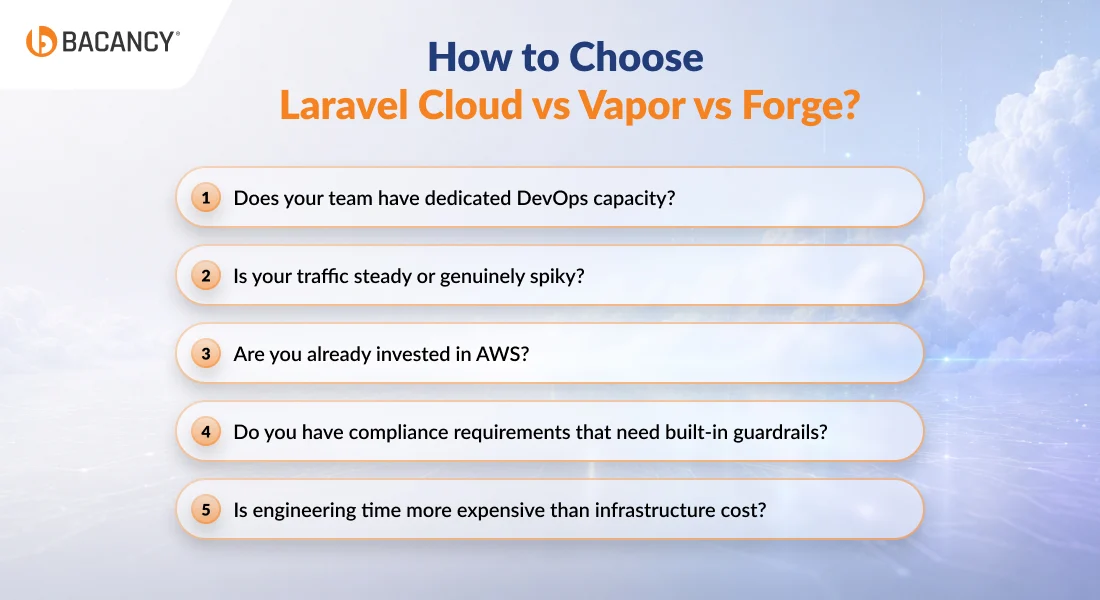
1. Does your team have dedicated DevOps capacity? If yes, Forge stays on the table and is the cheapest option for predictable workloads. If not, eliminate Forge and choose between Vapor and Cloud.
2. Is your traffic steady or genuinely spiky? Steady traffic favors Forge or Cloud, since you pay for the capacity you actually use. Genuinely high traffic (10x variation between idle and peak) favors Vapor because Lambda’s pay-per-request model is built for it. If you are unsure, your traffic is probably steady; really high traffic is uncommon.
3. Are you already invested in AWS? If your team has AWS expertise, existing AWS infrastructure, and compliance requirements pushing you toward AWS-native services, Vapor benefits from that investment. If you are starting fresh or do not want to manage AWS, Cloud is the better choice.
4. Do you have compliance requirements that need built-in guardrails? Cloud’s SOC 2 Type 2 certification, built-in WAF, and managed security posture simplify compliance for teams in regulated industries. Forge and Vapor are equally capable but require you to configure and maintain compliance yourself.
5. Is engineering time more expensive than infrastructure cost? For most funded startups and growth-stage companies, yes. Cloud trades a higher platform cost for lower operational overhead, which is a good deal when engineering hours are the constraint. For agencies or bootstrapped teams where engineering capacity is cheaper than platform fees, Forge wins on raw cost.
Most product teams in 2026 answer no, mostly steady, no AWS investment, want compliance handled, and yes, engineering time is expensive. That combination points to Laravel Cloud.
Bacancy's Expert Take on Laravel Hosting: Cloud, Forge, or Vapor?
Picking a hosting platform is one of those decisions that feels minor early on and becomes very expensive to undo later. Bacancy, as a Laravel development company with hands-on experience across various products, agency builds, and enterprise applications, has seen what happens when that decision is rushed.
The short version is this: Laravel Cloud, Forge, and Vapor are all capable platforms.
Bacancy leans toward Laravel Cloud for most new product builds today. The biggest reason is speed. Managed infrastructure, preview environments, and simpler deployments help teams spend more time building features and less time dealing with servers or DevOps tasks. For startups and fast-moving companies, that convenience matters a lot.
Forge comes into the picture when control and cost predictability matter more than convenience. Clients running multiple applications on a fixed infrastructure budget, or those with in-house DevOps teams, tend to get more value from Forge than they would from a fully managed solution.
Vapor is a strong choice for the right workload, specifically applications that are event-driven, spike-heavy, and already sitting inside an AWS ecosystem. Without that existing foundation, the complexity it introduces rarely justifies the benefits.
Any of the 3 platforms can run a Laravel app well. The question is which one fits the team and the workload, and that is a decision worth getting right early because migration costs compound.
Frequently Asked Questions (FAQs)
Yes, and it is quite a common pattern for agencies and multi-product companies. Each platform has its own account and billing, so a single team can run client work on Forge, an event-driven side product on Vapor, and a new team that wants to run client work on Forge.
Yes. Laravel has confirmed all three platforms continue to receive active development, and Vapor recently shipped support for the al2023 Lambda runtime ahead of the Amazon Linux 2 deprecation on June 30, 2026. Cloud does not replace Vapor; it serves different use cases. If your workload fits Lambda well, Vapor will keep getting better.
VPC support is available on the Business plan and above, with dedicated network isolation and advanced DDoS protection. For teams that need to run Cloud workloads inside their own AWS account or with custom AWS service integrations (RDS, Aurora, DSQL, ElastiCache), Laravel offers Private Cloud as part of enterprise plans. Standard Starter and Growth plans run on Laravel-managed AWS infrastructure without VPC peering.
Forge runs anything: Laravel, Symfony, WordPress, Statamic, vanilla PHP, plus Node.js and static sites. Vapor and Cloud are Laravel-specific by design. If you need to host WordPress alongside your Laravel app or you run a mixed PHP stack, Forge is the only option of the three that fits.
Cloud includes built-in DDoS mitigation at the edge and a Web Application Firewall on Business plans. For straightforward protection against common attacks (SQL injection, XSS, basic volumetric DDoS), it is sufficient and removes the need for separate WAF configuration. It is not a Cloudflare replacement for advanced bot management, custom firewall rules, or content optimization features, so teams already running Cloudflare typically keep it in front of Cloud rather than removing it.