Quick Summary
Migrating a database isn’t as simple as hitting copy and paste. From broken queries to downtime and unexpected costs, a lot can go wrong. In this article, we break down the top 10 database migration challenges and share simple, effective ways to deal with them before they slow you down.
Table of Contents
Introduction
With technology changing fast and new tools constantly offering better ways to handle daily operations, businesses are under pressure to modernize their systems to stay competitive. This often means upgrading what they already have or moving to more flexible and scalable solutions. One of the most important steps in this process is migrating the database.
Database migration is more than just copying data from one system to another. It is often part of a larger initiative, whether that involves moving to the cloud, modernizing legacy applications, or consolidating databases after a merger. While the destination may be promising, the journey can be difficult.
In fact, according to a 2023 report by Gartner, around 50% of enterprises exceed their database migration budgets or timelines, mostly due to technical challenges and insufficient planning.
The answer lies in knowing what challenges might arise and being ready for them before they cause delays or negative impact.
We have curated this article to help businesses manage database migration challenges. Here, we’ve listed some of the most common challenges and shared ways to deal with them effectively.
Top 10 Database Migration Challenges Businesses Face
Below, we have covered each of the 10 most common challenges in database migration that most businesses face. We have also shared practical solutions to manage these challenges effectively.
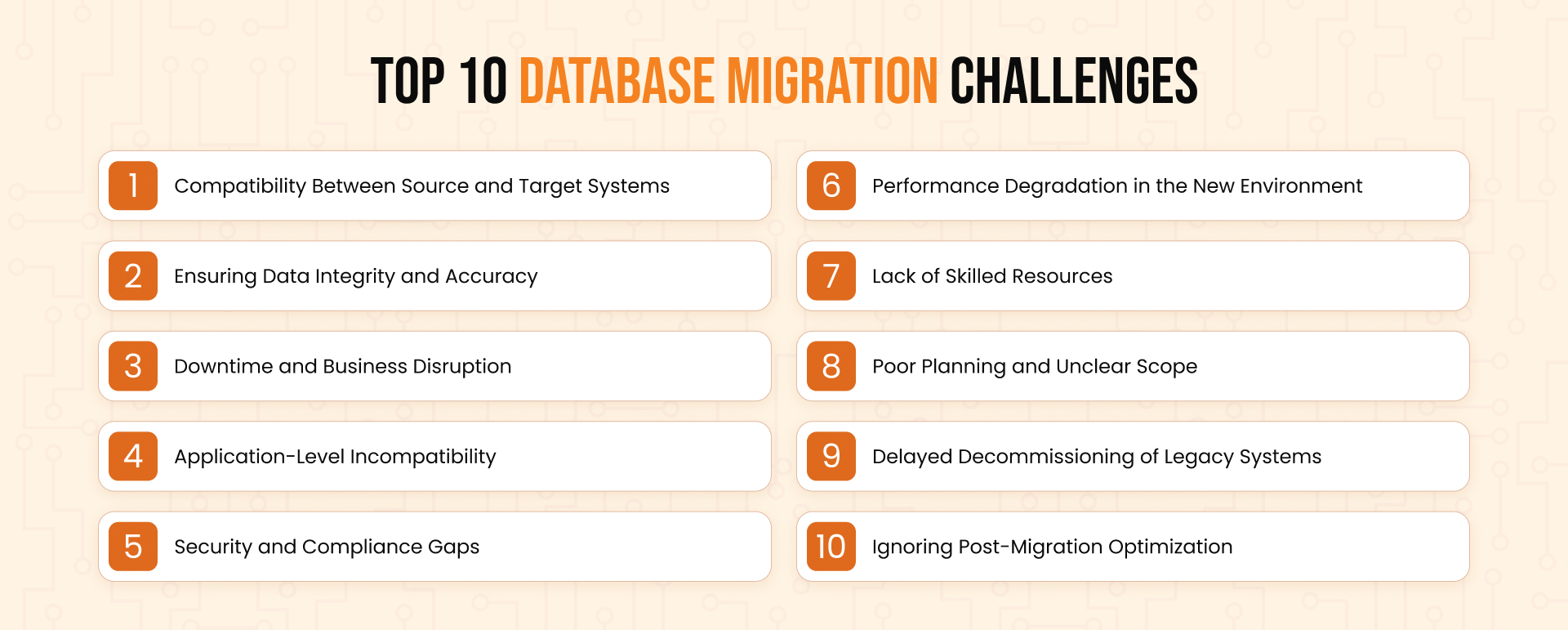
1. Compatibility Issues Between Source and Target Systems
The database a business is currently working on might not be compatible with the environment they want to migrate to. For example, SQL Server, Oracle, PostgreSQL, and MySQL each have unique syntax, data types, and system functions. Moving between them often requires more than just transferring tables and rows.
Your application could even break if a stored procedure relies on database-specific logic or if certain functions behave differently in the target system.
How to manage it:
- Run a schema analysis to identify incompatible data types, constraints, and functions.
- Use tools like AWS Schema Conversion Tool, Azure Database Migration Service, or Ora2Pg to assist with conversions.
- You may need to rewrite some parts of your stored procedures or queries to make sure they run correctly after migration.
2. Ensuring Data Integrity and Accuracy
Even a minor issue during database migration can lead to major consequences later. For example, a missing decimal, a date format mismatch, or a broken foreign key can corrupt reports, create errors in applications, or even violate regulatory requirements.
How to ensure data quality:
- Validate your data before and after the migration by using checksum or hash comparisons.
- Use sample data checks to verify that fields are correctly transferred.
- Implement automated data validation scripts that flag inconsistencies.
- Maintain data mapping documentation to ensure transformations are traceable.
3. Downtime and Business Disruption
While migrating your database, downtime can only be minimized, not avoided. If downtime is not well planned, it can affect real-time operations, delay transactions, and even frustrate incoming users.
How to reduce impact:
- Perform migration during scheduled maintenance windows or low-traffic periods.
- Use a blue-green deployment approach to test the target system before the full cutover.
- For large databases, consider near-zero downtime techniques like replication-based migration or logical replication.
- Always have a rollback plan in case the migration fails.
4. Application-Level Incompatibility
Applications that rely on the database may not work correctly after the migration if they are not tested against the new setup. This includes issues related to SQL syntax, driver compatibility, or performance changes.
What helps:
- Set up a staging environment that mirrors the actual database setup.
- Test application behavior thoroughly with the migrated database.
- Monitor query plans and adjust them if the optimizer behaves differently.
- Validate all business-critical workflows and integration points before going live.
5. Security and Compliance Gaps
Data security is a top concern, especially when migrating databases that contain sensitive information. If roles, access policies, encryption, or audit trails are not preserved correctly, the organization could face compliance issues or even risk data exposure.
How to stay secure:
- Review access controls and roles before and after migration.
- Verify that encryption is applied both at rest and in transit in the new environment.
- Maintain logs and track every step of the migration for audit purposes.
- For regulated industries, ensure the database migration complies with HIPAA, GDPR, or PCI-DSS standards.
6. Performance Degradation in the New Environment
The new system might run slower than the old one. This happens when indexes aren’t optimized, the query planner behaves differently, or default settings don’t match your workload.
What to do:
- Benchmark the key queries before migration and compare them post-migration.
- Rebuild or redesign indexes based on access patterns.
- Review memory allocation, cache settings, and connection limits.
- Monitor and fine-tune the new database after it goes live, not just during testing.
7. Lack of Skilled Resources
Database migrations demand expertise in both source and target systems, as well as in networking, storage, and application integrations. If your internal team lacks experience, the whole process may get delayed or fail unexpectedly.
How to close the skill gap:
- Bring in database administrators early to assess the migration complexity.
- Use internal knowledge along with third-party database migration experts.
- Upskill team members to manage the post-migration environment effectively.
- Document everything during the migration for future knowledge sharing.
8. Poor Planning and Unclear Scope
Well, we discussed what could go wrong from start to finish, but what about the plan, the line you need to cross even before starting the database migration process? A vague or overly optimistic plan is one of the biggest reasons database migrations go off track. Without clear timelines, defined responsibilities, and fallback procedures, teams often run into missed deadlines and cost overruns.
How to plan better:
- Define clear goals for what the migration should achieve.
- Break the work into smaller phases: assessment, pilot migration, cutover, and optimization.
- Assign owners for each task and keep stakeholders informed at every step.
- Maintain version-controlled migration documentation to avoid confusion.
9. Delayed Decommissioning of Legacy Systems
After a successful database migration, keeping the old system running “just in case” can actually add up unnecessary costs and complexity. It also creates a risk of accidental data drift if users continue to access outdated systems. This mistake can actually cost you the benefits of database migration.
How to handle legacy systems:
- Plan for decommissioning as part of the migration roadmap.
- Archive required data for legal or reference purposes before shutting down.
- Remove old systems from backups, monitoring, and access control systems.
- Train users to shift entirely to the new environment and retire old credentials.
10. Ignoring Post-Migration Optimization
Migration is not the end of the journey. Once the database is live in the new environment, ongoing tuning, monitoring, and updates are needed. Without it, issues may pile up silently and become costly later.
How to stay on top of performance:
- Perform a full post-migration health check.
- Set up proactive monitoring and alerting for slow queries, errors, and usage spikes.
- Use database automation tools to handle backups, scaling, and maintenance tasks.
- Review cost usage if the new environment is cloud-based, and adjust resource sizes as needed.
Conclusion
Database migration is one of the most critical phases in any IT modernization effort. It offers great benefits but also brings real challenges that require careful planning, hands-on experience, and the right tools. Addressing these database migration challenges upfront can easily avoid delays, downtime, and data issues.
If your organization is planning a database migration or facing trouble with the one in progress, working with an experienced database migration services provider is often helpful. Their team of experts brings the structure, tools, and technical expertise needed to keep your database migration on track and ensure long-term success.