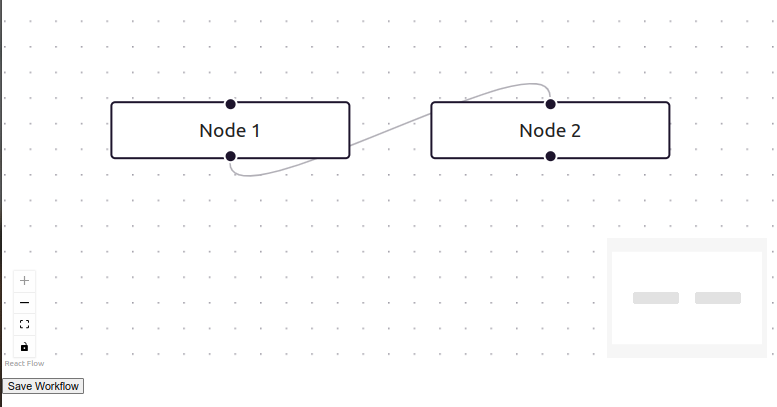
We’ll use react-flow to render and manipulate BPMN workflow as a JSON graph of nodes and edges.
Here’s a minimal end-to-end example showing how you can build a JSON-first “BPMN-style” workflow editor in React (TypeScript) and talk to a TS/Node REST back-end, no XML required.
WorkflowEditor.tsx
import React, { useCallback, useEffect } from "react";
import ReactFlow, {
  addEdge,
  MiniMap,
  Controls,
  Background,
  Connection,
  Edge,
  Node,
  useNodesState,
  useEdgesState,
} from "reactflow";
import "reactflow/dist/style.css";
type RFNode = Node<{ label: string }>;
type RFEdge = Edge;
const initialNodes: RFNode[] = [
  { id: "1", position: { x: 50, y: 50 }, data: { label: "Node 1" } },
  { id: "2", position: { x: 250, y: 50 }, data: { label: "Node 2" } },
];

const initialEdges: RFEdge[] = [{ id: "e1-2", source: "1", target: "2" }];
export interface WorkflowData {
  nodes: Node[];
  edges: Edge[];
}
export const WorkflowEditor: React.FC = () => {
  const [nodes, setNodes, onNodesChange] = useNodesState(initialNodes);
  const [edges, setEdges, onEdgesChange] = useEdgesState(initialEdges);

  // when user drags a connection
  const onConnect = useCallback(
    (connection: Edge | Connection) =>
      setEdges((eds) => addEdge(connection, eds)),
    [setEdges]
  );
  // load existing workflow
  useEffect(() => {
    fetch("/api/workflow")
      .then((res) => res.json())
      .then((data: WorkflowData) => {
        setNodes(data.nodes);
        setEdges(data.edges);
      });
  }, [setNodes, setEdges]);

  // save back to server
  const save = () => {
    fetch("/api/workflow", {
      method: "POST",
      headers: { "Content-Type": "application/json" },
      body: JSON.stringify({ nodes, edges }),
    }).then(() => {
      alert("Workflow saved!");
    });
  };
  return (
    <div style={{ height: 600 }}>
      <ReactFlow
        nodes={nodes}
        edges={edges}
        onNodesChange={onNodesChange}
        onEdgesChange={onEdgesChange}
        onConnect={onConnect}
        fitView
        attributionPosition="bottom-left"
      >
        <MiniMap />
        <Controls />
        <Background gap={16} />
      </ReactFlow>
      <button onClick={save} style={{ marginTop: 10 }}>
        Save Workflow
      </button>
    </div>
  );
};

Need Help With React Development?
Work with our skilled React developers to accelerate your project and boost its performance.
Hire Reactjs Developers