| Service Category | Examples Covered |
|---|---|
| Compute | Azure Virtual Machines, Azure Kubernetes Service (AKS), Azure App Service, Azure Functions, Azure Container Apps |
| Storage & Databases | Azure Blob Storage, Azure SQL Database, SQL Managed Instance, Azure Cosmos DB |
| Networking & Security | Azure Key Vault, Azure VPN Gateway, Azure ExpressRoute, Azure Firewall, Microsoft Entra ID (formerly Azure AD) |
| Monitoring & Compliance | Azure Monitor, Microsoft Defender for Cloud, Microsoft Sentinel, Log Analytics |
| AI Services (Text) | Azure OpenAI Service (text-based, production workloads), Azure AI Speech Services (standalone) |
| Healthcare Specific | Azure Health Data Services (FHIR), Azure Communication Services |
Quick Summary
Azure HIPAA Compliance takes more than signing a BAA. The real work begins after go-live, in how you configure identity, encryption, audit logs, and PHI access. This insight walks through the approach we apply to every healthcare client engagement, from BAA scope checks to Azure OpenAI grey zones to the common gaps that cost organizations millions.
Table of Contents
Introduction
If your healthcare organization runs workloads on Microsoft Azure, you already know HIPAA compliance isn’t optional. What most teams underestimate is how much of the work still sits on your side of the table, even after the Business Associate Agreement is in place.
That’s the gap we see on almost every Azure HIPAA Compliance engagement our team handles. The BAA gets signed, the architecture diagram gets approved, and the real compliance work only starts once PHI begins flowing through the environment.
Here’s what makes 2026 different. On January 28, HHS applied the latest inflation adjustment to HIPAA penalties, with Tier 4 annual caps now set at $2,190,294 per identical provision. In 2025 alone, 642 healthcare data breaches were reported to OCR, with at least 57 million individuals affected, and the average healthcare data breach now costs $7.42 million per incident, making healthcare the costliest industry for data breaches for the 14th consecutive year.
Those numbers change the risk equation around HIPAA Compliance on Azure. A misconfigured storage account or a missed access review isn’t just a technical oversight anymore. It’s a seven-figure exposure waiting to happen.
So where does that leave your team? That’s what this guide is for. Our Azure team treats Azure HIPAA Compliance as an engineering discipline, not a paperwork exercise. Below is the approach we apply across client engagements, step by step.
The 2026 Compliance Landscape You Need to Know About
Two regulatory shifts are reshaping how healthcare organizations approach Azure HIPAA Compliance this year.
First, HHS has issued a Notice of Proposed Rulemaking (NPRM) to overhaul the HIPAA Security Rule for the first time in more than a decade. The proposed rule would remove the distinction between “addressable” and “required” implementation specifications, effectively making encryption, multi-factor authentication, and several other foundational controls mandatory for all covered entities and business associates. For teams who previously treated these as optional, that’s a direct shift in risk posture.
Second, OCR’s risk analysis enforcement initiative is expanding in 2026 to also cover risk management, meaning documentation of controls is no longer enough. You need to show ongoing remediation activity. Every engagement we run now includes a dedicated workstream for evidence collection that maps to this expanded expectation.
How HIPAA Rules and the Business Associate Agreement Apply on Azure
Before getting into the technical side, you need to understand how HIPAA treats Azure itself. HIPAA compliance applies to covered entities, meaning healthcare providers, health plans, and clearinghouses, and to their business associates. The moment Azure stores, processes, or transmits PHI on your behalf, Microsoft becomes your business associate under the HITECH Act’s expanded definition.
The regulation is organized around three primary rules:
- The Privacy Rule governs how you use and disclose PHI
- The Security Rule sets administrative, technical, and physical safeguards for ePHI
- The Breach Notification Rule requires notifying affected individuals, HHS, and sometimes the media when unsecured PHI is compromised
For Azure to lawfully handle PHI, a Business Associate Agreement has to be in place. This is where almost every client we work with gets confused on day one.
Microsoft doesn’t send you a separate document to sign. The HIPAA BAA is embedded in the Microsoft Product Terms and the Data Protection Addendum, and it’s automatically in effect the moment you sign an Enterprise Agreement, Microsoft Customer Agreement, or CSP arrangement. There’s nothing extra to request.
When we onboard a client for Azure HIPAA Compliance work, the very first thing we do is validate the BAA status, document which Microsoft contract vehicle it flows through, and walk the compliance team through the enforceability language. Most clients show up thinking they need something separately signed. Clearing that up early removes a recurring audit question later.
Which Azure Services Fall Under the BAA
The second validation is the scope. Your BAA applies to your Azure subscription, but it only covers HIPAA-eligible services inside that subscription.
Generally available services typically in scope include:
If you put PHI into a service that isn’t on that list, you’re in violation, BAA or not. Getting this right is the foundation of Azure HIPAA Compliance, which is why we map every PHI-touching workload in your environment against the eligibility list during the first assessment.
Where Microsoft's Responsibility Ends and Yours Begins
This is one of the most misunderstood parts of HIPAA Compliance on Azure. Microsoft’s responsibility ends at the infrastructure layer:
- Physical data center security,
- Hardware lifecycle,
- Hypervisor and network isolation,
- Platform-level AES-256 encryption at rest and TLS in transit, and
- The certifications already described.
Everything deployed and configured on top of that infrastructure remains the customer’s responsibility, and this is where every HIPAA violation our team has investigated in client environments actually occurs. This includes:
- Identity and access management configuration (RBAC scoping, MFA, Conditional Access, access reviews).
- Network isolation (VNets, private endpoints, segmentation).
- Encryption configuration, including customer-managed keys, backup encryption, and export encryption.
- Audit logging retention is aligned with HIPAA’s six-year minimum.
- Application-level controls preventing PHI exposure in logs or telemetry.
- Workforce training, security risk analysis documentation, and data minimization practices.
- Put simply, Microsoft secures the cloud. You have to secure what you put in it.
Our HIPAA Compliance on Azure engagements are structured specifically around this line. Microsoft’s side is a known quantity. The client side is where the audit risk lives, and where our technical and governance work makes the difference.
Want to turn Azure's built-in compliance into a setup that holds up under an OCR audit?
Leverage our HIPAA Compliance Services to get BAA checks, access control fixes, encryption reviews, and audit-ready records, only from Bacancy.
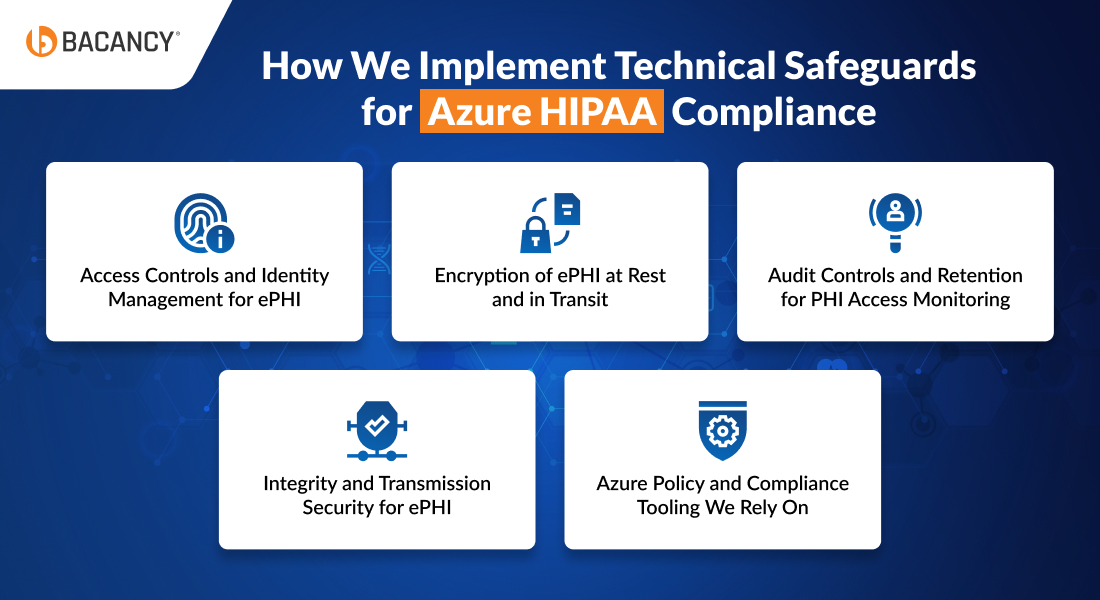
How We Implement Technical Safeguards for Azure HIPAA Compliance
The Security Rule’s Technical Safeguards under 45 CFR §164.312 are the section where most client environments need the most hands-on work. Here is how we approach each one.
Access Controls and Identity Management for ePHI
- Microsoft Entra ID (formerly Azure AD) acts as the foundation for identity management.
- Access is structured using Role-Based Access Control at the resource group and service level, instead of across the entire subscription, since overly broad access is one of the most frequent issues identified during initial audits.
- Privileged Identity Management is enabled for all administrative roles, ensuring elevated access is granted only when needed through just-in-time approval.
- Conditional Access policies are applied to manage device compliance, location-based restrictions, and risk-driven authentication.
- Access reviews are scheduled quarterly, making them a consistent operational task rather than an annual exercise.
This approach delivers measurable impact. Microsoft’s own research via Entra ID shows that MFA alone reduces the risk of account compromise by 99.2%, and layered zero-trust controls compound that protection. It remains one of the highest-ROI investments we recommend to healthcare clients.
Encryption of ePHI at Rest and in Transit
- Azure secures data at rest using AES-256 encryption by default, while TLS protects data during transmission.
- For organizations that need direct control over encryption keys, customer-managed keys are implemented through Azure Key Vault, allowing full ownership and rotation of key material.
Encryption is also validated across commonly overlooked areas such as backups, exported data, and diagnostic logs. - While default settings secure primary data paths, it is often these secondary areas, like backup copies, exported files, or logging streams, where unprotected PHI is discovered during audits.
Audit Controls and Retention for PHI Access Monitoring
- HIPAA requires maintaining access logs for a minimum of six years.
- Azure Monitor, Log Analytics Workspaces, and Microsoft Defender for Cloud provide the necessary visibility to meet this requirement.
- Diagnostic logs are configured to capture access activity, configuration updates, and security alerts, and are then routed to Microsoft Sentinel for centralized monitoring and incident response.
- Retention policies are enforced automatically using Azure lifecycle management and immutable storage.
- Many environments initially operate with default log retention of 30 to 90 days, which leads to immediate compliance gaps, making this one of the first areas addressed.
Integrity and Transmission Security for ePHI
- Data integrity is maintained by enabling versioning, soft delete, and data loss prevention across all storage services handling PHI.
- For secure data transmission, traffic is routed through private endpoints and Azure ExpressRoute wherever possible, reducing reliance on the public internet.
- In cases involving HL7 FHIR workloads on Azure Health Data Services, Azure API Management enforces TLS standards and approved cipher suites at the gateway level, providing a clear and auditable security control point.
Planning Azure HIPAA Compliance for a new or existing environment, but not sure where to start?
Hire Azure developers from our certified team to get a structured compliance assessment and engineering plan you can trust.
Azure Policy and Compliance Tooling We Rely On
- Azure Policy enables consistent governance across environments.
- The built-in HITRUST/HIPAA Regulatory Compliance initiative is deployed so that each control aligns directly with Azure Policy definitions, allowing continuous compliance monitoring instead of periodic manual checks.
- Microsoft Purview Compliance Manager further supports this by offering a dedicated HIPAA template to track compliance posture, identify gaps, and produce documentation required for audits.
One important point to keep in mind: these tools only reflect the state of technical controls. They do not account for administrative requirements such as staff training, risk assessments, or Business Associate Agreements. For that part, we maintain separate documentation templates for each client so nothing falls through the cracks during an audit.
A Real-World Gap Example from a Recent Client Engagement
To make this concrete, here’s a typical scenario from a recent engagement with a US-based telehealth platform running a mixed workload of Azure App Service, Azure SQL, and Azure Blob Storage.
When we began the assessment, their environment passed every default security scan. Microsoft Defender for Cloud reported a 78% secure score. The BAA was in place. Azure Policy showed green across most HITRUST controls. On paper, they looked compliant.
Three gaps surfaced within the first week of our audit:
1. Audit log retention was configured for 90 days, not six years. Their SIEM pipeline had never been extended to archive blob storage with immutable retention.
2. Diagnostic logs for three App Service instances were writing PHI-containing request payloads into Application Insights, which was not included in their BAA scope because they had enabled a preview feature without vetting eligibility.
3. Three former engineers still held Owner role on the production resource group, because access reviews had been “deferred” during a team transition.
None of these gaps would have been caught by an internal tooling review. All three were documented, remediated, and evidenced within a four-week sprint. Total projected penalty exposure if an incident had occurred before remediation: well into the seven-figure range under the updated 2026 Tier 4 caps.
This is why we run every engagement with the assumption that the default Azure security posture looks fine until you examine it against HIPAA’s specific retention, scope, and access-review requirements.
The Azure OpenAI Grey Zone and How We Navigate It
In 2026, almost every healthcare organization explores Azure OpenAI for use cases like clinical documentation, patient communication, triage, or administrative automation. In most of these cases, prompts include PHI, which makes compliance a direct and immediate concern.
Here’s how things stand today. Azure OpenAI Service falls under Microsoft’s HIPAA BAA when you use it for production-based text interactions. The system processes prompts and responses in memory and does not store them, which aligns with HIPAA’s data minimization requirements. If your workload stays text-based and runs in production, you can achieve HIPAA Compliance on Azure for Azure OpenAI by putting the right controls in place.
The complexity begins when you move beyond plain text. Image generation models like DALL·E do not fall under HIPAA coverage. Audio features, including those available in the Realtime API, have not received explicit certification, even though the same API supports compliant text processing. Preview features create another layer of risk, as they usually remain outside BAA coverage until Microsoft promotes them to general availability and includes them in the official eligibility list.
How we handle it: In client environments, when a workload involves PHI, we limit Azure OpenAI usage strictly to supported text-based features. For voice-based use cases, we route processing through HIPAA-eligible Azure AI Speech Services instead of relying on the Realtime API’s built-in audio capabilities. We secure the environment using private networking, enforce strict access controls, and apply content filtering to prevent PHI from appearing in diagnostic logs. We also document every data flow clearly, so it holds up during audits. If a feature is still in preview, we keep it out of scope until it receives formal certification.
This space continues to evolve quickly within Azure HIPAA Compliance. We review Microsoft’s eligibility documentation every quarter for active environments. What meets compliance standards today may change, and features that are not covered now may become eligible in the near future.
Azure vs AWS vs Google Cloud for Regulated Healthcare Workloads
Clients regularly ask which cloud is best for healthcare. The right answer is that all three major cloud platforms are HIPAA-capable. Azure, AWS, and Google Cloud all offer BAA coverage, FedRAMP authorizations, and extensive compliance tooling. The compliance capabilities are substantially equivalent for standard healthcare workloads. The differences come down to ecosystem fit, not the compliance badge on the contract.
| Provider | Notable Characteristics for HIPAA Workloads |
|---|---|
| Microsoft Azure HIPAA Compliance | Largest global footprint (60+ regions), tightest integration with Microsoft 365 and enterprise healthcare systems, HITRUST certification, automated BAA through Product Terms, strongest positioning for Microsoft-centric healthcare organizations |
| Amazon Web Services HIPAA Compliance | Longest tenure in enterprise cloud healthcare, largest service catalog, deepest documentation, generally preferred for organizations building greenfield healthcare applications requiring maximum architectural flexibility |
| Google Cloud Platform HIPAA Compliance | Largest number of availability zones, competitive entry-level pricing, strong innovation velocity, preferred by organizations prioritizing developer experience and Kubernetes-native workloads |
Our recommendation across client engagements is consistent. Platform selection should be driven by the ecosystem you already use, not by compliance alone. What truly separates a compliant setup from a violation is how well you configure and govern the environment, not which cloud provider you select.

Conclusion
Microsoft Azure occupies a legitimate and well-developed position in the HIPAA-compliant cloud landscape. Its automated BAA mechanism, FedRAMP High authorization, HITRUST certification, comprehensive encryption defaults, and expanding governance toolset make it a credible choice for healthcare data workloads. The platform has made genuine investments in reducing the compliance burden for healthcare organizations through tooling, documentation, and framework alignment. What they cannot do is replace the internal program, configuration discipline, and operational rigor that turn eligibility into actual compliance.
Organizations that succeed with Azure HIPAA Compliance approach the BAA as a starting point, not the final solution. They actively document risk analyses, enforce least-privilege access across IAM, validate encryption across all data paths, retain audit logs for the full six-year requirement, restrict PHI from non-eligible services, and continuously reassess their setup as Azure services evolve and regulatory expectations shift.
The question for any healthcare organization considering Azure is not whether the platform can support HIPAA compliance; it can. The question is whether the organization has the internal program, expertise, and operational discipline to take the platform’s capabilities and build genuine compliance from them.
For healthcare organizations that need this level of control without building a full in-house compliance team, our Azure Consulting Services and ongoing managed compliance engagements provide a structured path forward. We combine Azure’s native capabilities with the governance, oversight, and engineering discipline required under HIPAA, helping organizations build and maintain an environment that stands up to audits with confidence.
Happy Clouding!!
Frequently Asked Questions (FAQs)
No cloud platform is HIPAA compliant out of the box, including Azure. The infrastructure meets HIPAA requirements, but compliance depends on how you configure identity, encryption, logging, and access controls on top of that infrastructure.
No. Microsoft’s HIPAA BAA is embedded in the Microsoft Product Terms and Data Protection Addendum. It takes effect automatically when you sign an Enterprise Agreement, Microsoft Customer Agreement, or CSP arrangement.
Preview features are typically not covered until they reach general availability. DALL·E image generation, Realtime API audio features, and any service not listed on Microsoft’s HIPAA eligibility page are out of scope. Always verify against the current eligibility list before routing PHI through a service.
HIPAA requires a minimum of six years. Azure’s default log retention is often 30 to 90 days, so you must extend retention using Log Analytics Workspaces combined with immutable blob storage or Azure archive tiers.
Yes, but only for text-based, production workloads. Preview features, image generation, and Realtime API audio are not covered under the BAA. For voice use cases involving PHI, route through Azure AI Speech Services instead.