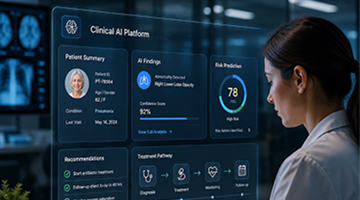
An 8-clinic multi-specialty group was about to buy a new server for its EHR. We advised them not to. Bacancy Technology moved the group to a cloud based EHR instead, recommending ready-made software over a costly custom build and switching the clinics over one at a time. Today, all 8 clinics work from one system, the group owns zero servers, and its backups are stored off-site and tested by restoring them.
Introduction
When the owners of an 8-clinic multi-specialty group contacted us, they had already priced a new server. Their EHR, the software where doctors keep patient records, ran on machines in the main office. They had opened 2 new clinics in 18 months, and the system slowed down with each one. Our advice was direct: don’t buy the server. A bigger machine would only delay the same problem until the next clinic opened. We recommended moving to a cloud based EHR, so the group would never own or manage a server again.
Why the Client’s On-Premise EHR Server Couldn’t Keep Up
An on-premise EHR runs on a server inside your own building. Our review of the group’s setup found four problems
| What We Found | Why It Was Risky |
|---|
| Every clinic connected to one server in the main office | Charts loaded slowly at every clinic during busy hours |
| The servers were 5 years old | A large, unplanned hardware bill was coming |
| Backups were kept in the same building | One fire, flood or cyberattack could destroy both |
| One outside IT contractor held all the passwords | Every fix waited until that person was available |
This group wasn’t unusual. In Black Book Research’s 2025 healthcare cloud study of 890 U.S. healthcare organizations, the top three barriers to moving to the cloud were cost 68%, lack of in-house experts (64%), and privacy concerns 61%. Our client faced all three, with no IT team of its own.
How We Planned the Switch to a Cloud-Based EHR
We started by answering two questions with the owners: which kind of EHR fit their clinics, and who would handle each task once the servers were gone. Settling both early meant the data migration began with no open decisions.
Choosing Ready-Made Software Over a Custom Build
The group asked whether to rent ready-made software from an EHR company, called SaaS (software as a service), or have us build a custom EHR. A custom build would have been a bigger project for us, but we advised renting. Their clinics offered [primary care, pediatrics and women’s health], which established cloud EHRs already handle well.
Before they signed with [vendor name], we reviewed the contract with the owners. We checked how their data would be returned if they ever left, what uptime the company promised, and whether its BAA covered every service they would use.
Agreeing on Who Handles Each Task
Many cloud projects run into trouble because nobody is sure who should fix what. Before moving any data, we created a one-page responsibility map with the owners, and both sides signed it.
| Task | Who Handles It |
|---|
| Data centers, hardware and physical security | The cloud EHR company |
| Encryption, backups, monitoring and data connections | Bacancy Technology |
| Staff accounts and access | The group’s practice manager |
| Internet at each clinic, with a backup connection we recommended | The group |
How We Migrated Patient Records While All 8 Clinics Stayed Open
The old EHR was federally certified, so US rules required it to let the group export all of its patients’ electronic health information (EHI). That meant the old EHR company couldn’t hold the data back.
- We moved what doctors use. Current medicines, allergies, problems, recent lab results and upcoming appointments moved as working data. Older notes moved as searchable documents, which kept costs down.
- We checked every batch. After each batch, we matched patient counts, medication lists and allergy lists against the old system before moving more.
- We kept old records readable. A read-only archive let the group switch off its old servers and still keep every record its state requires.
How We Built HIPAA Compliance Into the Cloud EHR From Day One
HIPAA, the U.S. law that protects patient privacy, applies the same way in the cloud. We signed BAAs, the contracts HIPAA requires with any company that handles patient data, and encrypted all data before the first record moved.
- Every staff member got their own login, with a second step, such as a phone code, for doctors.
- We proved the backups work by restoring the full system into a separate test environment, with copies kept in a second location.
- We made access easy to review. Audit logs show who opened which record and when, and the practice manager gets a monthly report of every active login.
Bacancy is ISO/IEC 27001:2022 certified for information security. Our HIPAA compliance services team brings this same discipline to every healthcare project.
How We Launched and Monitored the Cloud EHR One Clinic at a Time
| Stage | What Had to Work Before Moving On |
|---|
| Build and test | Lab orders, results and insurance claims all worked end to end with test patients |
| Pilot clinic | No problems affecting patient care, and insurance payments received for one full billing cycle |
| Remaining 7 clinics | Each small group matched the pilot’s results before the next one started |
We called the pilot a success only when real insurance payments came in, not just when the software worked. That protected the group’s income before more clinics switched over. Before each switch, we also tested every scanner, printer and card reader at that clinic.
What Our Monitoring Caught After Go-Live
For the first 30 days after each go-live, we watched system speed and checked in daily with each clinic manager. That’s how we caught two small issues early:
- One clinic’s screens were slower in the morning rush. The cloud EHR was fine, but the clinic’s old Wi-Fi router wasn’t. We replaced it the same week.
- A few doctors found their visit notes too long. We removed the fields they didn’t use.
Both fixes went onto the checklist for the remaining clinics, so the clinics that switched later never faced either issue.
Planning a cloud EHR for your clinics?
Our EHR software development team helps clinic groups get the right EHR in place, from adding missing workflows to ready-made software to building a custom system when nothing on the market fits.
Results After Moving to the Cloud EHR
| Metric | Before | After |
|---|
| Servers owned and managed by the group | 2 | 0 |
| Clinics running on the same cloud EHR | 0 | 8 |
| Backups stored off-site and tested by restoring | No | Yes |
| Staff with their own individual login | Some | All |
Conclusion
The group came to us ready to buy another server. They left with no servers to manage and one system across all 8 clinics.
For any clinic group considering a cloud based EHR, the key decisions come before the technology: rent or build, which clinic goes first, and who owns each task. Whether your group still runs its own servers or is already planning a switch, our healthcare IT services team can help at every stage, from choosing the right EHR to keeping it running smoothly after go-live.
Frequently Asked Questions (FAQs)
It’s patient records software that runs on computers owned and managed by a cloud provider or EHR company. Staff open it in a web browser or app. The provider handles hardware, updates and backups, and you decide who can see patient data.
Usually, if it’s set up correctly. Cloud data centers have security a single clinic can’t afford, but staff logins and settings stay your responsibility.
It costs less upfront, because there’s no server to buy. Over several years, monthly fees narrow the gap, so the real savings come from skipping hardware replacements and server upkeep.
Sometimes. Many EHR companies offer a cloud-hosted version of the same software, so staff keep familiar screens. Check whether the company fully manages it, or just moves your server into its data center and leaves the upkeep to you.
Yes, even if the screens look familiar. Short training for each role before go-live helps receptionists, nurses and doctors learn their own daily tasks. Having one trained person at each clinic to answer quick questions makes the first weeks much easier.