Docker is an open platform for developers and sysadmins to build, ship, and run distributed apps. With Docker, developers can build any app in any language using any tool chain. ‘Dockerised’ apps are completely portable and can run anywhere – on colleagues’ OS X and Windows laptops, QA servers running Ubuntu in the cloud, and production data center VMs running Red Hat.
Source: Docker.com
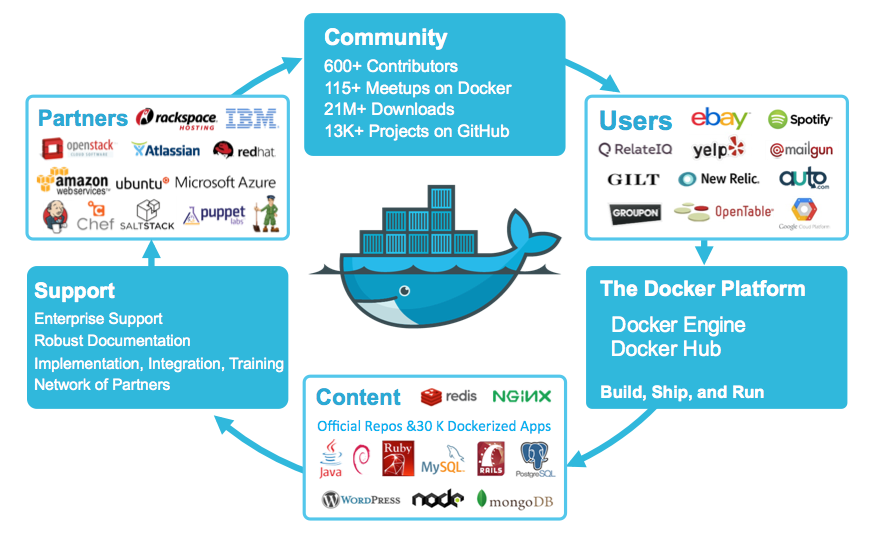
Software delivery
Being a software programmer, there are many environments in which the code we write may live and run, including but not limited to:
- Development: Curated mostly by software programmers
- Quality Assurance: Completely managed by a QA team
- Staging: primarily used for product owner sign-off
- Production: where the real magic happens, and where end users introduce as many variables as possible
In the attempt of reducing complications, by minimizing the number of variables at play, it’s greatly desirable to enforce that your environments work in a similar way to each other as possible. In a simpler term and from the perspective of software delivery, the simplest way is a single as well as reusable environment.
There is one way to achieving this is to make use of Docker.
Docker has been aptly described as ‘an engine that automates the deployment of any application as a lightweight, portable, self-sufficient container that will run virtually anywhere’. Thus, officially Docker has introduced as Build, Ship and Run Any App, Anywhere.
Solution design
First of all, let’s clearly define what an environment looks like to us in its most basic form.
In my example:
- Example of Apache Tomcat with a specific security and web 2configuration.
- WAR file – deployed into the root of Tomcat
- Data file – Stored in a directory accessible by the Java WAR once deployed onto Tomcat
In this most basic form, any software programmer can easily see that it is easy to replicate this environment almost anywhere.The first step would be to compose a single artefact to contain all of the components along with their configurations. This is where Docker comes in.
The first and foremost step we take into consideration is we create Docker container. There are two ways to do this: either by executing each step manually on a base container or by composing the commands into a configuration.
Having created a container with the three components defined above, the first major step is almost complete.
Second, our task is to package this container into an image and/or to archive the contents into a tarball archive for transport.
To expand our scenario further, the actual environment is required to support multiple instances of the app running in parallel. Classically, one could either boot a new Virtual Machine (VM) to deploy a copy of the app onto, or requisition another physical server to do the same – or even tweak the configuration of the environment to support multiple deployments of it onto the same host machine.
This process is greatly simplified by wrapping the basic app environment within a Docker container – a great feature which is the isolation it provides on the network layer.
During the startup of a Docker container on a host machine, it is possible to either specify a port number on the host machine to map to the local container port, or let Docker randomly assign an unused port to it.
As a direct consequence, it is easy to deploy multiple instances of our basic environment artefact – excluding the configuration of a load balancer – thereby affording parallel execution of the underlying app and enabling horizontal scaling. It is now highly valuable to automate and integrate this entire process into the CD pipeline.
To get the CD or Continuous Integration (CI) server to replicate the above process, we start with building the Docker container.
Next steps
It is perfectly fine to set up the process describe above manually, the caveat is the only efficient for small-to-medium scale projects. When the number of components and apps scales up, setting up and managing the entire process requires more effort.
To help with exactly this situation, the Docker team has already begun to work on a complete orchestration framework.
One of the core questions the framework seeks to answer is:
‘Singleton Docker containers are 100% portable to any infrastructure, but how can I make sure that my multi-container distributed app is also 100% portable, whether moving from initial staging to production or across data centers or between public clouds?”
To make it happen, please do have a look at the orchestration framework tools
- Docker Machine: Most importantly responsible for receiving targeted machines ready to run Docker containers
- Docker Swarm: It allows users to pool together hosts running Docker, so that they can be used together to provide workload management and failover services
- Docker Compose: allows the description of multi-container sets that can be run as a single app
By making use of Docker and its associated machinery, our Docker Specialist scan reduce the complexity of your infrastructure.And hiring our Docker Developers you can make sure that you are stepping towards massive but manageable app environments.

